
VoltEdge CX40
Uživatelská příručka k ovladači VoltEdge CX40 Camo Blue
Model: CX40 | Brand: VoltEdge
Zavedení
This manual provides detailed instructions for the setup, operation, maintenance, and troubleshooting of your VoltEdge CX40 Camo Blue Controller. Please read this manual thoroughly before using the product to ensure optimal performance and longevity.

Obrázek 1: Přední strana view of the VoltEdge CX40 Camo Blue Controller.
Vlastnosti produktu
- Dvojitá vibrace: Experience immersive feedback with built-in dual vibration motors.
- Funkce Turbo: Enhance your gameplay with programmable turbo functionality.
- 2-Meter Cable: Poskytuje ampsáhněte po pohodlných herních relacích.
- Ergonomický design: Engineered for comfort during extended periods of use.
- Kompatibilita s více platformami: Compatible with PlayStation 4 (PS4), PlayStation 3 (PS3), and PC.
Nastavení
Connecting to PS4/PS3:
- Ujistěte se, že je vaše konzole zapnutá.
- Connect the USB cable of the VoltEdge CX40 controller to an available USB port on your PS4 or PS3 console.
- The controller will automatically be recognized and configured. The indicator light on the controller will illuminate once connected.
Připojení k PC:
- Ujistěte se, že je váš počítač zapnutý.
- Connect the USB cable of the VoltEdge CX40 controller to an available USB port on your PC.
- The operating system will typically install the necessary drivers automatically. This may take a few moments.
- Once drivers are installed, the controller will be ready for use with compatible PC games.

Figure 2: VoltEdge CX40 Controller in its retail packaging, showing the included cable.
Návod k obsluze
Základní ovládání:
The VoltEdge CX40 controller features standard button layouts for intuitive gameplay.
- Analogové páčky: Používá se pro ovládání pohybu a kamery.
- D-Pad: Pro přesné směrové zadávání.
- Action Buttons (X, O, Triangle, Square / A, B, X, Y): Provádějte herní akce.
- Shoulder Buttons (L1, R1) and Triggers (L2, R2): For various in-game functions like aiming, shooting, or menu navigation.
- Tlačítko SDÍLET: (PS4/PS3) For sharing gameplay content.
- Tlačítko MOŽNOSTI: (PS4/PS3) For accessing in-game menus or pause functions.
- Tlačítko P4: (PS4/PS3) Functions as the PlayStation button.
Turbo Function Activation:
- Stiskněte a podržte TURBO button (if present, or a designated button for turbo activation, typically indicated in the manual or on the controller itself).
- While holding the TURBO button, press the action button you wish to apply turbo to (e.g., X, Square, R1).
- Release both buttons. The selected action button will now rapidly repeat its input when held down.
Turbo Function Deactivation:
- Stiskněte a podržte TURBO tlačítko.
- While holding the TURBO button, press the action button that currently has turbo activated.
- Release both buttons. The turbo function for that specific button will be deactivated.
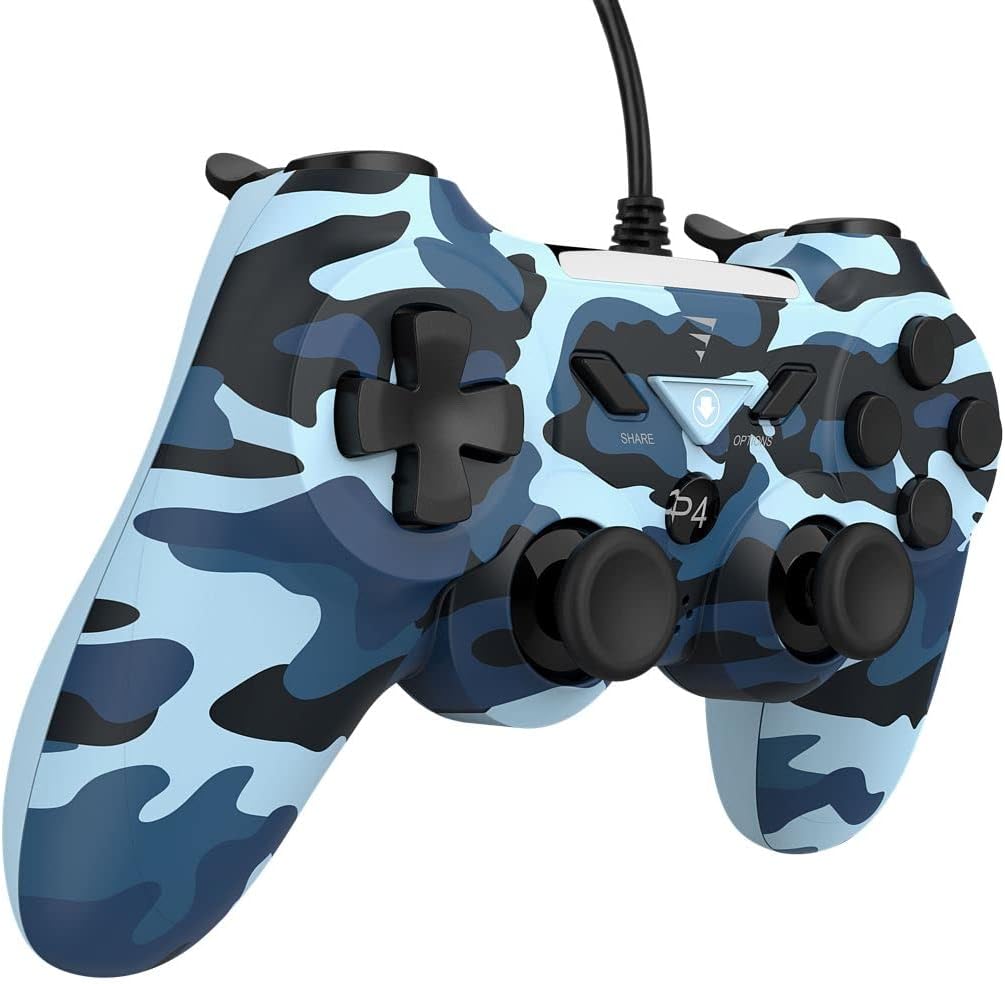
Obrázek 3: Strana view of the VoltEdge CX40 Controller, highlighting its ergonomic shape.
Údržba
- Čištění: K otření povrchu ovladače použijte měkký, suchý hadřík. V případě odolné nečistoty lehceampOpláchněte hadřík vodou. Nepoužívejte agresivní chemikálie ani abrazivní čisticí prostředky.
- Skladování: Regulátor skladujte na chladném a suchém místě mimo dosah přímého slunečního záření a extrémních teplot.
- Péče o kabely: Avoid bending or twisting the cable excessively. Do not pull the controller by its cable.
- Kontakt s kapalinou: Keep the controller away from liquids. If liquid enters the controller, disconnect it immediately and allow it to dry completely before attempting to use it again.
Odstraňování problémů
| Problém | Možná příčina | Řešení |
|---|---|---|
| Konzole/PC nerozpoznává ovladač. | Loose USB connection, faulty USB port, driver issue (PC). |
|
| Vibrace nefungují. | Game does not support vibration, vibration setting disabled, internal fault. |
|
| Buttons or analog sticks unresponsive. | Dirt/debris under buttons, physical damage, software glitch. |
|

Obrázek 4: Spodní část view of the VoltEdge CX40 Controller, showing the grip texture.
Specifikace
- Model: VoltEdge CX40 Camo Blue
- Kompatibilita: PlayStation 4 (PS4), PlayStation 3 (PS3), PC
- Konektivita: Kabelové USB
- Délka kabelu: 2 metrů
- Vlastnosti: Dual Vibration, Turbo Function
- Rozměry (balení): Přibližně 17 x 14.5 x 6.2 cm
- Hmotnost (balení): Přibližně 400 g
- ASIN: B0B4PRL244
Záruka a podpora
VoltEdge products are designed for durability and performance. For information regarding warranty coverage and terms, please refer to the warranty card included with your product or visit the official VoltEdge webmísto.
For technical support, troubleshooting assistance beyond this manual, or inquiries about replacement parts, please contact VoltEdge customer support through their official channels. Contact information can typically be found on the product packaging or the official VoltEdge webmísto.
Online zdroje: For the latest drivers, firmware updates, and additional support resources, please visit the official VoltEdge support page.
Ask a question about this manual
Ask about setup, troubleshooting, compatibility, parts, safety, or missing instructions. Manuals+ will review the question and use this page’s manual context to help answer it.