
1. Úvod
Thank you for choosing the Kaidi TWS Smart Touch Wireless Earbuds KD-771. These earbuds feature Bluetooth V5.1 for stable connectivity, Smart Touch controls for easy operation, and an IPX4 splash-resistant design, making them suitable for various activities. This manual provides detailed instructions to help you get the most out of your new earbuds.
Obsah balení:
- 1 Pair of Kaidi KD-771 Wireless Earbuds
- 1 Nabíjecí pouzdro
- 1 USB Charging Cable (Type-C, typically)
- 1 Uživatelská příručka
2. Nastavení
2.1 Nabíjení sluchátek a nabíjecího pouzdra
Před prvním použitím sluchátka a nabíjecí pouzdro plně nabijte. Nabíjecí pouzdro slouží jako přenosná powerbanka pro vaše sluchátka.
- Nabíjení sluchátek: Place the earbuds into their respective slots in the charging case. Ensure the charging contacts align. The indicator lights on the earbuds will show their charging status.
- Nabíjení pouzdra: Connect the USB charging cable to the charging port on the case and the other end to a USB power adapter (not included) or a computer USB port. The charging case indicator will illuminate to show charging status. A full charge for the case and earbuds typically takes approximately 4 hours.
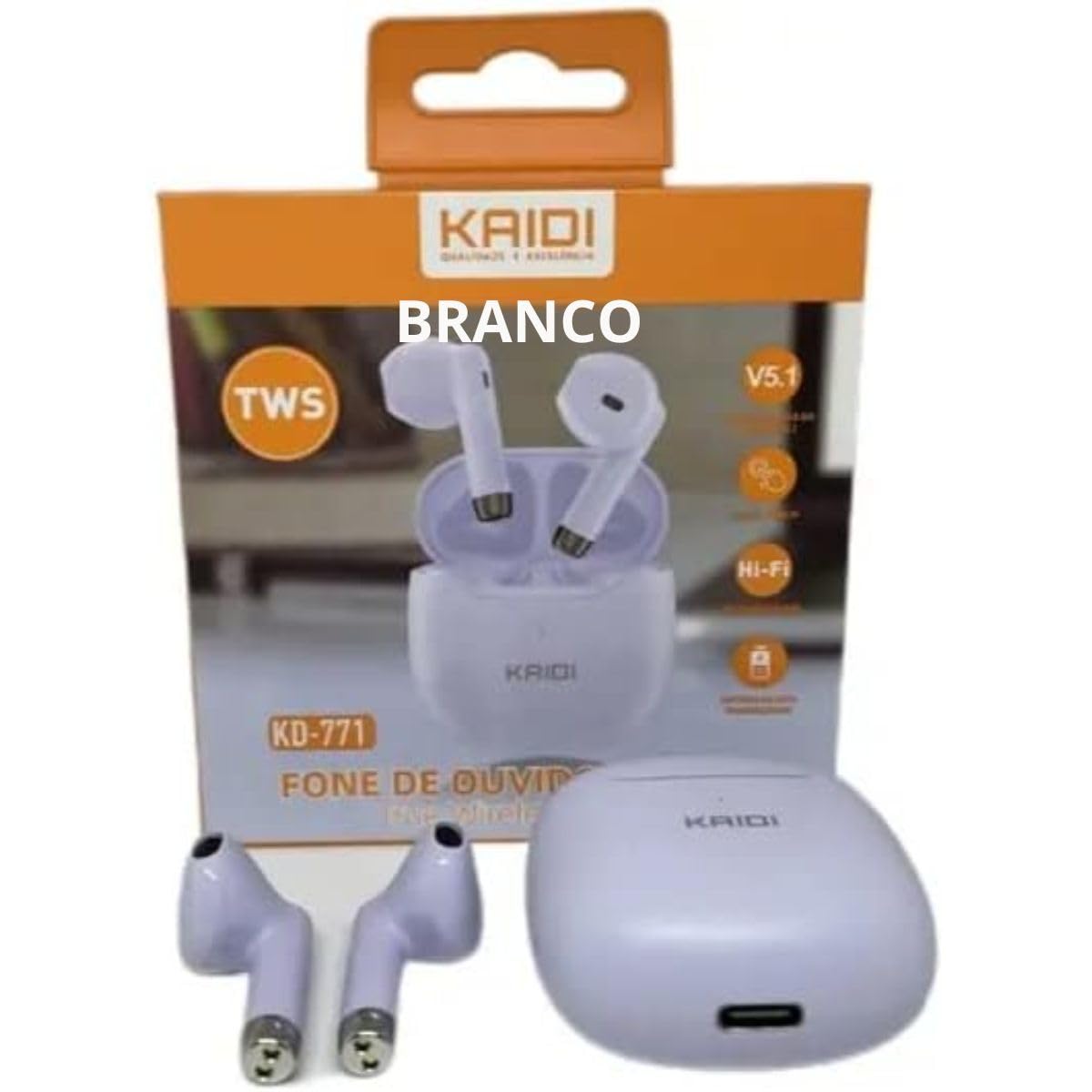
Image: Kaidi KD-771 Earbuds in their charging case. The earbuds are white and sit securely in the case, which is also white. This image illustrates the product's appearance and how the earbuds are stored.
2.2 Párování s vaším zařízením
Follow these steps to pair your Kaidi KD-771 earbuds with your smartphone or other Bluetooth-enabled device:
- Zapnutí: Open the charging case. The earbuds will automatically power on and enter pairing mode. You will hear an audible prompt, and the indicator lights on the earbuds will flash (typically blue and red alternately).
- Aktivujte Bluetooth: V zařízení přejděte do nastavení Bluetooth a ujistěte se, že je Bluetooth zapnutý.
- Select Earbuds: In the list of available Bluetooth devices, look for "KD-771" or a similar name and select it to connect.
- Potvrzení: Once connected, you will hear a confirmation sound from the earbuds, and the indicator lights will stop flashing or flash slowly.
Poznámka: Sluchátka se po vyjmutí z pouzdra automaticky znovu připojí k poslednímu spárovanému zařízení, pokud je na zařízení povoleno Bluetooth.
3. Návod k obsluze
The Kaidi KD-771 earbuds feature Smart Touch controls for convenient operation.
3.1 Zapnutí/vypnutí
- Zapnutí: Otevřete nabíjecí pouzdro nebo dlouze stiskněte dotykovou plochu na obou sluchátkách po dobu přibližně 3 sekund.
- Vypnout: Vložte sluchátka zpět do nabíjecího pouzdra a zavřete víko, nebo dlouze stiskněte dotykovou plochu na obou sluchátkách po dobu přibližně 5 sekund.
3.2 Přehrávání hudby
- Přehrát/pozastavit: Tap the touch area on either the left or right earbud once.
- Další skladba: Dvakrát klepněte na dotykovou oblast na pravém sluchátku.
- Předchozí skladba: Dvakrát klepněte na dotykovou oblast na levém sluchátku.
3.3 Správa hovorů
- Přijmout/ukončit hovor: Během příchozího hovoru nebo během aktivního hovoru jednou klepněte na dotykovou oblast na kterémkoli ze sluchátek.
- Odmítnout hovor: Long-press the touch area on either earbud for approximately 2 seconds during an incoming call.
3.4 Hlasový asistent
- Aktivovat Voice Assistant: Třikrát klepněte na dotykovou oblast na kterémkoli sluchátku.
3.5 Ovládání hlasitosti
- Zvýšení hlasitosti: Long-press the touch area on the right earbud.
- Snížit hlasitost: Long-press the touch area on the left earbud.
4. Údržba
4.1 Čištění
- K čištění sluchátek a nabíjecího pouzdra použijte měkký, suchý hadřík, který nepouští vlákna.
- Nepoužívejte abrazivní čisticí prostředky, rozpouštědla ani aerosolové spreje.
- Jemně očistěte nabíjecí kontakty na sluchátkách i pouzdře suchým vatovým tamponem, abyste zajistili správné nabití.
4.2 Skladování
- Pokud sluchátka nepoužíváte, uložte je do nabíjecího pouzdra, aby byla chráněna a zůstávala nabitá.
- Přístroj skladujte na chladném a suchém místě, mimo dosah extrémních teplot a přímého slunečního záření.
4.3 Vodotěsnost (IPX4)
The Kaidi KD-771 earbuds are rated IPX4, meaning they are splash-resistant. This protects them from splashing water from any direction. They are suitable for light rain or sweaty workouts.
- Neponořujte sluchátka do vody.
- Nevystavujte je vysokotlakému proudu vody.
- Před vložením sluchátek zpět do nabíjecího pouzdra se ujistěte, že jsou suchá, abyste zabránili poškození nabíjecích kontaktů.
5. Řešení problémů
5.1 Sluchátka se nespárují
- Ujistěte se, že jsou obě sluchátka nabitá.
- Vypněte Bluetooth na svém zařízení a znovu jej zapněte.
- Delete "KD-771" from your device's Bluetooth list and try pairing again.
- If only one earbud connects, try resetting the earbuds (refer to the full reset instructions if available in a separate guide, or try placing them back in the case and taking them out again).
5.2 Žádný zvuk nebo nízká hlasitost
- Zkontrolujte úroveň hlasitosti na zařízení i ve sluchátkách.
- Ujistěte se, že jsou sluchátka správně připojena k vašemu zařízení.
- Vyčistěte mřížku reproduktoru sluchátek od nečistot.
5.3 Problémy s nabíjením
- Ujistěte se, že je nabíjecí kabel bezpečně připojen k pouzdru i ke zdroji napájení.
- Ověřte, zda je zdroj napájení funkční.
- Vyčistěte nabíjecí kontakty na sluchátkách a uvnitř pouzdra.
6. Specifikace
| Funkce | Specifikace |
|---|---|
| Číslo modelu | KD-771 |
| Verze Bluetooth | V5.1 |
| Výdrž baterie (sluchátka) | Approx. 4 hours (talk time/music playback) |
| Doba nabíjení | Přibližně 4 hodiny (pro plné nabití pouzdra a sluchátek) |
| Voděodolnost | IPX4 (odolné proti stříkající vodě) |
| Impedance | 32 ohmů |
| Frekvenční rozsah | 2.400 - 2.485 GHz |
| Typ zvukového ovladače | Vyvážený ovladač armatury |
| Kontrolní metoda | Dotek |
| Komponenty v ceně | Sluchátka, Nabíjecí pouzdro |
| Certifikace ANATEL | 18583-21-14467 |
7. Záruka a podpora
7.1 Informace o záruce
This Kaidi KD-771 product is covered by a Záruka 3 měsíců from the date of purchase against manufacturing defects. Please retain your proof of purchase for warranty claims.
Záruka se nevztahuje na poškození způsobené:
- Nesprávné použití nebo manipulace.
- Neoprávněné opravy nebo úpravy.
- Accidental damage, drops, or extreme temperatures.
- Water damage beyond the IPX4 rating (e.g., submersion).
7.2 Podpora
For further assistance, troubleshooting, or warranty inquiries, please contact the retailer or the manufacturer (KAIDI) directly. Refer to your purchase documentation for specific contact details.