
Vanja 430C
Uživatelská příručka k čtečce SD karet Vanja USB-C (model 430C)
Komplexní pokyny pro nastavení, provoz a údržbu.
1. Úvod
This manual provides detailed instructions for the Vanja USB-C SD Card Reader, Model 430C. This device is designed for high-speed data transfer between various memory cards and USB-C enabled devices. Please read this manual thoroughly to ensure proper usage and optimal performance.
2. Konec produktuview
The Vanja USB-C SD Card Reader (Model 430C) is a compact and efficient tool for managing data from various memory card formats. It features a USB-C interface for broad compatibility and high-speed data transfer.
Klíčové vlastnosti:
- USB 3.2 Gen 1 Interface: Supports data transfer speeds up to 5 Gbps, enabling quick transfer of large files.
- Kompatibilita univerzálních karet: Reads SD, MicroSD, SDXC, SDHC, MMC, and UHS-I cards up to 2TB capacity.
- Široká podpora zařízení: Compatible with iPhone 15/16 series, MacBook Pro, iPad, Mac desktops, Windows laptops, and USB-C Android devices.
- Kabelové připojení: Ensures stable and reliable data transfer without wireless interference or battery concerns.
- Plug & Play: No drivers or complex setup required for most operating systems (iOS, iPadOS, macOS, Windows, Android).
- Kompaktní a odolný design: Features an aluminum shell for heat dissipation and a nylon cable for enhanced durability.
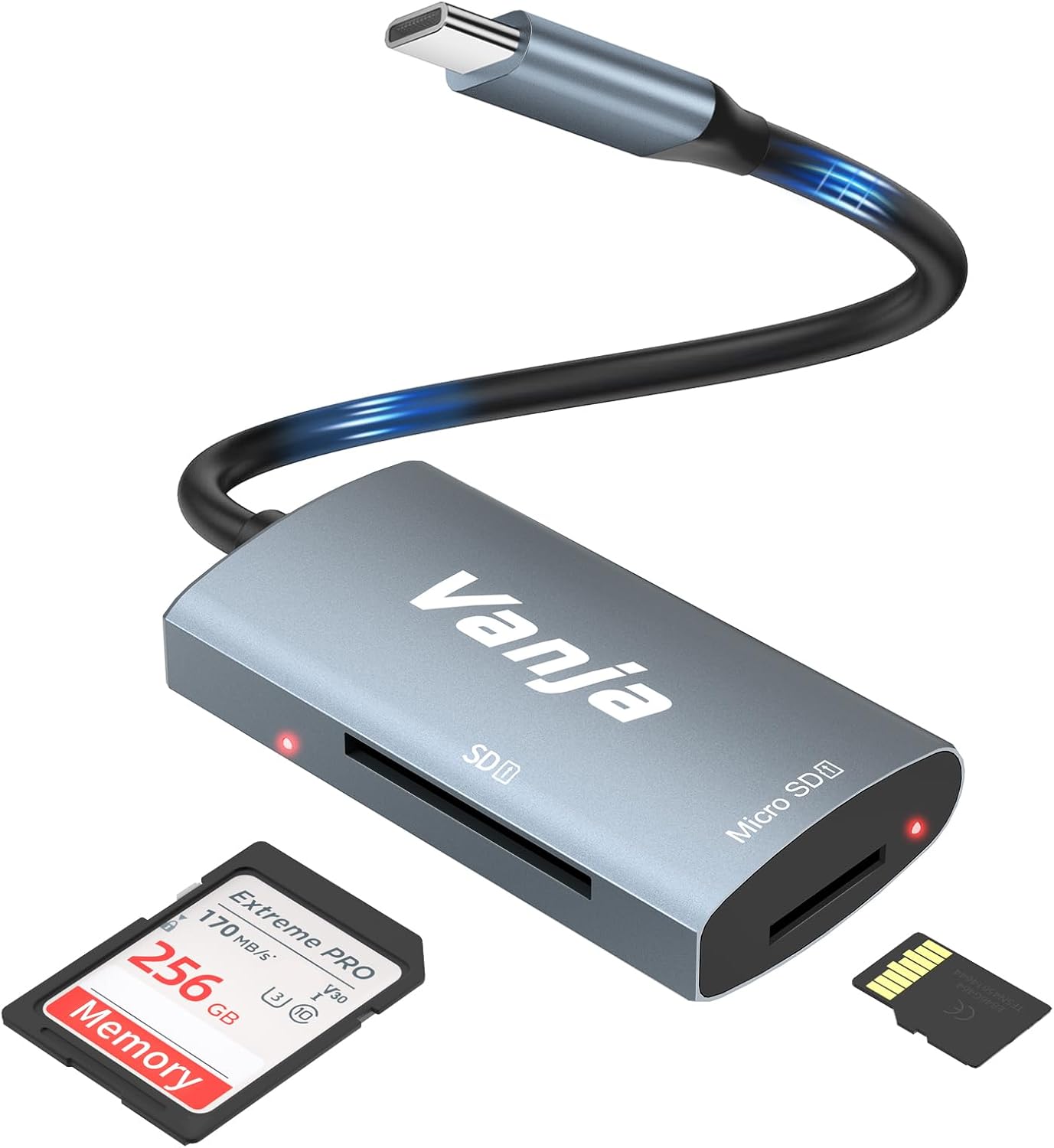
Figure 1: The Vanja USB-C SD Card Reader, showing its USB-C connector, SD card slot, and MicroSD card slot, alongside an SD card and a MicroSD card.
3. Pokyny k nastavení
The Vanja USB-C SD Card Reader is designed for simple plug-and-play operation. No software installation or drivers are typically required.
- Vložte paměťovou kartu: Gently insert your SD card into the SD slot or your MicroSD card into the MicroSD slot on the card reader. Ensure the card is inserted correctly with the contacts facing down. A slight click indicates it is securely in place.
- Připojit k zařízení: Plug the USB-C connector of the card reader into an available USB-C port on your compatible device (e.g., iPhone 15/16, MacBook, iPad, Windows laptop, Android phone).
- Přístup Files: Your device should automatically detect the card reader and the inserted memory card. You can then access the files through your device's file manager or photo application.
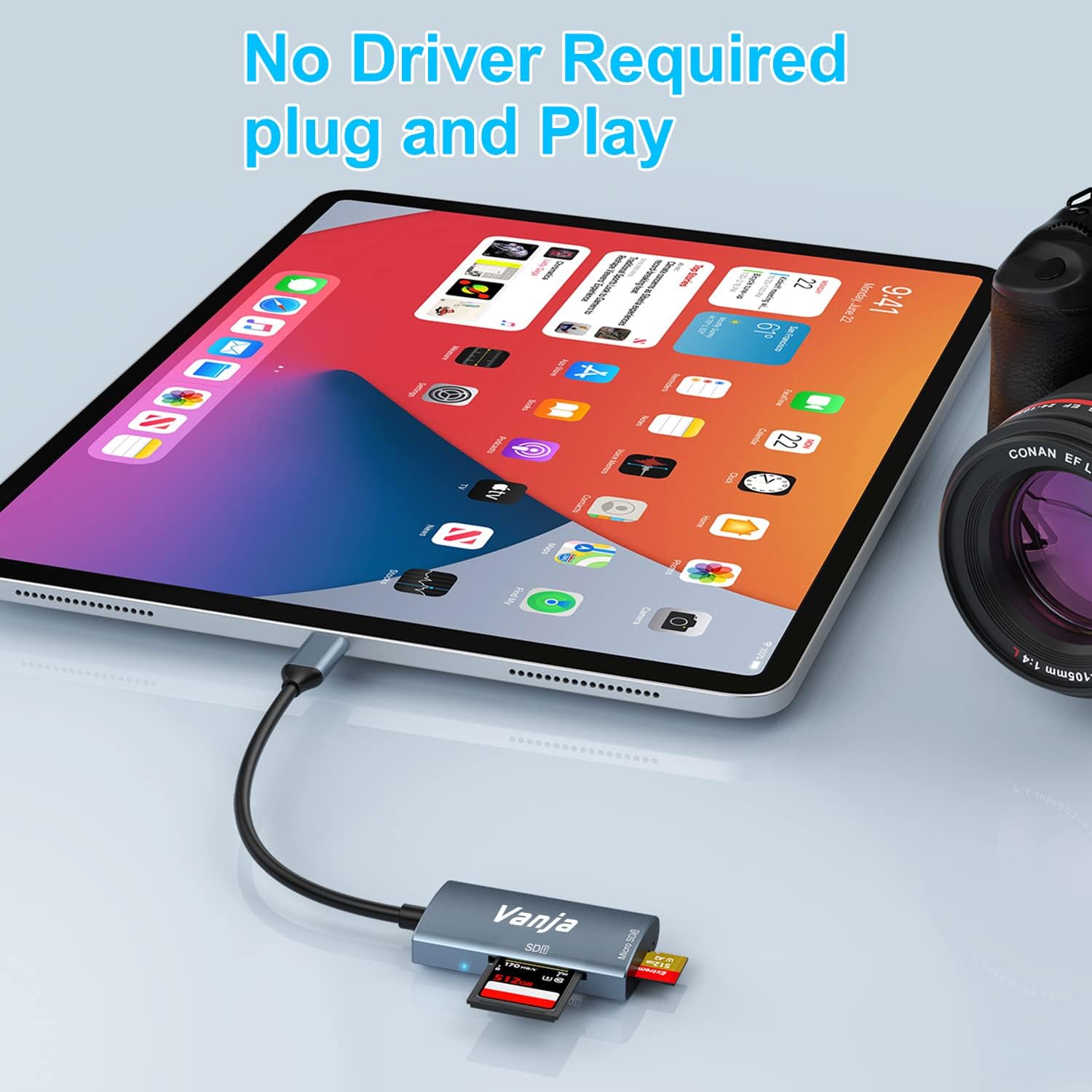
Figure 2: The card reader connected to an iPad Pro, demonstrating the plug-and-play functionality with a MicroSD card inserted.
4. Návod k obsluze
Once connected, the card reader functions like any external storage device.
Přenos dat:
- Locate Drive: On Windows, the card will appear as a removable drive under "This PC." On macOS, it will appear on the desktop or in Finder. On iOS/iPadOS, access it via the "Files" app. On Android, use your device's file manažer.
- Kopírovat/přesunout Files: Drag and drop files between the memory card and your device's internal storage, or use the copy/paste functions provided by your operating system.
- Bezpečné vysunutí: Always safely eject the memory card or card reader from your operating system before physically disconnecting it to prevent data corruption.

Figure 3: The card reader connected to a laptop, illustrating high-speed data transfer (5 Gbps) between a memory card and the computer.
5. Kompatibilita
Podporované typy paměťových karet:
- SD karta
- MicroSD Card (TF Card)
- SDHC
- SDXC
- MMC
- Karty UHS-I
- Supports capacities up to 2TB.
Compatible Devices and Operating Systems:
- Zařízení Apple: iPhone 15/16 series (USB-C models), MacBook Pro, iPad (USB-C models), Mac desktops.
- Zařízení Windows: Laptops and desktops with USB-C ports.
- Zařízení Android: Samsung Galaxy smartphones and other USB-C enabled Android phones/tablets.
- Operační systémy: iOS, iPadOS, macOS, Windows, Android, Linux, Chrome OS.

Figure 4: Visual representation of the universal compatibility of the card reader with different memory card formats and USB-C enabled devices.
6. Specifikace
| Značka | Vanja |
| Číslo modelu | 430C |
| Technologie připojení | USB Type C (USB 3.2 Gen 1) |
| Rychlost přenosu dat | Až 5 Gbps |
| Podporované typy médií | SD Card, SDHC, SDXC, microSD, microSDHC, MMC, UHS-I |
| Maximální podporovaná kapacita | 2TB (depending on card type) |
| Kompatibilita operačního systému | Android, iOS, Linux, Mac OS, Windows |
| Hmotnost položky | 1.13 unce (cca 32 gramů) |
| Rozměry balení | 5.35 x 3.35 x 0.55 palců (přibližně 13.6 x 8.5 x 1.4 cm) |
| Barva | Blue-Gray |
| Speciální funkce | Compact, Easy Setup, Plug & Play, Aluminum Housing, Nylon Cable |
7. Řešení problémů
If you encounter issues with your Vanja USB-C SD Card Reader, try the following solutions:
- Zařízení nebylo rozpoznáno:
- Ensure the card reader is firmly plugged into the USB-C port of your device.
- Try a different USB-C port on your device, if available.
- Restartujte počítač nebo zařízení.
- Check if the memory card is properly inserted into the card reader.
- Test the card reader with a different memory card to rule out card issues.
- Ujistěte se, že operační systém vašeho zařízení je aktuální.
- Pomalý přenos dat:
- Verify that your device's USB-C port supports USB 3.0/3.1/3.2 speeds. Older USB 2.0 ports will result in slower transfers.
- Ensure your memory card is a high-speed card (e.g., UHS-I or faster).
- Vyhněte se přenosu velkého množství malých filesoučasně; jejich komprese do archivu může někdy zvýšit rychlost.
- Zavřete ostatní aplikace, které by mohly spotřebovávat systémové prostředky.
- Memory Card Not Reading:
- Check if the memory card is damaged or corrupted. Try it in another device if possible.
- Ensure the memory card is inserted in the correct orientation.
- Clean the contacts on the memory card with a soft, dry cloth.
8. Údržba
To ensure the longevity and optimal performance of your Vanja USB-C SD Card Reader, follow these maintenance guidelines:
- Udržujte v čistotě: K čištění vnější strany čtečky karet použijte měkký, suchý hadřík. Nepoužívejte tekuté čisticí prostředky ani rozpouštědla.
- Ochrana portů: Keep the card slots and USB-C connector free from dust and debris. Use compressed air if necessary, but gently.
- Správně skladujte: When not in use, store the card reader in a cool, dry place, away from direct sunlight and extreme temperatures.
- Zacházejte opatrně: Avoid dropping the device or subjecting it to strong impacts. Do not force memory cards into the slots.
9. Záruka a podpora
For warranty information, technical support, or further assistance with your Vanja USB-C SD Card Reader, please refer to the official Vanja webwebu nebo se přímo obraťte na jejich zákaznický servis.
You can visit the official Vanja store for more product information and support resources: Vanja Store on Amazon.
Ask a question about this manual
Ask about setup, troubleshooting, compatibility, parts, safety, or missing instructions. Manuals+ will review the question and use this page’s manual context to help answer it.