
1. Úvod
The Muddy Laser Range Finder 450yd is a precision optical instrument designed for accurate distance measurement in outdoor and hunting environments. This device offers reliable performance with a range of up to 450 yards, featuring a durable, watertight design suitable for various weather conditions.
Key features include a 24mm lens with 7x magnification, yard/meter selection, and a scan mode for continuous measurement. The robust rubber trim ensures a secure grip and enhanced protection. For user convenience, the rangefinder comes with a lanyard, a protective carry case, and a lens cloth.
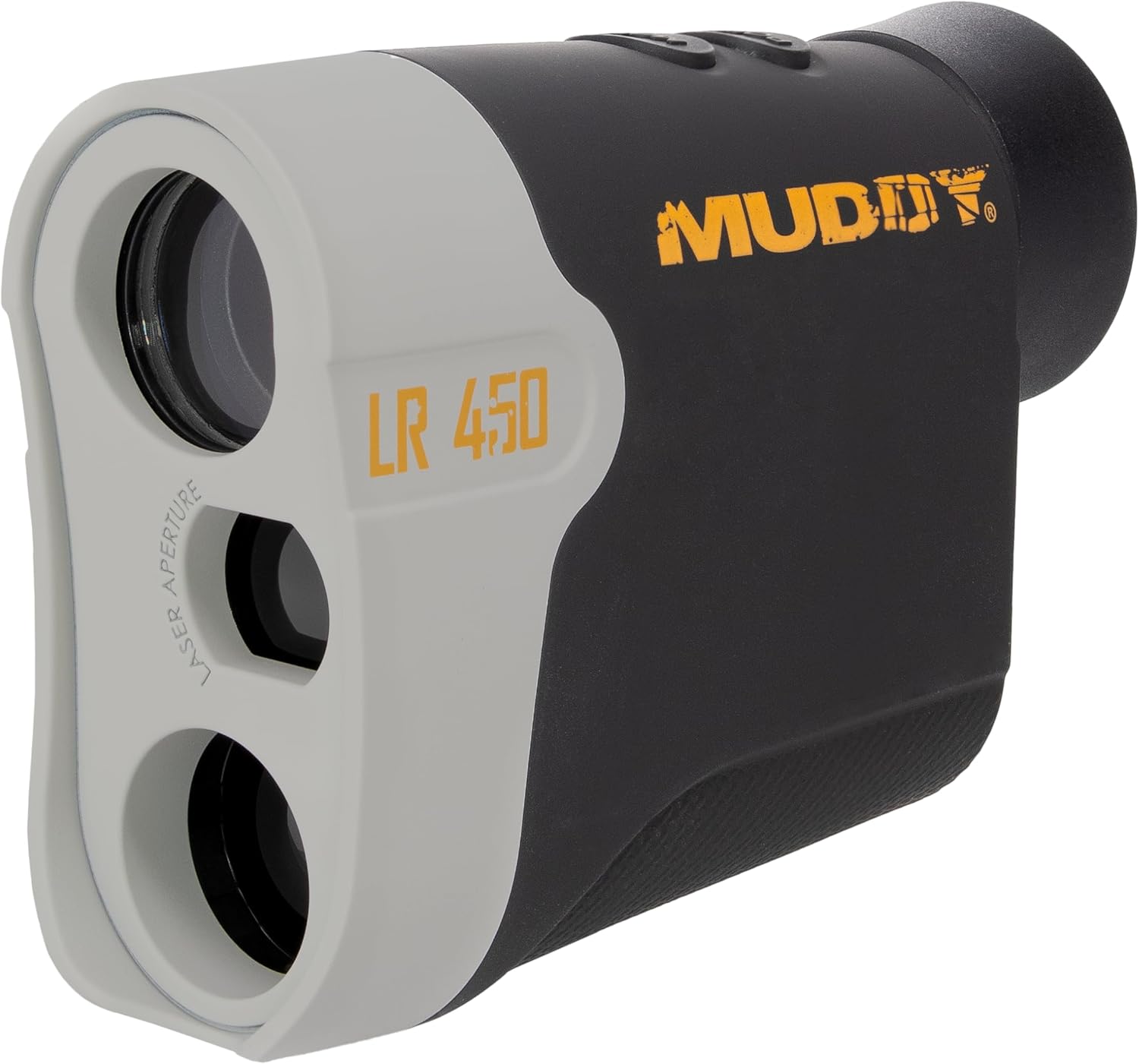
Obrázek 1: Přední strana view of the Muddy Laser Range Finder 450yd, showcasing its compact design and optical components.
2. Nastavení
2.1 Vybalení a obsah
Opatrně vyjměte všechny položky z obalu. Zkontrolujte, zda jsou přítomny všechny součásti:
- Muddy Laser Range Finder 450yd
- 1 x lithiová baterie CR2
- Šňůrka
- Pouzdro na přenášení
- objektiv Cloth
2.2 Instalace baterie
The Muddy Laser Range Finder is powered by one CR2 lithium battery (included).
- Vyhledejte přihrádku na baterie na boku dálkoměru.
- Gently slide the battery compartment cover open.
- Vložte baterii CR2 a ujistěte se, že kladný (+) a záporný (-) pól správně směřují k indikátorům uvnitř přihrádky.
- Kryt přihrádky na baterie bezpečně zavřete, dokud nezacvakne na místo.
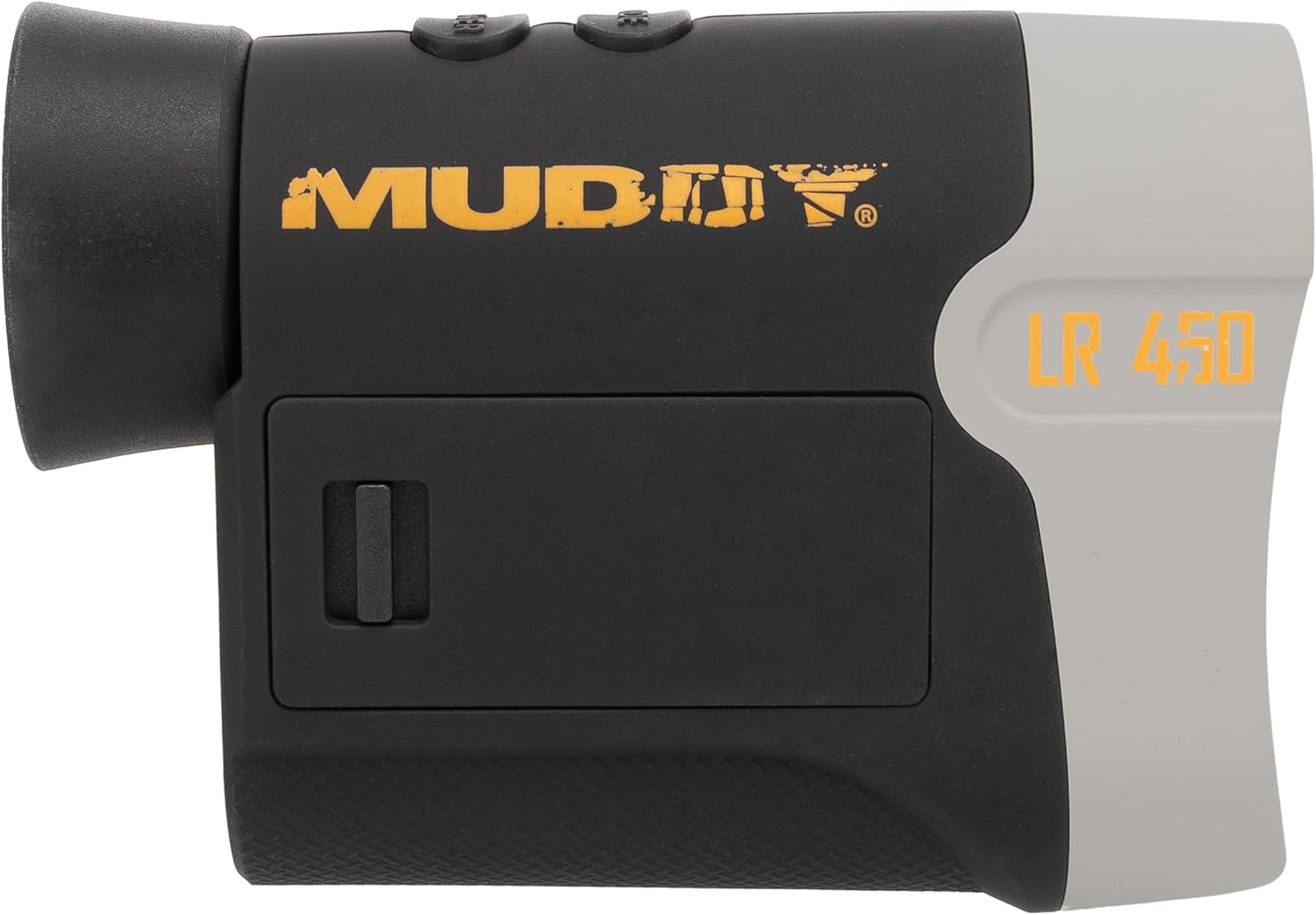
Obrázek 2: Strana view of the rangefinder, highlighting the battery compartment for CR2 battery installation.
3. Návod k obsluze
3.1 Zapnutí/vypnutí
- Chcete-li zařízení zapnout, stiskněte POWER/MEASURE button (usually located on the top of the unit). The display will illuminate.
- Zařízení se po určité době nečinnosti automaticky vypne, aby se šetřila baterie.
3.2 Měření vzdálenosti
- Podívejte se okulárem a namiřte osnovu na požadovaný cíl.
- Stiskněte tlačítko POWER/MEASURE button once. The measured distance will be displayed on the internal LCD.
- Ensure a steady hand for accurate readings.
3.3 Režim skenování
Scan mode allows for continuous measurement of multiple targets or a moving target.
- While powered on, press and hold the POWER/MEASURE tlačítko.
- Pan the rangefinder across different targets. The distance readings will update continuously on the display.
- Release the button to exit scan mode.
3.4 Unit Selection (Yards/Meters)
To switch between yards and meters:
- Když je zařízení zapnuté, stiskněte tlačítko MODE button (usually located near the power button) to cycle through available measurement units.
- The selected unit (Y or M) will be indicated on the display.
3.5 Nastavení okuláru
Rotate the eyepiece to adjust the focus for a clear view of the display and target, accommodating individual vision.

Obrázek 3: Strana view of the rangefinder, showing the control buttons and eyepiece for operation.
4. Údržba
4.1 Čištění čoček
To maintain optical clarity, regularly clean the lenses:
- Use the provided lens cloth or a soft, clean microfiber cloth.
- Gently wipe the lens surfaces to remove dust, smudges, or fingerprints.
- Nepoužívejte abrazivní materiály nebo agresivní chemikálie, které by mohly poškodit povrchovou úpravu čoček.
4.2 Obecné čištění a skladování
- Wipe the body of the rangefinder with a damp cloth to remove dirt. The durable rubber trim can be cleaned similarly.
- When not in use, store the rangefinder in its protective carry case to prevent scratches and impacts.
- For long-term storage, it is recommended to remove the CR2 battery to prevent potential leakage.
4.3 Voděodolnost
The Muddy Laser Range Finder 450yd features an IP53 water resistance rating, providing protection against spraying water. While designed to withstand various weather conditions, avoid submerging the device in water.
5. Řešení problémů
If you encounter issues with your Muddy Laser Range Finder, refer to the following common troubleshooting steps:
| Problém | Možná příčina | Řešení |
|---|---|---|
| Zařízení se nezapne | Vybitá nebo nesprávně nainstalovaná baterie | Check battery orientation. Replace with a fresh CR2 battery. |
| Nepřesné údaje o vzdálenosti | Unsteady aim, environmental factors (fog, heavy rain), target too reflective/non-reflective, battery low | Ensure a steady hold. Avoid measuring through heavy fog or rain. Aim at a solid, non-reflective surface. Check battery indicator and replace if low. |
| Displej je tmavý nebo nejasný | Eyepiece out of focus, low battery | Rotate the eyepiece to adjust focus. Check battery indicator and replace if low. |
| Cannot switch units (Yards/Meters) | Nesprávná sekvence stisknutí tlačítka | Ensure the device is powered on. Press the MODE button firmly to cycle units. |
6. Specifikace
Detailed technical specifications for the Muddy Laser Range Finder 450yd:
| Funkce | Specifikace |
|---|---|
| Značka | ZABLÁCENÝ |
| Název modelu | Muddy Laser Range Finder 450yd |
| Číslo modelu | MUD-LR450 |
| Rozsah měření | Až 450 yardů |
| Zvětšení | 7x |
| Průměr čočky | 24 mm |
| Voděodolnost | IP53 (vodotěsný) |
| Typ baterie | 1 x lithiová baterie CR2 |
| Materiál | Plastic with Rubber Trim |
| Barva | Černý |
| Rozměry produktu (DxŠxV) | 12 cm x 4 cm x 4 cm |
| UPC | 888151023686 |
7. Informace o záruce
The Muddy Laser Range Finder 450yd comes with a Jednoletá omezená záruka from the date of purchase. This warranty covers defects in materials and workmanship under normal use. It does not cover damage caused by misuse, accident, unauthorized modification, or neglect. Please retain your proof of purchase for warranty claims.
8. Zákaznická podpora
For further assistance, technical support, or warranty inquiries, please visit the official MUDDY brand store or contact their customer service department:
Please have your model number (MUD-LR450) and proof of purchase ready when contacting support.