
Zavedení
The Cooler Master MasterBox 520 Mesh is a mid-tower ATX chassis designed for optimal airflow and component compatibility. It features a full-mesh front panel, three pre-installed ARGB fans, and a tempered glass side panel to showcase your build. This manual provides essential information for setting up, operating, maintaining, and troubleshooting your PC case.
Komponenta Overview
The MasterBox 520 Mesh is engineered for ease of use and versatility. Key features include:
- Síťovaný přední panel: Designed for unrestricted airflow, featuring 3 x CF120 ARGB fans.
- Boční panel z tvrzeného skla: Poskytuje jasné view of internal components and is easily removable.
- Prostorný interiér: Accommodates E-ATX, ATX, micro-ATX, and mini-ITX motherboards, large CPU coolers, and graphics cards.
- Versatile Cooling Options: Supports multiple fan and radiator configurations on the front, top, and rear panels.
- Rich Connectivity I/O Panel: Includes USB 3.2 Gen 1 Type-A, USB 3.2 Gen 2 Type-C, audio jack, and ARGB button.

Obrázek 1: Přední strana view of the Cooler Master MasterBox 520 Mesh PC Case, highlighting the mesh panel and three illuminated ARGB fans.
Nastavení
Follow these steps to set up your Cooler Master MasterBox 520 Mesh PC Case:
- Připravte si případ:
- Umístěte pouzdro na stabilní, rovný povrch.
- Carefully remove the tempered glass side panel by pulling it upwards after loosening the rear screw (if installed).
- Remove the top panel by sliding it backward and lifting.
- The front mesh panel can be easily detached by pulling from the bottom for access to front fans/radiator mounts.
- Instalace základní desky:
- Install the necessary standoffs onto the motherboard tray according to your motherboard's form factor (E-ATX, ATX, Micro-ATX, Mini-ITX).
- Opatrně umístěte základní desku na distanční sloupky a zajistěte ji šrouby.
- Instalace grafické karty (GPU):
- Remove the appropriate PCIe slot covers from the rear of the case.
- Insert your graphics card into the PCIe slot on the motherboard and secure it with screws.
- The case supports vertical GPU mounting with an optional riser cable (sold separately).
- Storage Drive Installation (HDD/SSD):
- For 3.5" HDDs, use the removable HDD cage located in the PSU shroud area.
- For 2.5" SSDs, mounts are available on the rear of the motherboard tray.
- Instalace napájecího zdroje (PSU):
- Mount your ATX PSU into the dedicated compartment at the bottom rear of the case.
- Zajistěte zdroj šrouby ze zadní strany skříně.
- Správa kabelů:
- Utilize the cable routing cutouts and tie-down points behind the motherboard tray to organize cables.
- Connect all necessary power and data cables to your components.

Obrázek 2: Úhlové view of the MasterBox 520 Mesh, showcasing the tempered glass side panel and overall chassis design.
Provozní
Once your system is assembled, operating the MasterBox 520 Mesh is straightforward:
- Zapnutí: Press the large power button on the top I/O panel to start your system.
- Přední I/O panel:
- Connect USB devices to the 1 x USB 3.2 Gen 1 Type-A port or 1 x USB 3.2 Gen 2 Type-C port.
- Plug in your headphones or microphone into the 1 x audio jack.
- Ovládání ARGB osvětlení:
- The pre-installed ARGB fans are connected to an included ARGB controller.
- Use the dedicated Reset/ARGB button on the I/O panel to cycle through various lighting effects and colors.
- Alternatively, connect the ARGB controller to a compatible motherboard header for software control.
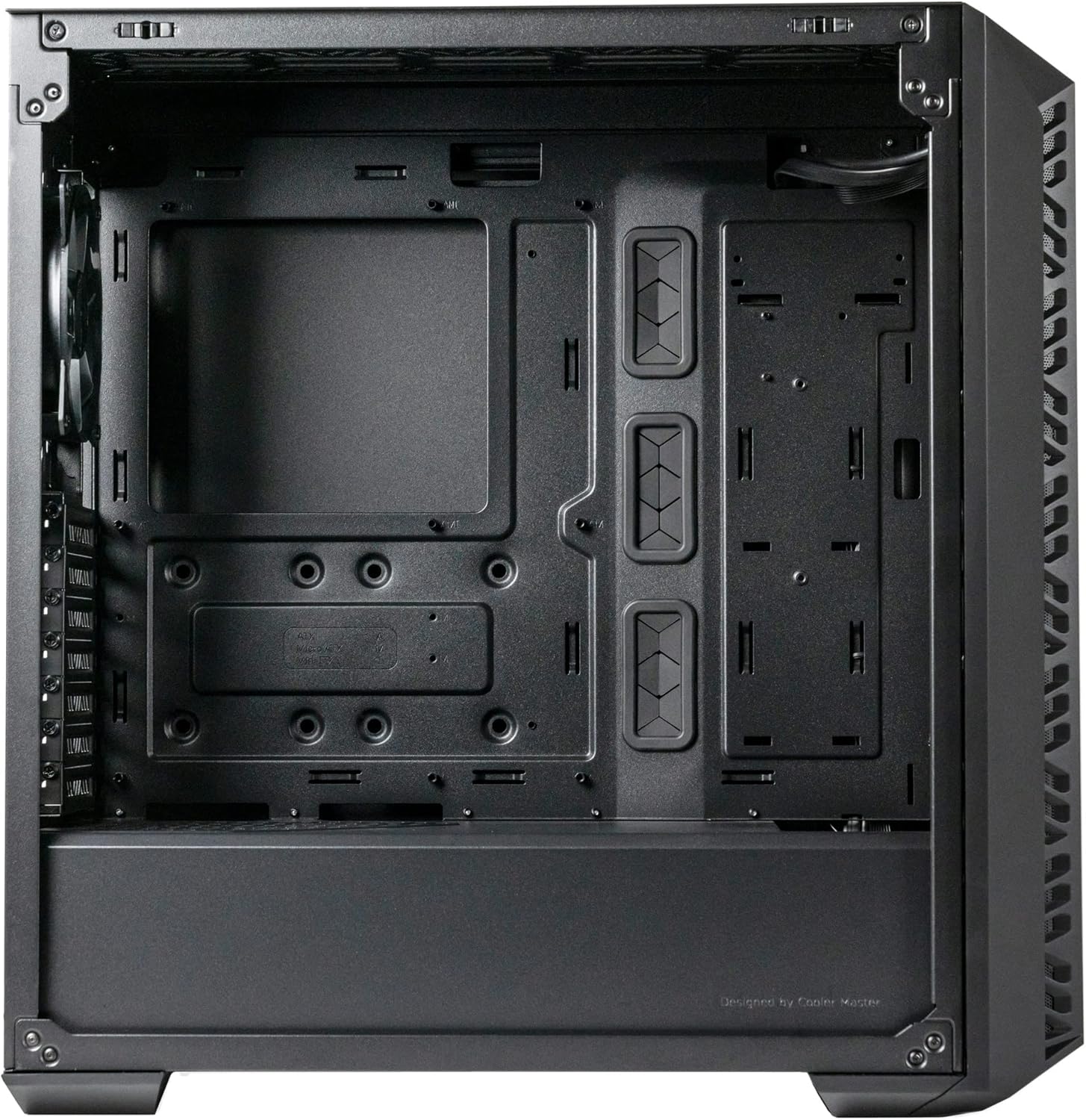
Obrázek 3: Horní přední strana view of the MasterBox 520 Mesh, showing the accessible I/O panel with USB ports, audio jack, and ARGB control button.
Údržba
Regular maintenance ensures optimal performance and longevity of your PC case:
- Čištění prachového filtru:
- The front mesh panel acts as a dust filter and can be easily removed for cleaning.
- The top panel also features a magnetic dust filter that can be lifted off.
- Clean dust filters regularly with compressed air or by rinsing with water (ensure completely dry before reinstallation).
- Čištění interiéru:
- K odstranění prachu z vnitřních součástí a lopatek ventilátoru použijte stlačený vzduch.
- Wipe down interior surfaces with a microfiber cloth.
- Opětovná instalace panelu:
- Ensure all cables are neatly managed before reinstalling side and top panels.
- Carefully align and reattach the tempered glass side panel, securing it with the thumb screw.
- Reattach the top panel by aligning and sliding it forward until it clicks into place.

Obrázek 4: Horní přední strana view of the MasterBox 520 Mesh with the mesh panel removed, showing access to the front fan mounts.
Odstraňování problémů
If you encounter issues with your MasterBox 520 Mesh PC case, consider the following:
- Ventilátory se netočí/RGB nefunguje:
- Check all fan and ARGB connections to the controller and motherboard.
- Ensure the ARGB controller is receiving power (usually via SATA power).
- If using motherboard software control, verify the software is installed and configured correctly.
- Poor Airflow/High Temperatures:
- Vyčistěte všechny prachové filtry a vnitřní součásti.
- Verify fan orientation for optimal intake and exhaust.
- Ensure no cables are obstructing airflow paths.
- Volné panely:
- Ensure all screws and latches are properly secured after accessing internal components.
Specifikace
| Funkce | Detail |
|---|---|
| Název modelu | MasterBox 520 Mesh |
| Číslo modelu položky | MB520-KGNN-S00 |
| Typ pouzdra | Střední věž |
| Kompatibilita základní desky | Rozšířený formát ATX, ATX, Micro-ATX, Mini-ITX |
| Rozměry (D x Š x V) | 19.76 x 8.27 x 19.61 palce |
| Hmotnost položky | 15.62 libry |
| Barva | Černý |
| Materiál | Tvrzené sklo |
| Předinstalované ventilátory | 3 x CF120 ARGB (Front) |
| Podpora ventilátoru (přední) | 3 x 120 mm / 2 x 140 mm |
| Podpora ventilátoru (horní) | 3 x 120 mm / 2 x 140 mm |
| Podpora ventilátoru (zadní) | 1 x 120 mm |
| Držák chladiče (přední) | Až 360 mm |
| Držák chladiče (horní) | Až 360 mm |
| Držák chladiče (zadní) | 1 x 120 mm |
| Vůle chladiče CPU | Až 165 mm |
| Výprodej grafických karet | Až 410 mm |
| Povolení PSU | Až 200 mm |
| I/O porty | 1 x USB 3.2 Gen 1 Type-A, 1 x USB 3.2 Gen 2 Type-C, 1 x Audio Jack, 1 x Reset/ARGB Button |
Informace o záruce
Cooler Master products come with a limited warranty. Please refer to the official Cooler Master website or your product's packaging for specific warranty terms and conditions, including duration and coverage details. Keep your proof of purchase for warranty claims.
Podpora
For further assistance, technical support, or to download the latest drivers and manuals, please visit the official Cooler Master support webmísto:
You may also contact Cooler Master customer service directly through the contact information provided on their webmísto.