
1. Úvod
Thank you for choosing the RecorCam WiFi Bluetooth 36MP 2.7K Trail Camera. This device is designed for wildlife observation, outdoor monitoring, and security applications, offering high-resolution imaging and advanced features. This manual provides essential information for proper setup, operation, and maintenance to ensure optimal performance.
Před použitím fotoaparátu si prosím pečlivě přečtěte tento návod k obsluze a uschovejte si jej pro budoucí použití.
2. Konec produktuview a klíčové vlastnosti
The RecorCam WF802Plus trail camera combines robust design with advanced technology to capture clear images and videos of wildlife or for surveillance purposes.
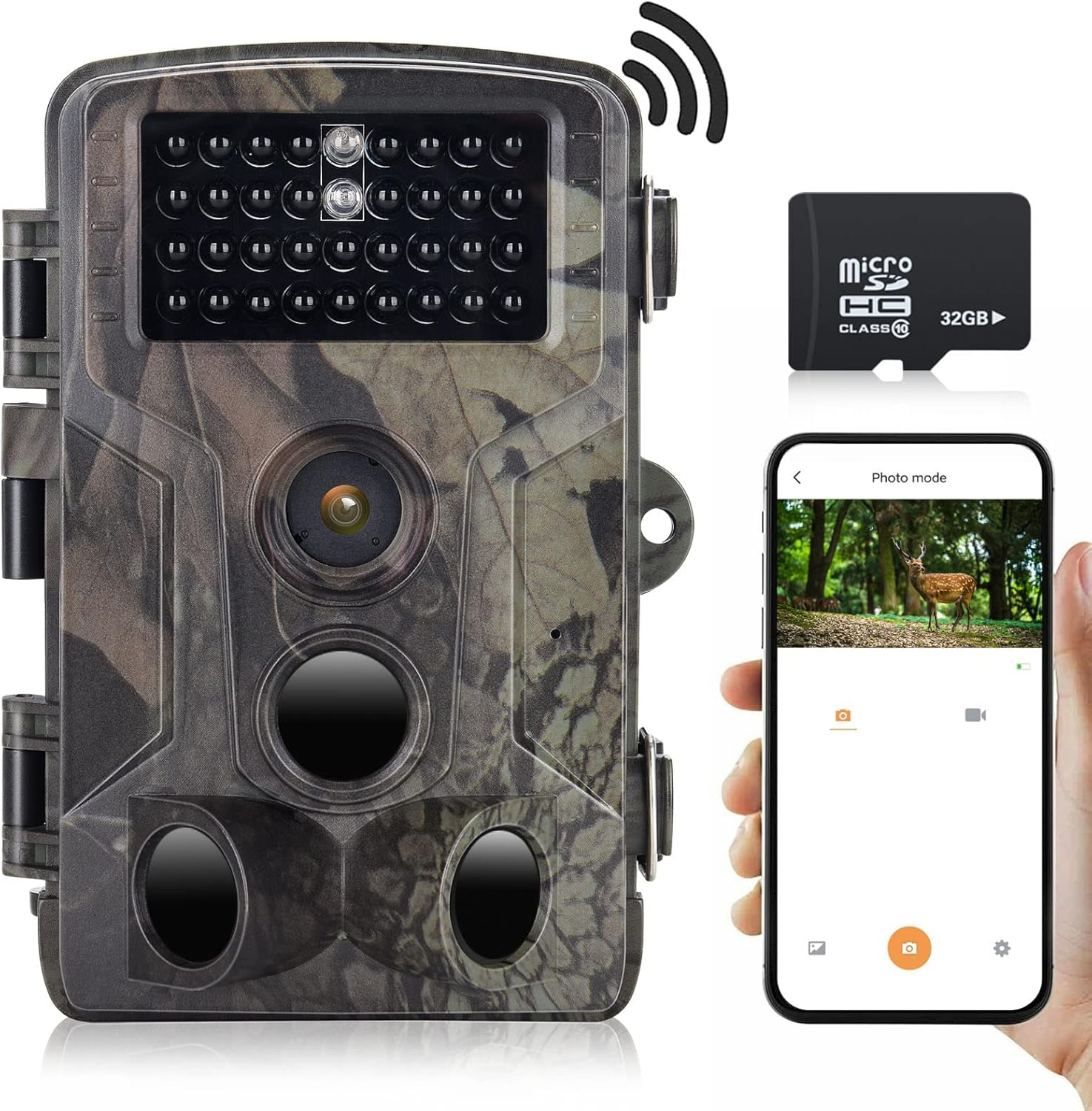
Obrázek 2.1: RecorCam WF802Plus Trail Camera, showing its compact design, integrated screen, and included 32GB Micro SD card, alongside a smartphone demonstrating app connectivity.
Klíčové vlastnosti:
- Zobrazení ve vysokém rozlišení: Captures 36MP still images and records 2.7K HD video, providing detailed visual data.
- Integrated WiFi & Bluetooth: Allows wireless connection to a smartphone via a dedicated app for viewing, downloading, and managing media without removing the camera.
- Rychlá rychlost spouště: Features a rapid 0.25-second trigger speed to capture fast-moving subjects effectively.
- Široký detekční úhel: Equipped with three Passive Infrared (PIR) sensors offering a 120° detection range.
- Jasné noční vidění: Utilizes 34pcs 940nm no-glow IR LEDs for discreet illumination up to 65 feet (20 meters) in total darkness, ensuring clear night recordings without disturbing wildlife.
- Odolné a odolné vůči povětrnostním vlivům: IP65 rated for water and dust resistance, capable of operating in temperatures from -20°C to 70°C.
- 2.0palcový LCD displej: Built-in screen for easy menu navigation and playback.
- Všestranné aplikace: Suitable for hunting, wildlife observation, farm monitoring, and home security.
3. Obsah balení
Upon unpacking your RecorCam WF802Plus Trail Camera, please ensure all items listed below are present:
- RecorCam WF802Plus Trail Camera
- Montážní popruh
- Montážní konzola
- USB kabel
- Uživatelská příručka (tento dokument)
- 32GB Micro SD karta
Pokud některé položky chybí nebo jsou poškozené, kontaktujte prosím zákaznickou podporu.
4. Nastavení
4.1 Instalace baterie
The camera requires 8 AA batteries (not included). For optimal performance and battery life, it is recommended to use high-quality alkaline or rechargeable AA batteries.
- Open the camera housing latches and open the battery compartment.
- Insert 8 AA batteries according to the polarity markings (+/-) inside the compartment.
- Bezpečně uzavřete přihrádku na baterie.
4.2 Vložení karty Micro SD
A 32GB Micro SD card is included. The camera supports Micro SD cards up to 256GB (Class 10 or higher recommended).
- With the camera powered off, locate the Micro SD card slot.
- Vložte kartu Micro SD zlatými kontakty směrem k zadní straně fotoaparátu, dokud nezacvakne.
- Chcete-li kartu vyjmout, jemně ji zatlačte, dokud nezaklapne, poté ji uvolněte a karta sama vyskočí.
4.3 Montáž fotoaparátu
The camera can be mounted using the included strap or bracket.
- Montáž popruhu: Provlékněte montážní popruh otvory na zadní straně kamery a upevněte jej kolem stromu nebo sloupu.
- Montáž držáku: Attach the mounting bracket to a surface using screws (not included), then secure the camera to the bracket.
Ujistěte se, že je kamera umístěna tak, aby snímala požadovanou oblast, a vyhněte se přímému slunečnímu záření nebo zdrojům tepla, které by mohly spustit falešné detekce.
5. Návod k obsluze
5.1 Zapnutí/vypnutí
To power on the camera, slide the power switch from VYPNUTO na NASTAVENÍ or ON. V NASTAVENÍ mode, you can access the menu and adjust settings. In ON mode, the camera will begin monitoring based on your settings.
5.2 Navigace v nabídce
In NASTAVENÍ mode, use the navigation buttons (Up, Down, Left, Right, OK) to browse the menu options on the 2.0-inch LCD screen. Press OK pro potvrzení výběrů a MENU vystoupit.
5.3 Provozní režimy
The camera offers several operating modes:
- Režim fotografie: Po spuštění zachytí statické snímky.
- Režim videa: Nahrává videoklipy při spuštění.
- Režim foto + video: Při spuštění pořídí statický snímek a následně videoklip.
- Časosběrný režim: Captures images at set intervals over a period, useful for observing slow processes like plant growth.

Obrázek 5.1: Illustration of the Time Lapse feature, demonstrating its ability to capture gradual changes over time.
5.4 Nastavení klíčů
- Citlivost PIR: Upravte citlivost pohybových senzorů (Nízká, Střední, Vysoká) podle prostředí, abyste zabránili falešným spouštěním.
- Interval PIR: Set the delay between detections to avoid capturing too many redundant images/videos of the same event.
- Rezoluce: Select desired photo (up to 36MP) and video (up to 2.7K) resolution.
- Datum/čas svamp: Enable to imprint date, time, and moon phase on captured media.
- Ochrana heslem: Set a password to prevent unauthorized access to camera settings and media.
6. App Connection (WiFi & Bluetooth)
The RecorCam WF802Plus features integrated WiFi and Bluetooth for convenient remote control and media management via a smartphone app.

Obrázek 6.1: The RecorCam trail camera connected to a smartphone app, illustrating the wireless control and media access capabilities.
6.1 Stažení aplikace
Hledat the 'WiFi TrailCamera' app in your device's app store or use the following links:
- Android: Obchod Google Play
- iOS: Search 'WiFi TrailCamera' in the Apple App Store. (A direct link was not available; please search the App Store for the official application.)
6.2 Connecting to the Camera
- Ujistěte se, že je kamera v NASTAVENÍ režimu.
- Povolte na svém smartphonu Bluetooth.
- Open the 'WiFi TrailCamera' app. The app will use Bluetooth to discover the camera.
- Once connected via Bluetooth, the app will prompt you to activate the camera's WiFi.
- Connect your smartphone to the camera's WiFi network (SSID and password will be displayed on the camera's LCD screen or within the app).
- Once connected to WiFi, you can view živé footage, adjust settings, download photos/videos, and manage the camera remotely.
The WiFi connection range is approximately 50 meters, and the Bluetooth connection range is 5-10 meters, depending on environmental conditions.
7. Kvalita obrazu a videa
The RecorCam WF802Plus captures high-quality media to provide clear observations.
7.1 Rozlišení fotografie
The camera supports photo resolutions up to 36 Megapixels, ensuring sharp and detailed still images.

Obrázek 7.1: A visual comparison highlighting the superior clarity and detail of a 36MP image captured by the WF802Plus camera.
7.2 Rozlišení videa
Video recordings are available in 2.7K Full HD, offering smooth and clear footage of detected activity.

Obrázek 7.2: A visual comparison demonstrating the enhanced detail and clarity of 2.7K video recorded by the WF802Plus camera.
8. Noční vidění
The camera is equipped with 34pcs 940nm no-glow infrared (IR) LEDs, providing discreet night vision capabilities.

Obrázek 8.1: The WF802Plus camera demonstrating its night vision capabilities, capturing a clear image of a deer in low-light conditions using its no-glow IR LEDs.
- No-Glow IR: The 940nm IR LEDs emit light that is invisible to the human eye and most animals, ensuring the camera remains undetected during night operation.
- Efektivní rozsah: Provides clear images and videos up to 65 feet (20 meters) in complete darkness.
9. Odolnost vůči povětrnostním vlivům (IP65)
The RecorCam WF802Plus is designed to withstand various outdoor conditions.

Obrázek 9.1: The WF802Plus camera operating outdoors in rainy conditions, highlighting its IP65 waterproof and dustproof design.
- Stupeň krytí IP65: This rating signifies that the camera is protected against dust ingress and low-pressure water jets from any direction. It is suitable for outdoor use in rain and snow.
- Teplotní tolerance: Spolehlivě funguje v teplotním rozmezí od -20 °C do 70 °C.
10. Aplikace
The versatility of the RecorCam WF802Plus makes it suitable for a variety of uses:
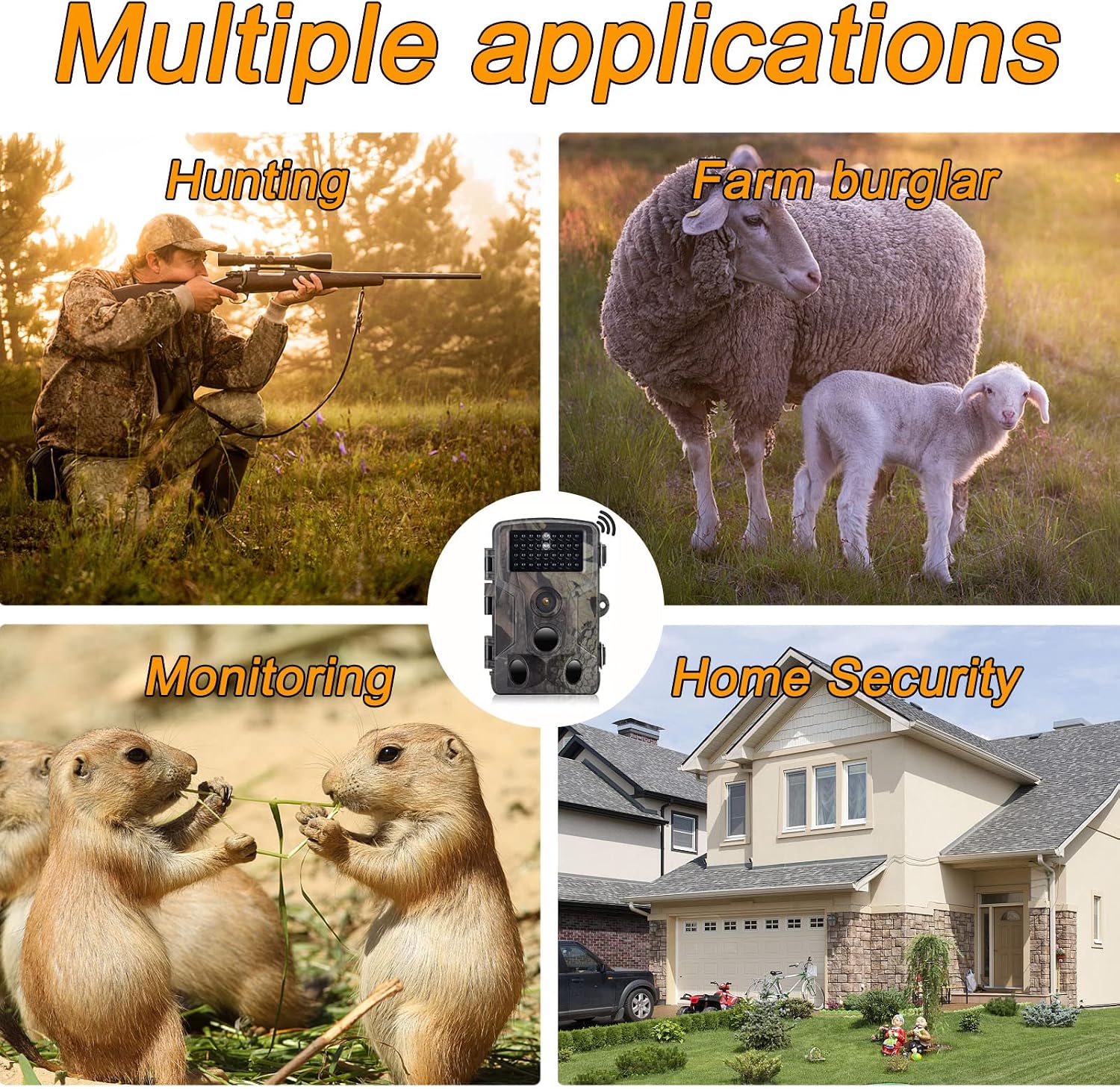
Obrázek 10.1: Examples of the camera's diverse applications, including wildlife observation, property surveillance, and outdoor monitoring.
- Pozorování divoké zvěře: Monitor animal activity in their natural habitat.
- Lov: Scout game trails and observe animal patterns.
- Monitorování farmy: Keep an eye on livestock or deter potential intruders.
- Zabezpečení domácnosti: Provide surveillance for your property.
11. Údržba
Správná údržba zajistí dlouhou životnost a optimální výkon vašeho fotoaparátu.
- Čištění: K čištění objektivu a krytu fotoaparátu používejte měkký, suchý hadřík. Nepoužívejte abrazivní čisticí prostředky ani rozpouštědla.
- Péče o baterie: Pokud fotoaparát nebudete delší dobu používat, vyjměte baterie, abyste zabránili jejich vytečení.
- Správa SD karet: Regularly format the Micro SD card (after backing up important data) to maintain optimal recording performance.
- Skladování: Pokud fotoaparát nepoužíváte, uchovávejte jej na chladném a suchém místě.
12. Řešení problémů
If you encounter issues with your RecorCam WF802Plus, refer to the following common problems and solutions:
| Problém | Možná příčina | Řešení |
|---|---|---|
| Kamera se nezapíná | Slabé nebo vybité baterie; nesprávné vložení baterií. | Replace batteries with fresh ones; ensure correct polarity. |
| Motion detection not working or inconsistent | PIR sensitivity too low; PIR interval too long; obstructions in detection area; camera facing heat sources. | Increase PIR sensitivity; shorten PIR interval; clear obstructions; reposition camera away from heat sources. |
| Špatná kvalita obrazu/videa v noci | Subject too far from camera; IR LEDs obstructed. | Ensure subject is within 65ft (20m) range; clear any obstructions from IR LEDs. |
| Nadměrné vybíjení baterie | Časté spouště; nekvalitní baterie; extrémní teploty. | Adjust PIR sensitivity and interval; use high-quality batteries; consider external power in cold weather. |
| App connection issues (WiFi/Bluetooth) | Camera not in SETUP mode; out of range; incorrect WiFi password; app not updated. | Ensure camera is in SETUP mode; move closer to camera; re-enter WiFi password; update app to latest version. |
| Settings not saving or resetting | Low internal battery (for settings retention); firmware issue. | Ensure main batteries are fresh; contact support if issue persists after battery replacement. |
13. Specifikace
Detailed technical specifications for the RecorCam WF802Plus Trail Camera:
| Funkce | Specifikace |
|---|---|
| Model | WF802Plus |
| Rozlišení fotografie | Až 36 MP |
| Rozlišení videa | 2.7 tis |
| Rychlost spouštění | 0.25 sekund |
| Úhel detekce PIR | 120 stupňů |
| Rozsah nočního vidění | Až 65 stop (20 metrů) |
| IR LED diody | 34 ks 940nm IR LED bez záře |
| Obrazovka displeje | 2.0palcový LCD |
| Konektivita | WiFi, Bluetooth |
| Hodnocení voděodolnosti | IP65 |
| Provozní teplota | -20 °C až 70 °C |
| Skladování | Micro SD card (up to 256GB, Class 10 recommended) |
| Napájení | 8x AA baterie (nejsou součástí balení) |
| Materiál | Plast |
14. Záruka a podpora
RecorCam products are designed for reliability and performance. For warranty information, technical support, or any questions regarding your WF802Plus Trail Camera, please refer to the contact information provided with your purchase or visit the official RecorCam webmísto.
Uschovejte si prosím doklad o koupi pro uplatnění záruky.


