
1. Úvod
Thank you for choosing the ASHATA 95 Keys Wired Mechanical Gaming Keyboard. This compact and versatile keyboard is designed for both gaming and office use, offering a comfortable typing experience with its durable mechanical switches and plug-and-play functionality. This manual provides essential information for setting up, operating, and maintaining your new keyboard.
2. Vlastnosti produktu
- Rozložení 95 kláves: Compact design with a full set of essential keys, available with English and Arabic keycaps.
- Kabelové připojení: Reliable USB-A connection for stable performance.
- Mechanické spínače: Provides tactile feedback and durability for an enhanced typing and gaming experience.
- Plug and Play: No complex driver installation required; simply connect and use.
- Odolný design: Features legible, fade-resistant key printing for long-lasting use.
- Pohodlné psaní: Ergonomically designed for extended use in office or home environments.
- Ultrakompaktní design: Approximately 60% size of a standard keyboard, saving desk space.
- Vysoká odolnost: Rated for over 10 million keystrokes life.
- Tenký a přenosný: With a thickness of approximately 1 cm, it is easy to transport.
- Tichý design: Equipped with quality silicone keys for a quiet typing environment.
- Independent Multimedia Buttons: Dedicated buttons for quick access to media controls.

Obrázek: Overview of the ASHATA Wired Keyboard highlighting its features.

Obrázek: Detail view of the comfortable 95-key layout.

Obrázek: Side profile illustrating the thin and portable design.

Image: Detail of a keycap, demonstrating the silent design feature.
3. Obsah balení
Ujistěte se, že v balení jsou přítomny všechny položky:
- 1 x drátová klávesnice
4. Pokyny k nastavení
The ASHATA 95 Keys Wired Mechanical Gaming Keyboard is designed for simple plug-and-play operation.
- Rozbalte klávesnici: Opatrně vyjměte klávesnici z obalu.
- Připojte se k vašemu zařízení: Locate an available USB-A port on your computer (desktop, laptop, etc.). Insert the USB connector of the keyboard cable into the USB-A port.
- Automatické rozpoznání: Váš operační systém (např. Windows) automaticky detekuje a nainstaluje potřebné ovladače. Tento proces obvykle trvá několik sekund.
- Začněte používat: Once recognized, the keyboard is ready for immediate use.

Image: The keyboard with its integrated USB cable, approximately 1.5m long.

Image: USB interface for plug and play functionality, with cable length of 1.5m.

Image: Keyboard connected and ready for use with a desktop computer.
5. Návod k obsluze
This keyboard functions like a standard QWERTY keyboard with additional multimedia controls.
5.1 Základy psaní
Simply press the desired keys to input characters. The keyboard supports both English and Arabic characters, depending on the specific model and your operating system's language settings.
5.2 Multimediální klávesy
The keyboard features dedicated multimedia buttons located above the function keys (F1-F12) for quick access to media controls. These buttons allow you to:
- Adjust Volume (Volume Up, Volume Down, Mute)
- Control Media Playback (Play/Pause, Previous Track, Next Track)
- Open Default Media Player
- Open Default Web Prohlížeč
- Otevřít e-mailového klienta
- Funkce vyhledávání

Image: Detail of the independent multimedia buttons for quick access to functions.
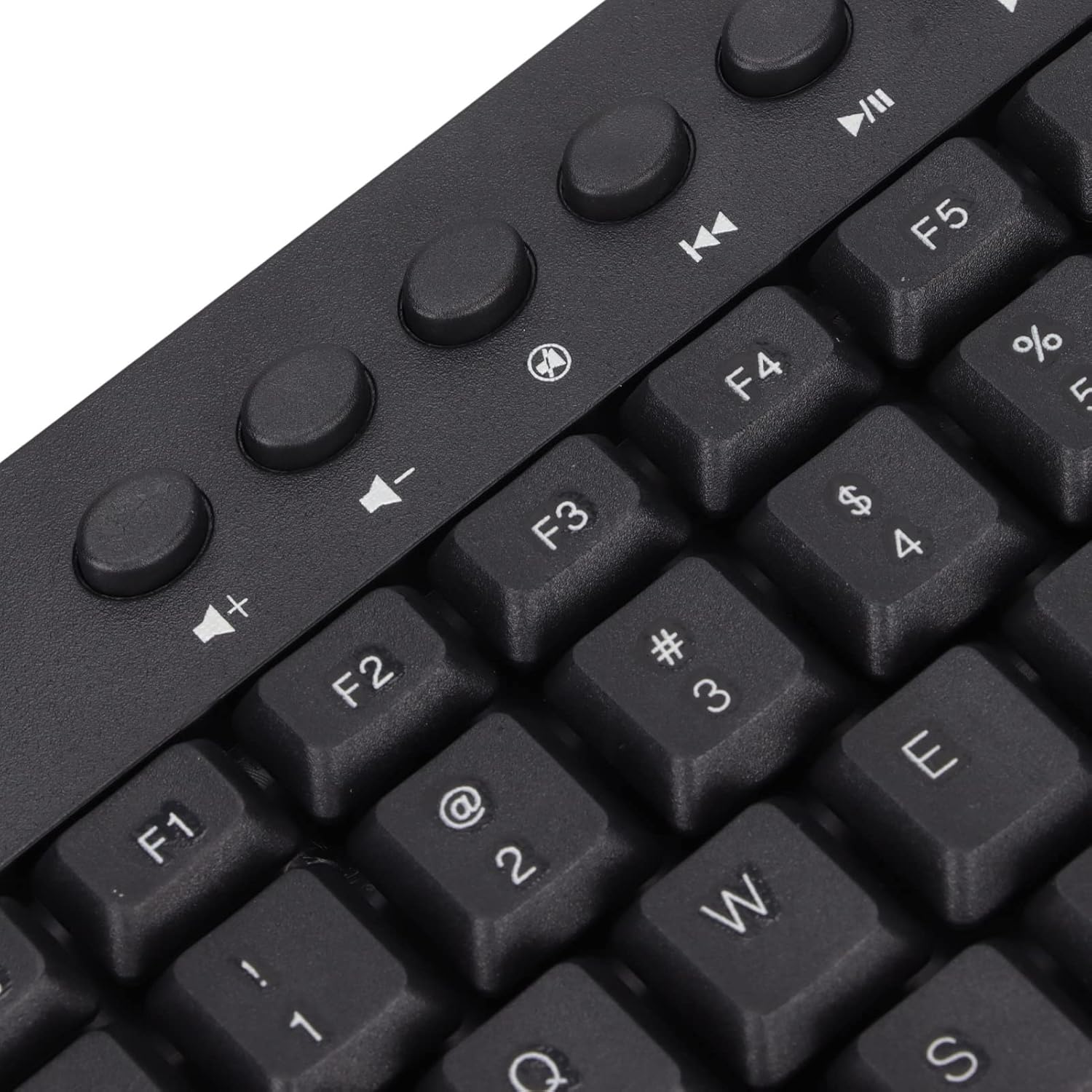
Obrázek: Detail view of the dedicated multimedia control keys.

Image: Detail of the right-side keys, including navigation and control keys.
6. Údržba
To ensure the longevity and optimal performance of your ASHATA keyboard, follow these maintenance guidelines:
- Čištění: Use a soft, dry cloth to wipe the surface of the keyboard. For deeper cleaning, you may use a slightly damp cloth with a mild cleaning solution, ensuring no liquid enters the key switches or internal components.
- Odstranění prachu: K odstranění prachu a nečistot z prostoru mezi klávesami použijte stlačený vzduch.
- Vyhněte se tekutinám: Nevylévejte tekutiny na klávesnici. Pokud dojde k polití, okamžitě odpojte klávesnici od počítače a nechte ji před opětovným připojením zcela vyschnout.
- Skladování: Klávesnici skladujte na chladném a suchém místě mimo dosah přímého slunečního záření a extrémních teplot.
7. Řešení problémů
Pokud narazíte na problémy s klávesnicí, podívejte se na následující běžné problémy a jejich řešení:
7.1 Klávesnice nereaguje
- Zkontrolujte připojení USB: Ensure the USB cable is securely plugged into a working USB-A port on your computer. Try a different USB port.
- Restartujte počítač: Někdy může problémy s připojením vyřešit jednoduchý restart počítače.
- Test na jiném zařízení: Connect the keyboard to another computer to determine if the issue is with the keyboard or your original device.
7.2 Klávesy nefungují správně
- Čisté klíče: Check for any debris or foreign objects lodged under the non-functioning keys. Use compressed air to clear them.
- Konflikt softwaru: Ensure no conflicting software or drivers are installed that might interfere with keyboard input.
7.3 Multimedia Keys Not Working
- Nastavení operačního systému: Verify that your operating system's media key settings are configured correctly.
- Kompatibilita aplikací: Some applications may not fully support universal multimedia keys.
Pokud tyto kroky problém nevyřeší, obraťte se na zákaznickou podporu s žádostí o další pomoc.
8. Specifikace
| Funkce | Detail |
|---|---|
| Značka | ASHATA |
| Číslo modelu | ASHATA8x4ni917wp552-12 |
| Technologie připojení | USB-A (kabelové) |
| Počet klíčů | 95 |
| Typ přepínače | Mechanické |
| Materiál | Plast |
| Barva | Black (Arabic layout) |
| Kompatibilní zařízení | PC (Desktop, Laptop) |
| Kompatibilní rodina operačních systémů | Windows |
| Délka kabelu | Approx. 1.5m / 1.6yd |
| Speciální funkce | Nezávislá multimediální tlačítka |

Obrázek: Spodní část view of the keyboard, displaying regulatory information and adjustable feet.
9. Záruka a podpora
Informace o záruce a zákaznické podpoře naleznete v dokumentaci dodané s vaším nákupem nebo se obraťte přímo na prodejce/výrobce. Uschovejte si doklad o koupi pro případné reklamace.


