
Zavedení
This user manual provides essential information and instructions for the safe and efficient operation of your DUODUOGO S9 10-inch Android 11 Tablet. Please read this manual thoroughly before using your device to ensure proper setup and functionality. Keep this manual for future reference.
1. Nastavení
1.1 Obsah balení
Ověřte, zda jsou v balení přítomny všechny položky:
- DUODUOGO S9 Tablet
- Napájecí adaptér
- USB kabel
- Quick Guide (refer to this manual for detailed instructions)
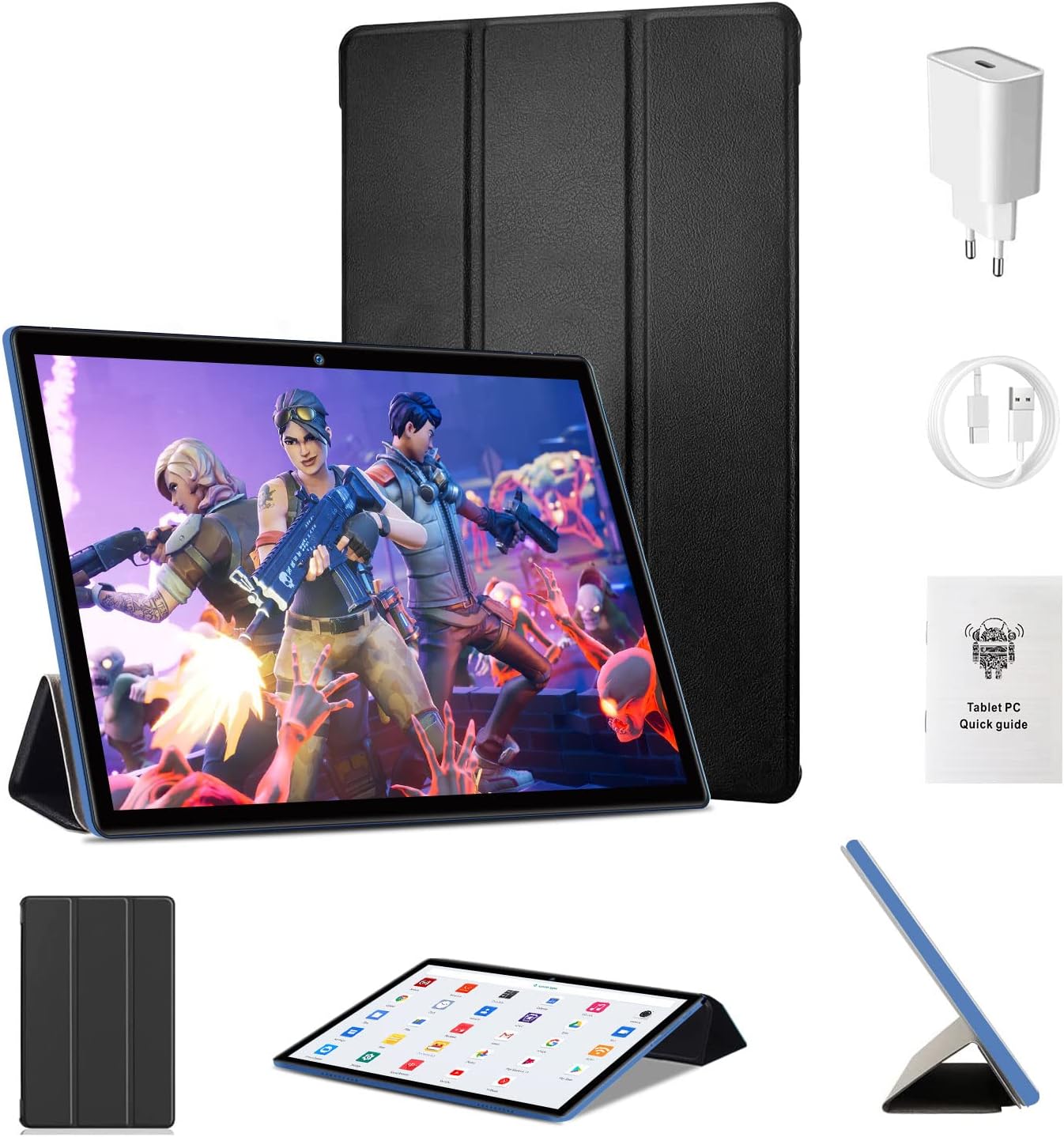
Image: DUODUOGO S9 Tablet with included accessories.
1.2 Počáteční nabíjení
Before first use, fully charge the tablet. Connect the USB cable to the tablet's charging port and the power adapter, then plug the adapter into a wall outlet. The battery indicator on the screen will show charging status.
1.3 Zapnutí/vypnutí
- Zapnutí: Press and hold the Power button until the DUODUOGO logo appears.
- Vypnutí: Press and hold the Power button until the power options appear, then select "Power Off".
- Restartovat: Stiskněte a podržte tlačítko Napájení, dokud se nezobrazí možnosti napájení, a poté vyberte „Restartovat“.
1.4 Průvodce počátečním nastavením
Upon first startup, the tablet will guide you through an initial setup process:
- Vyberte preferovaný jazyk.
- Připojte se k síti Wi-Fi.
- Nastavte si účet Google (volitelné, ale doporučené pro stahování aplikací).
- Review a přijměte obchodní podmínky.
- Nastavte zámek obrazovky (PIN, vzorec nebo heslo).

Image: The Android 11 interface with various applications.
1.5 Vložení Micro SD karty
The tablet supports Micro SD cards up to 256GB for expanded storage.
- Na boku tabletu vyhledejte slot pro kartu Micro SD.
- Opatrně zasuňte kartu Micro SD do slotu, dokud nezapadne na místo.
- Chcete-li kartu vyjmout, jemně ji zatlačte, dokud nevyskočí.

Image: Illustration of the TF (Micro SD) card slot and Wi-Fi connectivity.
2. Návod k obsluze
2.1 Základní navigace
- Klepněte na: Vyberte položku nebo otevřete aplikaci.
- Klepnutí a podržení: Přístup k kontextovým nabídkám nebo přesun ikon.
- Výpad: Procházení obrazovek nebo seznamů.
- Štípání: Přiblížení nebo oddálení obrázků a web stránky.
2.2 Wi-Fi připojení
The tablet supports dual-band Wi-Fi (2.4 GHz and 5 GHz) for fast internet access.
- Přejít na Nastavení > Síť a internet > Wi-Fi.
- Přepnout Wi-Fi On.
- Vyberte požadovanou síť ze seznamu a v případě potřeby zadejte heslo.
2.3 Párování Bluetooth
Connect to Bluetooth 5.0 devices such as headphones or speakers.
- Přejít na Nastavení > Připojená zařízení > Bluetooth.
- Přepnout Bluetooth On.
- Ujistěte se, že je vaše zařízení Bluetooth v režimu párování.
- Select the device from the "Available devices" list to pair.
2.4 Používání fotoaparátu
Tablet je vybaven 2MP předním fotoaparátem a 5MP zadním fotoaparátem.
- Otevřete Fotoaparát aplikace.
- Klepnutím na tlačítko spouště pořídíte fotografii.
- Přepínejte mezi předním a zadním fotoaparátem pomocí ikony fotoaparátu.

Image: Tablet display showcasing camera and screen specifications.
2.5 Správa aplikací
- Stahování aplikací: Otevřete Obchod Google Play app, search for your desired app, and tap "Install".
- Odinstalace aplikací: Tap and hold the app icon on the home screen or app drawer, then drag it to "Uninstall" or select "App info" and then "Uninstall". Alternatively, go to Nastavení > Aplikace a oznámení, vyberte aplikaci a klepněte na „Odinstalovat“.
3. Údržba
3.1 Čištění tabletu
Use a soft, lint-free cloth to clean the screen and body of the tablet. Do not use liquid cleaners or aerosols directly on the tablet.
3.2 Péče o baterii
- Nevystavujte tablet extrémním teplotám.
- Nedovolte, aby se baterie často úplně vybila.
- Používejte pouze dodanou nabíječku nebo certifikovanou kompatibilní nabíječku.
3.3 Aktualizace softwaru
The tablet runs on Android 11. Software updates may be released periodically to improve performance and security. You can check for updates in Nastavení > Systém > Aktualizace systému. Please note that information regarding guaranteed software updates is not available.
3.4 Optimalizace úložiště
Pro udržení optimálního výkonu pravidelně spravujte úložiště tabletu:
- Smažte nepotřebné aplikace a files.
- Vymazat data mezipaměti aplikací v Nastavení > Aplikace a oznámení > (select app) > Úložiště a mezipaměť.
- Utilize the Micro SD card for storing media files.

Obrázek: Vizuální znázornění paměti a úložných možností tabletu.
4. Řešení problémů
Pokud se s tabletem setkáte s problémy, podívejte se na následující běžná řešení:
| Problém | Řešení |
|---|---|
| Tablet se nezapne | Ensure the tablet is charged. Connect it to the charger for at least 30 minutes. Press and hold the Power button for 10-15 seconds. |
| Nelze se připojit k Wi-Fi | Zkontrolujte, zda je v Nastavení povolena Wi-Fi. Restartujte Wi-Fi router. Zapomeňte na síť a znovu se připojte. |
| Aplikace padá nebo běží pomalu | Clear the app's cache (Settings > Apps & notifications > [App Name] > Storage & cache). Restart the tablet. Ensure sufficient storage space. |
| Tablet nereaguje | Perform a force restart by pressing and holding the Power button for approximately 10 seconds. |
| Baterie se rychle vybíjí | Reduce screen brightness. Close unused apps. Disable Wi-Fi/Bluetooth when not in use. Check battery usage in Settings to identify power-hungry apps. |
Pokud problém přetrvává i po vyzkoušení těchto kroků, kontaktujte prosím zákaznickou podporu.
5. Specifikace
Key technical specifications for the DUODUOGO S9 Tablet:
| Funkce | Detail |
|---|---|
| Značka | DUODUOGO |
| Model | S9 |
| Operační systém | Android 11 |
| Procesor | Čtyřjádrový 1.8 GHz |
| BERAN | 4 GB |
| Interní úložiště | 64 GB |
| Rozšiřitelné úložiště | Micro SD až 256 GB |
| Velikost obrazovky | 10 palců |
| Rozlišení obrazovky | 1280 x 800 pixelů IPS |
| Přední kamera | 2 MP |
| Zadní kamera | 5 MP |
| Kapacita baterie | 6000 XNUMX mAh |
| Konektivita | Wi-Fi (2.4G a 5G), Bluetooth 5.0 |
| Rozměry | 26.7 x 19.6 x 5.3 cm |
| Hmotnost | 890 gramů |

Image: Summary of DUODUOGO S9 tablet key features.
6. Záruka a podpora
For warranty information, please refer to the documentation provided at the time of purchase. Information regarding spare parts availability and guaranteed software updates is not available for this product.
If you require further assistance or encounter issues not covered in this manual, please contact DUODUOGO customer support through your retailer or the official brand webmísto.