
Zavedení
This user manual provides comprehensive instructions for the installation, operation, and maintenance of your Haloview BTC128 Bezdrátový FHD 1080P HD zadní panel View Camera. Designed for seamless integration with Haloview BT7/BT6 systems, this camera enhances visibility and safety for your vehicle. Please read this manual thoroughly before installation and use to ensure proper function and longevity of the product.
Bezpečnostní informace
- Ensure all power connections are secure and correctly polarized to prevent electrical damage.
- Nepokoušejte se fotoaparát rozebírat ani upravovat. Mohlo by dojít ke zrušení záruky a poškození.
- Keep the camera and its components away from extreme temperatures, direct sunlight for prolonged periods, and corrosive substances.
- When cleaning, use a soft, dry cloth. Avoid abrasive cleaners or solvents.
- Always ensure the antenna is securely tightened to maintain optimal signal strength.
Obsah balení
Po otevření balení se prosím ujistěte, že jsou součástí balení všechny následující komponenty:
- Fotoaparát BTC128
- Těsnění
- Konverzní kabel pro kameru
- Uživatelská příručka

Figure 1: Package Contents. This image displays the BTC128 camera, a gasket, a camera conversion cable, and the user manual, illustrating all items included in the product package.
Konec produktuview
Haloview BTC128 camera is a robust, high-definition wireless camera designed for rear view applications. It features a durable housing and an integrated antenna for reliable signal transmission.

Obrázek 2: Přední strana view of the BTC128 camera. This image shows the camera's lens, surrounding LED lights, and the attached wireless antenna.
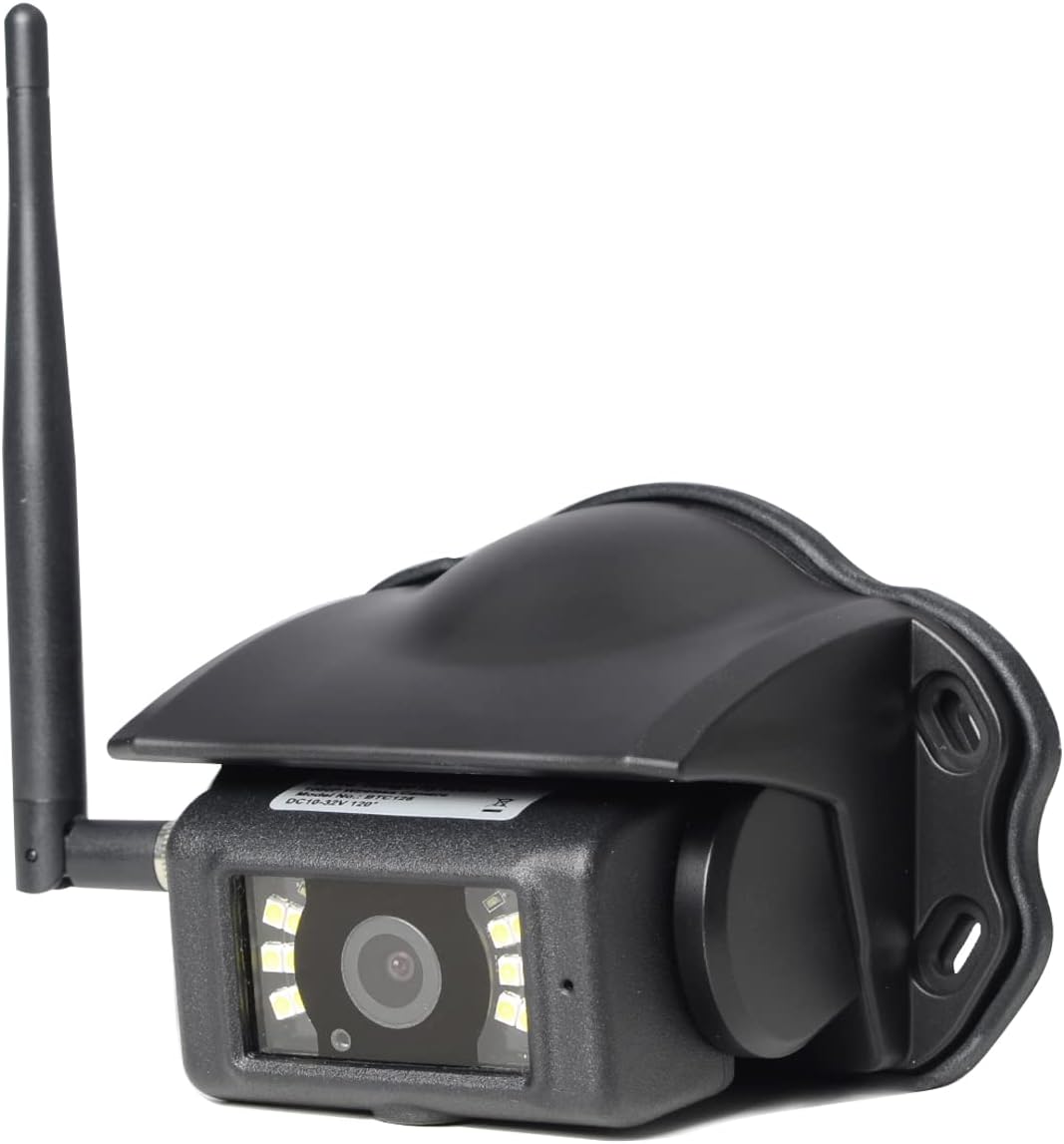
Obrázek 3: Úhlové view of the BTC128 camera. This perspective highlights the camera's protective housing and the angle of the antenna.
Nastavení
1. Montáž kamery
The BTC128 camera is designed for surface mounting. Choose a location that provides a clear, unobstructed view of the area you wish to monitor. Ensure the mounting surface is flat and stable. Use the provided gasket as a template for drilling pilot holes if necessary, and secure the camera using appropriate fasteners (not included, as mounting hardware varies by application).

Obrázek 4: Strana view of the BTC128 camera. This image illustrates the camera's profile and the pre-drilled mounting holes on its base.
2. Připojení napájení
Connect the camera to a stable power source (DC 10-32V) using the camera conversion cable. Ensure proper polarity. The camera is compatible with 12V and 24V vehicle electrical systems. The cable typically includes a trigger wire for specific system integrations, if applicable to your setup.
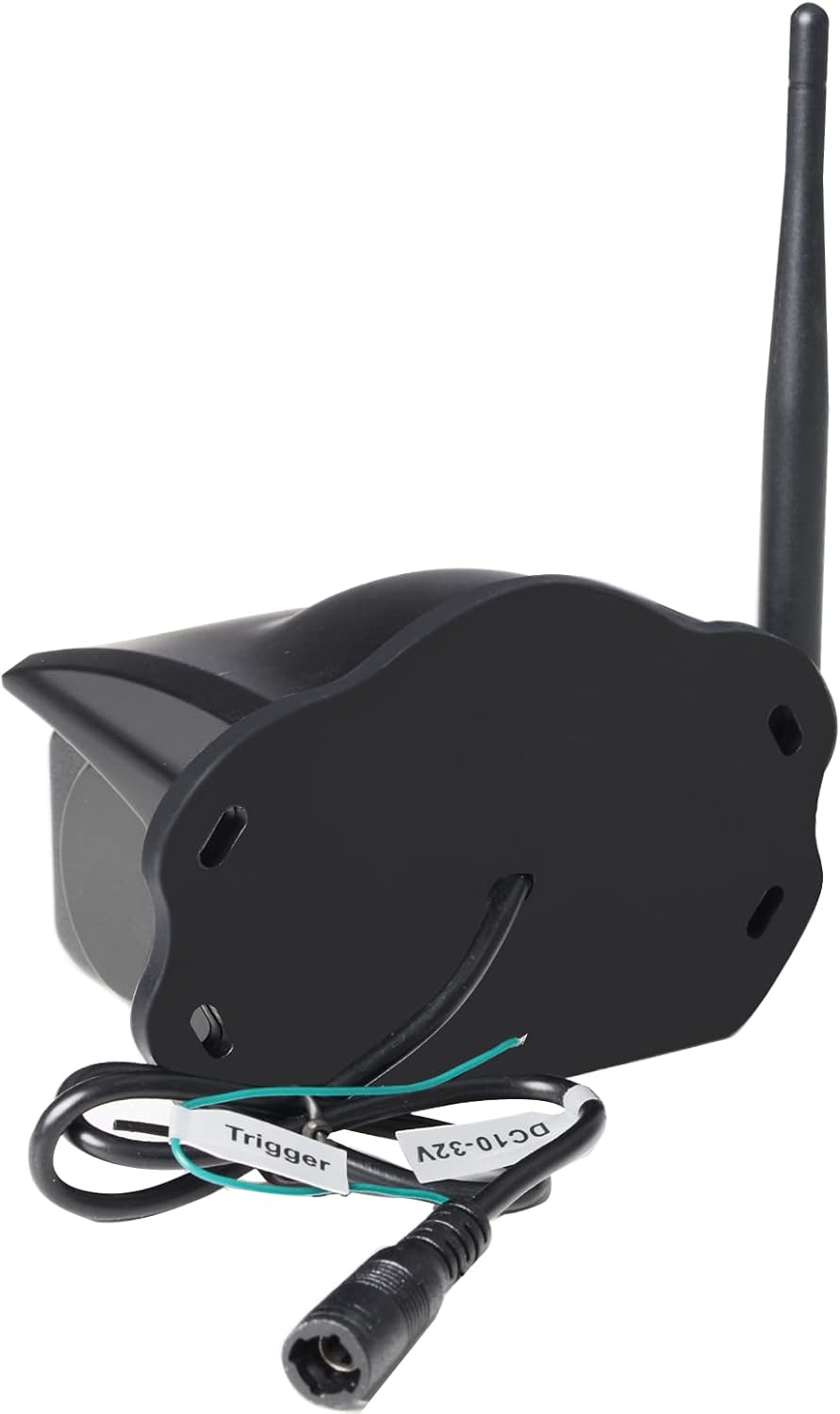
Obrázek 5: Zadní view of the BTC128 camera. This image shows the power input port and the labeled trigger wire for electrical connection.
3. Pairing with Haloview BT7/BT6 System
Podívejte se na svůj Haloview BT7 or BT6 monitor's user manual for specific instructions on pairing the BTC128 camera. Generally, the process involves activating pairing mode on the monitor and then powering on the camera. The system should automatically detect and connect to the camera.
Provozní
Viewing the Camera Feed
Once paired, the camera feed will be displayed on your Haloview BT7/BT6 monitor. The camera provides a Full HD 1080P resolution image, offering clear and detailed visuals. The system allows for real-time viewing, which is crucial for backing up or monitoring blind spots.
Výkon při nízkém osvětlení
The BTC128 camera is equipped with white-light LEDs to illuminate the area in low-light conditions. These LEDs provide visible light to enhance the camera's image clarity at night. Please note: This system utilizes white-light illumination, not infrared (IR) night vision.
Údržba
- Čištění: Pravidelně čistěte objektiv a kryt fotoaparátu měkkým hadříkemamp cloth to remove dirt, dust, or water spots. Do not use harsh chemicals or abrasive materials.
- Kontrola antény: Periodically check the antenna connection to ensure it remains tight and secure. A loose antenna can lead to signal degradation.
- Kontrola kabelů: Inspect the power cable and conversion cable for any signs of wear, fraying, or damage. Replace if necessary.
Odstraňování problémů
| Problém | Možná příčina | Řešení |
|---|---|---|
| Žádný obraz na monitoru | Camera not powered, not paired, or signal interference. | Check power connection. Re-pair the camera with the monitor. Ensure no large metallic objects are blocking the signal path. |
| Obraz je rozmazaný nebo nejasný | Dirty lens, condensation, or camera not focused (if adjustable). | Clean the camera lens. Allow time for condensation to dissipate. |
| Intermittent signal or flickering image | Loose antenna, signal interference, or distance too great. | Tighten the antenna. Reduce distance between camera and monitor if possible. Check for other wireless devices causing interference. |
| Kamera se nezapíná | Žádné napájení, nesprávná hlasitosttage, or faulty wiring. | Ověřte hlasitost zdroje napájenítage (10-32V). Check all wiring connections for continuity and correct polarity. |
Specifikace
| Funkce | Detail |
|---|---|
| Model | BTC128 |
| Typ montáže | Povrchová montáž |
| Rozlišení záznamu videa | 1080p (FHD) |
| Technologie bezdrátové komunikace | Wi-Fi |
| svtage | 10-32 V DC |
| Hmotnost položky | 1.04 liber (0.47 kilogramů) |
| Hodnocení mezinárodní ochrany | IP67 |
| Rozměry balení | 7.64 x 5.91 x 4.02 palce |
| Kompatibilní zařízení | Svatozářview BT7/BT6 Systems |
| Vnitřní/venkovní použití | Uvnitř, venku |
| Formát záznamu videa | MPEG-4 |
| Počet kanálů | 1 |
Záruka a podpora
Svatozářview products typically come with a manufacturer's warranty. Please refer to the warranty card included with your product or visit the official Haloview website for detailed warranty terms and conditions. For technical support, troubleshooting assistance beyond this manual, or warranty claims, please contact Haloview customer service directly. Contact information can usually be found on the product packaging or the official Haloview webmísto.
Poznámka: V poskytnutých datech nebyla k tomuto produktu nalezena žádná oficiální videa prodejce.