
1. Úvod
Děkuji za nákupasing the YOUTHINK Portable Shortwave Radio. This manual provides essential information for the safe and efficient operation of your device. Please read it thoroughly before use and retain it for future reference.
This portable radio offers AM/FM tuning, MP3 playback, and multiple power options, making it suitable for various listening environments.
2. Bezpečnostní informace
- Nevystavujte rádio extrémním teplotám, přímému slunečnímu záření nebo vysoké vlhkosti.
- Zabraňte pádu zařízení nebo jeho vystavení silným nárazům.
- Nepokoušejte se rádio rozebírat ani upravovat. Zrušíte tak platnost záruky a může dojít k poškození.
- Používejte pouze specifikovaný typ baterie a metody nabíjení.
- Udržujte zařízení mimo dosah vody a jiných kapalin.
- Rádio čistěte měkkým, suchým hadříkem. Nepoužívejte abrazivní čisticí prostředky ani rozpouštědla.
3. Obsah balení
Ověřte, zda jsou v balení přítomny všechny položky:
- YOUTHINK Portable Shortwave Radio
- USB nabíjecí kabel
- Power Cord (if applicable, please check your product packaging)
- Uživatelská příručka (tento dokument)
Note: The 18650 lithium battery is typically included or sold separately. Please check your product packaging for confirmation.
4. Konec produktuview
Seznamte se s komponenty a ovládacími prvky rádia.

Obrázek 4.1: Přední strana view of the YOUTHINK Portable Shortwave Radio with antenna extended, showing the speaker, LCD display, and control buttons.

Obrázek 4.2: Detailní view of the radio's control panel. Labels indicate: On/Off/Pause button, Previous Song button, Next Song button, Numeric keys (0-9), Volume Down (V-), Volume Up (V+), and Mode/Circulation (M) button.
Ovládací tlačítka:
- On/Off/Pause Button: Press to power on/off the radio. During playback, press to pause/resume.
- Číselné klávesy (0-9): Used for direct frequency input or track selection in MP3 mode.
- Prev Song Button: Skips to the previous track in MP3 mode or tunes to the previous station.
- Tlačítko Další skladba: Skips to the next track in MP3 mode or tunes to the next station.
- Snížení hlasitosti (V-): Snižuje hlasitost zvuku.
- Zvýšení hlasitosti (V+): Zvyšuje hlasitost zvuku.
- Mode/Circulation (M) Button: Switches between radio modes (AM/FM) and MP3 playback. May also control playback circulation (repeat modes).
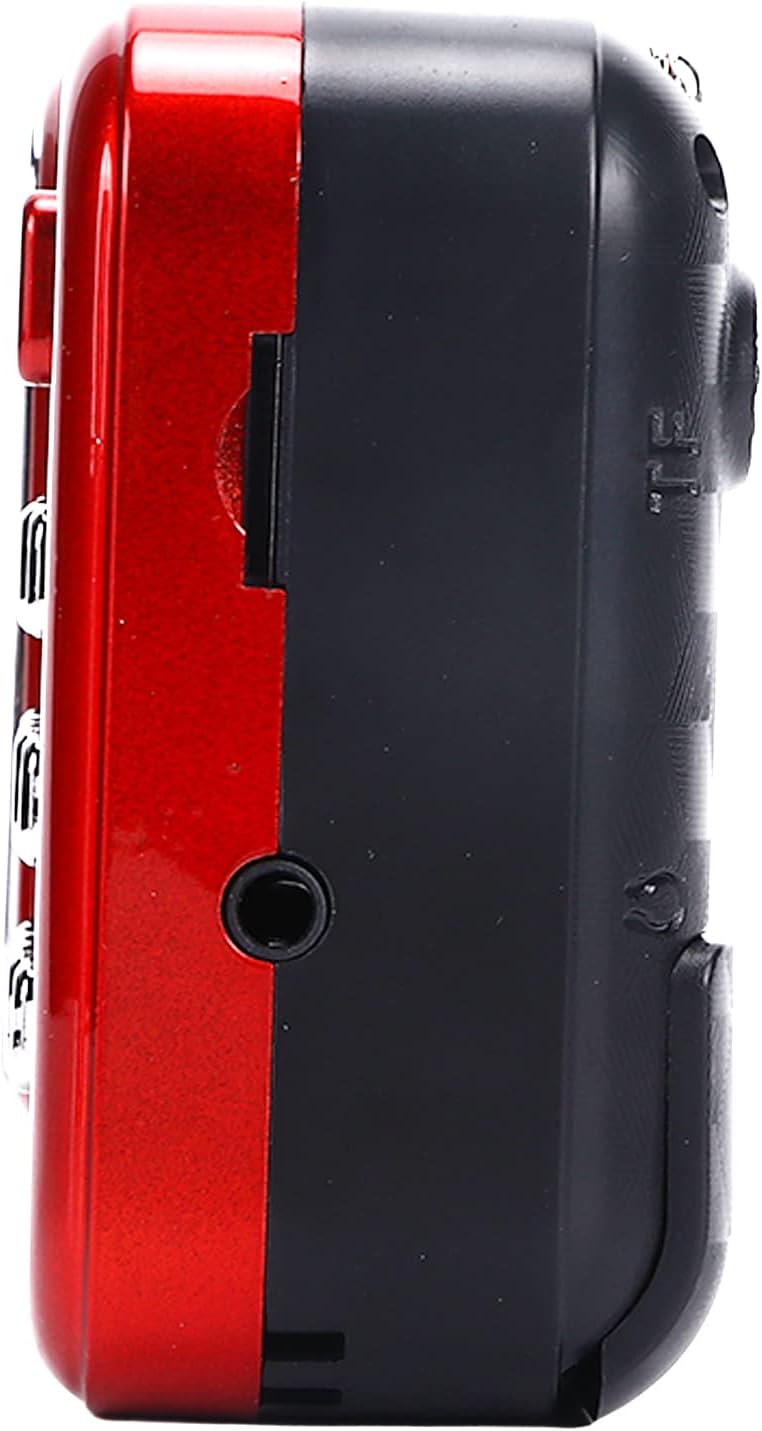
Obrázek 4.3: Strana view of the radio, highlighting the headphone jack for private listening.
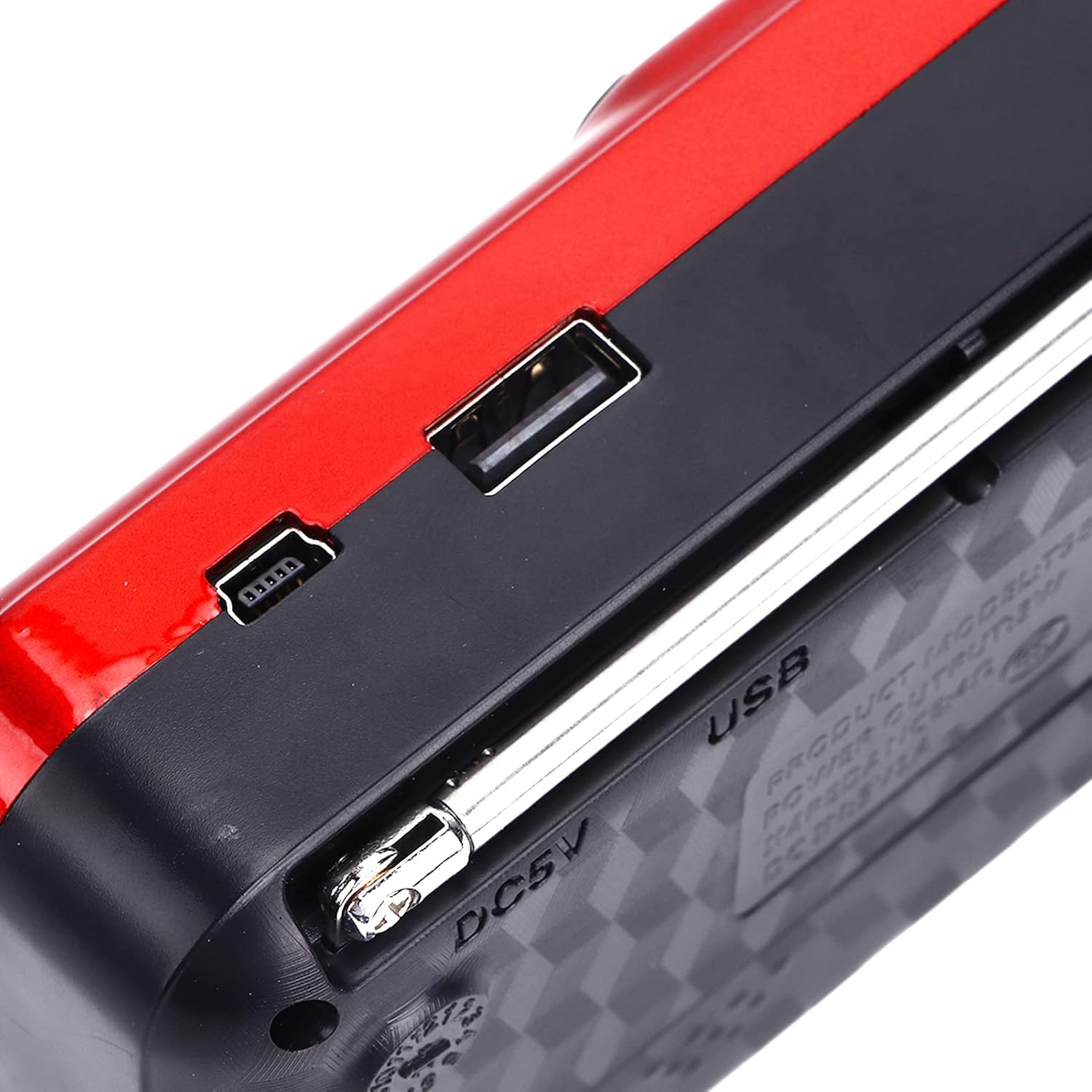
Obrázek 4.4: Nahoře view of the radio, showing the USB port and DC 5V charging port.
5. Nastavení
5.1 Instalace baterie
- Najděte kryt přihrádky na baterie na zadní straně rádia.
- Posuňte nebo zvedněte kryt pro otevření přihrádky.
- Insert one 18650 lithium battery, ensuring correct polarity (+/-) as indicated inside the compartment.
- Bezpečně zavřete kryt bateriového prostoru.

Figure 5.1: Open battery compartment showing the insertion of an 18650 lithium battery.
The radio can operate for approximately 6-8 hours on a fully charged 18650 lithium battery.
5.2 Nabíjení baterie
- Connect the provided USB charging cable to the DC 5V port on the radio.
- Connect the other end of the USB cable to a compatible USB power source (e.g., computer, USB wall adapter, power bank, car charger).
- The LCD display may indicate charging status. Disconnect the charger once the battery is fully charged.
Nabíjecí svtage: DC 5V 1A.
6. Návod k obsluze
6.1 Zapnutí/vypnutí
- Stiskněte a podržte Zapnuto/Vypnuto/Pauza tlačítko pro zapnutí rádia.
- Press and hold the same button again to power off.
6.2 Nastavení hlasitosti
- Stiskněte tlačítko V+ tlačítko pro zvýšení hlasitosti.
- Stiskněte tlačítko V- tlačítko pro snížení hlasitosti.
6.3 Radio Mode (AM/FM)
- Pro lepší příjem vysuňte teleskopickou anténu.
- Stiskněte tlačítko režim (M) button to switch to FM or AM radio mode. The current mode will be displayed on the LCD screen.
- Automatické skenování: V režimu rádia stiskněte a podržte tlačítko Přehrát/Pozastavit button (often doubles as scan) to automatically scan and save available stations.
- Ruční ladění: Použijte Předchozí píseň or Další píseň buttons to manually tune to the desired frequency.
- Přímý frekvenční vstup: Use the numeric keys (0-9) to directly enter a radio frequency.
6.4 Přehrávání MP3
The radio supports MP3 format playback from a USB drive or TF (MicroSD) card (not included).
- Vložte USB disk do USB portu nebo TF kartu do slotu pro TF kartu.
- Stiskněte tlačítko režim (M) button to switch to MP3 playback mode. The radio will automatically detect and begin playing MP3 files.
- Použijte Předchozí píseň a Další píseň tlačítka pro navigaci mezi skladbami.
- Stiskněte tlačítko Zapnuto/Vypnuto/Pauza tlačítko pro pozastavení nebo obnovení přehrávání.
- Use the numeric keys (0-9) to directly select a track number.
6.5 Používání svítilny

Figure 6.1: The radio's integrated LED flashlight illuminating a dark area, useful for emergencies or low-light conditions.
The radio includes an integrated LED flashlight. To activate or deactivate the flashlight, locate the dedicated flashlight button or switch, usually on the side of the device.
6.6 Používání sluchátek
For private listening, plug standard 3.5mm headphones into the headphone jack located on the side of the radio.
7. Údržba
- Čištění: Wipe the radio with a soft, dry cloth. Do not use liquid cleaners or aerosols.
- Skladování: When not in use for extended periods, store the radio in a cool, dry place. If using a removable battery, consider removing it to prevent leakage.
- Péče o baterie: Recharge the battery regularly, even if not in use, to maintain its lifespan. Avoid fully discharging the battery frequently.
8. Řešení problémů
| Problém | Možná příčina | Řešení |
|---|---|---|
| Rádio se nezapne. | Baterie je vybitá nebo nesprávně nainstalovaná. | Charge the battery or ensure it is installed with correct polarity. |
| Špatný příjem rádia. | Anténa není vysunutá nebo má slabý signál. | Zcela vysuňte teleskopickou anténu. Zkuste přemístit rádio. |
| Z reproduktoru není slyšet žádný zvuk. | Hlasitost je příliš nízká nebo jsou připojena sluchátka. | Zvyšte hlasitost. Pokud si to nepřejete, odpojte sluchátka. |
| MP3 filenehraje se. | Nesprávný režim, nepodporováno file format, or faulty USB/TF card. | Ensure radio is in MP3 mode. Verify files are in MP3 format. Try a different USB drive or TF card. |
9. Specifikace
- Model: YOUTHINKmxkn0ugipz
- Značka: YOUTHINK
- Technologie tuneru: AM, FM
- Podporovaná rádiová pásma: AM, FM
- Technologie připojení: USB
- Zdroj napájení: Battery Powered (18650 Lithium Battery)
- Nabíjecí svtage: DC 5V 1A
- Výstupní výkon: 3W
- Frekvence odezvy: 100Hz-18KHz
- Poměr signálu k šumu: ≤ 70 dB
- Přehrávání hudby: Supports MP3 Format
- Rozměry produktu: 4.65"L x 2.76"W x 1.38"H (Approx. 11.8 x 7 x 3.5 cm)
- Hmotnost položky: 5.9 unce (přibližně 167 g)
- Speciální funkce: Portable, LCD Display, MP3 Player, Flashlight
10. Záruka a podpora
For warranty information or technical support, please refer to the documentation provided with your purchase or contact YOUTHINK customer service through the retailer where the product was purchased.
Uschovejte si prosím doklad o koupi pro uplatnění záruky.