
Nothing Nothing Earbuds
Nothing Ear (1) Wireless Earbuds User Manual
Model: Nothing Earbuds
Konec produktuview
The Nothing Ear (1) are true wireless earbuds designed for immersive audio experience with active noise cancellation. Their distinctive transparent design showcases internal components, offering a unique aesthetic. These earbuds are engineered for comfort, durability, and high-quality sound performance across various activities.

Image: Nothing Ear (1) earbuds in their transparent charging case, showcasing the unique design.
Co je v krabici
- Wireless Earbuds (Nothing Ear (1))
- Bezdrátové nabíjecí pouzdro
- USB-C kabel
- Silikonové nástavce do uší (malé, střední, velké)
Klíčové vlastnosti
Unique Transparent Design

The earbuds feature a unique transparent design, allowing visibility of the internal components, giving them a distinct technological aesthetic.
Pure Sound & Precise Tuning

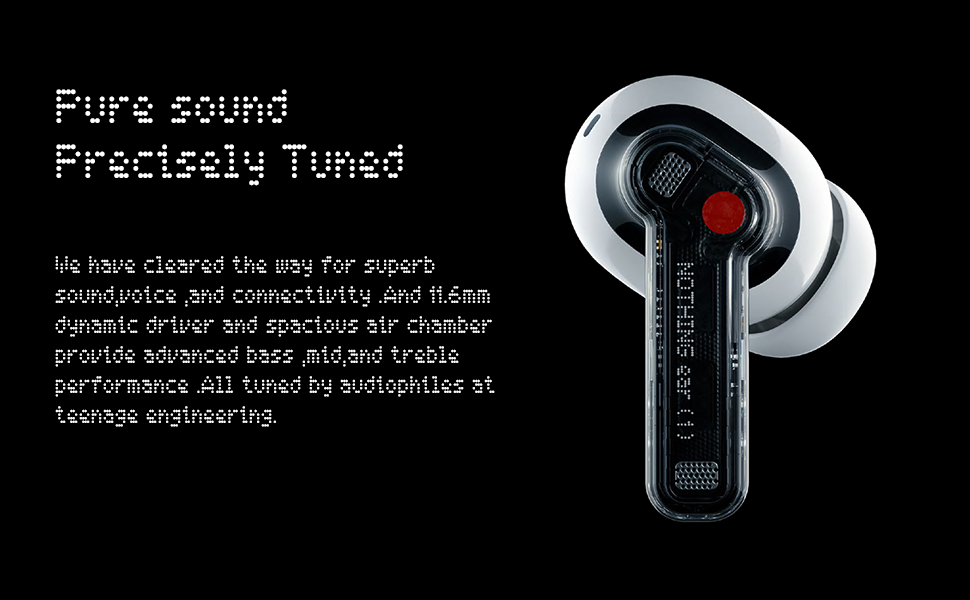
Equipped with an 11.6mm dynamic driver and a spacious air chamber, the earbuds deliver pure sound with high-quality bass, midrange, and treble performance, tuned by Teenage Engineering.
Inteligentní adaptivní potlačení hluku
Support for Active Noise Cancellation (ANC) and Transparency Mode. Three-mic call noise reduction ensures clear voice calls by effectively isolating and enhancing the main voice.
Prodloužená životnost baterie
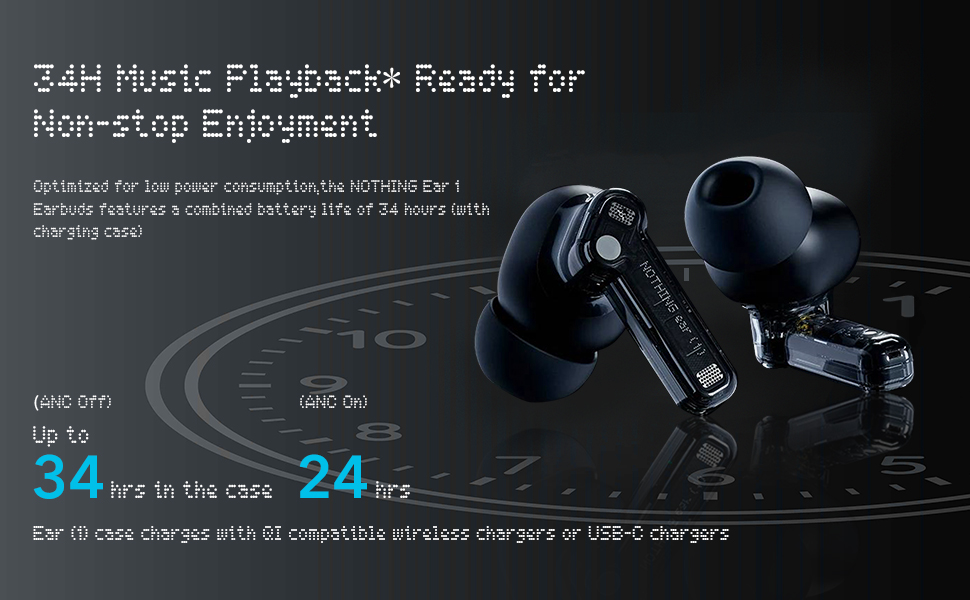
Enjoy up to 5 hours of listening time on a single charge, and a total of 34 hours with the charging case (ANC off). A 10-minute charge provides 1.2 hours of playback.
Nastavení a párování
Počáteční párování
- Ujistěte se, že jsou sluchátka v nabíjecím pouzdře a že je víko pouzdra otevřené.
- Press and hold the pairing button on the charging case for a few seconds until the indicator light flashes.
- On your device (smartphone, tablet, etc.), go to Bluetooth settings and select "Nothing Ear (1)" from the list of available devices.
- Potvrďte párování.
Nothing Ear (1) App
Download the official Nothing Ear (1) app from your device's app store (available on iOS and Android). The app allows you to customize settings, adjust the equalizer, and access features like 'Find My Earbud'.

Image: Nothing Ear (1) app features and pairing instructions.
Návod k obsluze
Dotykové ovládání
The Nothing Ear (1) earbuds feature customizable touch controls on each earbud. These controls allow you to manage playback, calls, and noise cancellation modes.
- Trojité klepnutí: Next Song (Right Earbud), Previous Song (Left Earbud)
- Klepnutí a podržení: Toggle Noise Cancellation / Transparency Mode / Off
- Dvojí poklepání: Přehrát/Pozastavit hudbu
- Slide on Stem: Volume Up/Down (works on both earbuds)
Detekce do uší
The earbuds automatically play audio when inserted into your ears and pause when removed. This feature can be toggled on/off via the Nothing Ear (1) app.
Latency Mode
The app offers a Low Latency Mode to optimize sound and video synchronization for a better experience when playing games or watching videos. Be aware that using this mode in environments with many wireless devices may cause signal interference.
Přizpůsobení zvuku
The Nothing Ear (1) app includes an Equalizer feature to fine-tune your sound experience. While not a multi-band equalizer, it offers several presets:
- Vyrovnaný: Výchozí zvukový profesionálfile.
- More Treble: Enhances high frequencies.
- More Bass: Boosts low frequencies for a punchier sound.
- Hlas: Optimizes vocals, ideal for podcasts or audiobooks.
Microphone Quality
Each earbud is equipped with three high-definition microphones and Clear Voice Technology. Advanced algorithms analyze voice and sound combinations, even in windy conditions (up to 40km/h), to isolate and amplify your voice for remarkable clarity during calls.
Údržba a péče
- Keep the earbuds and charging case clean using a soft, dry cloth.
- Nevystavujte sluchátka extrémním teplotám nebo přímému slunečnímu záření po delší dobu.
- The earbuds are IPX4 sweat-proof and water-resistant, suitable for daily use and workouts, but should not be submerged in water.
- Store in the charging case when not in use to protect and charge them.
Odstraňování problémů
For common issues such as pairing problems or sound discrepancies, try the following:
- Ujistěte se, že jsou obě sluchátka nabitá.
- Reset the earbuds by placing them in the case, closing the lid, and then reopening.
- Zapomeňte na zařízení v nastavení Bluetooth telefonu a znovu jej spárujte.
- Check for firmware updates via the Nothing Ear (1) app.
- If issues persist, refer to the 'Tips & Support' section within the app or contact Nothing customer support.
Specifikace
| Značka | Nic |
| Model | Nothing Earbuds |
| Technologie připojení | Bluetooth 5.2 |
| Kontrola hluku | Aktivní potlačení hluku |
| Mikrofony | 3 za sluchátko |
| Doba hraní (sluchátka) | Až 5 hodin |
| Celková doba přehrávání (s pouzdrem) | Až 34 hodin (ANC vypnuto) |
| Úroveň odolnosti proti vodě | IPX4 (Sweat-proof & Water-resistant) |
| Velikost ovladače | 11.6mm dynamický ovladač |
| Nabíjení | USB-C, bezdrátové nabíjení |
Záruka a podpora
For warranty information and customer support, please refer to the official Nothing website or contact their customer service directly. Details can also be found in the 'About App' or 'Tips & Support' sections within the Nothing Ear (1) mobile application.
Ask a question about this manual
Ask about setup, troubleshooting, compatibility, parts, safety, or missing instructions. Manuals+ will review the question and use this page’s manual context to help answer it.