
HITBOX HT111
HITBOX Automatic Welding Helmet User Manual
Model: HT111 | Brand: HITBOX
1. Úvod
Thank you for choosing the HITBOX Automatic Welding Helmet, Model HT111. This helmet is designed to provide superior eye and face protection during various welding and grinding operations. Featuring advanced auto-darkening technology with True Color views and a large viewing area, it ensures optimal clarity and comfort. Please read this manual thoroughly before use to ensure proper operation, maintenance, and safety.

Figure 1: HITBOX Automatic Welding Helmet (Model HT111)
2. Bezpečnostní informace
VAROVÁNÍ: Welding and cutting processes produce intense light, heat, and harmful radiation that can cause severe eye and skin injuries. Always wear appropriate personal protective equipment (PPE) and follow all safety guidelines.
- Always inspect the helmet before each use for any damage, cracks, or loose parts. Do not use if damaged.
- Ensure the auto-darkening filter (ADF) is clean and free from scratches.
- Verify the helmet's shade setting is appropriate for your welding process and amperage before striking an arc.
- This helmet protects against UV/IR radiation even in the light state (shade DIN 4). However, always ensure the ADF darkens properly before beginning work.
- Do not immerse the helmet in water or any liquids.
- Do not modify the helmet or its components. Unauthorized modifications can compromise safety.
- Používejte pouze originální náhradní díly.
- Zajistěte dostatečné větrání v pracovním prostoru, abyste zabránili vdechování svářečských výparů.
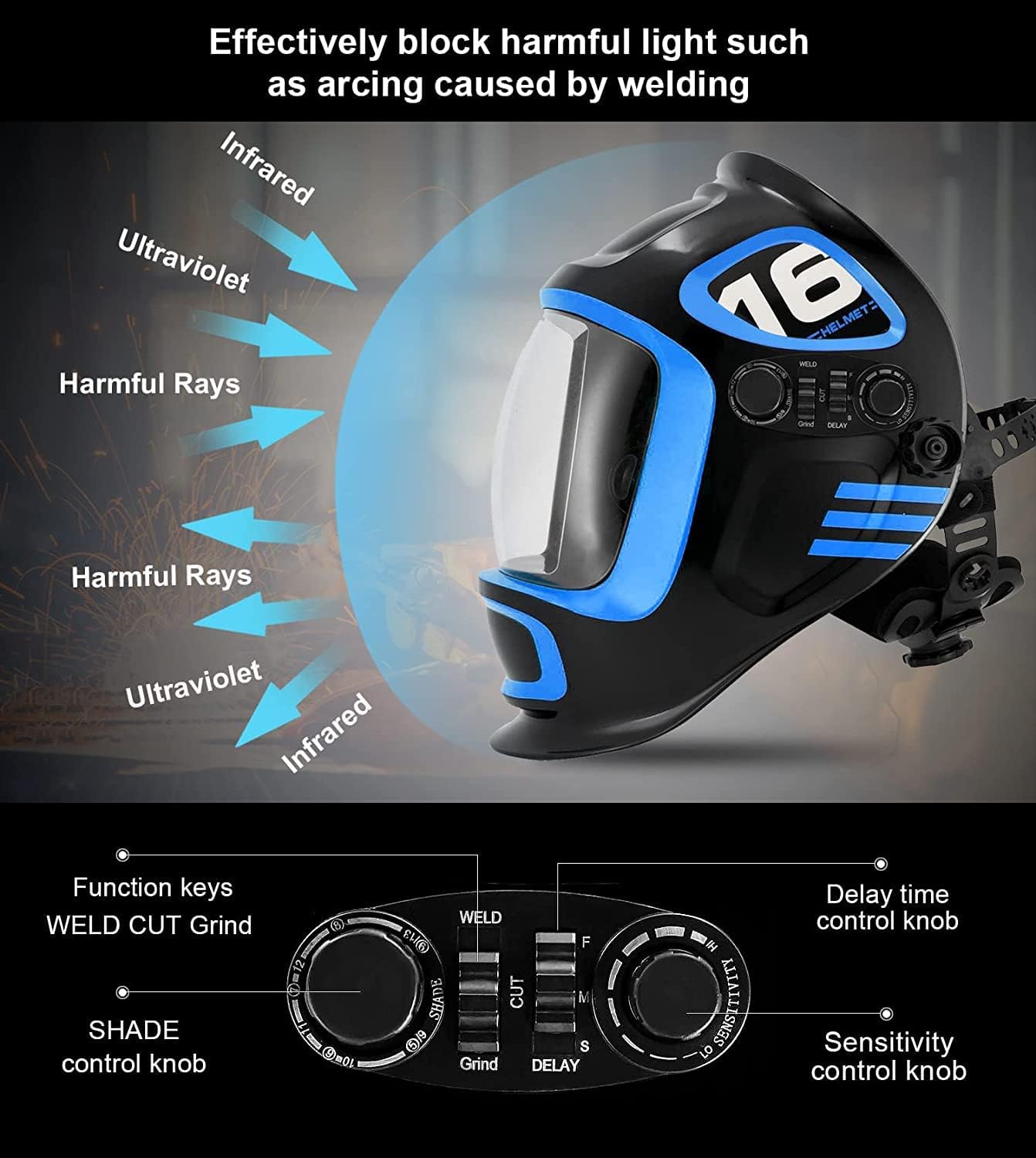
Figure 2: The helmet effectively blocks harmful ultraviolet and infrared radiation during welding.
3. Komponenty produktu
The HITBOX Automatic Welding Helmet consists of the following main components:
- Skořepina helmy: Provides overall face and head protection.
- Automaticky ztmavující filtr (ADF): The electronic lens that automatically darkens upon arc ignition.
- Vnější ochranná čočka: Protects the ADF from spatter and scratches.
- Vnitřní ochranná čočka: Protects the inside of the ADF.
- Headgear Assembly: Adjustable straps and padding for comfortable and secure fit.
- Ovládací knoflíky: For adjusting shade, sensitivity, and delay settings.
- Arc Sensors (4): Detect the welding arc to trigger the ADF.
- Solární panel: Napájí automatický podavač dokumentů a dobíjí interní baterii.

Figure 3: Included components and accessories with the HITBOX Welding Helmet.
4. Nastavení a seřízení
Proper adjustment of the headgear is essential for comfort and safety.
- Assemble Headgear: If not pre-assembled, attach the headgear to the helmet shell using the pivot points. Ensure it is securely fastened.
- Nastavení průměru hlavového mostu: Use the knob at the back of the headgear to adjust the circumference until it fits snugly but comfortably around your head.
- Upravte horní popruh: Upravte horní popruh tak, aby helma správně seděla na hlavě, a ujistěte se, že viewing window is at eye level.
- Adjust Distance from Face: Use the side knobs to adjust the distance of the helmet from your face. The ideal distance allows for clear vision and prevents fogging, without obstructing movement.
- Upravit úhel: The helmet's angle can be adjusted to suit your working position.
- Test funkčnosti: Before welding, press the "TEST" button on the ADF (if available) to ensure it darkens properly. This confirms the battery and sensors are functioning.

Figure 4: Adjustable headgear for a personalized and comfortable fit.
5. Návod k obsluze
The HITBOX HT111 helmet supports multiple modes for various applications.
5.1. Výběr režimu
The helmet features a mode selector switch (WELD/CUT/GRIND) typically located on the side or inside the helmet.
- Režim SVAŘOVÁNÍ: For TIG, MIG, MMA, and Plasma welding. The ADF will automatically darken to the selected shade when an arc is detected.
- Režim BROUŠENÍ: For grinding operations. In this mode, the ADF remains in its light state (DIN 4) to provide clear vision while protecting against impacts. The auto-darkening function is disabled.
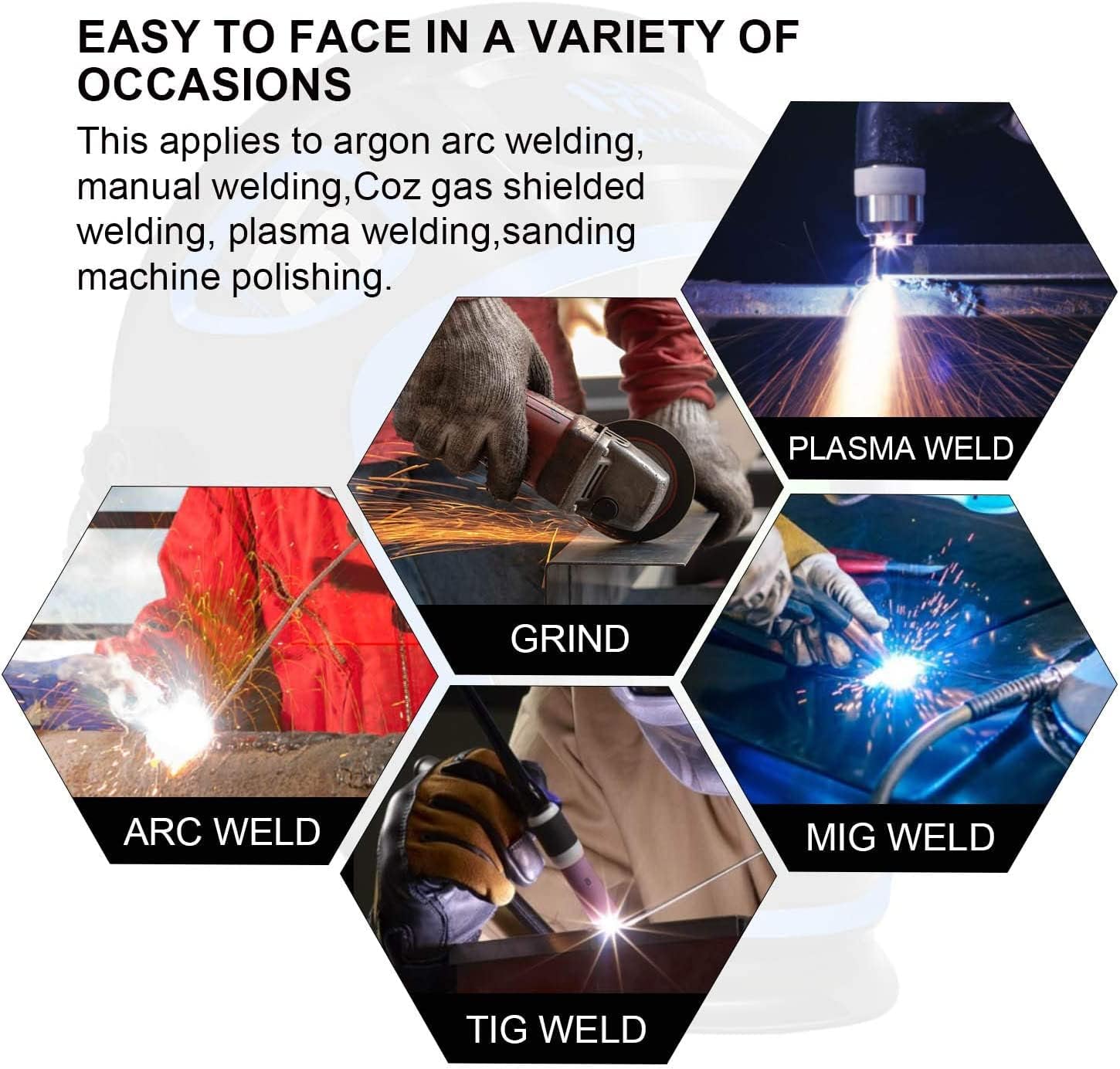
Figure 5: The helmet is suitable for various welding processes and grinding.
5.2. Control Knob Adjustments
The helmet is equipped with control knobs for fine-tuning performance:
- SHADE Control Knob (DIN 5/9-9/13): Adjusts the darkness level of the ADF. Refer to welding shade charts for appropriate settings based on your welding process and amperage. Start with a higher shade and decrease if visibility is poor.
- SENSITIVITY Control Knob: Adjusts how sensitive the arc sensors are to light. Increase sensitivity for low-amperage TIG welding or when working in low light conditions. Decrease sensitivity to prevent false triggering from ambient light.
- DELAY Time Control Knob (0.1S-0.8S): Adjusts the time the ADF remains dark after the arc extinguishes. A shorter delay is suitable for tack welding, while a longer delay helps protect eyes from afterglow or multiple short arcs.
Figure 6: Control knobs for adjusting shade, sensitivity, and delay settings.
6. Údržba
Regular maintenance ensures the longevity and proper functioning of your welding helmet.
- Čištění:
- Skořepinu helmy čistěte jemným mýdlem a vodou. Vyhněte se agresivním rozpouštědlům.
- Clean the outer and inner protective lenses regularly with a soft, clean cloth and a suitable lens cleaning solution. Replace scratched or damaged lenses immediately.
- Gently wipe the ADF surface with a soft, dry cloth. Do not use abrasive materials or liquids directly on the ADF.
- Výměna baterie: The helmet uses a CR2 battery (1 included). While the solar panel extends battery life, the battery may eventually need replacement. Refer to the battery compartment for instructions on how to replace it. Ensure correct polarity.
- Skladování: Store the helmet in a dry, clean place away from direct sunlight and extreme temperatures. Use the provided storage bag to protect it from dust and scratches.
7. Řešení problémů
If you encounter issues with your welding helmet, refer to the table below for common problems and solutions.
| Problém | Možná příčina | Řešení |
|---|---|---|
| ADF neztmavne, když je zapálen oblouk. |
|
|
| ADF flickers or darkens intermittently. |
|
|
| Špatná viditelnost přes automatický podavač dokumentů. |
|
|
If the problem persists after trying these solutions, please contact HITBOX customer support.
8. Technické specifikace
| Funkce | Specifikace |
|---|---|
| Číslo modelu | HT111 (LYX800-F) |
| Viewoblast | 3.94" x 3.66" (10 cm x 9.3 cm) |
| Optická čistota | 1/1/1/2 |
| Odstín světlého stavu | DIN 4 |
| Stín temného státu | DIN 5/9 - DIN 9/13 (Adjustable) |
| Obloukové senzory | 4 |
| Čas přepínání | ≤1/10000S |
| Doba zpoždění | 0.1S - 0.8S (Adjustable) |
| Napájení | Solar Cell & Replaceable Lithium Battery (1x CR2 included) |
| UV/IR ochrana | Vždy až do odstínu DIN 16 |
| Materiál | ABS |
| Hmotnost | 850 gramů |
| Provozní teplota | -5 °C až +55 °C (23 °F až 131 °F) |

Obrázek 7: Velký viewing area for enhanced visibility.
9. Záruka a podpora
HITBOX products are manufactured to high-quality standards. For warranty information, technical support, or replacement parts, please contact your local dealer or visit the official HITBOX website. Please have your model number (HT111) and purchase date available when contacting support.
Výrobce: HITBOX
Webmísto: www.hitbox.com (Napřampskutečný odkaz website may vary)
Ask a question about this manual
Ask about setup, troubleshooting, compatibility, parts, safety, or missing instructions. Manuals+ will review the question and use this page’s manual context to help answer it.