
1. Úvod
Thank you for choosing the ILIFE V3s Max Robot Vacuum and Mop Combo. This device is designed to provide efficient and convenient cleaning for your home, combining powerful vacuuming with intelligent mopping capabilities. This manual provides essential information for the safe operation, maintenance, and troubleshooting of your robot vacuum. Please read it thoroughly before use and retain it for future reference.
2. Bezpečnostní pokyny
Abyste snížili riziko zranění nebo poškození, přečtěte si a dodržujte všechna bezpečnostní opatření. Tento spotřebič je určen pouze pro domácí použití.
- Do not operate the robot near open flames or fragile objects.
- Udržujte vlasy, volné oblečení, prsty a všechny části těla v dostatečné vzdálenosti od otvorů a pohyblivých částí.
- Nedovolte dětem obsluhovat robota. Dohlížejte na děti a domácí zvířata, když je robot v provozu.
- Používejte pouze originální napájecí adaptér a nabíjecí stanici dodané výrobcem.
- Před prvním použitím se ujistěte, že je robot plně nabitý.
- Nepoužívejte robota k vysávání velkých nečistot, kapalin nebo hořících předmětů.
- Remove power cords, small objects, and curtains from the cleaning path to prevent entanglement.
- Nepoužívejte funkci mopování na koberce ani předložky.
3. Obsah balení
Ověřte, zda jsou všechny komponenty přítomny a v dobrém stavu:
- 1x ILIFE V3s Max Robot Vacuum
- 1x Dálkové ovládání
- 1x Filter (pre-installed)
- Síťový adaptér 1x
- 1x nabíjecí dok
- 1x čisticí kartáček
- 2x Side Brushes (spare)
- 1x Mop Cloth
- 1x Water Tank
- 1x Uživatelská příručka
- 3x Dust Bags
4. Konec produktuview
Familiarize yourself with the main components of your ILIFE V3s Max.

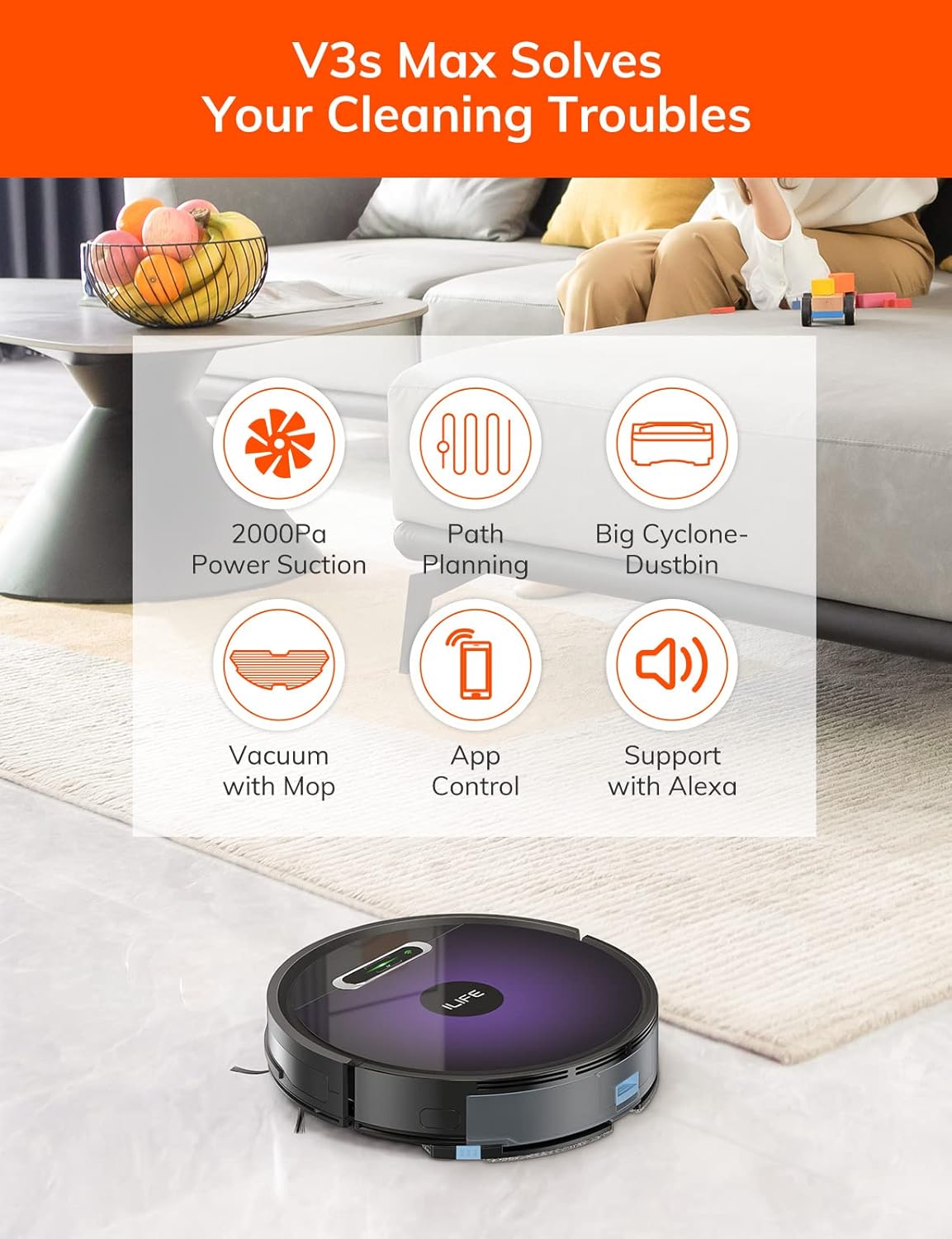
Obrázek 4.1: Nahoru view of the ILIFE V3s Max robot vacuum, illustrating its 2000Pa suction, path planning, large dustbin, vacuum with mop function, app control, and Alexa support.

Obrázek 4.2: Spodní strana view of the robot vacuum, highlighting the deep edge cleaning brush, powerful suction inlet, and the mop attachment for combined cleaning.
Hlavní komponenty:
- Hlavní tělo: Obsahuje motor, nádobu na prach, nádrž na vodu a navigační senzory.
- Boční kartáče: Zametejte nečistoty do sací cesty.
- Hnací kola: Umožněte robotovi pohybovat se po různých površích.
- Univerzální kolo: Zajišťuje směrový pohyb.
- Kontakty pro nabíjení: Připojuje se k nabíjecí stanici.
- Popelnice: Sbírá suché nečistoty.
- Nádrž na vodu: Zadržuje vodu pro vytírání.
- Mopovací hadřík: Připojuje se k nádržce na vodu pro mokré čištění.
- Vypínač: Turns the robot on/off and starts/pauses cleaning.
- Senzory: Anti-drop, anti-collision, and wall-following sensors.
5. Nastavení
5.1 Počáteční nabíjení
- Umístěte nabíjecí stanici ke zdi v otevřeném prostoru a ujistěte se, že do vzdálenosti 1 metru po stranách a 2 metrů před ní nejsou žádné překážky.
- Connect the AC adapter to the charging dock and plug it into a power outlet.
- Place the robot onto the charging dock, ensuring the charging contacts align. The indicator light will show charging status.
- Před prvním použitím nechte robota zcela nabít (přibližně 5–6 hodin).
Obrázek 5.1: The robot vacuum returning to its charging dock. Ensure the dock is placed in an accessible area.
5.2 Aplikace a připojení k Wi-Fi
The ILIFE V3s Max supports app control via 2.4G Wi-Fi (5G Wi-Fi is not supported).
- Stáhněte si aplikaci „ILIFEHOME“ z obchodu s aplikacemi pro váš chytrý telefon (iOS nebo Android).
- Zaregistrujte si účet a přihlaste se.
- Ensure your phone is connected to a 2.4G Wi-Fi network.
- Follow the in-app instructions to add your device. This typically involves pressing and holding the robot's power button until it enters pairing mode, then entering your Wi-Fi password in the app.

Obrázek 5.2: The ILIFEHOME app interface, demonstrating features like scheduling, cleaning history, suction settings, and cleaning modes. The robot also supports Amazon Alexa integration.
6. Návod k obsluze
6.1 Spuštění/pozastavení čištění
- Od Robota: Jedním stisknutím tlačítka napájení spustíte nebo pozastavíte čištění.
- Z dálkového ovládání: Press the "Clean" button.
- Z aplikace: Tap "Start" or "Pause" in the ILIFEHOME app.
6.2 Režimy čištění
The V3s Max offers multiple cleaning modes for different needs:

Obrázek 6.1: Illustration of the robot's multiple cleaning modes: Random, Spot, Edge, and Path (zigzag) cleaning.
- Path Cleaning (Zigzag): The robot cleans in an efficient zigzag pattern, covering the entire area systematically. This is the default mode for general cleaning.
- Bodové čištění: The robot focuses on a specific dirty area, cleaning in a spiral pattern. Activate this mode for concentrated cleaning of spills or heavily soiled spots.
- Čištění hran: The robot cleans along walls and furniture edges. Useful for thorough cleaning of room perimeters.
- Náhodné čištění: The robot cleans randomly, suitable for small, uncluttered spaces.
6.3 Vysávání a vytírání podkladu
The V3s Max can vacuum and mop simultaneously or separately.

Obrázek 6.2: The robot vacuum demonstrating its 2000Pa suction power, effectively picking up food crumbs and pet hair from hard floors.

Obrázek 6.3: The robot vacuum illustrating three types of water adjustment for mopping, catering to various floor cleaning needs.
- Vysávání: Ensure the dustbin is installed. The robot will use its 2000Pa suction to clean dry debris.
- Vytírání: Fill the 200ml water tank with clean water and attach the mop cloth. Insert the water tank into the robot. The robot will then perform wet mopping. Do not use cleaning solutions other than water in the tank.
- Kombinované čištění: With both the dustbin and water tank installed, the robot will vacuum and mop simultaneously.
6.4 Plánování
Use the ILIFEHOME app to set cleaning schedules for automated cleaning sessions.
- Open the ILIFEHOME app.
- Navigate to the scheduling section.
- Nastavte požadované časy a dny úklidu.
- Potvrďte plán. Robot automaticky zahájí úklid v naprogramovaných časech.
7. Údržba
Pravidelná údržba zajišťuje optimální výkon a prodlužuje životnost vašeho robotického vysavače.
7.1 Čištění nádoby na prach a filtru
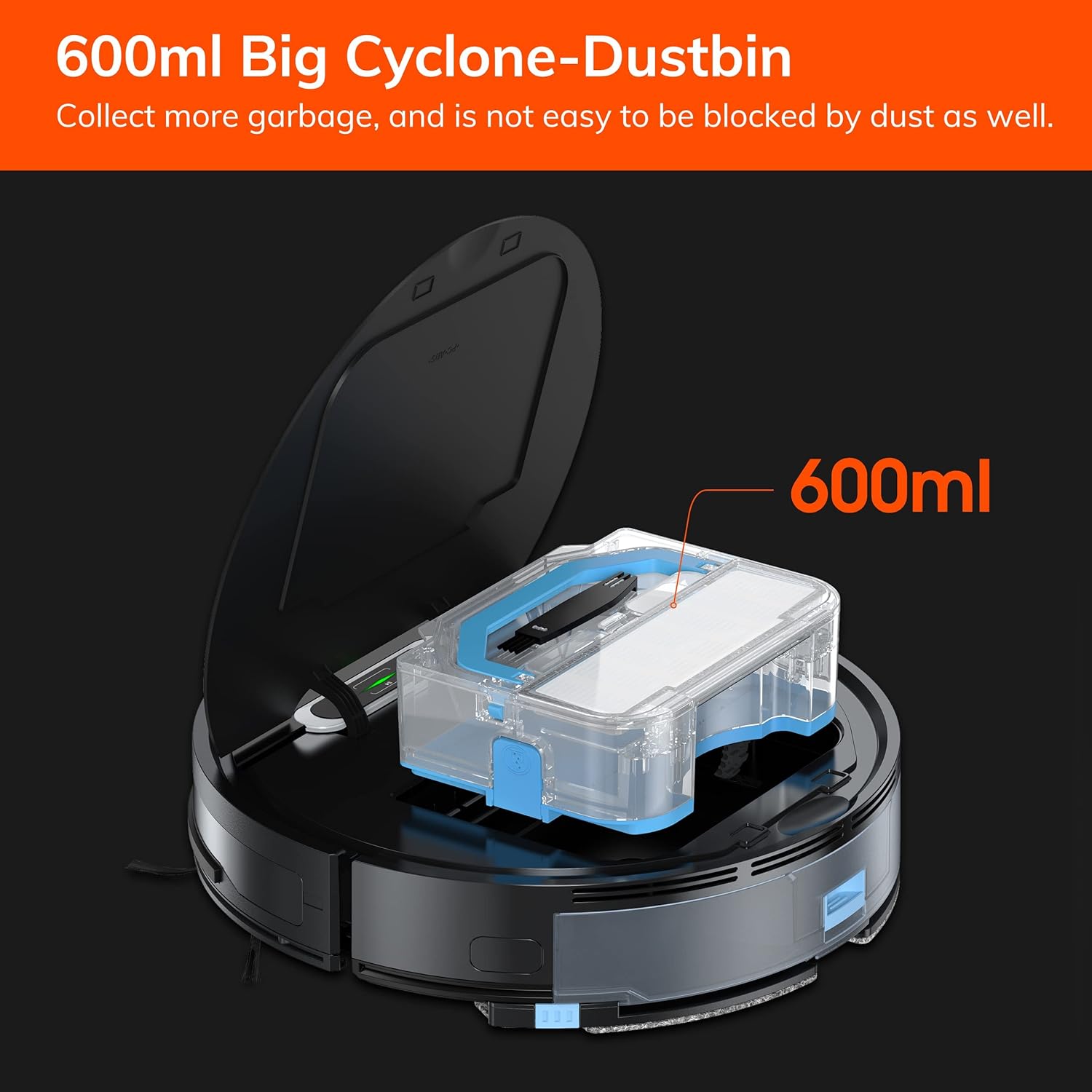
Obrázek 7.1: The 600ml cyclone dustbin, designed to collect more debris and resist clogging.
- Press the "PUSH" button on the robot's top cover to open it.
- Vyjměte nádobu na prach tahem nahoru.
- Otevřete víko odpadkového koše a vysypte jeho obsah do odpadkového koše.
- Remove the filter assembly (pre-filter, sponge filter, high-performance filter).
- Clean the filters with the provided cleaning brush. Do not wash the high-performance filter with water.
- V případě potřeby opláchněte nádobu na prach vodou a před opětovnou instalací se ujistěte, že je zcela suchá.
- Znovu sestavte filtry a nádobu na prach a poté je znovu vložte do robota.
7.2 Čištění bočního kartáče
- Pravidelně kontrolujte boční kartáče, zda v nich nejsou zamotané vlasy nebo nečistoty.
- Jemně vytáhněte boční kartáče nahoru a vyjměte je.
- Use the cleaning brush or scissors to remove any tangled hair or debris.
- Znovu nainstalujte boční kartáče a ujistěte se, že zacvaknou na své místo.
7.3 Údržba nádrže na vodu a mopu
- After each mopping session, remove the water tank.
- Vyprázdněte zbývající vodu z nádrže.
- Sejměte mop a vyperte jej ručně nebo v pračce. Nechte jej zcela uschnout na vzduchu.
- Opláchněte nádržku na vodu čistou vodou a nechte ji uschnout na vzduchu.
7.4 Čištění snímače
- Use a clean, dry cloth to wipe the anti-drop sensors (located on the bottom of the robot) and the anti-collision sensors (located on the front bumper).
- Clean the charging contacts on both the robot and the charging dock.
8. Řešení problémů
If you encounter issues with your ILIFE V3s Max, refer to the following common problems and solutions:
| Problém | Možná příčina | Řešení |
|---|---|---|
| Robot se nespouští ani nereaguje. | Slabá baterie; Vypnutý vypínač; Robot zaseknutý. | Nabijte robota; Zapněte hlavní vypínač; Odstraňte překážky. |
| Robot se nemůže vrátit do nabíjecí stanice. | Nabíjecí dok je zablokován; Robot je příliš daleko od doku; Dok není napájen. | Ensure clear path to dock; Manually place robot near dock; Check power connection. |
| Špatný čisticí výkon. | Dustbin full; Filters clogged; Side brushes worn or tangled. | Vyprázdněte nádobu na prach; Vyčistěte/vyměňte filtry; Vyčistěte/vyměňte boční kartáče. |
| Robot se často zasekává. | Obstacles (cables, rugs); Cliff sensors dirty. | Clear cleaning area; Clean cliff sensors. |
| Problémy s připojením k aplikaci. | Incorrect Wi-Fi (5G); Incorrect password; Router issues. | Ensure 2.4G Wi-Fi; Re-enter password; Restart router and robot. |
Pokud problém přetrvává, kontaktujte zákaznickou podporu ILIFE.
9. Specifikace
| Funkce | Detail |
|---|---|
| Značka | ILIFE |
| Název modelu | V3s Max |
| Sací výkon | Až 2000 Pa (bodový režim) |
| Kapacita popelnice | 600 ml |
| Kapacita vodní nádrže | 200 ml |
| Životnost baterie | Až 100 minut |
| Typ baterie | Lithium-iontová (14.4 voltů) |
| Navigace | Gyroscopic Path Planning |
| Kontrolní metody | App Control, Remote Control, Amazon Alexa |
| Podpora Wi-Fi | Pouze 2.4G Wi-Fi |
| Rozměry produktu | 12.4 cm D x 11.81 cm Š x 2.99 cm V |
| Hmotnost položky | 5.4 libry |
| Úroveň hluku | 65 decibelů |
| Doporučení pro povrch | Tvrdá podlaha, koberec s nízkým vlasem |
10. Záruka a podpora
ILIFE provides a limited warranty for this product. For detailed warranty information, please refer to the warranty card included in your package or visit the official ILIFE website. For technical support, troubleshooting assistance, or replacement parts, please contact ILIFE customer service through the contact information provided on their website or within the ILIFEHOME app.
Online podpora: www.iliferobot.com/support