
1. Úvod
This manual provides essential instructions for the installation, operation, and maintenance of your Chieftec Scorpion 3 White ATX Case (Model GL-03W-OP). Please read this manual thoroughly before beginning assembly to ensure proper setup and to maximize the lifespan of your product.
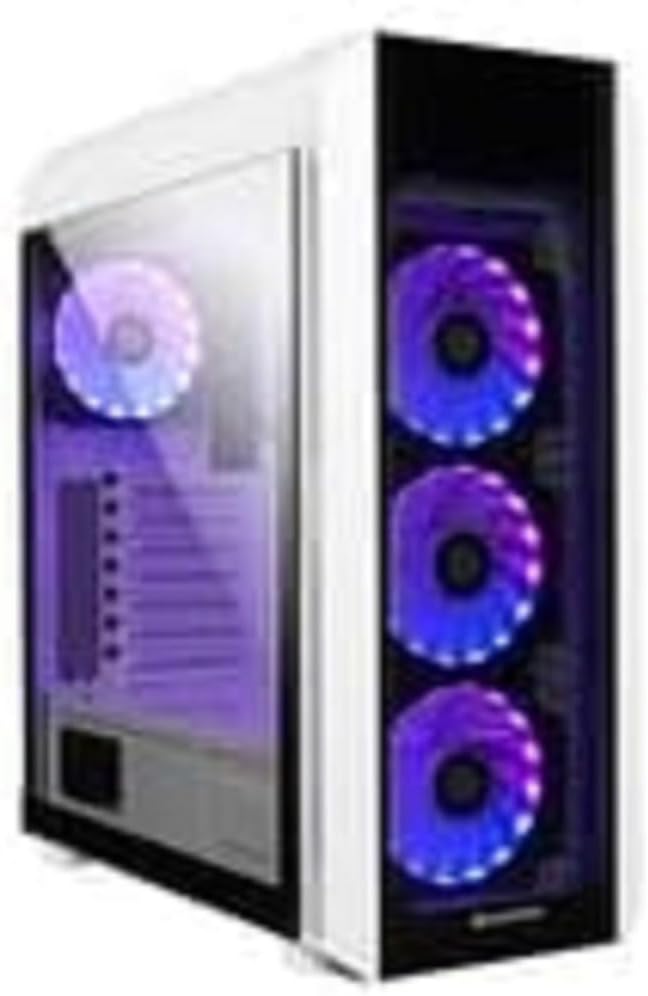
Obrázek 1: The Chieftec Scorpion 3 White ATX Case, showcasing its white exterior, tempered glass side panel, and three front-mounted, illuminated cooling fans. A single illuminated fan is visible at the rear.
2. Nastavení a instalace komponent
This section guides you through the process of installing your computer components into the Chieftec Scorpion 3 White ATX Case.
2.1. Příprava
- Ensure you have all necessary components: motherboard, CPU, RAM, graphics card, storage drives, and power supply unit (PSU).
- Gather tools: Phillips head screwdriver, zip ties for cable management.
- Pracujte na čistém povrchu bez statické elektřiny. Zvažte použití antistatického náramku.
2.2. Otevření případu
- Carefully remove the side panels. Typically, the tempered glass side panel is secured with thumbscrews at the rear.
- Set the panels aside on a soft, non-abrasive surface to prevent scratches.
2.3. Instalace napájecího zdroje (PSU)
- The Chieftec Scorpion 3 supports rear-mount PSUs.
- Slide the PSU into its designated bay at the bottom rear of the case.
- Secure the PSU with screws from the exterior rear of the case.
2.4. Instalace základní desky
- Nainstalujte kryt I/O do výřezu v zadní části skříně.
- Zarovnejte základní desku ATX s předinstalovanými distančními sloupky.
- Carefully place the motherboard onto the standoffs and secure it with screws.
2.5. Instalace úložného disku
- Locate the drive bays for 2.5" SSDs and 3.5" HDDs.
- Install your storage drives into the appropriate bays and secure them.
2.6. Grafická karta a rozšiřující karty
- Odstraňte potřebné kryty slotů PCIe ze zadní strany skříně.
- Insert your graphics card or other expansion cards into the motherboard's PCIe slots and secure them with screws.
2.7. Správa kabelů
- Route all cables (PSU, data, front panel) through the designated cutouts to the rear of the motherboard tray.
- Use zip ties or Velcro straps to bundle and secure cables for improved airflow and aesthetics.
2.8. Uzavření případu
- Jakmile jsou všechny komponenty nainstalovány a kabely uspořádány, znovu nasaďte boční panely.
- Secure the tempered glass panel with its thumbscrews.
3. Obsluha pouzdra
The Chieftec Scorpion 3 White ATX Case provides the housing and cooling for your PC components. Its operation primarily involves the use of the front panel controls and integrated cooling system.
3.1. Ovládací prvky na předním panelu
- Vypínač: Press to turn on or off your computer.
- Resetovací tlačítko: Press to restart your computer.
- USB porty: Připojte zařízení USB.
- Audio konektory: Připojte sluchátka a mikrofony.
3.2. Chladicí systém
The case is equipped with multiple fan mounts and pre-installed 120mm fans to ensure optimal airflow.
- Ensure all fans are properly connected to your motherboard or a fan controller.
- Monitor system temperatures using software to ensure adequate cooling.
- The illuminated fans provide aesthetic appeal and can often be controlled via motherboard software for RGB lighting effects.
4. Údržba
Regular maintenance helps ensure optimal performance and longevity of your Chieftec Scorpion 3 White ATX Case and its components.
4.1. Čištění prachu
- Frekvence: Clean dust filters and interior components every 3-6 months, or more frequently in dusty environments.
- Prachové filtry: The case features removable dust filters (e.g., top, front, bottom). Gently remove and clean them with water and mild soap, or use a vacuum cleaner. Ensure they are completely dry before reinstallation.
- Interiér: Use compressed air to blow dust out of fans, heatsinks, and other components. Hold fan blades gently to prevent over-spinning.
4.2. Čištění exteriéru
- Vnější povrchy otřete měkkým, damp hadříkem. Nepoužívejte abrazivní čisticí prostředky ani rozpouštědla.
- Na tvrzené sklo použijte čistič skla a hadřík z mikrovlákna, abyste zabránili šmouhám.
5. Řešení problémů
This section addresses common issues you might encounter with your PC build within the Chieftec Scorpion 3 White ATX Case.
5.1. System Not Powering On
- Zkontrolujte připojení napájení: Ensure the PSU is switched on and all power cables (24-pin ATX, 8-pin CPU, PCIe power) are securely connected to the motherboard and components.
- Konektory na předním panelu: Verify that the front panel power switch cable is correctly connected to the motherboard's front panel header. Refer to your motherboard manual for the correct pinout.
- Funkce zdroje: Test the PSU independently if possible, or try a known working PSU.
5.2. Fans Not Spinning or RGB Not Lighting Up
- Připojení ventilátoru: Ensure all fan power cables are securely connected to the motherboard fan headers or a fan controller.
- RGB Connections: If applicable, verify that RGB cables are connected to the correct RGB headers on the motherboard or a dedicated RGB controller.
- Ovládání softwaru: Check your motherboard's BIOS/UEFI settings or dedicated fan/RGB control software for fan speed and lighting settings.
5.3. Poor Airflow or High Temperatures
- Nahromadění prachu: Vyčistěte prachové filtry a vnitřní součásti podle pokynů v části Údržba.
- Orientace ventilátoru: Ensure fans are oriented correctly for optimal airflow (e.g., front fans as intake, rear/top fans as exhaust).
- Správa kabelů: Zlepšete správu kabelů, abyste snížili překážky proudění vzduchu.
6. Specifikace
Detailed technical specifications for the Chieftec Scorpion 3 White ATX Case (Model GL-03W-OP).
| Funkce | Detail |
|---|---|
| Značka | Chieftec |
| Série | Scorpion 3 White |
| Číslo modelu | GL-03W-OP |
| Typ pouzdra | Střední věž |
| Kompatibilita základní desky | ATX |
| Materiál | Akrylonitrilbutadienstyrenový (ABS) plast |
| Barva | Black (Note: Product name indicates White, but specification lists Black. Please verify product color upon receipt.) |
| Hmotnost položky | 2.2 libry |
| Rozměry produktu (DxŠxV) | 19.69 x 19.69 x 11.02 palce |
| Typ montáže napájecího zdroje | Zadní montáž |
| Způsob chlazení | Vzduch |
| Velikost ventilátoru | 120 Millimeters (pre-installed fans) |
Poznámka: Specifikace se mohou změnit bez předchozího upozornění. Informujte se prosím v oficiálních informacích výrobce. webwebu pro nejaktuálnější informace.
7. Informace o záruce
Chieftec products are manufactured to high-quality standards. For specific warranty terms and conditions applicable to your Chieftec Scorpion 3 White ATX Case (Model GL-03W-OP), please refer to the warranty card included with your product or visit the official Chieftec webmísto.
Typically, product warranties cover defects in materials and workmanship under normal use. Damage resulting from improper installation, accident, abuse, modification, or unauthorized repair is generally not covered.
8. Zákaznická podpora
Should you encounter any issues or have questions regarding your Chieftec Scorpion 3 White ATX Case, please contact Chieftec customer support.
- Online podpora: Visit the official Chieftec webweb s častými dotazy, ovladači ke stažení a zdroji podpory.
- Kontaktní údaje: Refer to the product packaging or Chieftec's official webstránky s regionálními kontaktními údaji (telefon, e-mail).
When contacting support, please have your product model (GL-03W-OP) and purchase information readily available.