
1. Úvod
This manual provides essential information for the safe and efficient use of your Bmobile B60 Pro smartphone. Please read this manual carefully before using your device to ensure optimal performance and longevity. The Bmobile B60 Pro is designed to offer reliable network access, camera capabilities, and seamless communication.
2. Nastavení
2.1 Obsah balení
- Bmobile B60 Pro Smartphone
- USB kabel
- Lithium Ion Battery (pre-installed or included)
2.2 SIM Card Insertion (Movistar)
To activate your Movistar Prepaid service, follow these steps:
- Insert the Movistar SIM card into the designated slot on your smartphone.
- Power on the device. You will receive an SMS with your new phone number.
- Make an activation call to *611.
- Dial *ALTA (*2582) from your new line and follow the on-screen instructions.
- You will receive an SMS confirming your benefits, which can be enjoyed for 14 days at no cost.

Obrázek 2.2: Strana view of the Bmobile B60 Pro, illustrating the location of the SIM card tray and physical buttons.
2.3 Počáteční zapnutí
Stiskněte a podržte tlačítko napájení na boku zařízení, dokud se obrazovka nerozsvítí. Postupujte podle pokynů na obrazovce a dokončete počáteční nastavení, včetně výběru jazyka, připojení k Wi-Fi a nastavení účtu Google.
2.4 SIM Unlock Process
If you need to unlock your smartphone for use with other carriers, follow these steps:
- Go to the official Movistar Store webmísto.
- Navigate to 'Customer Service' > 'Unlock Code'.
- Zadejte svou e-mailovou adresu.
- Enter your device's 15-digit IMEI number. You can obtain your IMEI by dialing *#06# in the Phone application.
- Click the 'Consult' button.
- You will receive the unlock code or a support ticket for tracking the process.
3. Ovládání smartphonu
3.1 Základní navigace (Android 10.0)
Your Bmobile B60 Pro runs on Android 10.0. Use touch gestures to navigate: tap to select, swipe to scroll, pinch to zoom. The home screen provides quick access to your favorite apps and widgets.
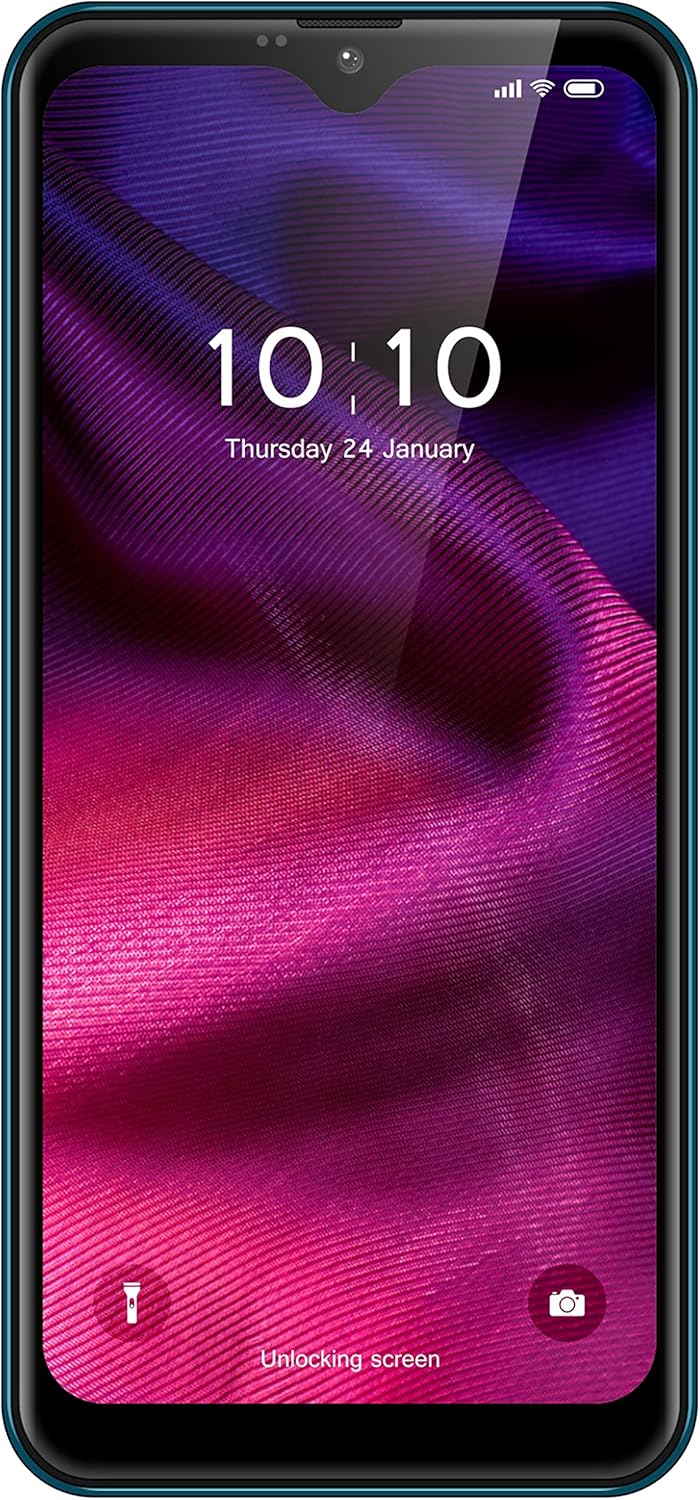
Obrázek 3.1: Přední strana view of the Bmobile B60 Pro, showing the display and user interface.
3.2 Volání a odesílání zpráv
To make a call, open the 'Phone' app, enter the number, and tap the call icon. To send a message, open the 'Messages' app, start a new conversation, enter the recipient's number or select from contacts, type your message, and tap send.
3.3 Použití kamery
Your device features a camera for capturing photos and videos. Open the 'Camera' app from your home screen or app drawer. Tap the shutter button to take a photo or switch to video mode to record. Explore various settings for different modes and effects.

Obrázek 3.3: Zpět view of the Bmobile B60 Pro, highlighting the camera system.
3.4 Konektivita
The Bmobile B60 Pro supports Wi-Fi and 4G cellular connectivity. Access Wi-Fi settings from the 'Settings' menu to connect to available networks. Ensure your SIM card is properly inserted and activated for 4G services.
4. Údržba
4.1 Správa baterie
The device is equipped with a 3000 mAh Lithium Ion battery. To maximize battery life:
- Vyhněte se extrémním teplotám.
- Upravte jas obrazovky.
- Zavřete nepoužívané aplikace běžící na pozadí.
- Používejte úsporné režimy, pokud jsou k dispozici.
4.2 Aktualizace softwaru
Periodically check for software updates in 'Settings' > 'System' > 'System update' to ensure your device has the latest features and security patches.
4.3 Čištění vašeho zařízení
Use a soft, lint-free cloth to clean the screen and body of your smartphone. Avoid using harsh chemicals or abrasive materials.
5. Řešení problémů
5.1 Běžné problémy
- Zařízení se nezapíná: Ujistěte se, že je baterie nabitá. Před zapnutím zařízení připojte k nabíječce alespoň na 15 minut.
- Pomalý výkon: Close unused apps, clear cache, or restart the device. Consider performing a factory reset if the issue persists (see section 5.2).
- Problémy s připojením k síti: Check SIM card insertion, ensure mobile data is enabled, or try restarting the device. For Wi-Fi, ensure the password is correct and the router is functioning.
5.2 Obnovení továrního nastavení
A factory reset will erase all data from your device and restore it to its original factory settings. Back up important data before proceeding. To perform a factory reset, go to 'Settings' > 'System' > 'Reset options' > 'Erase all data (factory reset)'.
6. Specifikace
| Funkce | Specifikace |
|---|---|
| Název modelu | B60 Pro |
| Číslo modelu produktu | TMGMXBMB60PRAZ00 |
| Operační systém | Android 10.0 |
| Procesor | QuadCore |
| Kapacita interního úložiště | 32 GB |
| Kapacita baterie | 3000 XNUMX mAh |
| Bezdrátový nosič | Movistar |
| Technologie připojení | 4G, Wi-Fi |
| Buněčná technologie | 4G |
| Bezdrátová síťová technologie | LTE |
| Počet slotů pro SIM karty | Duální SIM |
| Speciální funkce | Email, Camera, WiFi |
| Barva | Modrý |
| Hmotnost produktu | 330 g |
| Obsah krabice | USB kabel |
7. Záruka a podpora
For warranty information and customer support, please refer to the documentation provided with your purchase or visit the official Bmobile webUschovejte si doklad o koupi pro případ reklamace.