
1. Úvod
Děkuji za nákupasing the LENRUE A15 Bluetooth Speaker. This portable wireless speaker is designed to deliver high-quality audio with deep bass, extended playtime, and robust waterproof capabilities, making it ideal for both home and outdoor use. This manual provides detailed instructions on how to set up, operate, and maintain your speaker to ensure optimal performance and longevity.
2. Konec produktuview
The LENRUE A15 speaker features a durable design with intuitive controls and a convenient carrying strap. Its IPX7 waterproof rating allows for use in various environments, including near water.

Obrázek 2.1: Přední view of the LENRUE A15 Bluetooth Speaker, showcasing its sleek black design and water resistance.
2.1. Obsah balení
- 1 x LENRUE A15 Bluetooth Speaker
- 1 x Uživatelská příručka
- 1 x USB nabíjecí kabel
- Kabel 1 x AUX
2.2. Funkce tlačítek
| Tlačítko | Funkce |
|---|---|
| Tlačítko napájení (Ikona napájení) | Stiskněte a podržte pro zapnutí/vypnutí. Krátkým stisknutím přehrajete/pozastavíte. |
| Tlačítko režimu (M) | Krátkým stisknutím přepínáte mezi režimy Bluetooth, TF karta a AUX. |
| Snížit hlasitost (-) | Krátkým stisknutím snížíte hlasitost. Dlouhým stisknutím přejdete na předchozí skladbu. |
| Zvýšení hlasitosti (+) | Krátkým stisknutím zvýšíte hlasitost. Dlouhým stisknutím přejdete na další skladbu. |
| Přehrát/Pozastavit (Ikona Přehrát / Pozastavit) | Short press to play/pause. (Note: This function is often integrated with the Power button on some models, refer to specific product for confirmation). |
| Tlačítko Bass+ (Bass+) | Short press to activate/deactivate Bass Boost mode. |
3. Nastavení a první použití
3.1. Nabíjení reproduktoru
Before first use, fully charge the speaker. Connect the provided USB charging cable to the speaker's charging port and the other end to a USB power adapter (not included) or a computer's USB port. The charging indicator light will show charging status and turn off when fully charged. A full charge takes approximately 24 hours.
3.2. Zapnutí/vypnutí
- Zapnutí: Stiskněte a podržte tlačítko napájení po dobu 2–3 sekund, dokud neuslyšíte zvukový signál.
- Vypnutí: Stiskněte a podržte tlačítko napájení po dobu 2–3 sekund, dokud neuslyšíte zvukový signál.
3.3. Párování Bluetooth
The speaker will automatically enter Bluetooth pairing mode when powered on for the first time or if no device is connected. The Bluetooth indicator light will flash rapidly.
- Ujistěte se, že je na vašem zařízení povoleno rozhraní Bluetooth.
- Hledat "LENRUE A15" in your device's Bluetooth settings.
- Select "LENRUE A15" to connect. Once connected, the Bluetooth indicator light will remain solid, and you will hear a confirmation sound.
Reproduktor se po zapnutí automaticky znovu připojí k poslednímu spárovanému zařízení, pokud je k dispozici.
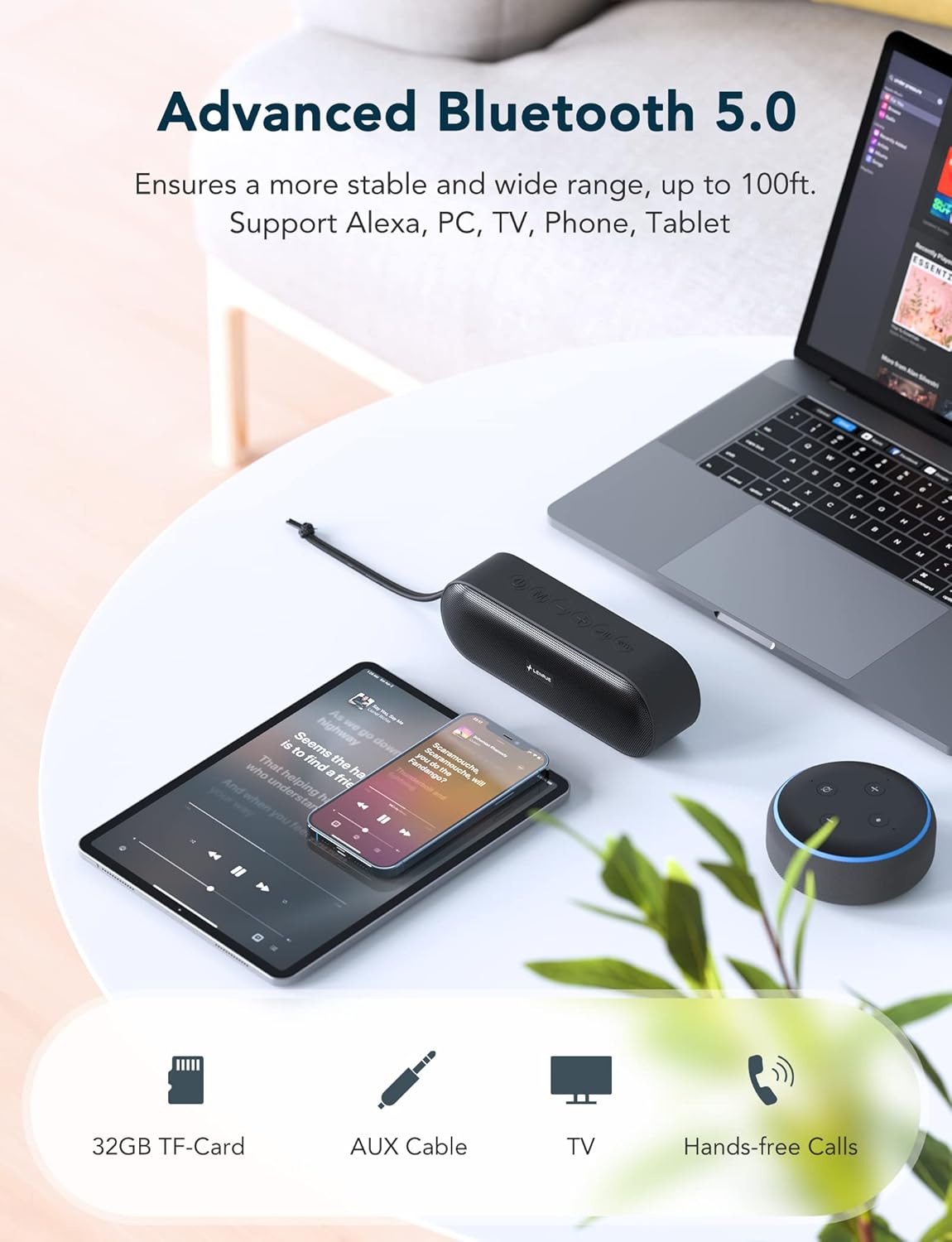
Obrázek 3.1: The LENRUE A15 speaker demonstrating its versatile connectivity with various Bluetooth-enabled devices.
3.4. Párování True Wireless Stereo (TWS)
TWS allows you to pair two LENRUE A15 speakers together for a true stereo sound experience.
- Ujistěte se, že jsou oba reproduktory zapnuté a nejsou připojeny k žádnému zařízení Bluetooth.
- On one speaker (this will be the primary speaker), double-press the Power button. You will hear a prompt indicating TWS pairing mode.
- The primary speaker will automatically search for the secondary speaker. Once connected, both speakers will emit a confirmation sound, and their Bluetooth indicator lights will synchronize.
- Nyní připojte zařízení k primárnímu reproduktoru přes Bluetooth, jak je popsáno v části 3.3.

Obrázek 3.2: Two LENRUE A15 speakers set up for True Wireless Stereo, providing a wider soundstage.
4. Návod k obsluze
4.1. Přehrávání hudby
- Přehrát/pozastavit: Krátce stiskněte tlačítko Napájení.
- Ovládání hlasitosti: Short press the '+' button to increase volume, '-' button to decrease volume.
- Další skladba: Dlouze stiskněte tlačítko „+“.
- Předchozí skladba: Dlouze stiskněte tlačítko '-'.
- Zesílení basů: Short press the Bass+ button to toggle bass enhancement.

Obrázek 4.1: The internal components of the LENRUE A15 speaker, highlighting its dual high-performance drivers for rich sound and deep bass.
4.2. Hands-free volání
With the built-in microphone, you can answer calls directly through the speaker when connected to your phone via Bluetooth.
- Přijmout hovor: Krátce stiskněte tlačítko Napájení.
- Ukončit hovor: Krátce stiskněte tlačítko Napájení.
- Odmítnout hovor: Dlouze stiskněte tlačítko napájení.
- Hlasový asistent: Short press the Mode (M) button to activate your device's voice assistant (e.g., Siri, Google Assistant, Alexa).
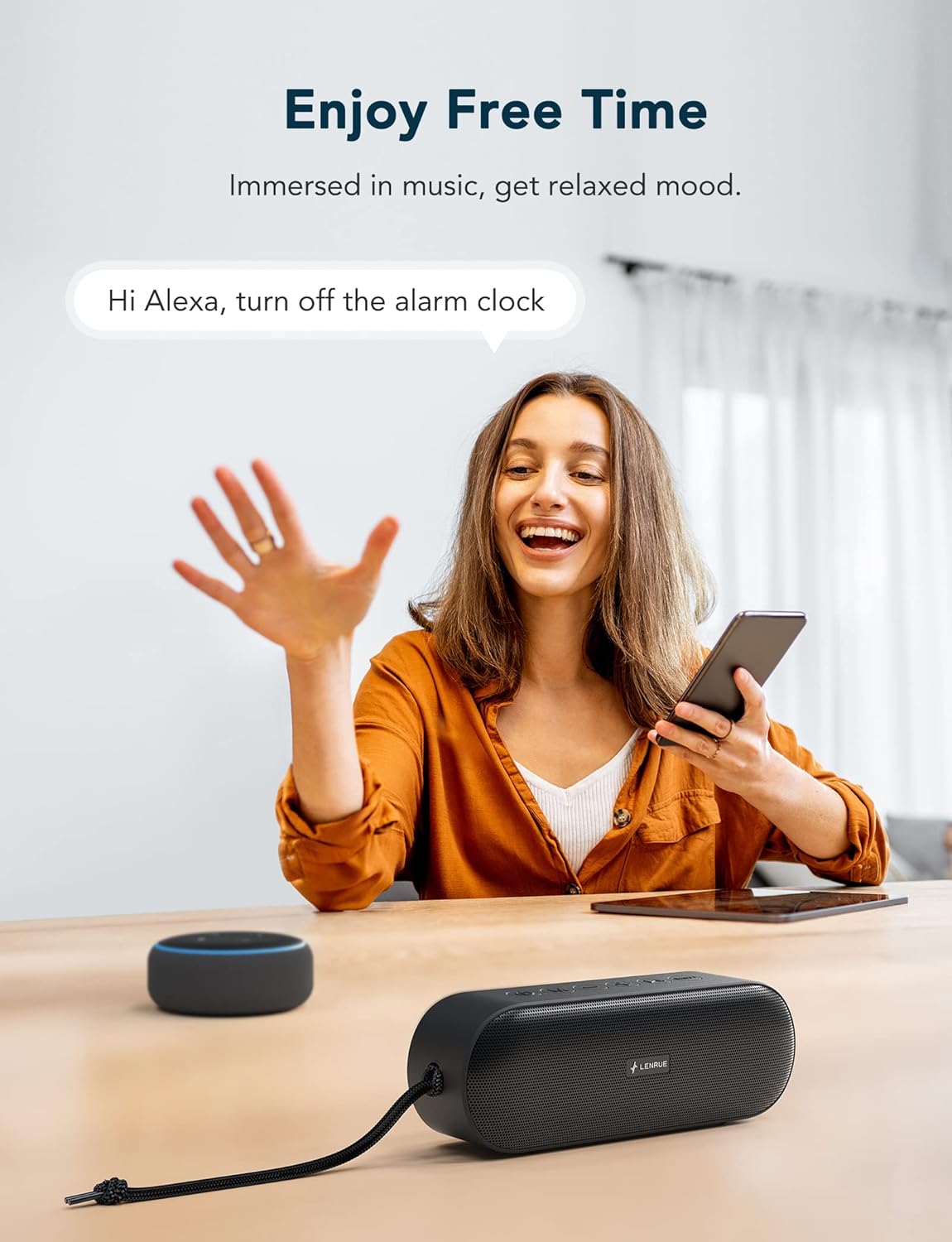
Obrázek 4.2: The LENRUE A15 speaker's hands-free calling and voice assistant integration, allowing for convenient control.
4.3. Režim TF karty
Vložte kartu TF (MicroSD) s audio formátem MP3 files into the TF card slot. The speaker will automatically switch to TF Card mode and begin playing music. Use the Play/Pause, Volume, and Track buttons as described above.
4.4. Režim AUX
Connect an external audio device (e.g., MP3 player, computer) to the speaker's AUX-in port using the provided 3.5mm audio cable. The speaker will automatically switch to AUX mode. Volume control can be managed via both the speaker and the connected device.
5. Waterproof Information (IPX7)
The LENRUE A15 speaker is IPX7 rated, meaning it can be submerged in water up to 1 meter (3.3 feet) for up to 30 minutes. This makes it suitable for use by the pool, at the beach, or in the shower.
- Před vystavením reproduktoru vodě se ujistěte, že je kryt nabíjecího portu bezpečně uzavřen.
- Do not submerge the speaker in saltwater or other chemicals, as this may damage the device.
- Po kontaktu s vodou reproduktor před nabíjením nebo otevřením krytu portu otřete do sucha měkkým hadříkem.

Obrázek 5.1: The LENRUE A15 speaker's portability and durability, suitable for outdoor adventures and resistant to rain.
6. Údržba a péče
- Vyčistěte reproduktor měkkým, damp tkanina. Nepoužívejte agresivní chemikálie nebo abrazivní čisticí prostředky.
- Pokud reproduktor nepoužíváte, skladujte jej na chladném a suchém místě.
- Nevystavujte reproduktor extrémním teplotám (horkým nebo nízkým) ani přímému slunečnímu záření po delší dobu.
- Nepokoušejte se reproduktor rozebírat ani opravovat sami, jinak ztratíte platnost záruky.
7. Řešení problémů
| Problém | Možné řešení |
|---|---|
| Reproduktor se nezapne. | Ujistěte se, že je reproduktor plně nabitý. Připojte ho ke zdroji napájení a zkuste to znovu. |
| Nelze spárovat přes Bluetooth. |
|
| Žádný zvuk nebo nízká hlasitost. |
|
| Párování TWS selhalo. |
|
| Zkreslení zvuku. |
|
8. Specifikace
| Funkce | Detail |
|---|---|
| Název modelu | KML-0015 |
| Výstupní výkon reproduktoru | 20 wattů |
| Velikost zvukového ovladače | 40 milimetrů |
| Technologie připojení | Bluetooth 5.0 |
| Dosah Bluetooth | Až 100 stop (přibližně 30 metrů) |
| Úroveň odolnosti proti vodě | IPX7 (vodotěsný) |
| Životnost baterie | Až 20 hodin (při 50% hlasitosti) |
| Kapacita baterie | 7200 XNUMX mAh |
| Doba nabíjení | Přibl. 24 hodin |
| Rozměry produktu (DxŠxV) | 5.91" x 1.98" x 2.76" (15 cm x 5 cm x 7 cm) |
| Hmotnost položky | 350 gramů (12.3 unce) |
| Mikrofon | Built-in (for Hands-Free Calling) |
| Podporované režimy | Bluetooth, TF karta, AUX |
| Speciální funkce | Bass Boost, Portable, TWS Pairing |
9. Záruka a podpora
The LENRUE A15 Bluetooth Speaker comes with a limited warranty. For detailed warranty information, product support, or technical assistance, please refer to the contact information provided with your purchase or visit the official LENRUE website. We offer hassle-free 7x24 hours after-sale service.