
Zavedení
This manual provides comprehensive instructions for the operation, maintenance, and troubleshooting of your MONODEAL Portable CD Player (Model MD-602). Please read this manual thoroughly before using the device to ensure proper functionality and to maximize your listening experience.

Image: The MONODEAL Portable CD Player shown with included earphones, USB-C charging cable, and AUX cable.
Obsah balení
Ověřte, zda jsou v balení přítomny všechny položky:
- 1 x MONODEAL Portable CD Player (MD-602)
- 1 x 3.5 mm až 3.5 mm AUX kabel
- 1 x nabíjecí kabel USB na Type-C
- 1 x Uživatelská příručka
- 1x sluchátka

Image: A visual representation of the MONODEAL CD player and its included accessories: dual AUX cable, USB-C charging cable, wired earphones, and the user manual.
Konec produktuviewSoučásti a ovládací prvky
Seznamte se s různými částmi a ovládacími prvky vašeho CD přehrávače:
Obrázek: Přední strana view of the MONODEAL Portable CD Player, highlighting the central control panel with playback buttons (Play/Pause, Skip, Stop), Bluetooth button, Program/FM button, A-B Repeat button, and the LED display.
- LED displej: Shows track number, time, mode, and battery status.
- Tlačítko Přehrát/Pozastavit (▶⏸): Spustí nebo pozastaví přehrávání CD.
- Tlačítko Stop (■): Zastaví přehrávání CD.
- Tlačítka Předchozí/Další skladba (◀◀ / ▶▶): Skips to the previous or next track. Hold to fast forward/rewind.
- Bluetooth Button (Ⓑ): Aktivuje režim párování Bluetooth.
- PROG/FM Button: Used for programming tracks or switching to FM transmitter mode.
- Tlačítko AB: Activates A-B repeat function.
- Tlačítko EQ: Cycles through equalizer sound effects.
- Ovládání hlasitosti: Rotary dial on the side to adjust volume.
- Vypínač (ON/OFF): Slides to turn the device on or off.
- Vstup DC 5V: Pro nabíjení zařízení.
- Konektory pro sluchátka (x2): Two 3.5mm audio output jacks for wired headphones.
- Hold Switch: Zablokuje všechna tlačítka, aby se zabránilo nechtěnému ovládání.

Obrázek: Detailní záběr view of the side of the CD player, clearly showing the two 3.5mm headphone output jacks, allowing two users to listen simultaneously.
Nastavení
1. Nabíjení zařízení
The MONODEAL MD-602 has a built-in 2000mAh rechargeable battery. Before first use, or when the battery is low, charge the device using the provided USB to Type-C charging cable.
- Connect the Type-C end of the cable to the DC 5V input port on the CD player.
- Connect the USB-A end of the cable to a USB power adapter (not included), a computer USB port, or a car charger.
- The charging indicator light will illuminate during charging and turn off when fully charged. A full charge typically takes 3-4 hours and provides up to 10 hours of playback.
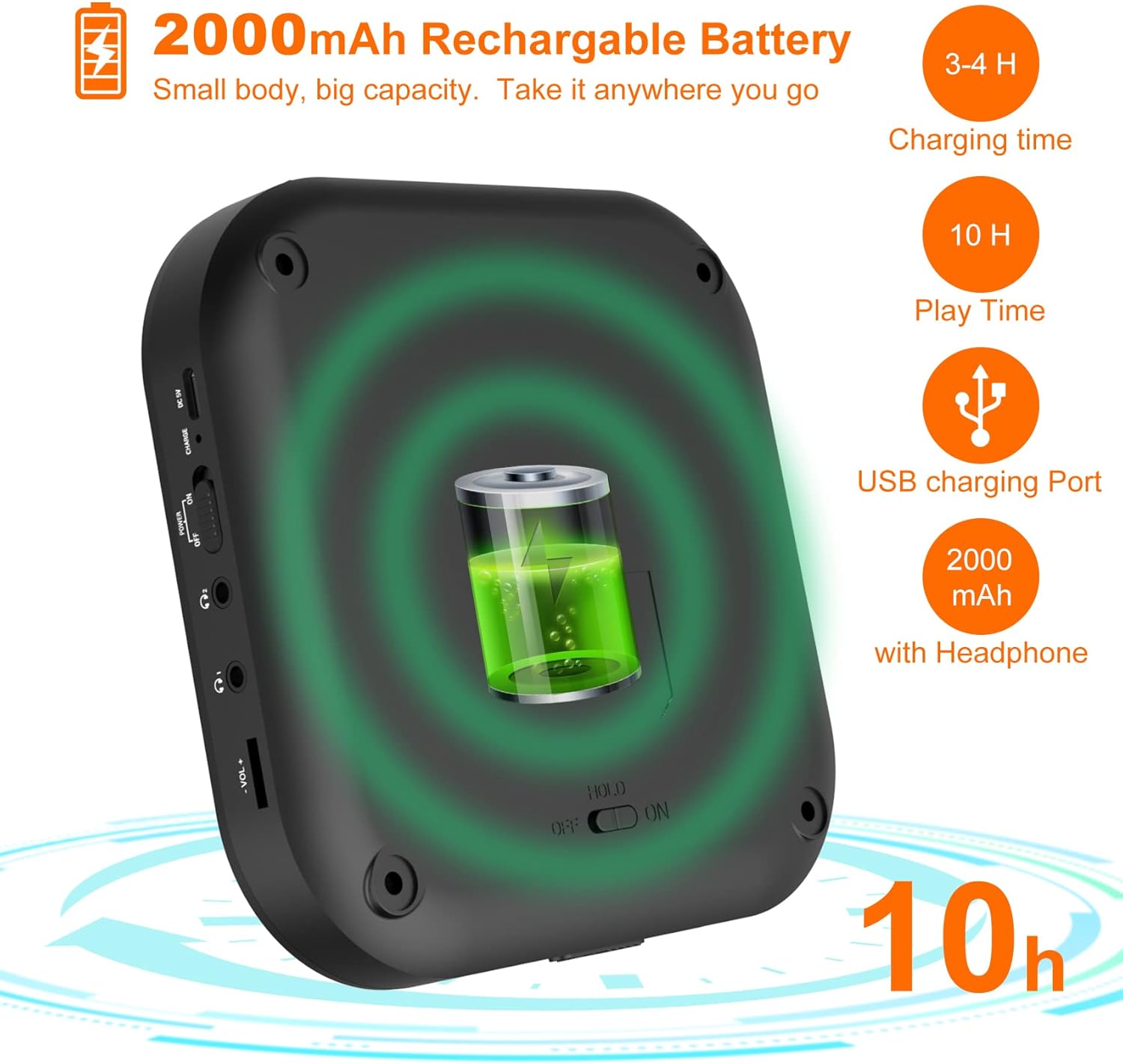
Image: A diagram illustrating the 2000mAh rechargeable battery capacity, showing a charging time of 3-4 hours and a playback time of 10 hours.
2. Vložení CD
- Gently slide the CD compartment door open.
- Place the CD onto the spindle with the label side facing up. Ensure the CD is securely seated.
- Close the CD compartment door firmly until it clicks.
The player supports CD, CD-R, CD-RW, MP3, and HDCD disc formats.
3. Zapnutí/vypnutí
Posuňte MOC switch to the "ON" position to turn on the CD player. Slide it to "OFF" to power down the device.
Návod k obsluze
1. Základní přehrávání CD
- After inserting a CD and powering on, the player will automatically begin reading the disc and start playback.
- Stiskněte tlačítko Přehrát/Pozastavit (▶⏸) button to pause playback. Press it again to resume.
- Stiskněte tlačítko Zastavit (■) přehrávání zastavíte.
- Stiskněte Previous/Next Track (◀◀ / ▶▶) přeskakovat skladby.
- Držet Previous/Next Track (◀◀ / ▶▶) pro rychlé převíjení vpřed nebo vzad v rámci skladby.
- Adjust volume using the rotary dial on the side.
2. Play Modes and Sound Effects

Image: A visual guide to the 5 available play modes (Play in order, Repeat a track, Repeat all, A-B repeat, Shuffle) and 5 sound effects (BBS, Pop, Jazz, Rock, Classic).
- Funkce opakování: Stiskněte tlačítko MODE button repeatedly to cycle through play modes:
- Repeat 1 (repeats current track)
- Repeat All (repeats entire disc)
- Shuffle (plays tracks in random order)
- Intro (plays first 10 seconds of each track)
- Normal Play (plays tracks in order)
- Opakování AB: Stiskněte tlačítko AB button once to set the start point (A). Press it again to set the end point (B). The player will repeatedly play the section between A and B. Press AB a third time to cancel.
- Ekvalizér (EQ): Stiskněte tlačítko EQ button to cycle through different sound effects: BBS, Pop, Jazz, Rock, Classic.
- Funkce životopisu: The player will automatically resume playback from where it was last stopped when powered on again.
3. Připojení Bluetooth
The MD-602 can connect to Bluetooth headphones or speakers (it cannot connect to car Bluetooth systems).
Video: An instructional video demonstrating how to connect the MONODEAL MD-602 CD player to Bluetooth devices.

Image: A step-by-step visual guide detailing the five steps required to successfully connect Bluetooth headphones or speakers to the CD player.
- Turn on your Bluetooth headphone/speaker and ensure its Bluetooth function is activated and in pairing mode.
- Stiskněte tlačítko Bluetooth (Ⓑ) button on the CD player. If Bluetooth is off, press the Play button to turn it on.
- Select the "BT Search" option and press the Play (▶⏸) button. The player will start searching for nearby Bluetooth devices.
- Stiskněte tlačítko Play (▶⏸) button to select the name of your device from the list. The blinking Bluetooth icon on the screen indicates searching; a solid icon indicates a successful connection.
- After successful pairing, press the Bluetooth (Ⓑ) button to return to the play interface.
Poznámka: To avoid interference, ensure other paired Bluetooth devices (like cell phones) have their Bluetooth function turned off when connecting new devices to the CD player.
4. FM Transmitter Function (for Car Use)
The MD-602 features a built-in FM transmitter to play CDs through your car's FM radio.

Image: A visual guide demonstrating two methods to connect the CD player to a car audio system: via AUX connection and via FM transmission, showing the FM frequency 87.5MHz.
- Během přehrávání CD stiskněte tlačítko PROG/FM button. The FM transmitter frequency will appear on the display.
- Stiskněte tlačítko PROG/FM button again to cycle through the available FM frequencies: 87.5, 88.5, 93.6, 103, 107.1 MHz, and OFF. Select a frequency you prefer.
- Tune your car's FM radio to the exact same frequency selected on the CD player.
- You can now listen to your CD through your car's speakers.
5. Připojení AUX
Use the provided 3.5mm AUX cable to connect the CD player to external speakers or a car audio system with an AUX input.
- Connect one end of the 3.5mm AUX cable to the AUX output port on the CD player.
- Connect the other end to the AUX input port on your external speaker or car audio system.
- Ensure your external device is set to AUX input mode.
Údržba
- Čištění: Use a soft, dry cloth to clean the exterior of the CD player. For the lens, use a specialized CD lens cleaning kit. Do not use abrasive cleaners or solvents.
- Skladování: Zařízení skladujte na chladném a suchém místě mimo dosah přímého slunečního záření, vysokých teplot a vlhkosti.
- Péče o disky: S CD manipulujte za hrany. Pro optimální přehrávání je udržujte čisté a bez škrábanců.
- Péče o baterie: For long-term storage, charge the battery to about 50% every few months to prolong its lifespan.
Odstraňování problémů
| Problém | Možná příčina / řešení |
|---|---|
| Přehrávač se nezapne. |
|
| Žádný zvuk nebo zkreslený zvuk. |
|
| CD přeskakuje nebo se nepřehrává. |
|
| Problémy s připojením Bluetooth. |
|
Specifikace
| Funkce | Detail |
|---|---|
| Rozměry produktu | 2 x 5.5 x 5.5 palce |
| Hmotnost položky | 1.09 libry |
| Číslo modelu | MD-602 |
| Baterie | 1 Lithium Ion battery required (built-in 2000mAh) |
| Technologie připojení | AUX, Bluetooth, FM Transmitter |
| Speciální funkce | Anti-Skip Protection, Wireless, Portable, Built-in Stereo Speakers, Dual Headphone Jacks, Resume Function, A-B Repeat |
| Podporované formáty disků | CD, CD-R, CD-RW, MP3, HDCD |
Záruka a podpora
MONODEAL products are designed for reliability and performance. For warranty information and technical support, please refer to the contact details provided with your product packaging or visit the official MONODEAL webmísto.
For common inquiries, please refer to the troubleshooting section of this manual.