
1. Úvod
This manual provides detailed instructions for the installation, operation, and maintenance of your Marmitek AS28 HDMI Switch 2.1. This device allows you to connect two HDMI 2.1 source devices to a single HDMI 2.1 input on your display, such as a TV or monitor. It supports advanced video and audio technologies, ensuring optimal performance for your home entertainment system.

Obrázek 1: Shora dolů view of the Marmitek AS28 HDMI Switch 2.1. The device is a compact, dark gray square with two HDMI input ports on the front, a 'Select' button in the center, and an '8K UltraHD' label.
2. Obsah balení
Prosím, ověřte, zda jsou v balení přítomny všechny položky:
- 1x Marmitek AS28 HDMI Switch 2.1
- 1x napájecí kabel USB
- 1x USB napájecí adaptér
- 1x Uživatelská příručka

Image 2: Visual representation of the package contents, including icons for the HDMI switch, USB power cable, USB power adapter, and user manual.
3. Vlastnosti produktu
The Marmitek AS28 HDMI Switch 2.1 offers the following key features:
- Supports Ultra HD 8K resolution at 60Hz and 4K resolution at 120Hz.
- Compatible with HDR (High Dynamic Range), including HDR10+ and Dolby Vision.
- Supports Deep Color and 4:4:4 Chroma Subsampling for vibrant and accurate colors.
- HDCP 2.3, 2.2, and 1.4 compliant for content protection.
- Advanced gaming features: VRR (Variable Refresh Rate), ALLM (Auto Low Latency Mode), QFT (Quick Frame Transport), and QMS (Quick Media Switching).
- Supports all common audio formats: DTS-HD Master Audio, Dolby TrueHD, Dolby Atmos, DTS:X, Dolby Digital/AC3, and PCM Stereo.
- Automatic and manual input switching.

Image 3: Feature icons highlighting 8K UltraHD, Deep Color, HDCP 2.3, 4:4:4 Chroma Colors, and HD Audio support.
4. Pokyny k nastavení
Follow these steps to set up your Marmitek AS28 HDMI Switch 2.1:
- Připojení zdrojů HDMI: Connect your HDMI source devices (e.g., game consoles like Xbox Series X, PlayStation 5, or media players) to the 'Input 1' and 'Input 2' ports on the front of the switch using high-quality HDMI 2.1 certified cables.
- Připojení k displeji: Connect the 'Output' port on the back of the switch to an available HDMI input on your TV or monitor using a high-quality HDMI 2.1 certified cable.
- Připojení napájení: Connect the supplied USB power cable to the 'USB Power' port on the back of the switch and then connect the other end to the USB power adapter. Plug the adapter into a power outlet.
- Verify Cables: For optimal 8K resolution and 4K 120Hz performance, ensure all HDMI cables used are certified HDMI 2.1 cables.

Obrázek 4: Detailní view of the switch's front and back panels, showing 'Input 1', 'Input 2', 'Select' button, LED indicators on the front, and 'USB Power' and 'HDMI Output' ports on the back.

Image 5: Connection diagram illustrating how HDMI sources connect to the switch, and the switch connects to the TV.
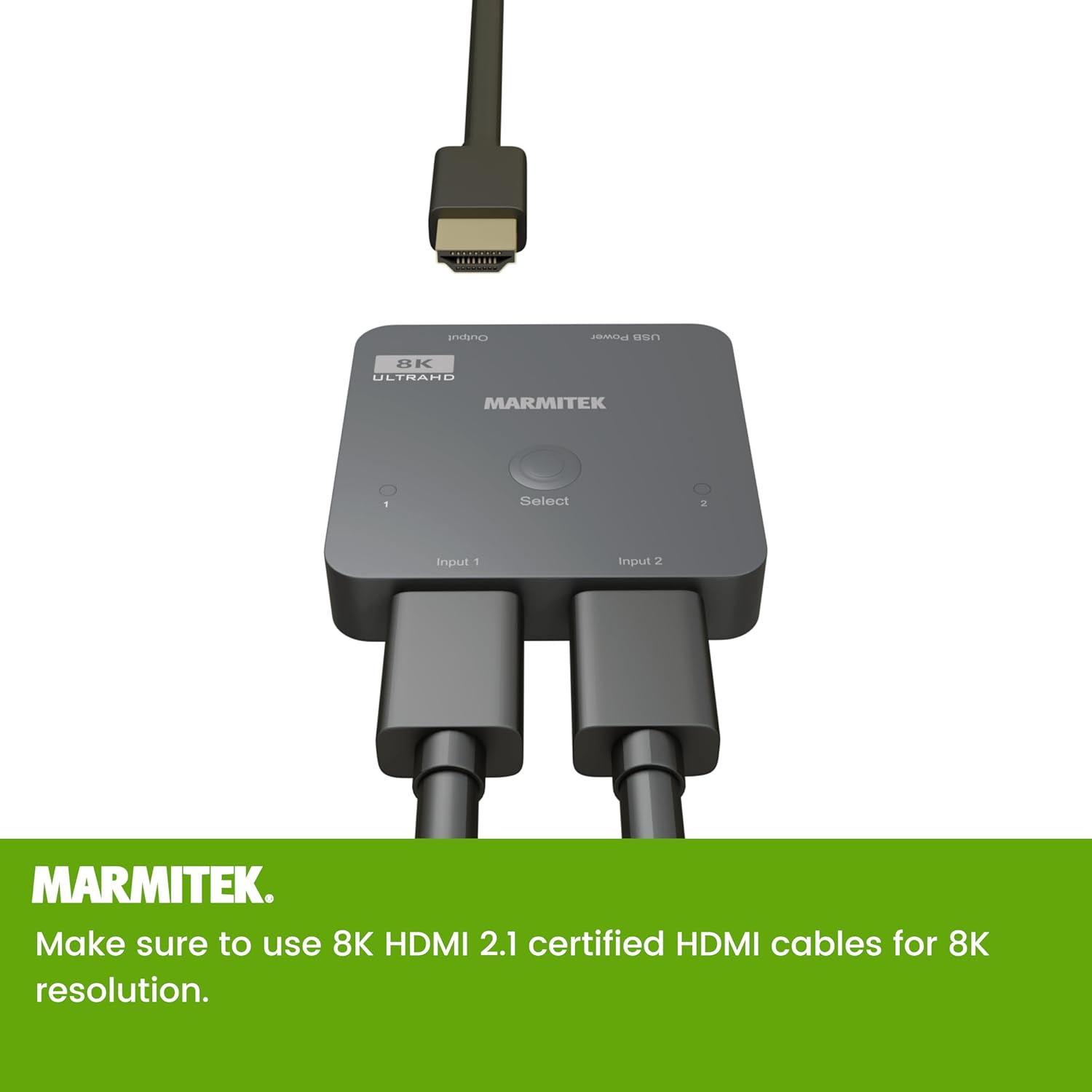
Image 6: The Marmitek AS28 HDMI Switch with two HDMI input cables connected to 'Input 1' and 'Input 2', and one HDMI output cable connected to the 'Output' port.
5. Návod k obsluze
Once the switch is connected and powered on, you can operate it as follows:
- Ruční přepínání: Press the 'Select' button on the top of the switch to cycle between 'Input 1' and 'Input 2'. The corresponding LED indicator (1 or 2) will illuminate to show the currently active input.
- Automatické přepínání: The switch supports automatic input detection. When a new HDMI source is turned on or becomes active, the switch may automatically switch to that input. If multiple sources are active, manual selection via the 'Select' button may be required.

Image 7: Text indicating the switch supports both automatic and manual selection of HDMI sources.
6. Specifikace
Technical specifications for the Marmitek AS28 HDMI Switch 2.1:
| Značka | Marmitek |
| Číslo modelu | AS28 (HDMI 2.1 Switch) |
| Barva | Černý |
| Počet portů | 2 Inputs, 1 Output |
| Typ konektoru | HDMI |
| Typ kabelu | HDMI |
| Kompatibilní zařízení | Xbox Series S and X, PlayStation 5, other HDMI sources |
| Rozlišení videa | Až 8K@60Hz, 4K@120Hz |
| Podpora HDR | HDR, HDR10+, Dolby Vision |
| Soulad s HDCP | HDCP 2.3 / 2.2 / 1.4 |
| Herní funkce | VRR, ALLM, QFT, QMS |
| Zvukové formáty | DTS-HD Master Audio, Dolby TrueHD, Dolby Atmos, DTS:X, Dolby Digital/AC3, PCM Stereo |

Image 8: Dimensional drawing of the Marmitek AS28 HDMI Switch, indicating its compact size of 60mm x 60mm x 12mm.
7. Řešení problémů
Pokud se setkáte s problémy s přepínačem HDMI, podívejte se na následující běžné problémy a jejich řešení:
- Žádný obraz/signál:
- Ensure all HDMI cables are securely connected to the correct ports.
- Verify that the switch is powered on and the active input LED is illuminated.
- Try pressing the 'Select' button to manually switch inputs.
- Ensure your HDMI cables are certified HDMI 2.1, especially for 8K/4K120Hz signals.
- Bypass the switch and connect the source directly to the TV to confirm the source and TV are working correctly.
- Flickering Picture or Intermittent Signal:
- Zkontrolujte, zda nejsou uvolněné kabelové spoje.
- Replace HDMI cables with higher quality, shorter, or certified HDMI 2.1 cables.
- Ensure the switch is receiving adequate power from the USB power adapter.
- Žádný zvuk:
- Verify audio settings on your source device and TV.
- Ensure the HDMI cable supports audio transmission.
8. Údržba
To ensure the longevity and optimal performance of your Marmitek AS28 HDMI Switch 2.1:
- Uchovávejte zařízení na chladném a suchém místě, mimo dosah přímého slunečního záření a zdrojů tepla.
- Nevystavujte zařízení vlhkosti nebo extrémním teplotám.
- Zařízení čistěte měkkým, suchým hadříkem. Nepoužívejte tekuté čisticí prostředky ani aerosoly.
- Nepokoušejte se zařízení otevírat ani upravovat, jinak ztratíte platnost záruky.
9. Podpora
For further assistance or technical support, please visit the official Marmitek website or contact their customer service department. Refer to the product packaging or Marmitek's webkonkrétní kontaktní údaje a informace o záruce naleznete na webu.