
1. Konec produktuview
The iFFALCON 50K72 is a 50-inch 4K Ultra HD Smart Android LED TV designed to deliver a high-quality viewing experience. This manual provides essential information for setting up, operating, and maintaining your television.
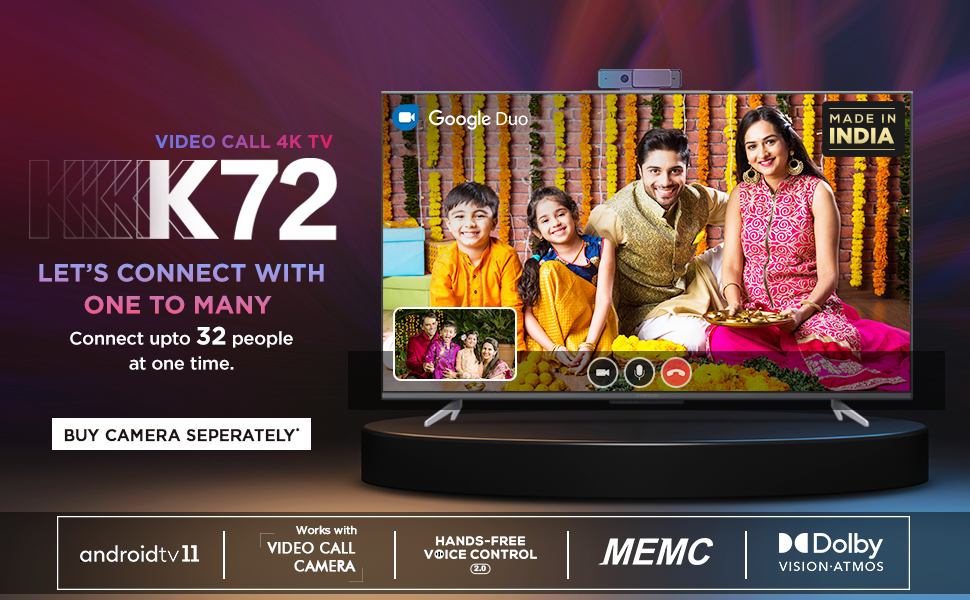
Obrázek: Přední strana view of the iFFALCON 50K72 50-inch 4K Ultra HD Smart Android LED TV, showcasing its exciting features.
Key features include a 4K Ultra HD resolution (3840 x 2160) with a 60 Hz refresh rate, an A+ Grade Panel for superior display quality, and a 178-degree wide viewing angle. It runs on Android (R11) and supports hands-free voice control, dual-band Wi-Fi, and popular streaming applications.
2. Co je v krabici
Upon unboxing your iFFALCON 50K72 TV, please ensure all the following components are present:
- LED TV 1
- 1 stolní stojan
- 1 Uživatelská příručka (tento dokument)
- 1 Záruční list
- 1 Dálkové ovládání
- 2 AAA baterie
Video: Stručný přehledview of the iFFALCON 50K72 TV and its key features, including what's typically found in the box.
3. Průvodce nastavením
3.1 Připevnění stojanu na stůl
- Televizor opatrně položte obrazovkou dolů na měkký, rovný povrch, abyste předešli jeho poškození.
- Zarovnejte stojan s montážními otvory na spodní straně televizoru.
- Zajistěte stojan pomocí dodaných šroubů. Ujistěte se, že jsou všechny šrouby pevně utaženy.

Obrázek: Side profile of the iFFALCON 50K72 TV showing the attached table-top stand.
3.2 Montáž na stěnu (volitelné)
If you choose to wall mount your TV, please note that a wall mount bracket is not included and must be purchased separately. The TV supports a VESA mount standard of 200 x 200 mm. Professional installation is recommended for wall mounting.

Obrázek: Zadní view of the iFFALCON 50K72 TV, highlighting the VESA mounting points.
3.3 Počáteční zapnutí a konfigurace
- Připojte napájecí kabel k televizoru a poté do elektrické zásuvky.
- Stisknutím tlačítka napájení na televizoru nebo na dálkovém ovladači jej zapněte.
- Postupujte podle pokynů na obrazovce a dokončete počáteční nastavení, včetně výběru jazyka, síťového připojení a přihlášení k účtu Google.
4. Základní obsluha
4.1 Dálkové ovládání
The included remote control allows you to navigate the TV's interface, adjust settings, and access smart features. Insert the two AAA batteries into the remote control, ensuring correct polarity.

Image: The iFFALCON 50K72 TV remote control, highlighting Google Assistant and dedicated quick access buttons for streaming services.
4.2 Smart TV Features (Android R11)
Your iFFALCON 50K72 TV runs on Android (R11), providing access to a wide range of applications and services. Navigate through the home screen to find installed apps like Prime Video, Disney+Hotstar, Netflix, Zee5, Sony LIV, and more. You can also download additional apps from the Google Play Store.
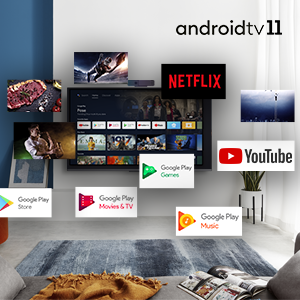
Image: The Android 11 TV interface displaying various streaming and utility applications.
4.3 Hlasové ovládání bez použití rukou
The TV supports hands-free voice control, allowing you to use voice commands without the remote. Simply say "Hey Google" or "Ok Google" followed by your command to search for content, control playback, or manage smart home devices.

Image: A person using hands-free voice control to search for content on the iFFALCON TV.
4.4 T-cast (Screen Mirroring)
Use the T-cast feature to mirror content from your smartphone or tablet to the TV screen. This allows for easy sharing of photos, videos, and other media.

Image: The TCL Channel 3.0 interface, illustrating screen mirroring capabilities.
4.5 Video Call Camera Support
The iFFALCON 50K72 TV is compatible with external video call cameras (purchased separately) for conducting video calls through applications like Google Duo directly on your TV screen.
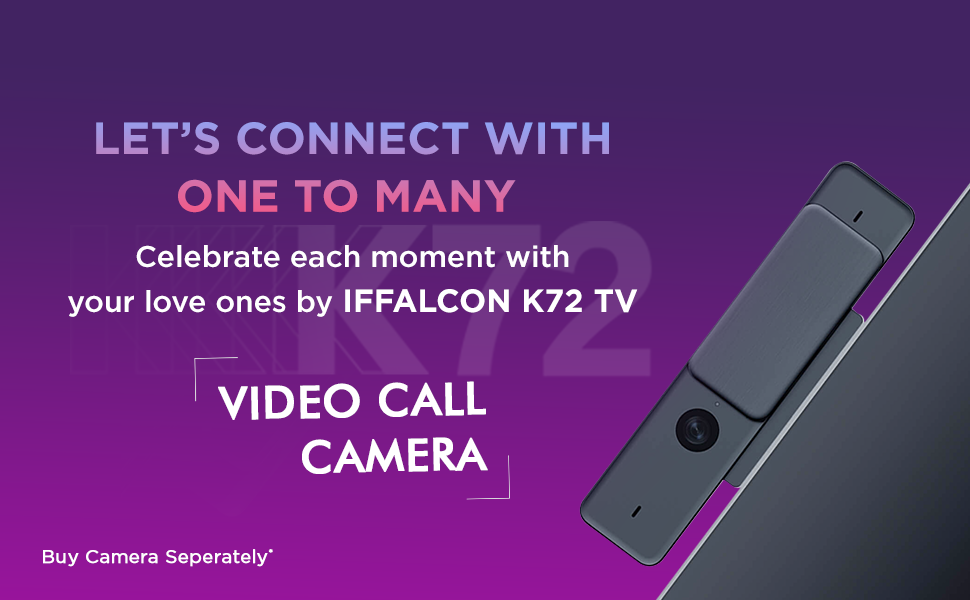
Image: A family engaged in a video call on the iFFALCON K72 TV, demonstrating the external camera functionality.
5. Konektivita
The iFFALCON 50K72 TV offers various ports for connecting external devices:

Obrázek: Boční view of the iFFALCON 50K72 TV with all connectivity ports clearly labeled.
- HDMI porty (3): Connect set-top boxes, Blu-ray players, gaming consoles, and other HDMI-enabled devices. One port supports eARC/ARC for enhanced audio return.
- USB porty (2): Connect hard drives, USB flash drives, and other USB devices for media playback or software updates. Includes one USB 2.0 and one USB 3.0 port.
- Port LAN (ethernet): Pro stabilní kabelové připojení k internetu.
- Anténní/kabelový vstup: Pro připojení antény nebo kabelové televize.
- Digitální audio výstup (optický): Pro připojení k externím audio systémům s optickým vstupem.
- AV vstupní adaptér: Pro připojení starších zařízení pomocí kompozitních video a stereo audio kabelů (může být vyžadován adaptér).
- Sluchátkový jack: Pro připojení sluchátek nebo externích reproduktorů.
- Dvoupásmová Wi-Fi: Supports 2.4GHz and 5GHz networks for wireless internet connectivity.
6. Funkce displeje a zvuku
6.1 Technologie displeje
- Rozlišení 4K Ultra HD: Provides sharp, detailed images with 3840 x 2160 pixels.
- A+ Grade Panel: Ensures high picture quality and consistency.
- HDR (vysoký dynamický rozsah): Zvyšuje kontrast a přesnost barev pro realističtější obraz.
- Dolby Vision: Advanced HDR technology for superior brightness, contrast, and color.
- MEMC (Odhad pohybu, Kompenzace pohybu): Reduces motion blur in fast-moving scenes for smoother viewIng.
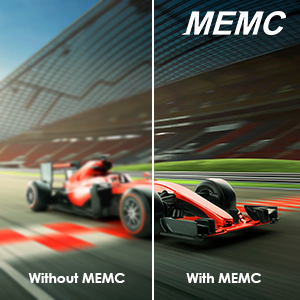
Image: A visual comparison demonstrating the effect of MEMC technology on motion clarity.
6.2 Zvuková technologie
- Výstup 24 wattů: Poskytuje čistý a silný zvuk.
- Dolby Audio: Delivers immersive surround sound experience.
- Dolby Atmos: Creates a three-dimensional audio experience, placing sound all around you.
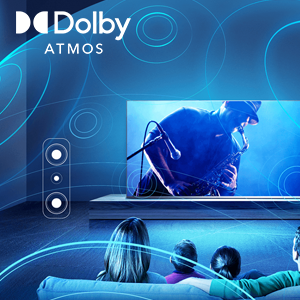
Image: An illustration depicting the immersive sound field created by Dolby Atmos technology.
7. Technické specifikace

Image: Diagram showing the physical dimensions of the iFFALCON 50K72 TV.
| Funkce | Detail |
|---|---|
| Velikost obrazovky | 50 palce (126 cm) |
| Značka | iFFALCON |
| Technologie displeje | LED |
| Rezoluce | 4K Ultra HD (3840 2160 x XNUMX XNUMX) |
| Obnovovací frekvence | 60 Hz |
| Technologie připojení | Ethernet, HDMI (3), USB (2), Wi-Fi (Dual-Band) |
| Poměr stran | 16:9 |
| Podporované internetové služby | Google Play Store, Google services applications, Hotstar, Netflix, Prime Video, Sun NXT, YouTube, Zee5, Sony LIV |
| Kontrastní poměr | 5000:1 |
| Maximum Display Brightness | 280 Candela Per Square Meter |
| Screen Finish Type | Byt |
| Podporovaný formát HDR | HDR, Dolby Vision |
| Picture Quality Enhancement | HDR, A+ Grade Panel, MEMC |
| Doba odezvy | 8 milisekund |
| Viewúhel | 178 stupňů |
| Režim zvukového výstupu | Surround |
| Počet zvukových kanálů | Dolby Audio, Dolby Atmos |
| svtage | 240 voltů |
| WattagSpotřeba energie | 110 wattů |
| Standardní držák VESA | 200 x 200 mm |
| Operační systém | Android (R11) |
| Kontrolní metoda | Hlas, Dálkové ovládání |
| Hmotnost položky | 9400 gramů |
| Modelový rok | 2021 |
8. Řešení problémů
This section addresses common issues you might encounter with your iFFALCON 50K72 TV.
8.1 Žádné napájení / Televizor se nezapíná
- Ujistěte se, že je napájecí kabel bezpečně připojen k televizoru i k funkční zásuvce.
- Zkontrolujte, zda je zásuvka funkční, zapojením jiného zařízení.
- Zkontrolujte, zda jsou baterie v dálkovém ovladači správně vloženy a zda nejsou vybité.
8.2 Žádný obraz / Špatná kvalita obrazu
- Zkontrolujte všechna kabelová připojení (HDMI, anténa), zda jsou bezpečně připojena.
- Ověřte, zda je na televizoru vybrán správný vstupní zdroj.
- Upravte nastavení obrazu (jas, kontrast, barvy) v nabídce televizoru.
- Pokud používáte externí zařízení, zkontrolujte jeho nastavení výstupu.
8.3 Žádný zvuk / Špatná kvalita zvuku
- Ujistěte se, že hlasitost není ztlumená a je nastavena na slyšitelnou úroveň.
- Pokud používáte externí reproduktory, zkontrolujte připojení audio kabelů.
- Upravte nastavení zvuku v nabídce televizoru.
- Pokud používáte externí audiosystém, ujistěte se, že je zapnutý a správně nakonfigurovaný.
8.4 Problémy s připojením k síti
- For Wi-Fi, ensure the router is on and within range. Re-enter the Wi-Fi password if necessary.
- For wired connection, ensure the Ethernet cable is securely connected to both the TV and the router.
- Restartujte router a modem.
9. Záruka a podpora
Your iFFALCON 50K72 TV comes with a 1-year comprehensive manufacturer's warranty from the date of purchase. This warranty covers manufacturing defects and ensures repair or replacement as per the terms and conditions.
For assistance with installation, service, or any product-related queries, please contact iFFALCON customer support:
- Bezplatná čísla: 18004190622/18001020622
- When contacting support, please provide your product's model name (50K72) and seller's details as mentioned on your invoice.

Image: iFFALCON customer care information, including contact numbers for support.
The manufacturer is Bhagwati Products Ltd, located at Plot No.S-1, E-City, Fabcity, Raviryala(V), Maheshwaram(M), Range Reddy (Dist), Telangana State-501510.