
Brady M211
Brady M211 Portable Bluetooth Label Printer User Manual
Model: M211
1. Úvod
The Brady M211 Portable Bluetooth Monochrome Label Printer is a robust and intuitive device designed for efficient label creation and printing directly from your smartphone. Its compact and durable construction ensures reliable performance in various work environments. This manual provides comprehensive instructions for setting up, operating, maintaining, and troubleshooting your M211 label printer.

2. Co je v krabici
Ověřte, zda jsou v balení přítomny všechny položky:
- 1 x Brady M211 Printer
- 1 x M21-750-499 Label Cartridge
- 1 x Průvodce rychlým startem
- 1 x AC Adapter (North America)
3. Nastavení
3.1 Nabíjení tiskárny
Before first use, fully charge the M211 printer using the provided AC adapter. Connect the adapter to the printer's charging port and plug it into a power outlet. The charging indicator light will show the charging status.
3.2 Installing a Label Cartridge
The M211 printer uses M21 series label cartridges. To install a cartridge:
- Otevřete dvířka kazety na boční straně tiskárny.
- Align the label cartridge with the slot and gently push it in until it clicks into place.
- Close the cartridge door securely.

3.3 Connecting via Bluetooth and App Installation
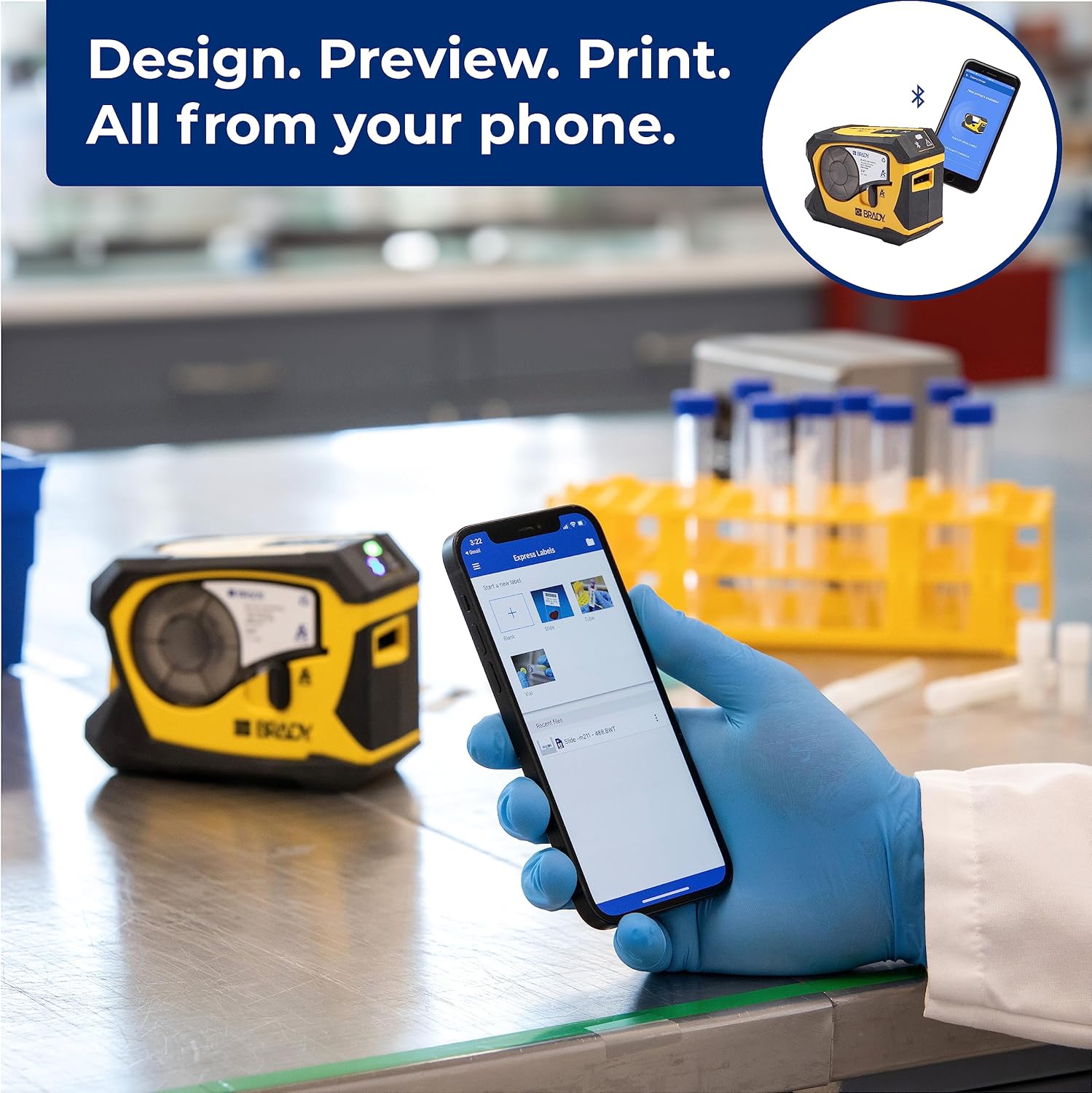
The M211 printer connects to your smartphone via Bluetooth using the Brady Express Labels Mobile app.
- Download the 'Express Labels Mobile' app from your device's app store (available for iOS and Android).
- Ujistěte se, že je na vašem smartphonu povoleno Bluetooth.
- Power on the M211 printer by pressing the power button. The Bluetooth indicator light will blink, indicating it's ready to pair.
- Open the Express Labels Mobile app. The app will automatically search for and connect to your M211 printer. Follow any on-screen prompts to complete the pairing process.
Video 1: Official video demonstrating how to create and print barcode labels using the Brady M211 printer and the Express Labels Mobile app.
4. Obsluha tiskárny
4.1 Designing and Printing Labels
The Express Labels Mobile app provides a user-friendly interface for designing and printing labels.
- Open the app and select a label template or start a new blank label.
- Use the app's tools to add text, barcodes (over 20 types supported), symbols (over 1400 available), and other elements.
- Předview your label design to ensure accuracy.
- Tap the print icon in the app to send the design to your M211 printer. The printer will automatically cut the label after printing.
4.2 Label Applications and Materials
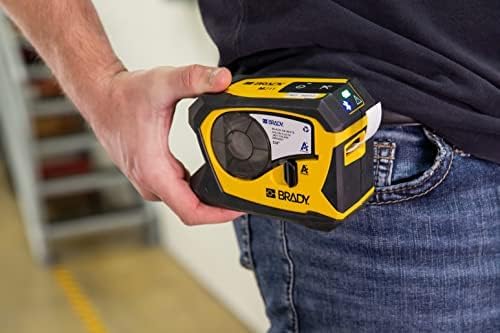
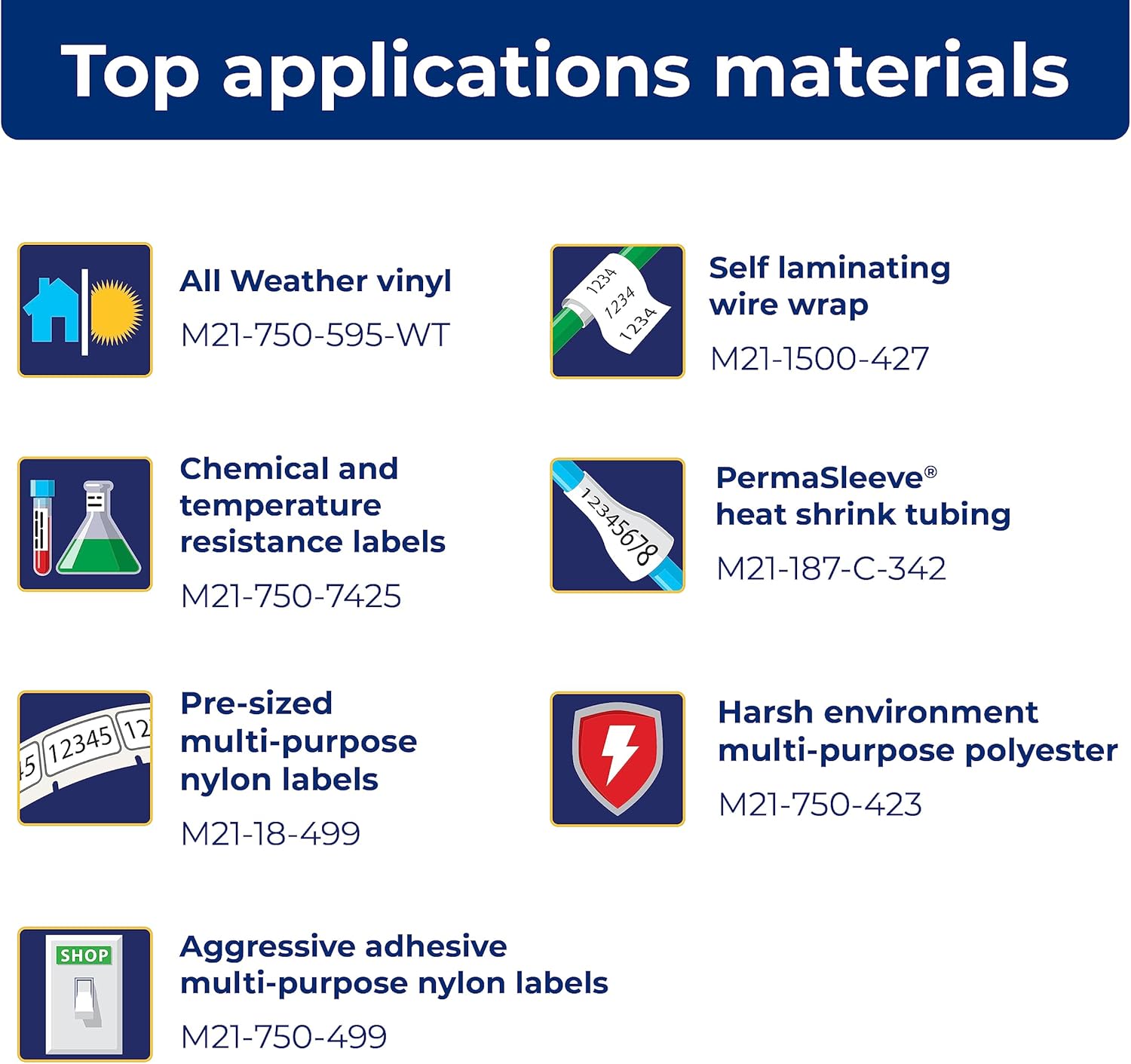
The M211 printer supports a wide range of label applications and materials, making it versatile for various tasks.

5. Údržba
5.1 Čištění tiskárny
Pravidelné čištění pomáhá udržovat optimální výkon:
- K otření vnější strany tiskárny použijte měkký hadřík, který nepouští vlákna.
- Periodically clean the print head and platen roller using a Brady-approved cleaning card or isopropyl alcohol on a cotton swab. Refer to the Quick Start Guide for detailed instructions on print head cleaning.
5.2 Výměna kazety
Replace label cartridges when the material runs out or when the print quality degrades. Always use authentic Brady cartridges to ensure compatibility and optimal performance.

6. Řešení problémů
If you encounter issues with your M211 printer, try the following common troubleshooting steps:
- Tiskárna nereaguje: Ensure the printer is charged and powered on. Check the Bluetooth connection status in the app and on your phone.
- Špatná kvalita tisku: Verify that the label cartridge is correctly installed. Clean the print head as described in the maintenance section. Ensure you are using authentic Brady label materials.
- Problémy s připojením aplikace: Restart both the printer and your smartphone. Ensure the Express Labels Mobile app is updated to the latest version. Try forgetting and re-pairing the Bluetooth connection in your phone's settings.
- Labels Not Feeding/Cutting: Check for any obstructions in the label path. Ensure the label cartridge is not empty or jammed.
For more complex issues, refer to the detailed troubleshooting section in the full user manual or contact Brady customer support.
7. Specifikace
| Funkce | Specifikace |
|---|---|
| Rozměry produktu | 2.6"H x 5.4"Š x 4"V |
| Typ ovladače | Android, iOS |
| Maximální velikost média | 0.75 palců |
| Tisková média | Štítky |
| Typ skeneru | Přenosný |
| Maximální vstupní kapacita listu | 50 |
| Maximální rychlost kopírování (černobíle) | 0.6 ppm |
| Typ zobrazení | LCD |
| Kompatibilní zařízení | chytré telefony |
| Maximální rozlišení barevného tisku | 203 dpi |
| Velikost listu | 0.25 x 0.75 |
| Maximální rozlišení černobílého tisku | 203 dpi |
| Barevná hloubka | 1 bits per pixel |
| Oboustranný tisk | Ano |
| Maximální rozlišení kopírování černobílé | 203 dpi |
| Duplex | Simplexní |
| Hardwarové rozhraní | Bluetooth |
| Barva inkoustu | Černá, žlutá |
| Rezoluce | 203 dpi |
| Další funkce tiskárny | Pouze tisk |
| Kontrolní metoda | App |
| Výstupní kapacita listů | 50 |
| Číslo série | 211 |
| Modelová řada | 211 |
| UPC | 888434587515 |
| Kapacita paměti | 2 MB |
| Hmotnost položky | 1.44 libry |
| Baterie | Jsou vyžadovány 1 lithium-iontové baterie. (v ceně) |
| Datum první dostupnosti | 31. března 2022 |
| Výrobce | Brady |
| Značka | Brady |
| Technologie připojení | Bluetooth® 5 Low Energy (class II) |
| Technologie tisku | Tepelný |
| Barva | Žlutá/černá |
| Název modelu | M211 |
| Tiskový výstup | Monochromatický |
| Maximální rychlost tisku (barevně) | 0.6 ppm |
| Maximální rychlost tisku černobíle | 0.6 |

8. Dostupné příslušenství
Enhance your M211 printer's functionality and protection with these available accessories:
- Pevné pouzdro
- AC adaptér
- Power Brick
- Spona na opasek
- Magnet

9. Záruka a podpora
9.1 Informace o záruce
The Brady M211 Portable Bluetooth Monochrome Label Printer comes with a Limited Warranty. Please refer to the warranty card included with your product or visit the official Brady webpodrobné podmínky týkající se záručního krytí, doby trvání a postupu při reklamaci naleznete na webu.
9.2 Zákaznická podpora
For technical assistance, product inquiries, or service requests, please contact Brady Customer Support:
- Webmísto: Visit the official Brady webweb s nejčastějšími dotazy, zdroji podpory a kontaktními formuláři.
- Telefon: Refer to the Quick Start Guide or Brady's webmísto pro regionální kontaktní čísla.
- E-mail: Use the contact information provided on the Brady webstránky pro e-mailovou podporu.
Ask a question about this manual
Ask about setup, troubleshooting, compatibility, parts, safety, or missing instructions. Manuals+ will review the question and use this page’s manual context to help answer it.