
1. Úvod
This manual provides detailed instructions for the setup, operation, and maintenance of your Auna AMP-4000 DAB HiFi stereo Amplifier. Please read this manual thoroughly before using the device to ensure proper functionality and safety. Keep this manual for future reference.

Obrázek 1.1: Přední view of the Auna AMP-4000 DAB HiFi stereo Ampzáchranář. Tento obrázek zobrazuje amplifier's sleek design with its silver and black finish, featuring two large rotary knobs on either side and a central LED display.
2. Bezpečnostní pokyny
To prevent fire, electric shock, and damage to the unit, observe the following safety precautions:
- Nevystavujte toto zařízení dešti nebo vlhkosti.
- Nezakrývejte žádné větrací otvory. Nainstalujte v souladu s pokyny výrobce.
- Neinstalujte v blízkosti zdrojů tepla, jako jsou radiátory, tepelné regulátory, kamna nebo jiná zařízení (včetně amplifikátory), které produkují teplo.
- Chraňte napájecí kabel před šlapáním nebo přiskřípnutím, zejména u zástrček, zásuvek a v místě, kde vychází ze zařízení.
- Používejte pouze nástavce/příslušenství určené výrobcem.
- Odpojte tento spotřebič během bouřky s blesky nebo když jej nebudete delší dobu používat.
- Refer all servicing to qualified service personnel. Servicing is required when the appliance has been damaged in any way.
3. Konec produktuview
3.1 Ovládací prvky na předním panelu
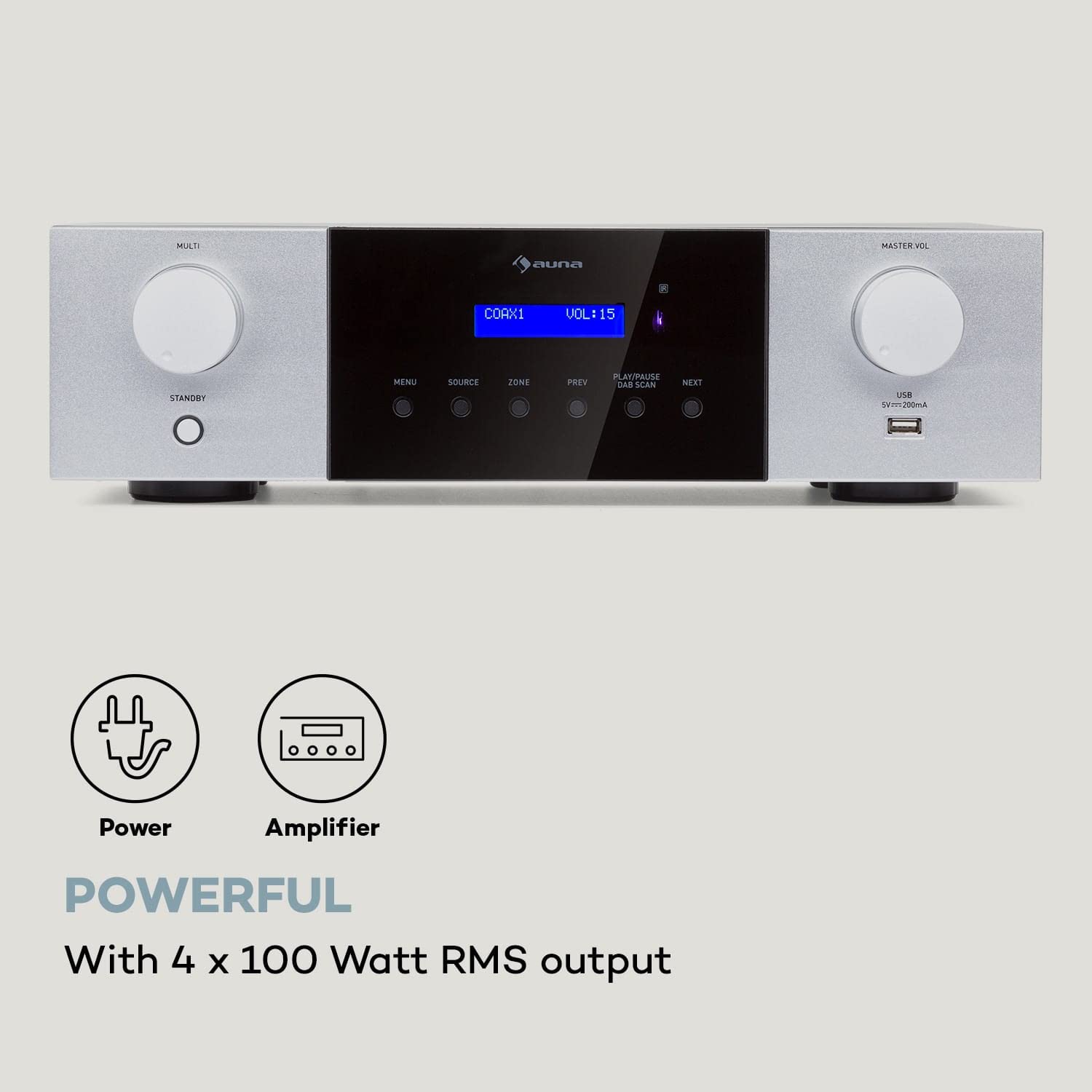
Obrázek 3.1: Detailní view of the Auna AMP-4000 front panel. This image highlights the main controls including the Multi-function knob, Standby button, Menu, Source, Zone, Previous, Play/Pause/DAB Scan, Next buttons, Master Volume knob, and USB port.
- MULTI Knob: Adjusts various settings depending on the selected menu option.
- Tlačítko POHOTOVOSTNÍHO REŽIMU: Zapíná nebo vypíná jednotku.
- Tlačítko MENU: Accesses the system menu for settings and options.
- Tlačítko SOURCE: Selects the audio input source (DAB, Bluetooth, USB, AUX, Optical, Coaxial).
- ZONE Button: (If applicable) Controls multi-zone audio output.
- Tlačítka PŘEDCHOZÍ / DALŠÍ: Navigace mezi skladbami nebo rozhlasovými stanicemi.
- PLAY/PAUSE / DAB SCAN Button: Controls playback or initiates a DAB radio scan.
- MASTER VOL Knob: Nastavuje celkovou úroveň hlasitosti.
- USB port: Pro připojení paměťových zařízení USB pro přehrávání zvuku.
- LED displej: Shows current status, source, volume, and track information.
3.2 Připojení zadního panelu
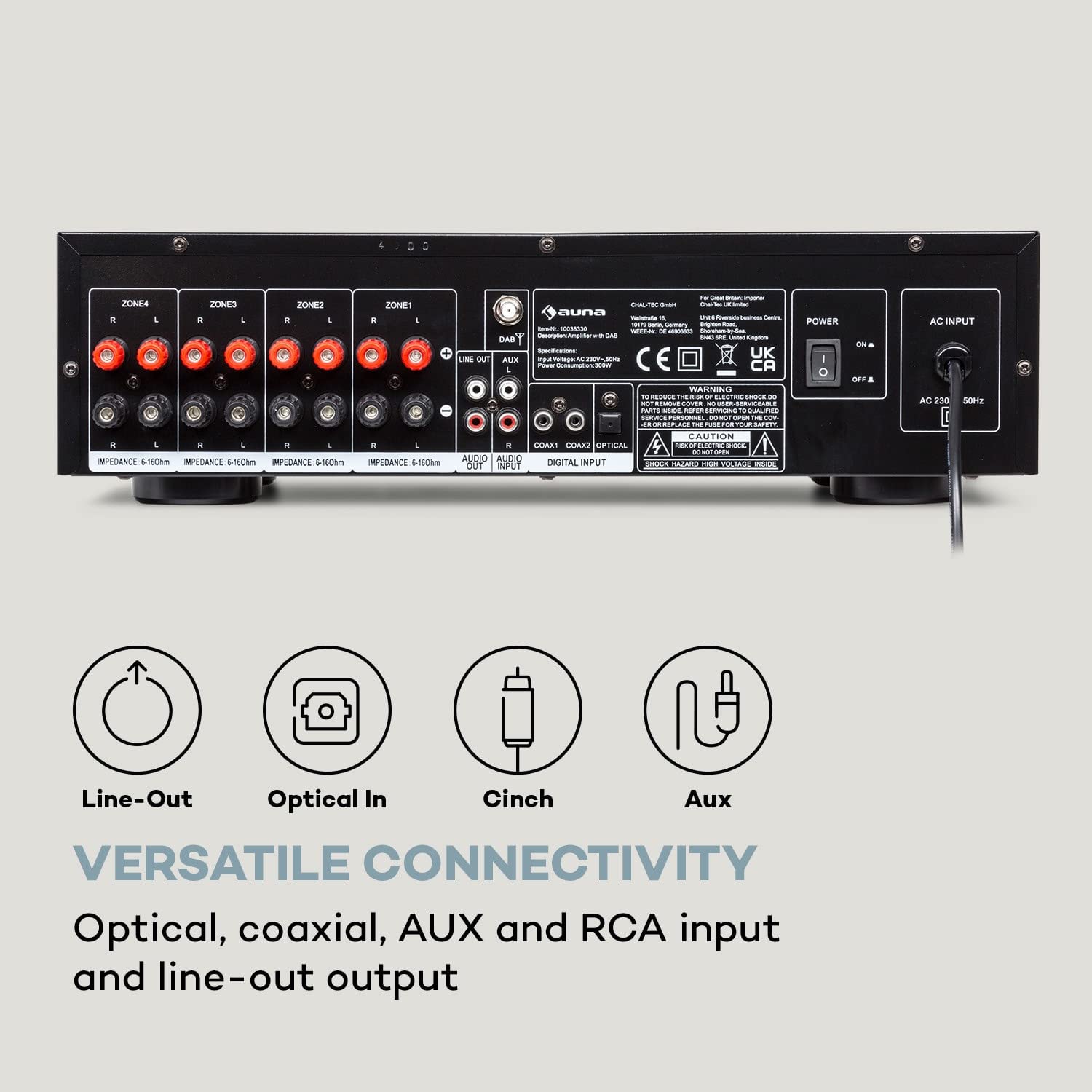
Obrázek 3.2: Zadní view of the Auna AMP-4000, showing all available input and output connections. This includes speaker terminals for multiple zones, Line Out, Audio Input (RCA), Digital Input (Coaxial, Optical), and the AC power input.
- Speaker Terminals (ZONE1, ZONE2, ZONE3, ZONE4): Connect your passive speakers. Ensure correct polarity (+ to + and - to -) and impedance matching (5-16 Ohms).
- LINKOVÝ VÝSTUP (RCA): Pro připojení k jinému ampzvedací nebo záznamové zařízení.
- AUDIO VSTUP (RCA): Connect external analog audio sources (e.g., CD player, turntable with pre-amp).
- DIGITAL INPUT (COAXIAL, OPTICAL): Connect digital audio sources (e.g., TV, Blu-ray player).
- AC VSTUP: Connect the power cord to a suitable AC power outlet.
- DAB Antenna Input: Connect the DAB antenna for digital radio reception.
4. Nastavení
4.1 Připojení reproduktoru
- Zajistěte amplifier is powered off and unplugged from the mains.
- Connect your passive speakers to the corresponding speaker terminals on the rear panel (ZONE1, ZONE2, etc.).
- Přizpůsobte kladný (+) pól na amplifier to the positive (+) terminal on the speaker, and the negative (-) terminal on the ampnapáječ k zápornému (-) pólu reproduktoru.
- Ensure the speaker impedance is within the recommended range of 5-16 Ohms.
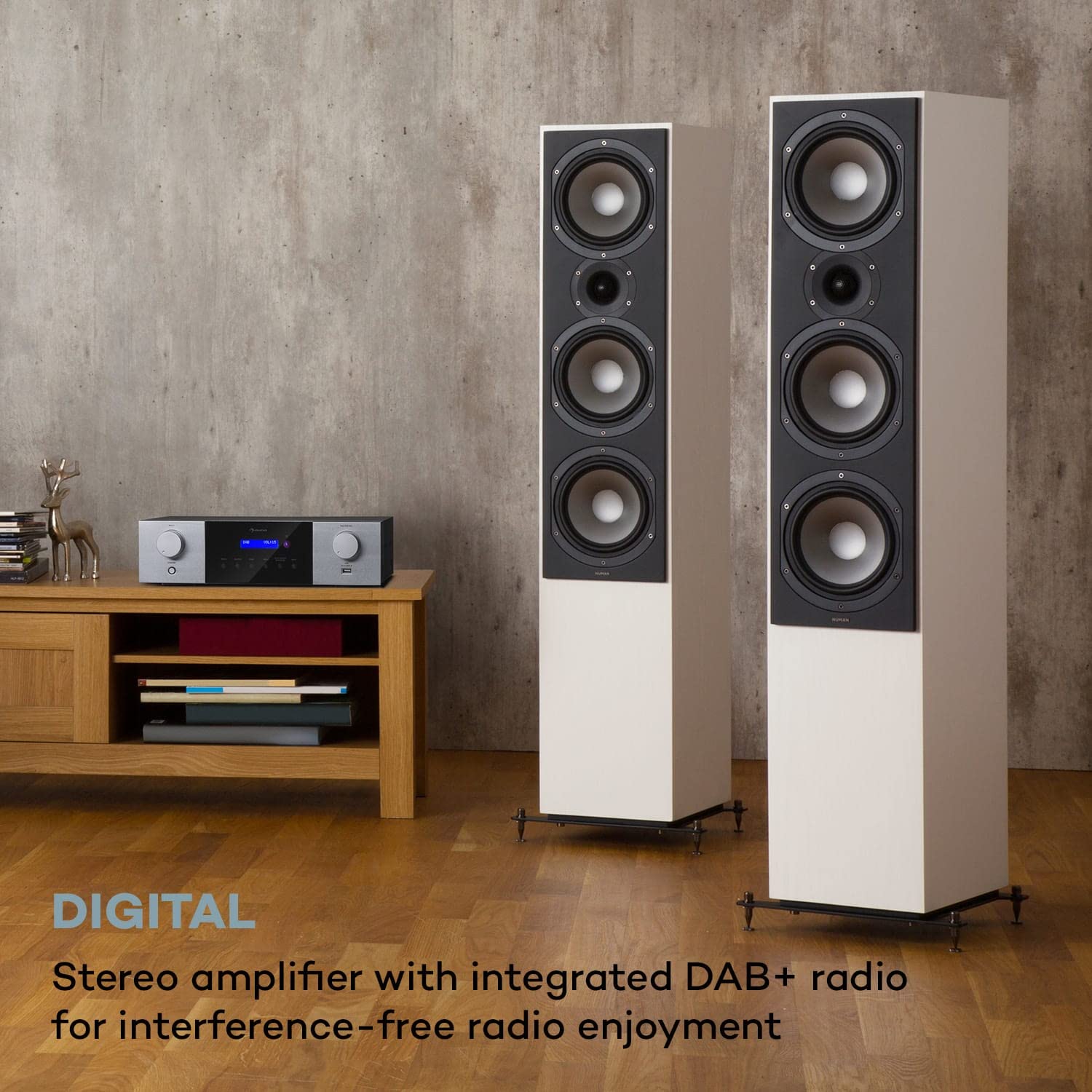
Obrázek 4.1: The Auna AMP-4000 amplifier positioned with two large floor-standing speakers in a living room setting. This illustrates a typical setup for home audio, emphasizing the connection to external speakers.
4.2 Připojení zdroje zvuku
- Analog Sources (RCA): Connect your CD player, DVD player, or other analog audio devices to the "AUDIO INPUT" RCA jacks using appropriate RCA cables.
- Digital Sources (Optical/Coaxial): Connect your TV, game console, or Blu-ray player to the "DIGITAL INPUT" (Optical or Coaxial) using optical or coaxial cables.
- DAB anténa: Connect the supplied DAB antenna to the DAB antenna input for optimal digital radio reception.
4.3 Připojení napájení
After all audio and speaker connections are made, connect the power cord to the "AC INPUT" on the rear panel of the ampa poté jej zapojte do zásuvky ve zdi.
5. Návod k obsluze
5.1 Zapnutí/vypnutí
Stiskněte tlačítko POHOTOVOSTNÍ button on the front panel or the remote control to power the ampživější zapnuto nebo vypnuto.
5.2 Výběr zdroje
Stiskněte tlačítko ZDROJ button on the front panel or the remote control repeatedly to cycle through available input sources (DAB, Bluetooth, USB, AUX, Optical, Coaxial).
5.3 Provoz DAB+ rádia
- Select "DAB" as the source.
- If it's the first time using DAB, or if you want to rescan, press the PLAY/PAUSE / DAB SCAN button to initiate an automatic scan for available DAB+ stations.
- Použijte PŘEDCHOZÍ a DALŠÍ buttons to navigate through the found stations.
5.4 Párování Bluetooth
- Select "Bluetooth" as the source. The LED display will indicate "Pairing" or similar.
- Na svém smartphonu nebo tabletu povolte Bluetooth a vyhledejte dostupná zařízení.
- Select "Auna AMP-4000" from the list of devices to pair.
- Po spárování můžete bezdrátově streamovat zvuk ze zařízení do ampživější.

Obrázek 5.1: The Auna AMP-4000 amplifier shown with a smartphone, illustrating the wireless Bluetooth streaming capability. This image highlights the convenience of playing music from mobile devices.
5.5 Přehrávání z USB
- Vložte paměťové zařízení USB (např. USB flash disk) do portu USB na předním panelu.
- Select "USB" as the source.
- The amplifier will automatically detect and begin playing compatible audio files. Použijte PŘEDCHOZÍ, DALŠÍa PLAY/PAUSE tlačítka pro ovládání přehrávání.
5.6 Ovládání hlasitosti
Otočte MASTER VOL knob on the front panel or use the volume buttons on the remote control to adjust the audio output level.
5.7 Dálkové ovládání
The included remote control provides full functionality for operating the amplifier from a distance. Refer to the remote control diagram (if available) for specific button functions.

Obrázek 5.2: The Auna AMP-4000 amplifier's front panel displayed alongside its remote control. This image emphasizes the convenient operation provided by the remote, allowing control of various functions including volume, source, and radio stations.
6. Údržba
- Čištění: K čištění vnějších částí používejte měkký, suchý hadřík ampNepoužívejte tekuté čisticí prostředky ani abrazivní materiály.
- Větrání: Ujistěte se, že ventilační otvory nejsou zablokovány, aby nedošlo k přehřátí.
- Skladování: Pokud budete přístroj skladovat delší dobu, odpojte jej ze zásuvky a uložte jej na chladném a suchém místě.
7. Řešení problémů
| Problém | Možná příčina | Řešení |
|---|---|---|
| Žádná síla | Napájecí kabel není připojen; zásuvka je vadná. | Zkontrolujte připojení napájecího kabelu; zkuste jinou zásuvku. |
| Žádný zvukový výstup | Incorrect source selected; speaker cables loose; volume too low; mute activated. | Select correct source; check speaker connections; increase volume; deactivate mute. |
| Bluetooth se nepřipojuje | Amplifier not in pairing mode; device too far; Bluetooth off on source device. | Zajistit amplifier is in Bluetooth source mode; bring device closer; enable Bluetooth on source device. |
| Špatný příjem DAB+ | Antenna not connected or poorly positioned; weak signal in area. | Check antenna connection; reposition antenna; perform a new DAB scan. |
8. Specifikace

Obrázek 8.1: Diagram illustrating the physical dimensions of the Auna AMP-4000 amplifier, showing its width (43 cm), depth (24.5 cm), and height (12.5 cm).
- Značka: AUNA
- Model: AMP-4000
- Výstupní výkon: 4 x 100 W RMS
- Technologie tuneru: DAB+
- Konektivita: Auxiliary, Bluetooth, USB, RCA, Optical, Coaxial
- Kompatibilní zařízení: Smartphone, tablet
- Režim výstupu zvuku: Stereo
- Impedance reproduktoru: 5-16 ohmů
- Rozměry produktu (DxŠxV): 24.5 x 43 x 12.5 cm
- Hmotnost položky: 4 kg
- Barva: Černo-bílá
9. Záruka a podpora
For warranty information and technical support, please refer to the documentation provided with your purchase or contact AUNA customer service. Keep your proof of purchase for warranty claims.