
Zavedení
Thank you for choosing the Altec Lansing Kids Bluetooth Over-Ear Headphones. This manual provides essential information for the safe and efficient use of your headphones. Please read it thoroughly before use and retain it for future reference.
Vlastnosti produktu
- Safe Volume Limiting: Built-in 85dB volume limit protects developing ears during extended listening. These headphones comply with hearing safety standards.
- Wireless Bluetooth and Wired Mode: Connect wirelessly via Bluetooth or use the included 3.5mm aux cable for wired listening with various devices.
- Skládací a lehký design: The compact, foldable design allows for easy storage and portability.
- Nastavitelná čelenka: Designed to comfortably fit a range of head sizes, from toddlers to older children.
- Dobíjecí baterie: The USB rechargeable battery provides hours of playtime.
- In-line Learning Mic: Integrated microphone for communication and interactive learning.
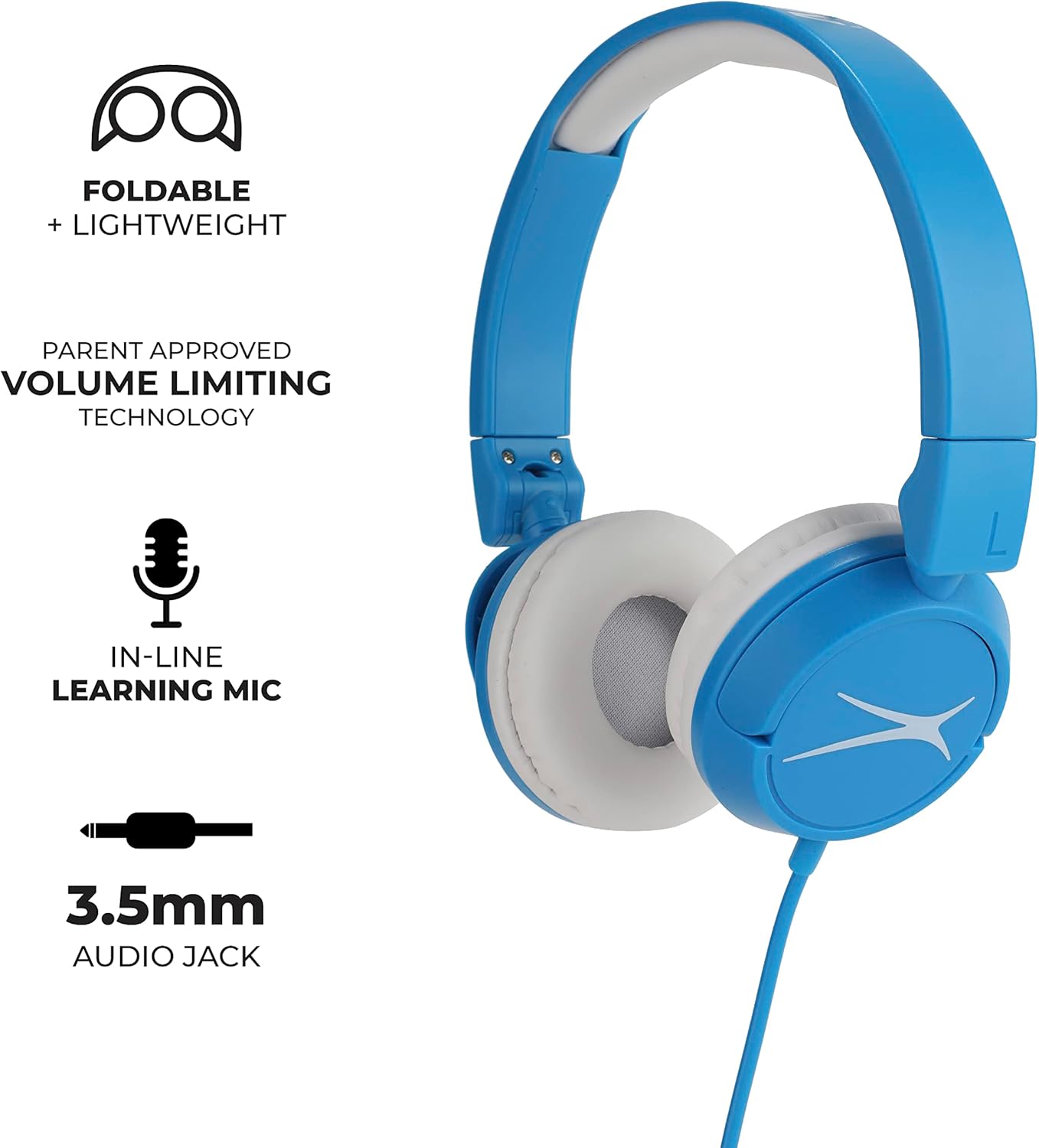
Image: Altec Lansing Kids Bluetooth Over-Ear Headphones with key features labeled.
Co je v krabici
- Altec Lansing Kids Bluetooth Over-Ear Headphones
- 3.5mm audio kabel
- USB Charging Cable (not explicitly listed but implied by 'USB rechargeable battery')
Nastavení
1. Nabíjení sluchátek
Before first use, fully charge the headphones. Connect the provided USB charging cable to the charging port on the headphones and to a compatible USB power source (e.g., computer USB port, wall adapter). The LED indicator will show charging status and turn off or change color when fully charged.
2. Úprava přizpůsobení
Gently extend or retract the headband to ensure a comfortable and secure fit over the ears. The ear cushions should rest comfortably without excessive pressure.
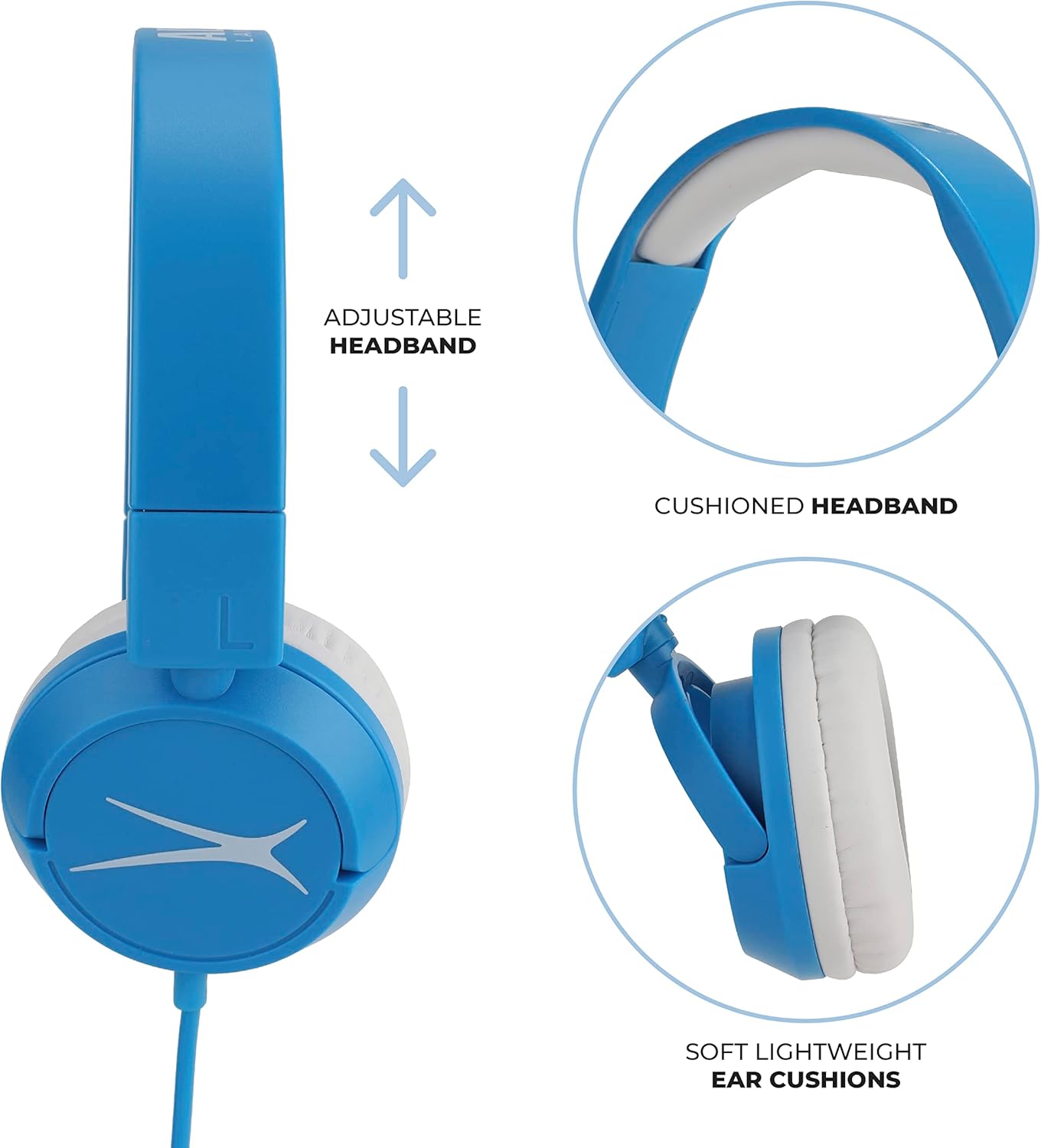
Image: Adjustable headband and cushioned ear pads for comfort.
3. Párování Bluetooth (bezdrátový režim)
- Ujistěte se, že jsou sluchátka nabitá a vypnutá.
- Stiskněte a podržte tlačítko napájení na sluchátkách, dokud nezačne blikat LED indikátor, což signalizuje režim párování.
- Na svém zařízení (chytrý telefon, tablet, notebook) povolte Bluetooth a vyhledejte dostupná zařízení.
- Select "Altec Lansing Kids Headphones" from the list.
- Po připojení přestane LED indikátor blikat nebo bude svítit nepřetržitě.
4. Kabelové připojení (režim Aux)
Insert one end of the 3.5mm audio cable into the headphone's audio jack and the other end into the audio output jack of your device. The headphones will automatically switch to wired mode.

Image: Child using headphones with a laptop, illustrating device compatibility.
Návod k obsluze
Zapnutí/vypnutí
- Pro zapnutí stiskněte a podržte tlačítko napájení, dokud se nerozsvítí LED indikátor.
- Chcete-li zařízení vypnout, stiskněte a podržte tlačítko napájení, dokud nezhasne LED indikátor.
Ovládání hlasitosti
The headphones feature a built-in volume limit of 85dB to protect hearing. Adjust the volume using the controls on your connected device. The headphones will not exceed the safe listening level.
Using the In-line Microphone
When connected wirelessly or via the 3.5mm audio cable (if it supports microphone functionality), the in-line microphone can be used for calls or voice commands. Refer to your device's instructions for microphone usage.
Údržba
Čištění
Wipe the headphones with a soft, dry cloth. Do not use harsh chemicals or abrasive materials. Avoid getting moisture into any openings.
Skladování
Pokud sluchátka nepoužíváte, složte je pro kompaktní uložení. Skladujte je na chladném a suchém místě mimo dosah přímého slunečního záření a extrémních teplot.

Image: Foldable design for easy storage and portability.
Odstraňování problémů
- Žádný zvuk:
- Ujistěte se, že jsou sluchátka zapnutá a nabitá.
- Zkontrolujte úroveň hlasitosti na obou sluchátkách i na připojeném zařízení.
- If using Bluetooth, ensure proper pairing. Try re-pairing if necessary.
- If using wired mode, ensure the 3.5mm cable is fully inserted into both jacks.
- Nelze spárovat přes Bluetooth:
- Ujistěte se, že sluchátka jsou v režimu párování (bliká LED dioda).
- Vypněte a zapněte Bluetooth na vašem zařízení.
- Přesuňte sluchátka blíže k zařízení.
- Clear previous Bluetooth connections on your device if experiencing issues.
- Krátká výdrž baterie:
- Ensure headphones are fully charged before use.
- Výdrž baterie se může lišit v závislosti na úrovni hlasitosti a používání.
Specifikace
| Funkce | Detail |
|---|---|
| Značka | Altec Lansing |
| Číslo modelu | MZX4300-blub-stk-6 |
| Název modelu | Kids Safe Over The Ear Headphones |
| Technologie připojení | Kabelové, Bluetooth |
| Jack pro sluchátka | Zásuvka 3.5 mm |
| Umístění uší | Na uchu |
| Form Factor | Přes ucho |
| Kontrola hluku | Zvuková izolace |
| Citlivost | 85 dB (omezená hlasitost) |
| Frekvenční rozsah | 20 Hz - 20,000 XNUMX Hz |
| Hmotnost položky | 5.6 unce |
| Další funkce | Skládací |
Oficiální video produktu
Video: Produkt skončilview of the Altec Lansing Kids Bluetooth Over-Ear Headphones, provided by Amazon Product Imaging.
Informace o záruce
This product is covered by a Manufacturer Warranty. For specific details regarding warranty coverage, duration, and claims, please refer to the documentation included with your purchase or visit the official Altec Lansing webmísto.
Podpora
Pro další pomoc, technickou podporu nebo view frequently asked questions, please visit the official Altec Lansing support website. You may also find additional resources and contact information there.