
Zavedení
This manual provides detailed instructions for the installation, operation, and maintenance of your SONOFF iFan04-L WiFi Ceiling Fan Light Controller. This device allows you to convert your traditional ceiling fan with lights into a smart device, controllable via a mobile application, a 433MHz RF remote, and voice commands through Amazon Alexa or Google Home.
Konec produktuview
The SONOFF iFan04-L is designed to integrate seamlessly with your existing ceiling fan and light fixture. It offers convenient control options and smart features to enhance your home environment.
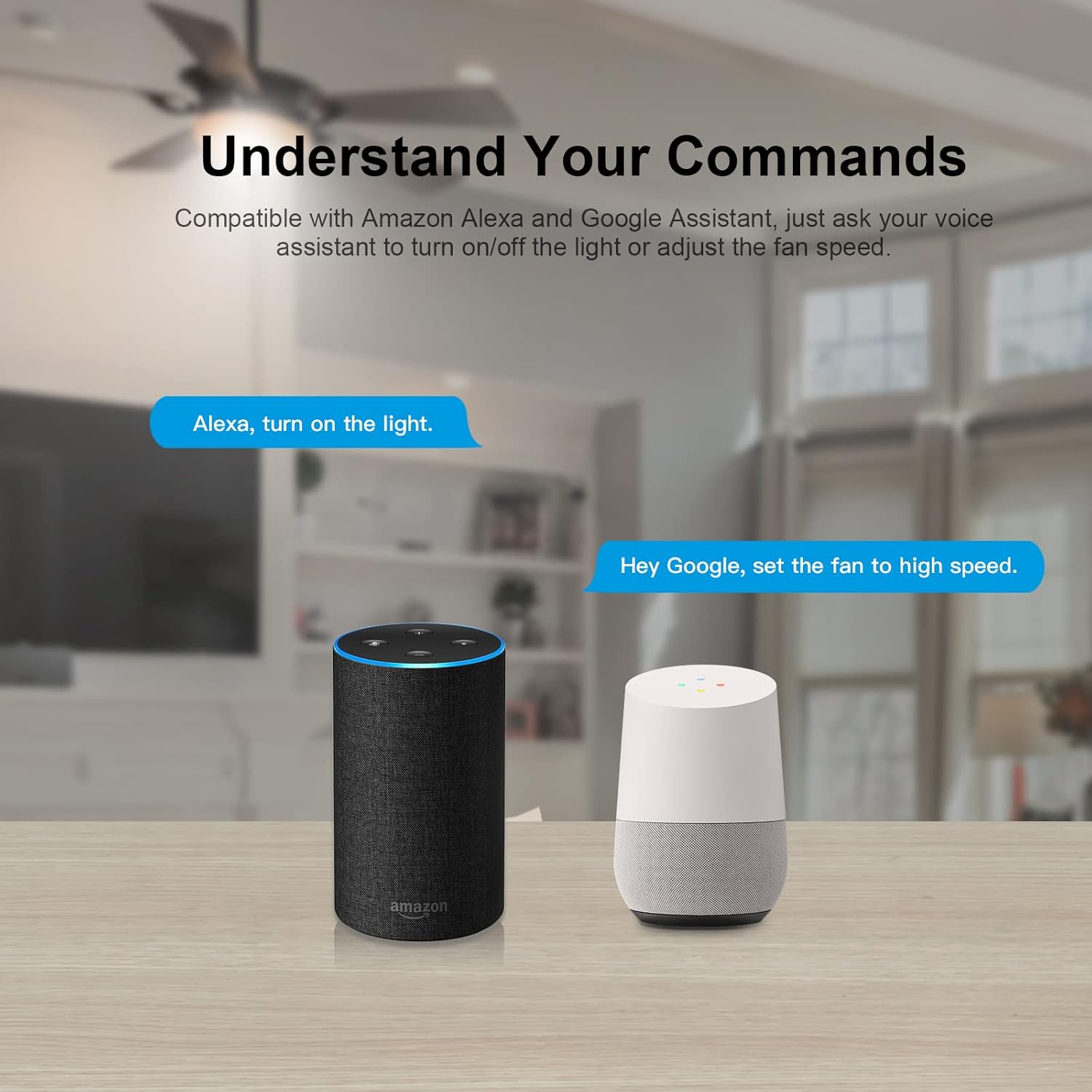
Image: The SONOFF iFan04-L controller unit and its accompanying 433MHz RF remote control.
Klíčové vlastnosti:
- Přímá náhrada: Easily replaces existing ceiling fan and light controllers.
- Více způsobů ovládání: Control via eWeLink App, 433MHz RF remote (included), and voice commands.
- Nastavitelné rychlosti ventilátoru: Select from low, medium, and high fan speeds.
- Chytré plánování: Set timers and schedules for automatic on/off operations.
- Integrace hlasového ovládání: Kompatibilní s Amazon Alexa a Google Home pro ovládání bez použití rukou.
Specifikace
| Parametr | Hodnota |
|---|---|
| Model | iFan04-L |
| Značka | SONOFF |
| Provozní svtage | 120 voltů |
| Aktuální hodnocení | 2 Amps |
| Wattage | 720 wattů |
| Protokol připojení | Wi-Fi (2.4G) |
| Kontrolní metoda | Dálkové ovládání, aplikace, hlas |
| Typ ovladače | Amazon Alexa, Android, Google Assistant, iOS |
| Rozměry (D x Š x V) | 2.05 x 4.92 x 5.24 palce |
| Materiál | Plastic, Stainless Steel (Contact Material) |
| Hodnocení mezinárodní ochrany | IP00 |
| Certifikace | CE, FCC, RoHS |
Bezpečnostní informace
WARNING: Risk of Electric Shock. Installation should be performed by a qualified electrician or service personnel.
- Před instalací nebo údržbou se ujistěte, že je jistič VYPNUTÝ.
- Do not exceed the maximum load ratings for the fan (2A) and light (2A).
- Používejte pouze v suchých interiérech.
- Dodržujte všechny místní elektrické předpisy a předpisy.
- Uchovávejte zařízení mimo dosah vody a prostředí s vysokou vlhkostí.
Nastavení a instalace
1. Pokyny pro zapojení
Before proceeding, ensure the power supply to the ceiling fan circuit is turned off at the main circuit breaker. This device is designed to be installed within the canopy of your ceiling fan.
- Odpojit napájení: Turn off the power at the circuit breaker to avoid electrical shock.
- Remove Existing Controller: If an existing controller is present, carefully disconnect its wiring.
- Připojit dráty:
- Connect the Live (L) wire from your household wiring to the 'L IN' terminal on the iFan04-L.
- Connect the Neutral (N) wire from your household wiring to the 'N IN' terminal on the iFan04-L.
- Connect the fan's Live (L) wire to the 'FAN OUT' terminal on the iFan04-L.
- Connect the light's Live (L) wire to the 'LIGHT OUT' terminal on the iFan04-L.
- Connect the fan's and light's Neutral (N) wires to the 'N OUT' terminal on the iFan04-L.
Note: Ensure all connections are secure and insulated with wire nuts or electrical tape.
- Montážní ovladač: Carefully place the iFan04-L controller inside the ceiling fan canopy, ensuring it does not interfere with fan operation.
- Obnovit napájení: Znovu zapněte napájení na jističi.
2. Párování aplikace eWeLink
The eWeLink app allows you to control your fan and light from your smartphone.

Image: Screenshot of the eWeLink app displaying controls for fan speed and light.
- Stáhnout aplikaci: Stáhněte si aplikaci eWeLink z App Storu (iOS) nebo z Obchodu Google Play (Android).
- Registrace/Přihlášení: Vytvořte si účet nebo se přihlaste ke svému stávajícímu účtu eWeLink.
- Vstupte do režimu párování: Power on the iFan04-L. Press and hold the pairing button on the controller (or the Wi-Fi pairing button on the remote, if applicable) for 5 seconds until the Wi-Fi indicator flashes rapidly.
- Přidat zařízení: In the eWeLink app, tap the "+" icon to add a device. Select "Quick Pairing Mode" or follow the on-screen instructions for your specific device.
- Připojení k Wi-Fi: Enter your 2.4GHz Wi-Fi network name and password. The device will connect to your network.
- Název zařízení: Once successfully added, name your device for easy identification.
3. 433MHz RF Remote Control Pairing
The included RM433 remote control provides an alternative way to control your fan and light.

Image: Diagram showing the functions of each button on the RM433 remote control, including light on/off, fan speed adjustments, and pairing options.
- Zapnutí: Ensure the iFan04-L controller has power.
- Vstupte do režimu párování: Within 5 seconds of powering on the iFan04-L, press any button on the RM433 remote control. The fan or light will respond, indicating successful pairing.
- Clear RF Pairing (Optional): To clear existing RF pairings, long-press the "RF clearing" button on the remote for 5 seconds.
Návod k obsluze
1. Using the eWeLink App
After successful pairing, open the eWeLink app and select your iFan04-L device. You will see controls for:
- Světlo zapnuto/vypnuto: Toggle the light connected to the controller.
- Rychlost ventilátoru: Select Low, Medium, or High fan speeds.
- Plánování: Set single, repeating, or countdown timers for automated operation.

Image: A visual representation of a ceiling fan with indicators for low, medium, and high fan speeds, demonstrating the adjustable coolness levels.

Image: A smartphone screen showing the eWeLink app's scheduling feature, allowing users to set specific times for the ceiling fan and light to turn on or off.
2. Using the 433MHz RF Remote Control
The RM433 remote control provides direct physical control:
- Světlo zapnuto/vypnuto: Stisknutím tlačítka světla přepnete světlo.
- Zapnutí/vypnutí ventilátoru: Press the fan button to toggle the fan.
- Rychlost ventilátoru: Use the dedicated buttons for Low, Medium, and High fan speeds.
- Zapnutí/vypnutí pípnutí: Control the device's audible feedback.
3. Hlasové ovládání (Alexa a Google Home)
Integrate your iFan04-L with Amazon Alexa or Google Home for hands-free control.

Image: An Amazon Echo and a Google Home device shown with speech bubbles indicating voice commands like "Alexa, turn on the light" and "Hey Google, set the fan to high speed."
- Propojit účet eWeLink: In your Alexa or Google Home app, enable the "eWeLink Smart Home" skill/service and link your eWeLink account.
- Objevte zařízení: Požádejte Alexu nebo Google Home o objevení nových zařízení.
- Hlasové příkazy: Použijte příkazy jako například:
- "Alexa, turn on/off [Device Name] light."
- "Hey Google, set [Device Name] fan to high."
- "Alexa, turn off [Device Name] fan."
Údržba
- Čištění: Zařízení otřete měkkým, suchým hadříkem. Nepoužívejte tekuté čisticí prostředky ani aerosoly.
- Aktualizace firmwaru: Pravidelně kontrolujte aplikaci eWeLink, zda nejsou k dispozici aktualizace firmwaru, abyste zajistili optimální výkon a zabezpečení.
- Dálková baterie: Replace the battery in the RM433 remote control when its performance degrades.
Odstraňování problémů
- Device not pairing with eWeLink app:
- Ensure your Wi-Fi network is 2.4GHz. The iFan04-L does not support 5GHz Wi-Fi.
- Check if the Wi-Fi indicator on the device is flashing rapidly, indicating pairing mode.
- Ověřte, zda je vaše heslo k Wi-Fi správné.
- Během párování přesuňte zařízení blíže k Wi-Fi routeru.
- Restartujte zařízení a zkuste spárování znovu.
- Dálkové ovládání nefunguje:
- Ensure the remote control is paired with the iFan04-L. Refer to the "433MHz RF Remote Control Pairing" section.
- Zkontrolujte baterii v dálkovém ovladači a v případě potřeby ji vyměňte.
- Ujistěte se, že mezi dálkovým ovladačem a ovladačem nejsou žádné překážky.
- Hlasové ovládání nereaguje:
- Verify that your eWeLink account is correctly linked to Amazon Alexa or Google Home.
- Ensure the device name used in voice commands matches the name in the eWeLink app and Alexa/Google Home app.
- Zkontrolujte připojení k internetu.
- Zkuste znovu objevit zařízení v aplikaci Alexa nebo Google Home.
- Fan or light not responding after installation:
- Double-check all wiring connections as per the "Wiring Instructions" section. Ensure wires are securely connected and insulated.
- Confirm that power is restored at the circuit breaker.
- Ensure the fan and light are in good working order independently of the controller.
Informace o záruce
Produkty SONOFF se obvykle dodávají s omezenou zárukou. Prostudujte si prosím záruční list dodaný s produktem nebo navštivte oficiální webové stránky SONOFF. website for the most current warranty terms and conditions. Keep your purchase receipt as proof of purchase for warranty claims.
Zákaznická podpora
For technical support, troubleshooting assistance, or further inquiries, please visit the official SONOFF support website or contact their customer service team. You can usually find contact information on the SONOFF webwebu nebo v aplikaci eWeLink.
Oficiální Webmísto: www.sonoff.com
Aplikace eWeLink: Check the "Help & Feedback" section within the app.