
1. Úvod
This manual provides essential information for setting up, operating, maintaining, and troubleshooting your HP 14-inch HD Laptop. This device is equipped with a 14-inch HD display, an Intel Celeron Dual-Core Processor, 4GB of RAM, and a 64GB Solid State Drive (SSD), running on Windows 11. Please read this manual thoroughly to ensure proper use and longevity of your laptop.
2. Nastavení
2.1 Vybalení a první zapnutí
Carefully remove the laptop and its accessories from the packaging. Ensure all components are present: the HP 14-inch HD Laptop, power adapter, and any included documentation.
- Připojte napájecí adaptér k nabíjecímu portu notebooku a poté do elektrické zásuvky.
- Open the laptop lid. The laptop may power on automatically, or you may need to press the power button, typically located on the keyboard deck.

Obrázek 1: Přední strana view of the HP 14-inch HD Laptop displaying the Windows 11 operating system.
2.2 Windows 11 Initial Setup
Po prvním spuštění budete provedeni procesem instalace systému Windows 11. Postupujte podle pokynů na obrazovce:
- Vyberte si region a rozložení klávesnice.
- Připojte se k síti Wi-Fi.
- Přijměte licenční smlouvu.
- Vytvořte si účet Microsoft nebo se pomocí něj přihlaste.
- Nastavte si PIN pro rychlé přihlášení.
- Upravte nastavení soukromí.
2.3 Připojení k Wi-Fi
Během počátečního nastavení budete vyzváni k připojení k bezdrátové síti. Pokud tento krok přeskočíte nebo se budete potřebovat připojit později:
- Click the Wi-Fi icon in the taskbar (bottom right corner of the screen).
- Vyberte požadovanou síť ze seznamu dostupných sítí.
- Pokud budete vyzváni, zadejte bezpečnostní klíč sítě (heslo) a poté klikněte na tlačítko „Připojit“.
3. Návod k obsluze
3.1 Základní navigace
- Touchpad: Use the touchpad for cursor control. Tap to click, two-finger tap for right-click, and two-finger scroll for scrolling.
- Klávesnice: The keyboard provides standard input. Familiarize yourself with function keys (Fn) for brightness, volume, and other system controls.
3.2 Připojení periferních zařízení
Your HP 14-inch HD Laptop includes various ports for connecting external devices.
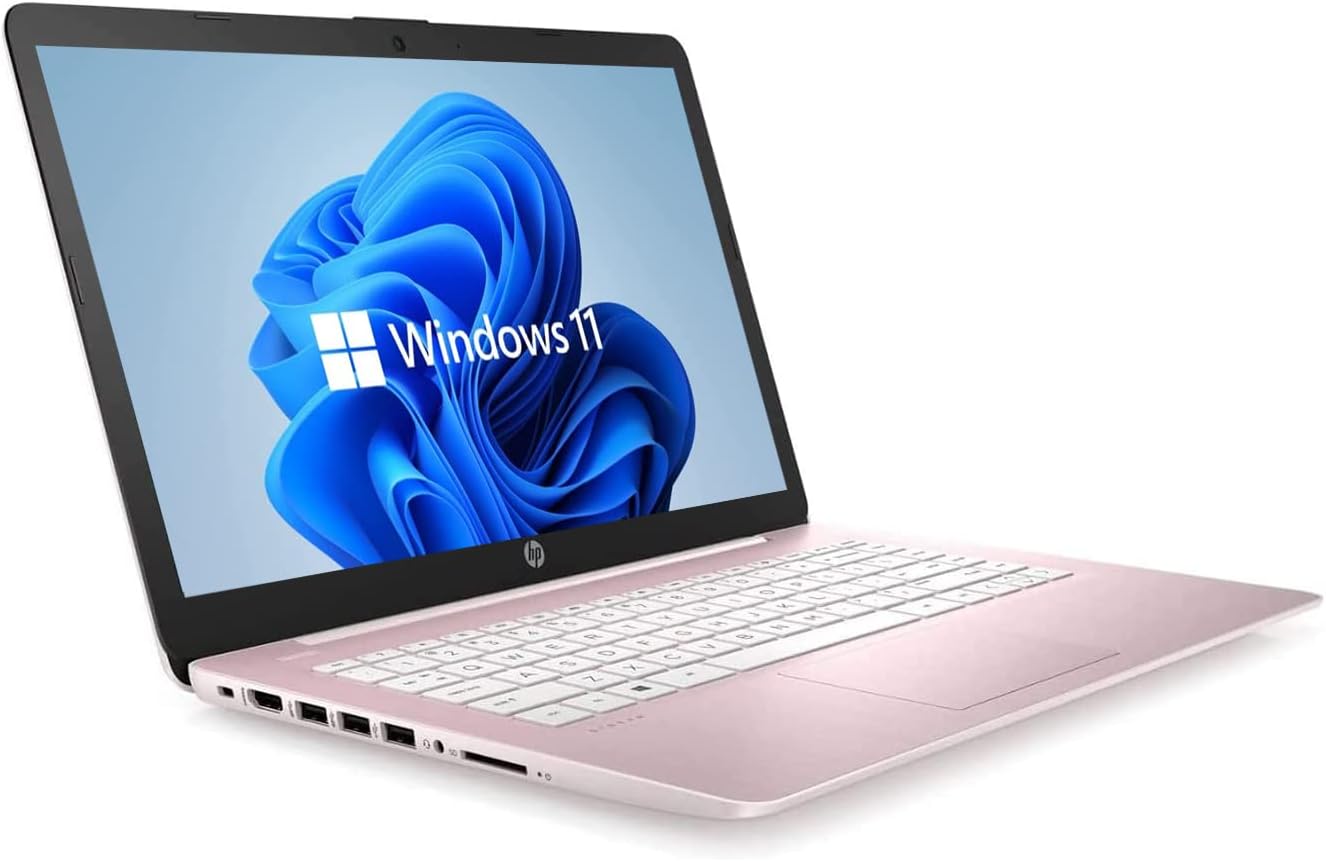
Obrázek 2: Boční strana view of the HP 14-inch HD Laptop, highlighting the USB Type-A ports and the SD card reader.
- USB Type-A Ports (3x): Připojte zařízení USB, jako jsou externí pevné disky, myši nebo klávesnice.
- SD Card Reader (1x): Vložte SD kartu pro přenos fotografií nebo files.
- Headphone/Microphone Combo Jack (1x): Připojte sluchátka, externí reproduktory nebo náhlavní soupravu s mikrofonem.
3.3 Webkamera a mikrofon
The integrated HP Webcam and digital microphone are located at the top center of the display. These are used for video calls, online meetings, and recording audio/video.
3.4 Připojení Bluetooth
To connect Bluetooth devices (e.g., wireless headphones, speakers, or mice):
- Go to 'Settings' > 'Bluetooth & devices'.
- Ujistěte se, že je Bluetooth zapnutý.
- Klikněte na „Přidat zařízení“ a vyberte „Bluetooth“.
- Choose your device from the list and follow any pairing instructions.
4. Údržba
4.1 Obecná péče
- Keep the laptop clean by gently wiping surfaces with a soft, lint-free cloth. Avoid harsh chemicals.
- Ujistěte se, že větrací otvory jsou volné, aby nedošlo k přehřátí.
- Avoid exposing the laptop to extreme temperatures, direct sunlight, or moisture.
4.2 Aktualizace softwaru
Regularly update your Windows 11 operating system and drivers to ensure optimal performance and security.
- Go to 'Settings' > 'Windows Update'.
- Click 'Check for updates' and install any available updates.
4.3 Péče o baterii
- Pro optimální výdrž baterie se vyvarujte neustálého vybíjení baterie na 0 % nebo jejího delšího vybíjení na 100 %.
- Pokud notebook delší dobu nepoužíváte, skladujte jej na chladném a suchém místě.
4.4 Správa úložiště
With a 64GB SSD, efficient storage management is crucial. Regularly:
- Smazat nepotřebné files a aplikace.
- Využijte cloudové úložné služby pro velké files.
- Consider an external storage device for additional capacity.
5. Řešení problémů
5.1 Běžné problémy a řešení
| Problém | Možné řešení |
|---|---|
| Notebook se nezapne | Ujistěte se, že je napájecí adaptér bezpečně připojen a zásuvka je funkční. Zkuste jinou zásuvku. |
| Pomalý výkon nebo zpoždění | Close unnecessary applications. Check for Windows updates. Manage storage to free up space. Restart the laptop. |
| Problémy s připojením Wi-Fi | Restart your router and modem. Ensure Wi-Fi is enabled on the laptop. Forget and reconnect to the network. |
| Display problems (e.g., no image) | Připojte externí monitor a zkontrolujte, zda je problém s displejem notebooku. Upravte nastavení jasu. |
| Baterie se nenabíjí | Verify the power adapter and charging port are not damaged. Ensure the adapter is correctly plugged in. |
5.2 Další pomoc
For more detailed troubleshooting or issues not covered here, refer to the official HP support website or Windows 11 help resources.
6. Specifikace
The following table outlines the key technical specifications for your HP 14-inch HD Laptop:
| Funkce | Specifikace |
|---|---|
| Velikost obrazovky | 14 palce |
| Rozlišení obrazovky | 1366 x 768 pixelů (HD) |
| Procesor | Intel Celeron Dual-Core (up to 2.60 GHz) |
| BERAN | 4 GB DDR4 |
| Skladování | 64 GB SSD |
| Grafický koprocesor | Integrovaná grafika Intel |
| Operační systém | Windows 11 |
| Bezdrátové připojení | 802.11a/b/g/n/ac (2x2) Wi-Fi, Bluetooth |
| Porty | 3x USB Type-A, 1x SD Card Reader, 1x Headphone/Microphone Combo Jack |
| Webvačka | HP Webcam with Integrated Digital Microphone |
| Barva | Dale Pink |
| Hmotnost položky | 3.24 libry |
| Rozměry produktu (DxŠxV) | 12.9 x 8.9 x 0.9 palce |
7. Záruka a podpora
7.1 Obnovená záruka Amazonu
Tento produkt je součástí programu Amazon Renewed. Byl profesionálně zkontrolován a otestován, aby fungoval a vypadal jako nový. Pokud nejste s nákupem spokojeni, máte nárok na výměnu nebo vrácení peněz v rámci záruky Amazon Renewed Guarantee. Úplné informace naleznete v podmínkách záruky Amazon Renewed Guarantee.
7.2 Podpora HP
Pro technickou podporu, stažení ovladačů nebo další informace o produktech navštivte oficiální stránky podpory HP. website. Have your product model number (HP 14-inch Laptop) and serial number ready when contacting support.