
Cuifati Cuifatip0izksa79g3281
Cuifati Wireless Smart Remote Control User Manual
Model: Cuifatip0izksa79g3281
Zavedení
This manual provides comprehensive instructions for the Cuifati Wireless Smart Remote Control. It covers setup, operation, maintenance, and troubleshooting to ensure optimal performance and longevity of your device. This remote control features 2.4G and Bluetooth 5.0 connectivity, voice control, and IR learning capabilities, making it compatible with a wide range of devices such as Nvidia Shield, PCs, Projectors, Smart TVs, and Android TV Boxes.
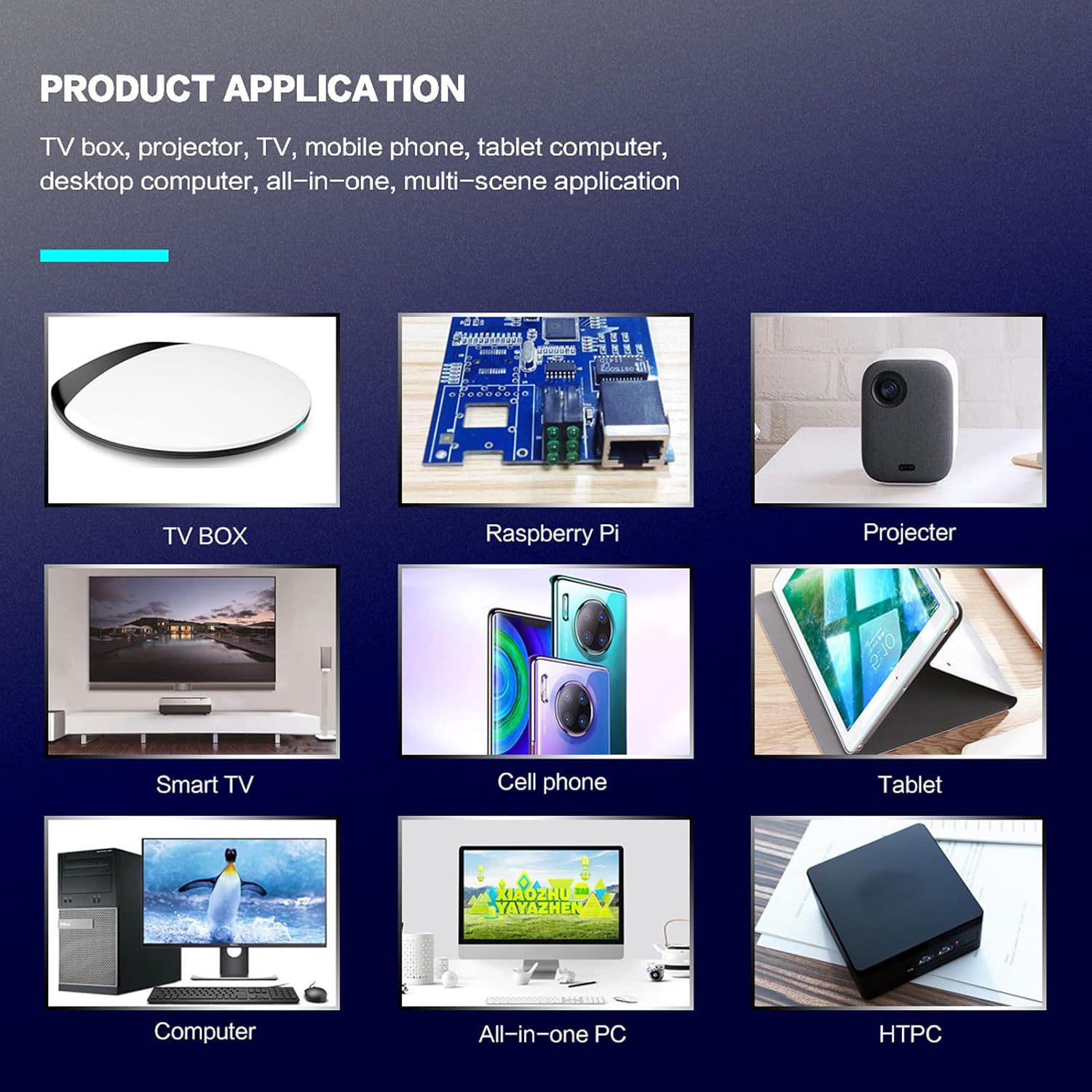
Obrázek 1: Product application examples.
Obsah balení
Prosím, ověřte, zda jsou v balení přítomny všechny položky:
- 1 x Cuifati Wireless Smart Remote Control
- 1 x 2.4G USB přijímač
- 1 x Uživatelská příručka
Specifikace
| Funkce | Detail |
|---|---|
| Značka | Cuifati |
| Číslo modelu | Cuifatip0izksa79g3281 |
| Materiál | ABS |
| svtage | 3.0 V |
| Režimy připojení | 2.4G, Bluetooth 5.0 |
| Provozní proud | <15 mA |
| Pohotovostní proud | <20 uA |
| Provozní vzdálenost | >10 metrů (32.8 stop) |
| Typ baterie | 2 x AAA baterie (nejsou součástí balení) |
| Počet tlačítek | 5 (Control buttons, total buttons are more) |
| Kompatibilní zařízení | Streaming devices, Televisions, PCs, Projectors, Smart TVs, Android TV Boxes |
| Speciální funkce | Universal, Voice Control, IR Learning, Backlit |
Průvodce nastavením
1. Instalace baterie
Dálkové ovládání vyžaduje dvě baterie AAA (nejsou součástí balení).
- Otevřete kryt prostoru pro baterie na zadní straně dálkového ovládání.
- Vložte dvě baterie AAA a dbejte na správnou polaritu (+ a -).
- Bezpečně zavřete kryt bateriového prostoru.

Obrázek 2: Battery compartment with AAA batteries.
2. Připojení dálkového ovladače
The remote control supports both 2.4G wireless and Bluetooth 5.0 connectivity.
2.1. 2.4G Wireless Connection (via USB Receiver)
- Insert the 2.4G USB receiver into an available USB port on your device (e.g., Smart TV, Android TV Box, PC).
- Zařízení by mělo automaticky detekovat a nainstalovat potřebné ovladače.
- Dálkový ovladač je nyní připraven k použití.
2.2. Připojení Bluetooth 5.0
For Bluetooth connection, ensure your device supports Bluetooth 5.0 or higher.
- Na dálkovém ovladači stiskněte a podržte OK tlačítko a Návrat button simultaneously for 3 seconds. The indicator light on the remote will flash rapidly, indicating it is in pairing mode.
- V zařízení přejděte do nastavení Bluetooth a vyhledejte dostupná zařízení.
- Select "G20s Pro" (or similar device name) from the list of found devices to pair.
- Po spárování přestane kontrolka na dálkovém ovladači blikat.

Obrázek 3: Pokyny pro spárování Bluetooth.
Návod k obsluze
1. Funkce tlačítekview
Familiarize yourself with the layout and functions of the remote control buttons.

Obrázek 4: Remote control button layout and functions.
- Power (IR Learning Key): Turns the device on/off. Can be programmed via IR learning.
- Mic: Activates voice input.
- Kontrolka: Shows status (pairing, IR learning).
- Mute (IR Learning Key): Mutes/unmutes audio. Can be programmed via IR learning.
- Pg+ / Pg-: Page Up / Page Down.
- Navigation Keys (Up/Down/Left/Right): For menu navigation.
- OK / Enter / Mouse Left: Confirms selection or acts as left mouse click.
- Return / Mouse Right: Goes back or acts as right mouse click.
- Domov: Returns to the home screen.
- Open Google Voice Assistant: Dedicated button for voice assistant.
- Volume - / Volume +: Adjusts volume.
- Přehrát/Pozastavit: Ovládá přehrávání médií.
- Předchozí další: Skips to previous or next media track.
- BackSpace: Deletes characters.
- Menu: Press and hold to turn on/off the backlight.
2. Hlasové ovládání
The remote control supports voice commands for compatible devices. Press the Mic button and speak clearly into the remote to issue commands or search content.
3. Funkce učení IR
The Power and Mute buttons can learn infrared signals from your existing TV remote control, allowing you to control basic TV functions with this remote.

Obrázek 5: IR Learning process for the Power button.
- Stiskněte a podržte Moc tlačítko (resp Ztlumit button) on the Cuifati remote for 3 seconds. The red indicator light will flash slowly, entering IR learning mode.
- Point the infrared emitter of your original TV remote control directly at the infrared receiver of the Cuifati remote (approximately 2-3 cm apart).
- Press the desired button on your original TV remote (e.g., Power button). The Cuifati remote's red indicator light will flash rapidly and then turn off, indicating successful learning.
- Repeat the process for other buttons if desired.
4. Motion Sensing (Air Mouse)
The remote control features a gyroscope core compensation algorithm for motion sensing, allowing it to function as an air mouse. Move the remote in the air to control the cursor on your screen.

Obrázek 6: Motion sensing in action.
Údržba
- Keep the remote control dry. Avoid exposure to moisture or liquids.
- Dálkový ovladač čistěte měkkým, suchým hadříkem. Nepoužívejte abrazivní čisticí prostředky ani rozpouštědla.
- Pokud dálkový ovladač nebudete delší dobu používat, vyjměte baterie, abyste zabránili jejich vytečení.
- Zabraňte pádu dálkového ovladače nebo jeho vystavování silným nárazům.
Odstraňování problémů
- Dálkové ovládání nereaguje:
- Ujistěte se, že jsou baterie správně vloženy a nejsou vybité. V případě potřeby je vyměňte.
- Check if the 2.4G USB receiver is properly inserted into the device's USB port.
- For Bluetooth connection, ensure the remote is paired correctly. Re-pair if connection is lost.
- Ensure there are no obstructions between the remote and the device (for 2.4G) or within Bluetooth range.
- Hlasové ovládání nefunguje:
- Ensure the remote is properly connected via 2.4G or Bluetooth.
- Verify that your device supports voice input and that the microphone is enabled.
- Speak clearly and close to the remote's microphone.
- Učení IR selhalo:
- Ensure the original remote's IR emitter is pointed directly at the Cuifati remote's IR receiver, within 2-3 cm.
- Ujistěte se, že má originální dálkový ovladač dostatečnou kapacitu baterie.
- Repeat the learning steps carefully.
Záruka a podpora
Specific warranty information is not provided in this manual. For warranty details, technical support, or service inquiries, please refer to the product packaging or contact the manufacturer directly through their official webstránky nebo kanály zákaznických služeb.
Ask a question about this manual
Ask about setup, troubleshooting, compatibility, parts, safety, or missing instructions. Manuals+ will review the question and use this page’s manual context to help answer it.