
1. Úvod
Děkuji za nákupasing the Muse M-308 BT Bluetooth Speaker. This manual provides essential information for the safe and correct use of your device. Please read it thoroughly before use and keep it for future reference.
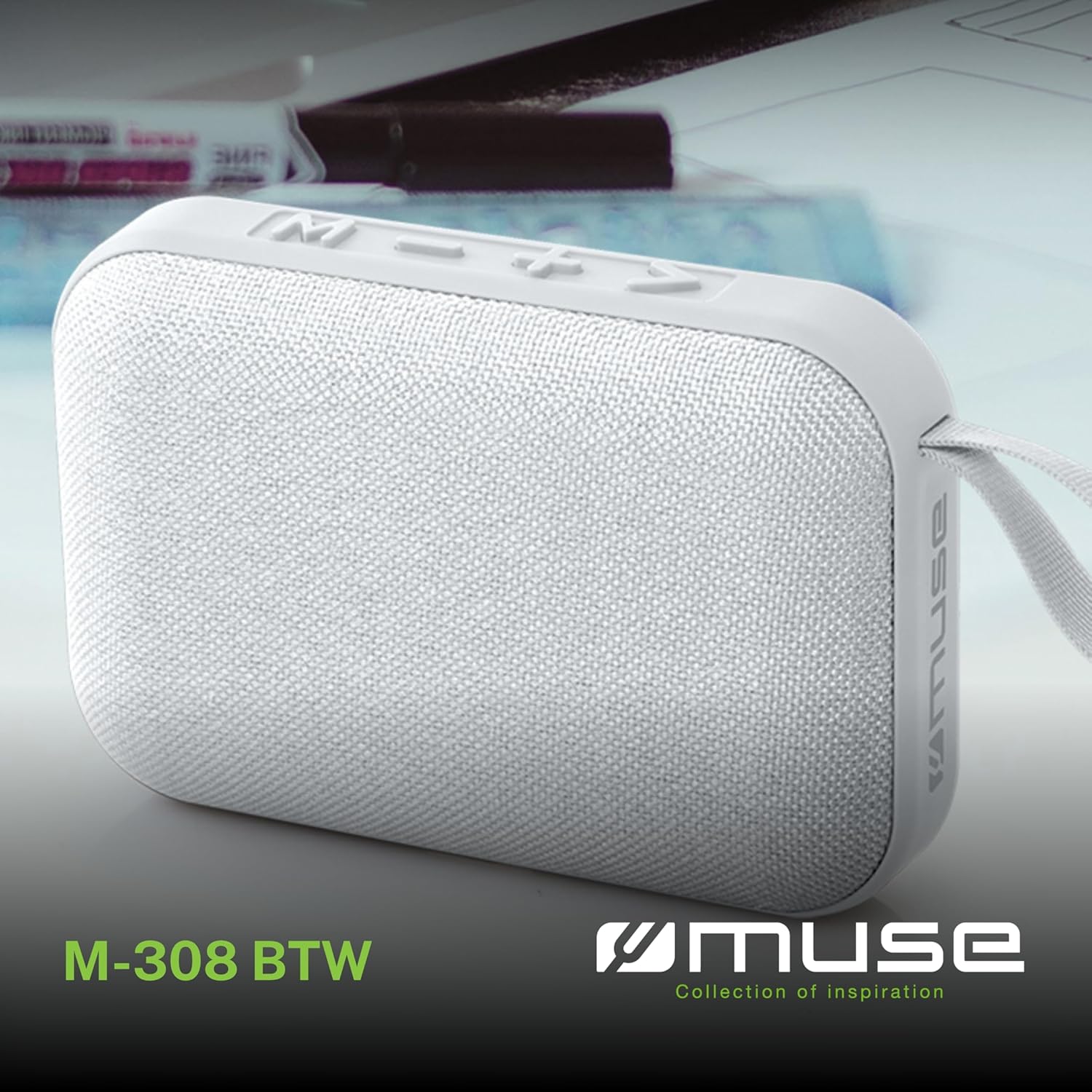
Obrázek 1.1: Přední strana view of the Muse M-308 BT Bluetooth Speaker.
2. Vlastnosti produktu
- Bluetooth připojení: Streamujte zvuk bezdrátově z kompatibilních zařízení.
- Funkce handsfree: Integrated microphone for taking calls.
- Přehrávání médií: Supports music playback from USB and MicroSD (TF) cards.
- Stereo párování: Connect two M-308 BT speakers for enhanced stereo sound.
- LED indikátor: Provides visual feedback for Bluetooth pairing and charging status.
- Kompaktní a lehký: Designed for portability, weighing approximately 200g.
- Vestavěná dobíjecí baterie: 1200mAh capacity for up to 10 hours of playback.
- Výstupní výkon: 5 Watts for clear audio.

Image 2.1: Key features of the Muse M-308 BT speaker.

Image 2.2: Additional functionalities of the Muse M-308 BT speaker.
3. Obsah balení
Při vybalování se ujistěte, že jsou přítomny všechny položky:
- Muse M-308 BT Bluetooth Speaker
- USB nabíjecí kabel
- Uživatelská příručka (tento dokument)
4. Ovládací prvky a připojení
Seznamte se s ovládacími prvky a připojovacími porty reproduktoru:

Image 4.1: Top panel with various connections.
- USB port: Pro přehrávání hudby z USB flash disku.
- Micro-USB port: Pro nabíjení reproduktoru.
- Slot pro kartu Micro SD (TF): For playing music from a Micro SD card.
- Přepínač ON/OFF: Zapnutí nebo vypnutí reproduktoru.

Image 4.2: Side panel with control buttons.
- Tlačítko M (Režim): Press to switch between Bluetooth, USB, and Micro SD modes.
- - Button (Volume Down / Previous Track):
- Krátké stisknutí: Snížení hlasitosti.
- Dlouhé stisknutí: Přechod na předchozí skladbu.
- + Button (Volume Up / Next Track):
- Krátké stisknutí: Zvýšení hlasitosti.
- Dlouhé stisknutí: Přechod na další skladbu.
- > Button (Play / Pause / Call):
- Krátké stisknutí: Přehrávání nebo pozastavení hudby.
- Short press (during incoming call): Answer call.
- Long press (during incoming call): Reject call.
- Short press (during call): End call.
5. Nastavení
5.1 Nabíjení reproduktoru
- Connect the supplied USB charging cable to the Micro-USB port on the speaker.
- Druhý konec kabelu USB připojte k napájecímu adaptéru USB (není součástí balení) nebo k portu USB počítače.
- The LED indicator will illuminate to show charging status. It will turn off or change color when fully charged.
5.2 Zapnutí/vypnutí
- Pro zapnutí přepněte vypínač do polohy „ON“. Uslyšíte zvukový signál.
- Chcete-li přístroj vypnout, přepněte vypínač do polohy „VYPNUTO“.
5.3 Párování Bluetooth
- Ensure the speaker is powered on and in Bluetooth mode (indicated by a flashing LED). If not, press the 'M' button to switch to Bluetooth mode.
- Povolte Bluetooth na svém smartphonu, tabletu nebo jiném kompatibilním zařízení.
- Hledat available Bluetooth devices and select "M-308 BT" from the list.
- Po spárování přestane LED indikátor blikat a zůstane svítit nepřerušovaně a uslyšíte potvrzovací tón.
- The speaker will automatically connect to the last paired device when powered on, if it is within range.
5.4 Stereo Pairing (TWS Function)
To pair two M-308 BT speakers for true wireless stereo sound:
- Ensure both speakers are powered on and in Bluetooth pairing mode (LED flashing).
- On one of the speakers (this will be the primary speaker), double-press the 'M' button. The speaker will search for another M-308 BT speaker.
- Once connected, both speakers will emit a confirmation tone, and the LED on the primary speaker will flash slowly, while the LED on the secondary speaker will remain solid.
- Nyní připojte zařízení k primárnímu reproduktoru přes Bluetooth, jak je popsáno v části 5.3.
6. Návod k obsluze
6.1 Přehrávání hudby
- Režim Bluetooth: After successful pairing, start playing music on your connected device. The audio will stream through the speaker.
- Režim USB/Micro SD: Insert a USB flash drive or Micro SD card into the respective port. The speaker will automatically switch to the corresponding mode and begin playing music. If it doesn't, press the 'M' button to cycle through modes.
6.2 Ovládání hlasitosti
- Stisknutím tlačítka „+“ zvýšíte hlasitost.
- Stisknutím tlačítka „-“ snížíte hlasitost.
6.3 Navigace po trase
- Dlouhým stisknutím tlačítka „+“ přeskočíte na další skladbu.
- Long press the '-' button to go back to the previous track.
6.4 Volání handsfree
- When a call comes in, the music will pause. Press the '>' button to answer the call.
- To end a call, press the '>' button again.
- To reject an incoming call, long press the '>' button.
7. Údržba
- Chraňte reproduktor před extrémními teplotami, přímým slunečním zářením a vlhkostí.
- Do not expose the speaker to water or other liquids. This model is not water-resistant.
- Reproduktor čistěte měkkým, suchým hadříkem. Nepoužívejte abrazivní čisticí prostředky ani rozpouštědla.
- Nepokoušejte se reproduktor rozebírat ani opravovat sami. Ztratíte tak záruku.
- Pokud baterii delší dobu nepoužíváte, nabíjejte ji alespoň jednou za tři měsíce, aby byla zachována její životnost.
8. Řešení problémů
| Problém | Možná příčina | Řešení |
|---|---|---|
| Reproduktor se nezapne. | Baterie je vybitá. | Nabijte reproduktor pomocí dodaného USB kabelu. |
| Nelze spárovat přes Bluetooth. | Bluetooth is not enabled on your device or speaker is not in pairing mode. Speaker is too far from the device. | Ensure Bluetooth is active on both devices. Make sure the speaker is in Bluetooth pairing mode (flashing LED). Move the speaker closer to your device (within 10 meters). |
| Žádný zvuk. | Volume is too low. Speaker is not connected. Incorrect mode selected. | Increase the volume on both the speaker and your connected device. Re-pair the Bluetooth connection. Press the 'M' button to cycle through modes (Bluetooth, USB, Micro SD). |
| Music playback from Micro SD card is erratic or "screaming". | Zkorumpovaný files on Micro SD card. Incompatible file formát. | Zajistěte zvuk files are in a compatible format (e.g., MP3). Try using a different Micro SD card or reformatting the current one and reloading files. |
| Speaker switches between modes (e.g., SD and BT) unexpectedly. | Interference or a temporary software glitch. | Power off the speaker, wait a few seconds, then power it back on. Ensure no other devices are causing interference. If the issue persists, try removing the Micro SD card if it's inserted. |
9. Specifikace
| Název modelu | M-308 BT |
| Značka | Múza |
| Technologie připojení | Bluetooth, drátové |
| Technologie bezdrátové komunikace | Bluetooth |
| Maximální výstupní výkon reproduktoru | 5 wattů |
| Režim zvukového výstupu | Stereo |
| Typ reproduktoru | Přenosný Bluetooth reproduktor |
| Speciální funkce | Bluetooth |
| Kompatibilní zařízení | Smartphone, tablet |
| Zdroj napájení | Baterie |
| Životnost baterie | 10 hodiny |
| Kapacita baterie | 1200 miliamphodinu |
| Rozměry produktu (D x Š x V) | 118D x 30B x 76H milimetrů (11.8 x 3 x 7.6 cm) |
| Hmotnost položky | 200 gramů |
| Materiál | Plastic rubber material |
| Is Water Resistant | Žádný |
| Zahrnuté komponenty | USB nabíjecí kabel |
Image 9.1: Dimensions of the Muse M-308 BT speaker.
10. Záruka a podpora
The Muse M-308 BT Bluetooth Speaker comes with a 2-letá záruka od data nákupu.
For technical support, warranty claims, or further assistance, please contact your retailer or visit the official MUSE webstránky pro kontaktní informace.