
FLITI Galaxy Projector Instruction Manual
Model: galaxy projector-1
Důležité bezpečnostní informace
Please read all safety instructions carefully before operating this product. Failure to follow these instructions may result in injury or damage to the product.
- Dohled dospělých: Do not allow children to operate this product alone.
- Zamýšlené použití: This product is designed for indoor use in night or dark environments. Outdoor use, or use in daylight or strong light conditions, will significantly affect the projection effect.
- Voděodolnost: The product has an IP20 waterproof rating, meaning it is suitable for dry environments only. Avoid exposure to water or damp podmínky.
- Provozní teplota: The recommended operating temperature range is 0-45°C (32-113°F). Operation outside this range, especially in excessively high or low temperatures, may cause the product to malfunction or the laser to not illuminate.
- Napájecí adaptér: Use only a DC5V/2A power adapter with this product. Using an adapter with incorrect voltage or current may damage the laser module and shorten the product's service life.
- Fyzická manipulace: Avoid dropping or subjecting the device to strong impacts, as this may damage the internal laser module.
- Normal Operation Noise: A slight noise may be heard when the internal motor rotates. This is normal and does not indicate a quality defect.

Konec produktuview
The FLITI Galaxy Projector creates a captivating visual experience with its nebula and galaxy projections. It features a wide coverage area, integrated Bluetooth speaker, white noise functions, and various lighting modes to enhance any room.

Klíčové vlastnosti:
- Dynamic Galaxy & Nebula Projections: Projects sci-fi nebula shapes and dreamy galaxy patterns.
- Rozsáhlé pokrytí: Designed to illuminate an entire room, not just the ceiling.
- Integrovaný Bluetooth reproduktor: Connect your device to play music.
- White Noise Functionality: Provides soothing sounds for relaxation.
- Nastavitelná nastavení: Includes timing, brightness adjustment, and various lighting modes.
- Dálkové ovládání: Pohodlné ovládání na dálku.

Nastavení
- Rozbalení: Carefully remove the galaxy projector and its accessories from the packaging. Ensure all components, including the projection lamp and base, are present.
- Umístění: Place the projector on a stable, flat surface. For optimal projection, position it in the center of the room or at a desired angle to cover the intended area. The projector's base allows for adjustable light direction.
- Připojení napájení: Connect the provided DC5V/2A power adapter to the projector's power input port. Plug the adapter into a standard electrical outlet.
- Počáteční zapnutí: Stisknutím tlačítka napájení na projektoru nebo na dálkovém ovladači zapněte zařízení.
Návod k obsluze
Basic Controls (via Projector Buttons or Remote Control):
- Zapnutí/vypnutí: Stisknutím tlačítka napájení zapněte nebo vypněte projektor.
- Světelné režimy: Cycle through various galaxy and nebula projection modes.
- Nastavení jasu: Adjust the intensity of the projected light.
- Rychlost otáčení: Control the speed of the galaxy/nebula rotation.
- Funkce časovače: Set an automatic shut-off timer (e.g., 1H/2H/4H options may be available).

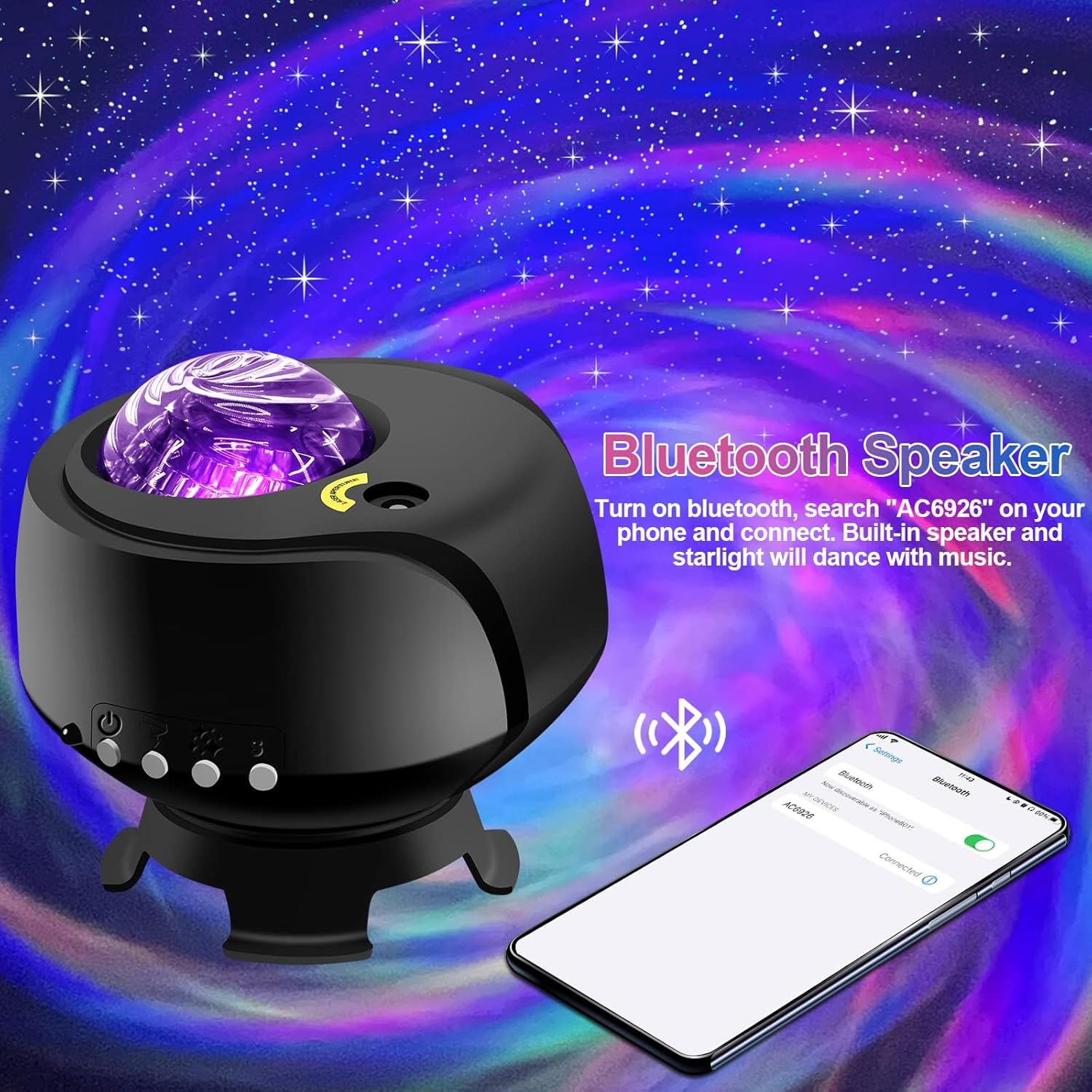
Funkce Bluetooth reproduktoru:
- Ujistěte se, že je projektor zapnutý.
- Na svém mobilním zařízení povolte Bluetooth a vyhledejte dostupná zařízení.
- Select the device named "AC6926" to pair.
- Once connected, you can play audio through the projector's built-in speaker. The projected starlight can synchronize with the music.
White Noise Function:
The projector includes a white noise feature to aid relaxation or sleep. Refer to the remote control or projector buttons for specific controls to activate and select white noise sounds.
Údržba
- Čištění: Disconnect the power before cleaning. Use a soft, dry cloth to wipe the exterior of the projector. Do not use abrasive cleaners, solvents, or excessive moisture, as these can damage the finish or internal components.
- Péče o čočky: Gently wipe the projection lens with a soft, lint-free cloth to ensure clear projection.
- Skladování: When not in use for extended periods, store the projector in a cool, dry place, away from direct sunlight and extreme temperatures. Keep it in its original packaging if possible to protect it from dust and impacts.
Odstraňování problémů
- Projector Does Not Turn On:
- Ujistěte se, že je napájecí adaptér bezpečně připojen k projektoru i k funkční elektrické zásuvce.
- Verify that you are using the correct DC5V/2A power adapter.
- Check if the power button on the projector or remote control is functioning.
- No Projection / Dim Projection:
- Ensure the room is sufficiently dark. The product is designed for optimal performance in low-light conditions.
- Adjust the brightness settings using the remote control or projector buttons.
- Check if the projection lens is clean and free from obstructions.
- Verify the ambient temperature is within the recommended 0-45°C range.
- Problémy s připojením Bluetooth:
- Ensure the projector is powered on and in Bluetooth pairing mode.
- Ujistěte se, že je na vašem mobilním zařízení zapnutá funkce Bluetooth a že je v dosahu.
- Zkuste zařízení zrušit a znovu spárovat.
- Restartujte projektor i mobilní zařízení.
- Hlučnost motoru:
- A slight noise during motor rotation is normal and not a defect. If the noise is excessive or unusual, contact customer support.
Specifikace
| Funkce | Specifikace |
|---|---|
| Číslo modelu | projektor galaxie-1 |
| Značka | FLITI |
| Barva | Černý |
| Tvar | Hvězda |
| Materiál | Plast |
| Typ dokončení | Projektor |
| Typ světelného zdroje | LED |
| Zdroj napájení | Elektrický kabel |
| svtage | 240 voltů |
| Wattage | 4 wattů |
| Rozměry produktu | 5.5 cm D x 4 cm Š x 5.1 cm V |
| Hmotnost položky | 13.1 unce (370 gramů) |
| Zahrnuté komponenty | Projekce Lamp, Základna |
| Speciální funkce | Změna barvy |
| Styl přepínání | Vzdálený |
| UPC | 199284591172 |
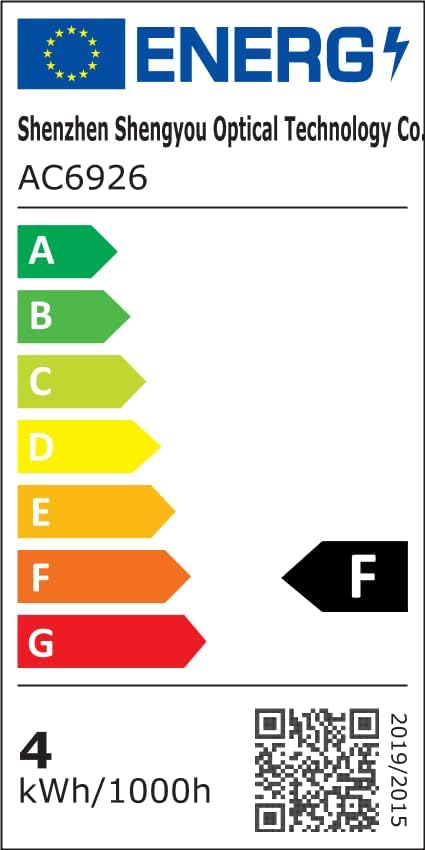
Informace o energetické účinnosti:
Záruka a podpora
FLITI is committed to providing high-quality products and customer satisfaction. For any questions, concerns, or support needs regarding your Galaxy Projector, please contact the manufacturer directly.
- Výrobce: FLITI
- Plány ochrany: Extended protection plans are available for purchase separately. Please refer to your retailer for details on 3-Year or 4-Year protection plans.
- Vrácení: Na tento produkt se vztahuje 30denní lhůta pro vrácení peněz/výměnu.