
TeleAdapt ChargeTime USB-C (TA-7835)
TeleAdapt LCD Display Alarm Clock with 3 USB Charging Ports
Návod k použití
1. Úvod
Thank you for choosing the TeleAdapt LCD Display Alarm Clock. This device is designed to provide accurate timekeeping, reliable alarm functions, and convenient charging for your mobile devices. Its compact design and intuitive features make it an ideal addition to any bedside table, office, or living space. This manual will guide you through the setup, operation, and maintenance of your new alarm clock.
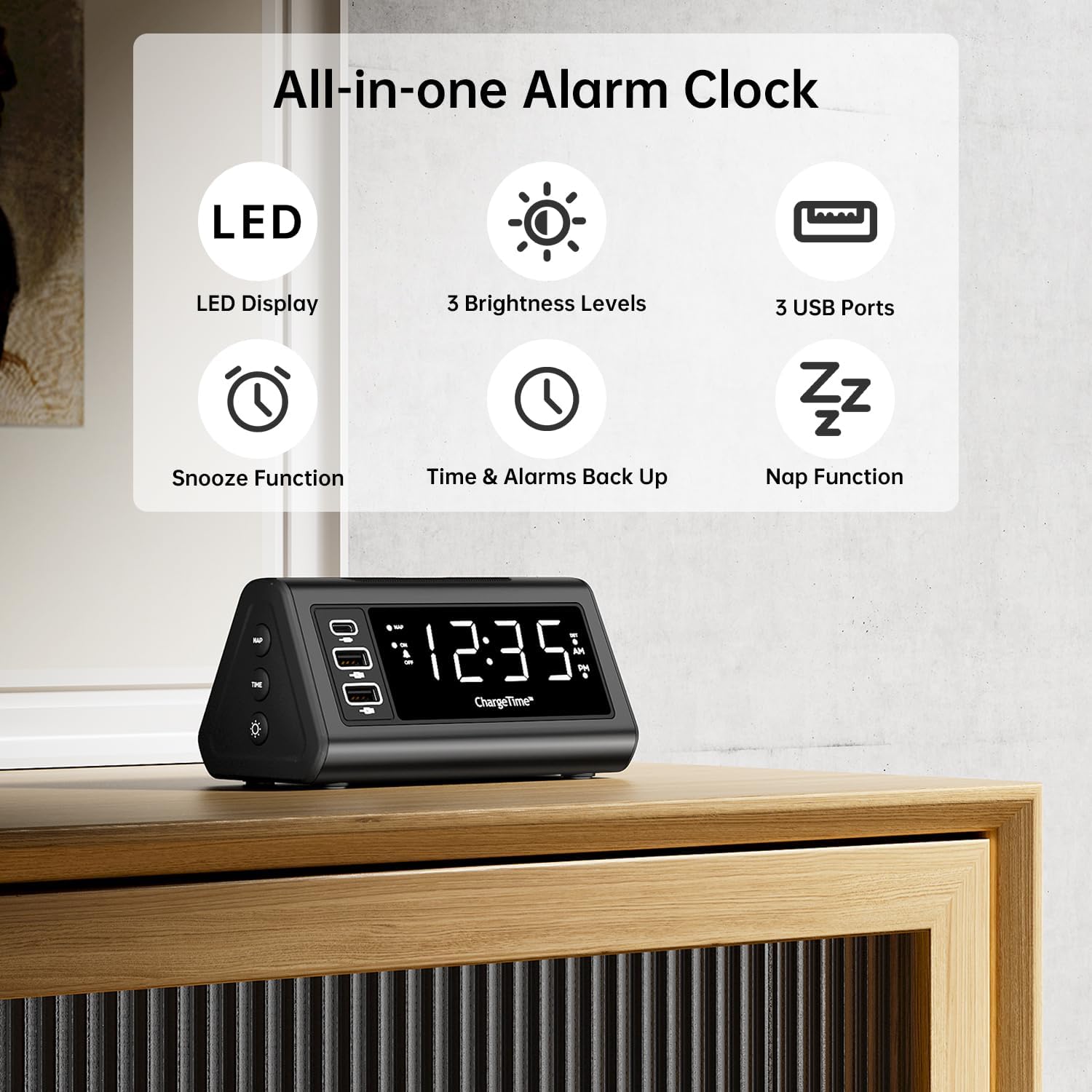
Obrázek 1: Přesview of TeleAdapt Alarm Clock features.
2. Důležité bezpečnostní informace
Please read all safety instructions carefully before using this product. Failure to follow these instructions may result in electric shock, fire, or damage to the device.
- Nevystavujte zařízení vodě ani nadměrné vlhkosti.
- Do not disassemble, repair, or modify the device. Refer all servicing to qualified personnel.
- Use only the provided AC power adapter. Using an incompatible adapter may damage the device.
- Ensure proper ventilation around the device. Do not cover ventilation openings.
- Chraňte zařízení před přímým slunečním zářením, zdroji tepla a otevřeným ohněm.
- Baterie likvidujte správným způsobem v souladu s místními předpisy.
3. Obsah balení
Ověřte, zda jsou v balení přítomny všechny položky:
- TeleAdapt LCD Display Alarm Clock
- AC Power Adapter with interchangeable plugs
- 2 x AAA Batteries (for backup)
- Návod k použití (tento dokument)
4. Konec produktuview
Seznamte se s různými částmi a ovládacími prvky budíku:
Front Display and USB Ports:
- Velký LED displej: Shows current time, AM/PM indicator, and DST status.
- Port USB-C (1x): For fast charging compatible devices (5V/3A output).
- Porty USB-A (2x): For charging various devices (5V/2.4A each output).
- NAP Indicator: Lights up when Nap function is active.
- Indikátor alarmu: Lights up when alarm is set.
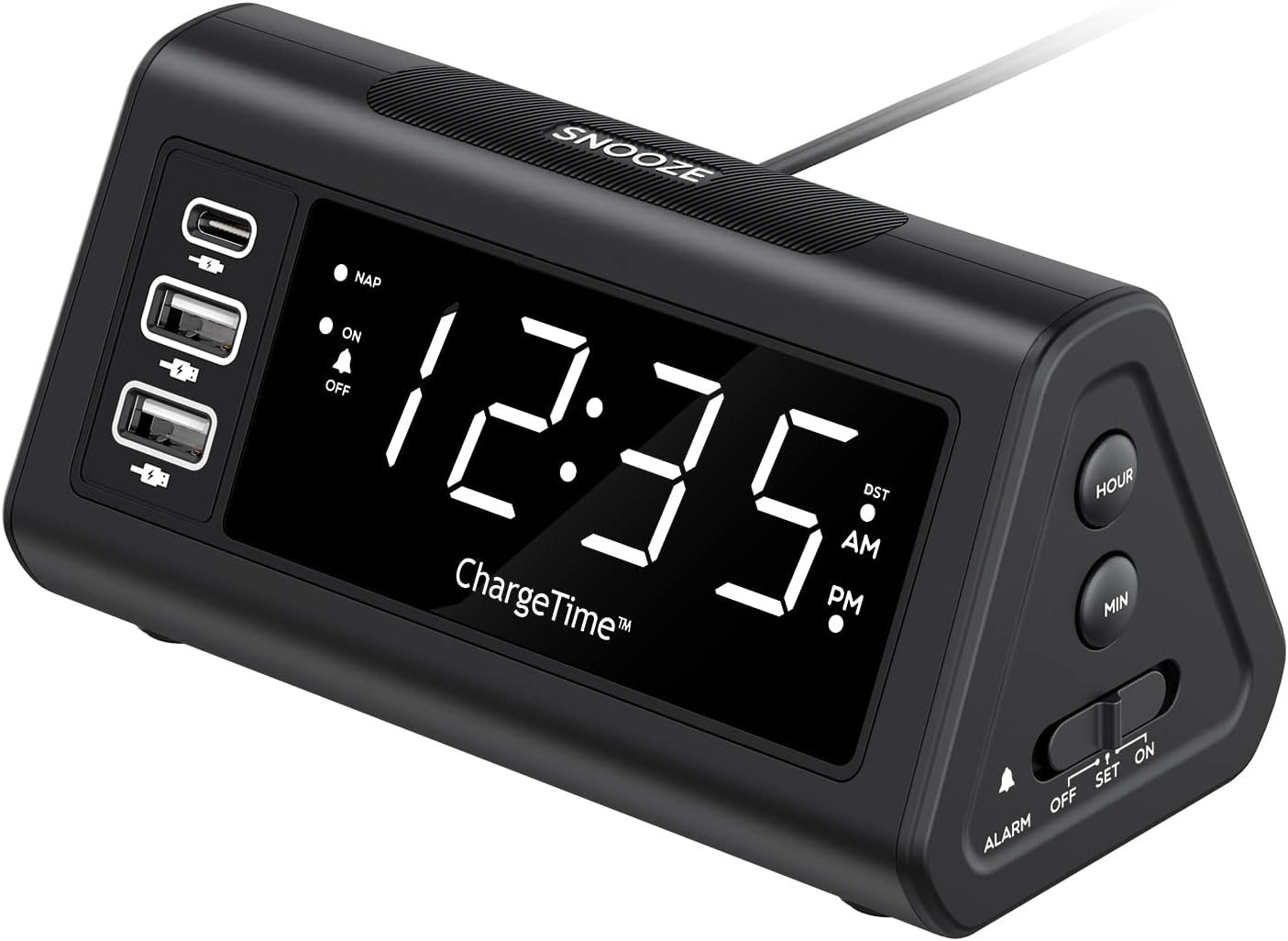
Obrázek 2: Přední strana view with display and USB ports.
Boční ovládací prvky:
- Tlačítko NAP: Activates and adjusts the nap timer.
- Tlačítko ON-OFF: Toggles the alarm on or off.
- Tlačítko TIME: Used in conjunction with SNOOZE to set time.
- Tlačítko STMÍVAČ: Adjusts display brightness (Off, Low, High).

Figure 3: Side controls for various functions.
Nahoře a zpět:
- Tlačítko "Odložit: Large button on top for snooze and dimmer adjustment.
- ALARM Switch (OFF/SET/ON): Slider switch to control alarm setting and activation.
- Tlačítko HODINY: Adjusts hour during time/alarm setting.
- Tlačítko MIN: Adjusts minute during time/alarm setting.
- Přihrádka na baterie: Pro záložní napájení pojme 2 baterie AAA.
- Vstup DC 12V/5A: Vstupní napětí pro síťový adaptér.
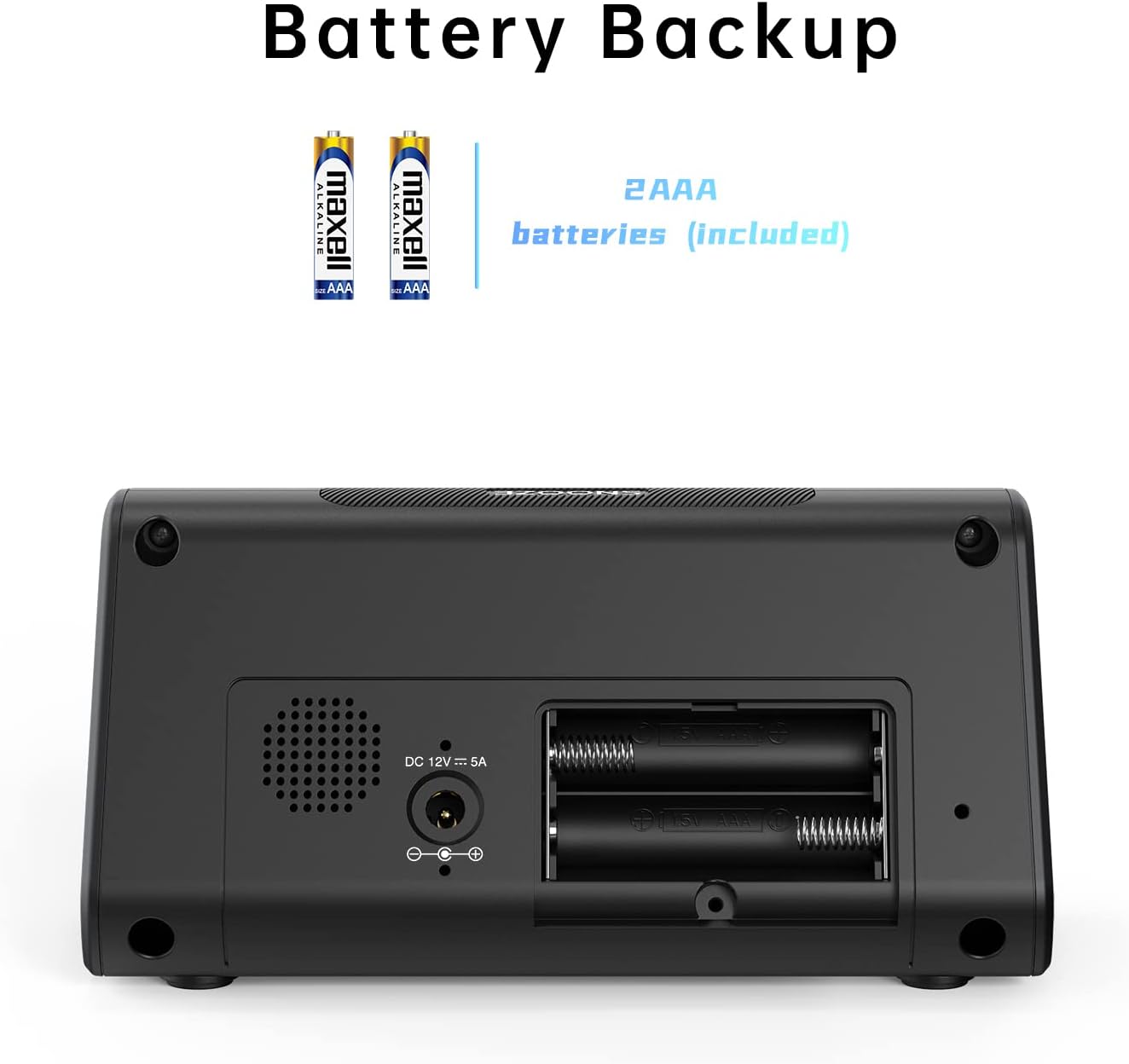
Obrázek 4: Zpět view with battery compartment and power input.
5. Nastavení
5.1. Připojení napájení
- Insert the 2 x AAA batteries into the battery compartment on the back of the alarm clock. Ensure correct polarity. These batteries provide backup power to retain time and alarm settings during a power outage.
- Connect the provided AC power adapter to the DC 12V/5A input port on the back of the alarm clock.
- Zapojte napájecí adaptér do standardní zásuvky. Displej se rozsvítí.

Figure 5: Connecting the AC power adapter.
5.2. Nastavení aktuálního času
- Stiskněte a podržte ČAS tlačítko a PODŘIMOVAT button simultaneously for 3 seconds. The display will begin to flash, indicating time setting mode.
- Použijte HODINA a MIN buttons on the side to adjust the year, month, and date in sequence. Press the ČAS tlačítko pro potvrzení každého nastavení a přechod k dalšímu.
- After setting the date, adjust the current hour and minute using the HODINA a MIN tlačítka.
- Stiskněte tlačítko ČAS znovu stiskněte tlačítko pro potvrzení času.
- You can enable or disable the Auto DST (Daylight Saving Time) feature in this menu. Use the HODINA or MIN buttons to select ON or OFF, then press ČAS to confirm. (Note: Auto DST is only available in US time zones).

Figure 6: Setting the time on the alarm clock.
6. Návod k obsluze
6.1. Nastavení alarmu
- Posuňte POPLACH switch on the side to the SOUBOR position. The time display will flash.
- Použijte HODINA a MIN buttons to set your desired wake-up time.
- Posuňte POPLACH přepnout na ON position to activate the alarm. The alarm indicator light will illuminate on the display.
6.2. Funkce odložení buzení
Když zazvoní budík, stiskněte velké PODŘIMOVAT button on top to temporarily silence the alarm. The alarm will sound again after the set snooze duration.
To set the snooze duration (5, 10, or 15 minutes):
- Stiskněte a podržte PODŘIMOVAT button for 3 seconds. The current snooze time will flash on the display.
- Opakovaně stiskněte tlačítko PODŘIMOVAT button to cycle through 5, 10, or 15 minutes.
- Stiskněte tlačítko PODŘIMOVAT potvrďte svůj výběr znovu.

Figure 7: Using the Snooze function.
6.3. Nap Function
The Nap function allows you to set a short-term alarm for a nap without affecting your main alarm setting.
- Stiskněte tlačítko ZDŘÍMNUTÍ button on the side of the clock. The display will show a nap duration (e.g., 90, 75, 60, 45, 30, 15 minutes) or OFF.
- Pokračujte stisknutím tlačítka ZDŘÍMNUTÍ button to cycle through the desired nap times or select OFF to disable. The “NAP” indicator will light when active.
- To stop the nap alarm when it sounds, press either the PODŘIMOVAT or ZDŘÍMNUTÍ tlačítko.

Figure 8: Utilizing the Nap function.
6.4. Nastavení jasu displeje
The alarm clock features three levels of display brightness: Off, Low, and High.
- Opakovaně stiskněte tlačítko SNOOZE/DIMMER tlačítko na horní straně hodin pro přepínání úrovní jasu.

Figure 9: Display brightness options.
6.5. Nabíjecí zařízení
The alarm clock includes three USB charging ports for your convenience:
- 1 x USB-C Port: Provides 5V/3A output for fast charging compatible devices.
- 2 porty USB-A: Provide 5V/2.4A output each for charging various smartphones, tablets, and other USB-powered devices.
Simply connect your device's charging cable to the appropriate USB port on the alarm clock. No additional charging station is required.
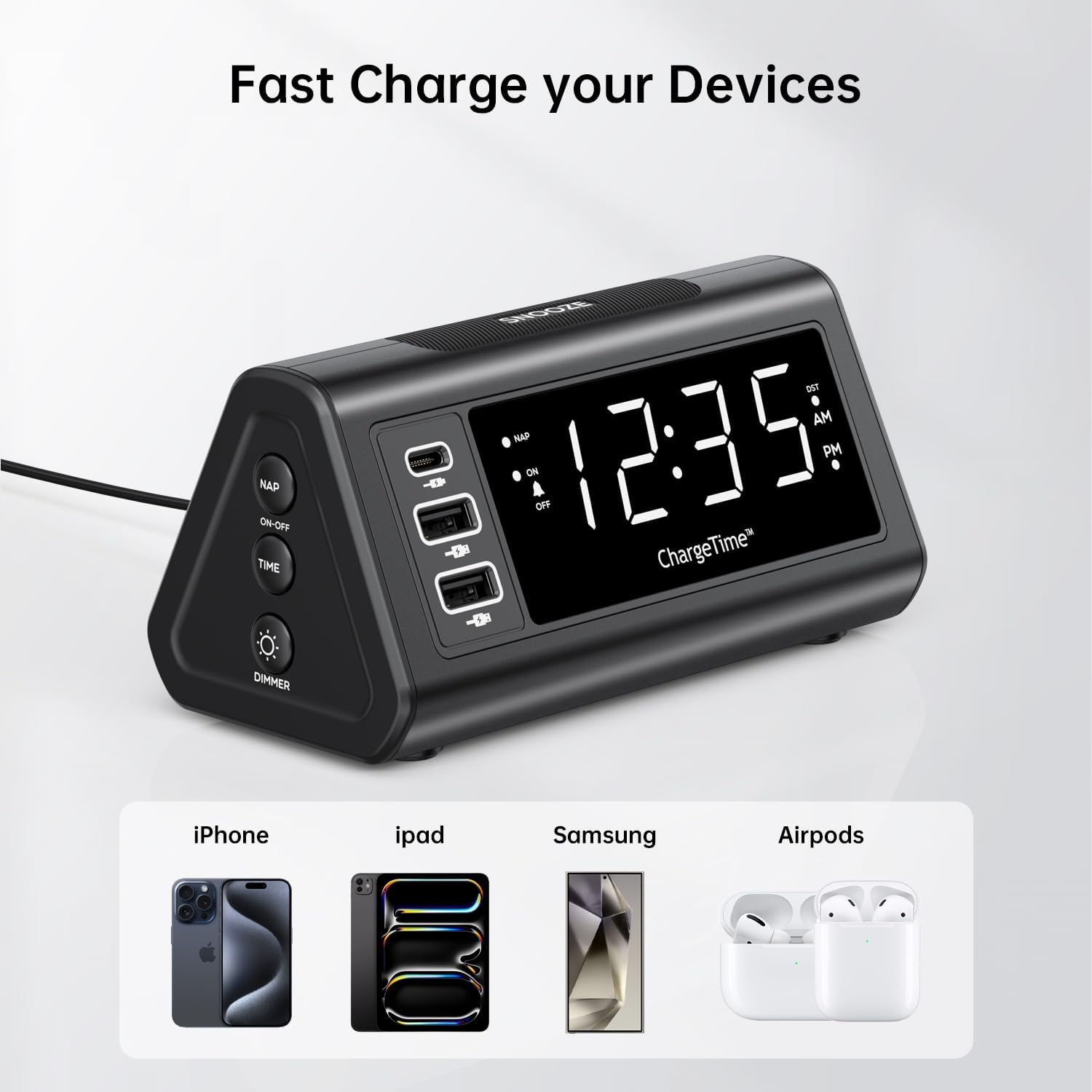
Figure 10: Charging devices via USB ports.
7. Údržba
7.1. Čištění
To clean the alarm clock, gently wipe the surface with a soft, dry cloth. Do not use abrasive cleaners, waxes, or solvents as they may damage the finish. Ensure the device is unplugged from the power outlet before cleaning.
7.2. Výměna baterie
The 2 x AAA batteries are for backup only and do not power the main functions. Replace them periodically (e.g., once a year) to ensure settings are retained during power outages. To replace, open the battery compartment on the back, remove old batteries, and insert new ones with correct polarity.
8. Řešení problémů
| Problém | Možná příčina | Řešení |
|---|---|---|
| Displej je prázdný nebo se nerozsvítí. | No power, power adapter not connected, or display brightness set to OFF. | Ensure AC adapter is securely plugged into the clock and wall outlet. Press the SNOOZE/DIMMER button repeatedly to adjust brightness. |
| Alarm se nespustí. | Alarm is not set, alarm switch is OFF, or volume is too low (if applicable). | Verify alarm time is set correctly. Slide the ALARM switch to the ON position. |
| Time settings are lost after power outage. | Záložní baterie jsou vybité nebo nejsou nainstalovány. | Ensure 2 x AAA batteries are installed correctly and are not depleted. Replace if necessary. |
| Cannot set time/alarm. | Incorrect button combination or sequence. | Refer to Section 5.2 for time setting (TIME + SNOOZE for 3 seconds) and Section 6.1 for alarm setting (ALARM switch to SET). |
| Devices not charging via USB ports. | Zařízení není kompatibilní, kabel je vadný nebo hodiny nejsou napájeny. | Ensure the alarm clock is powered by the AC adapter. Try a different USB cable or device to confirm functionality. |
9. Specifikace
- Značka: TeleAdapt
- Model: ChargeTime USB-C (TA-7835)
- Barva: Černý
- Typ displeje: Digitální LED
- Zdroj napájení: Corded Electric (AC mains), Battery Powered (backup)
- USB-C výstup: 5V/3A
- Výstup USB-A: 5V/2.4A (each port)
- Bateriová záloha: 2 x AAA baterie (součástí balení)
- Rozměry: Přibližně 7.48 x 5.35 x 3.43 palce
- Hmotnost položky: Přibližně 1.54 libry
- Speciální vlastnosti: 3-level display brightness, Snooze function (5/10/15 min), Nap timer (15-90 min), Auto-DST (US time zones only)
10. Záruka a podpora
For warranty information or technical support, please contact TeleAdapt customer service. Details can typically be found on the manufacturer's official webnebo prostřednictvím prodejního místa. Uschovejte si prosím doklad o koupi pro případ reklamace.
Výrobce: TeleAdapt
Webmísto: www.teleadapt.com (Poznámka: Toto je zástupný symbol URL. Refer to your product packaging or official documentation for the correct support contact information.)
Ask a question about this manual
Ask about setup, troubleshooting, compatibility, parts, safety, or missing instructions. Manuals+ will review the question and use this page’s manual context to help answer it.