
1. Konec produktuview
The Oladance OWS1 Open Ear Headphones offer a unique open-ear design for comfort and situational awareness. These wireless Bluetooth 5.2 headphones feature dual 16.5mm drivers for high-quality sound and extended battery life, making them suitable for various activities.
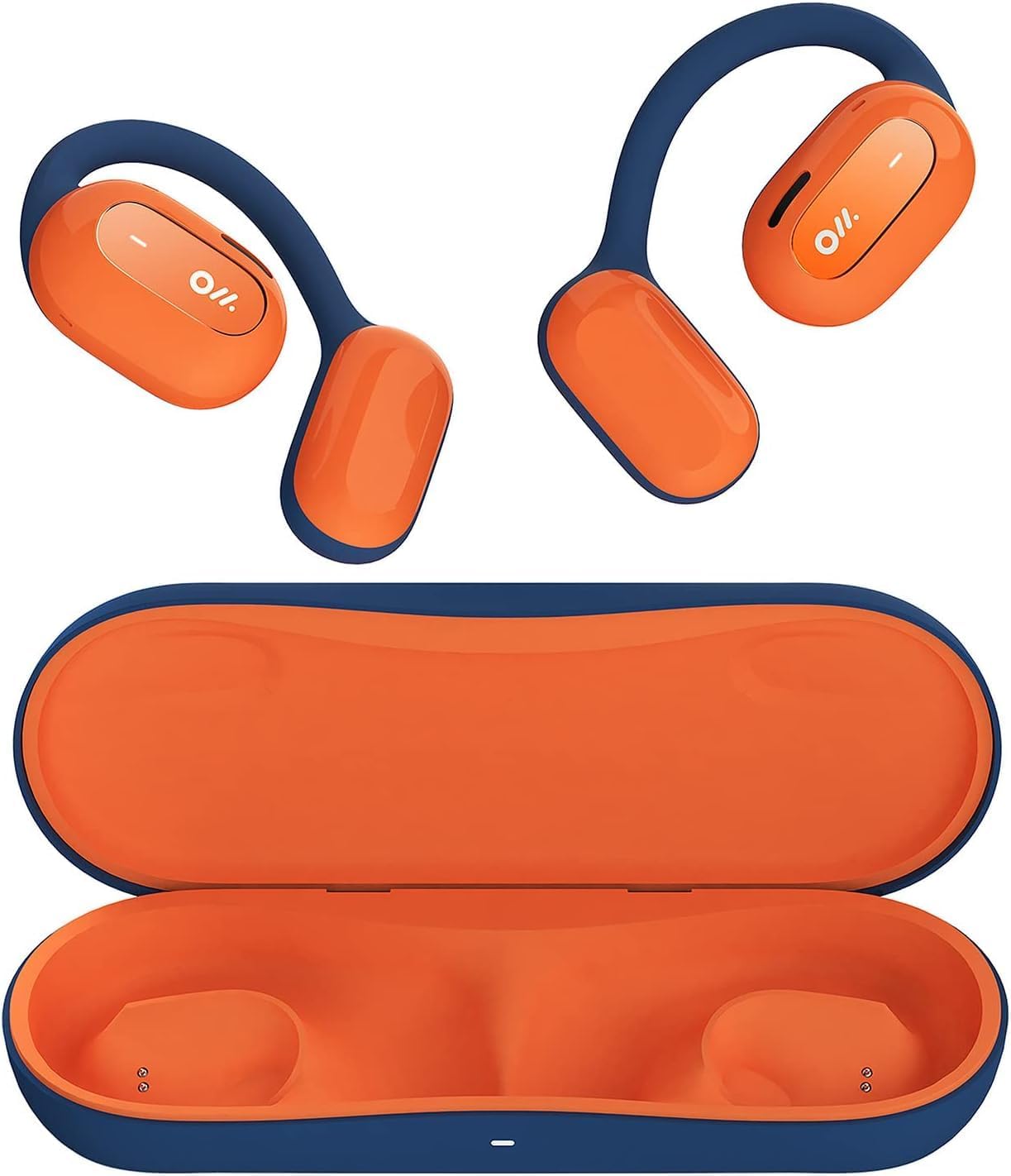
Image 1: Oladance OWS1 Open Ear Headphones and their carry case.
2. Co je v krabici
- 1 × Oladance Wearable Stereo (Pair of Open Ear Headphones)
- 1 × Non-charging Carry Case
- 1 × kabel typu C
- 1 × Uživatelská příručka
3. Klíčové vlastnosti
- Design s otevřeným uchem: Earbuds rest gently on top of the ear, avoiding insertion into the ear canal for enhanced comfort and situational awareness.
- 360° Superior Sound: Equipped with dual powerful 16.5mm dynamic drivers and bio-diaphragm technology for rich, clear audio across all volume levels.
- Anti-Hearing Loss Focus: Designed to prevent common health issues associated with traditional earbuds by not blocking the ear canal, reducing pressure and potential hearing damage.
- Extended 16-Hour Playtime: Features a built-in 160mAh battery and low-consumption algorithms, providing up to 16 hours of continuous playback on a single charge. Note: A separate charging case is required for extended playtime beyond the included carry case.
- Bezpečný a pohodlný střih: Multi-point support system distributes weight evenly across the ear, ensuring a stable and comfortable fit for various activities.

Image 2: The Oladance OWS1 headphones are designed for a secure and comfortable fit, ideal for activities like yoga.
4. Průvodce nastavením
4.1 Počáteční nabíjení
Before first use, fully charge your Oladance OWS1 headphones. Connect the provided Type-C cable to the charging port on the headphones and a compatible USB power source. The LED indicator will show charging status.
4.2 Zapnutí/vypnutí
- Zapnutí: Press and hold the power button (location typically on one of the earbud units) for approximately 2-3 seconds until you hear an audible prompt or see an LED indicator light up.
- Vypnutí: Press and hold the power button for approximately 3-5 seconds until you hear an audible prompt or the LED indicator turns off.
4.3 Párování Bluetooth
- Ujistěte se, že jsou sluchátka vypnutá.
- Press and hold the power button for approximately 5-7 seconds until the LED indicator flashes red and blue alternately. This indicates the headphones are in pairing mode.
- Na svém zařízení (chytrý telefon, tablet, počítač) přejděte do nastavení Bluetooth.
- Hledat "Oladance OWS1" in the list of available devices.
- Select "Oladance OWS1" to connect. Once connected, the LED indicator will typically flash blue slowly or turn off, and you will hear a confirmation tone.

Image 3: The Oladance OWS1 headphones are designed for an ergonomic and stable fit during various activities.
5. Návod k obsluze
5.1 Základní ovládací prvky
| Funkce | Akce |
|---|---|
| Přehrát/Pozastavit hudbu | Jednou stiskněte multifunkční tlačítko. |
| Další stopa | Dvakrát stiskněte multifunkční tlačítko. |
| Předchozí stopa | Třikrát stiskněte multifunkční tlačítko. |
| Zvýšení hlasitosti | Single press the Volume + button. |
| Snížit hlasitost | Single press the Volume - button. |
| Přijmout/ukončit hovor | Během příchozího nebo aktivního hovoru stiskněte multifunkční tlačítko jednou. |
| Odmítnout hovor | Během příchozího hovoru stiskněte a podržte multifunkční tlačítko po dobu 2 sekund. |
| Aktivujte hlasového asistenta | Stiskněte a podržte multifunkční tlačítko po dobu 2 sekund. |
5.2 Vícebodové připojení
The Oladance OWS1 headphones support multi-point connection, allowing them to be connected to two Bluetooth devices simultaneously. This enables seamless switching between devices without re-pairing.
- Ensure the headphones are paired with the first device.
- Put the headphones into pairing mode again (usually by holding the power button until the LED flashes red and blue).
- On the second device, search for "Oladance OWS1" in the Bluetooth settings and connect.
- The headphones should now be connected to both devices. Audio will automatically switch to the device playing content or receiving a call.

Image 4: The open-ear design allows for comfortable extended wear, even during work or calls.
6. Péče a údržba
- Čištění: K otření sluchátek používejte měkký, suchý hadřík. Nepoužívejte agresivní chemikálie ani abrazivní materiály.
- Skladování: Store the headphones in their provided non-charging carry case when not in use to protect them from dust and damage.
- Voděodolnost: The headphones are water-resistant (IPX4 rated). Avoid submerging them in water or exposing them to high-pressure water jets. Dry thoroughly if they get wet.
- Teplota: Nevystavujte sluchátka extrémním teplotám (horku nebo chladu) ani vysoké vlhkosti.

Image 5: The included carry case protects your Oladance OWS1 headphones during transport and storage.
7. Řešení problémů
- Nelze zapnout
- Ujistěte se, že jsou sluchátka plně nabitá. Připojte je ke zdroji napájení pomocí kabelu typu C.
- Nelze spárovat se zařízením
- Ujistěte se, že sluchátka jsou v režimu párování (LED bliká červeně a modře).
- Vypněte a zapněte Bluetooth na vašem zařízení.
- Vymažte předchozí připojení Bluetooth v zařízení.
- Přesuňte sluchátka blíže k zařízení.
- Žádný zvuk nebo nízká hlasitost
- Zkontrolujte úroveň hlasitosti na sluchátkách i na připojeném zařízení.
- Ujistěte se, že jsou sluchátka správně připojena k vašemu zařízení.
- Zkuste přehrát zvuk z jiné aplikace nebo zdroje.
- Přerušované připojení
- Ujistěte se, že mezi sluchátky a zařízením nejsou žádné překážky.
- Vyhněte se silnému elektromagnetickému rušení.
- Keep the headphones within the effective Bluetooth range (typically 10 meters).
8. Specifikace produktu
| Funkce | Detail |
|---|---|
| Číslo modelu | OLA02 |
| Značka | oladance |
| Technologie připojení | Bezdrátové připojení (Bluetooth 5.2) |
| Umístění uší | Otevřete ucho |
| Form Factor | Otevřete ucho |
| Velikost ovladače | Dual 16.5mm Dynamic Drivers |
| Výdrž baterie (průměrná) | Až 16 hodin |
| Doba nabíjení | Přibližně 2 hodin |
| Úroveň odolnosti proti vodě | Voděodolný (IPX4) |
| Formát mikrofonu | Vestavěný |
| Typ ovládání | Ovládání médií (tlačítka) |
| Materiál | Plast |
| Rozměry produktu | 13 x 11 x 457.2 cm |
| Hmotnost položky | 260 g |

Image 6: A close-up of the Oladance OWS1 headphones, highlighting their design and color.
9. Záruka a podpora
Oladance products are covered by a limited warranty. For detailed warranty information, product support, or service inquiries, please refer to the official Oladance webnebo se obraťte přímo na jejich zákaznický servis. Uschovejte si doklad o koupi pro případ reklamace.
Další pomoc naleznete na adrese: www.oladance.com