
1. Úvod
This manual provides essential information for the safe and efficient use of your Xtorm 100W Portable Solar Panel. Please read these instructions carefully before operating the device and retain them for future reference.
The Xtorm 100W Solar Panel is designed to convert sunlight into electrical energy, providing a portable power source for various devices. Its foldable design and durable construction make it suitable for outdoor use.
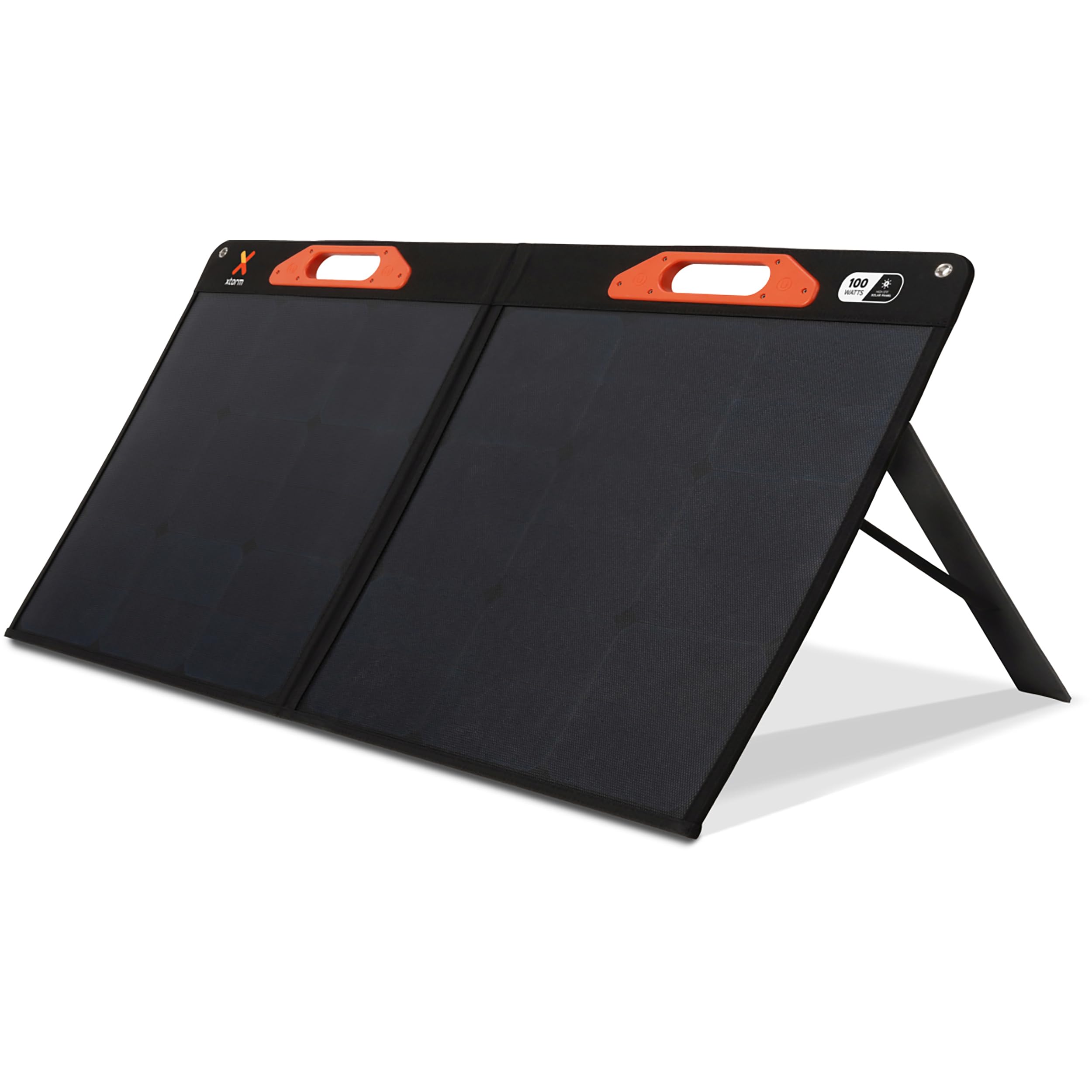
Image: The Xtorm 100W Portable Solar Panel deployed outdoors, connected to a power station for energy storage.
2. Co je v krabici
Carefully unpack your Xtorm 100W Portable Solar Panel and ensure all items are present:
- 1x Xtorm 100W Solar Panel
- 1x Uživatelská příručka
- 1x DC to MC4 Converter Cable
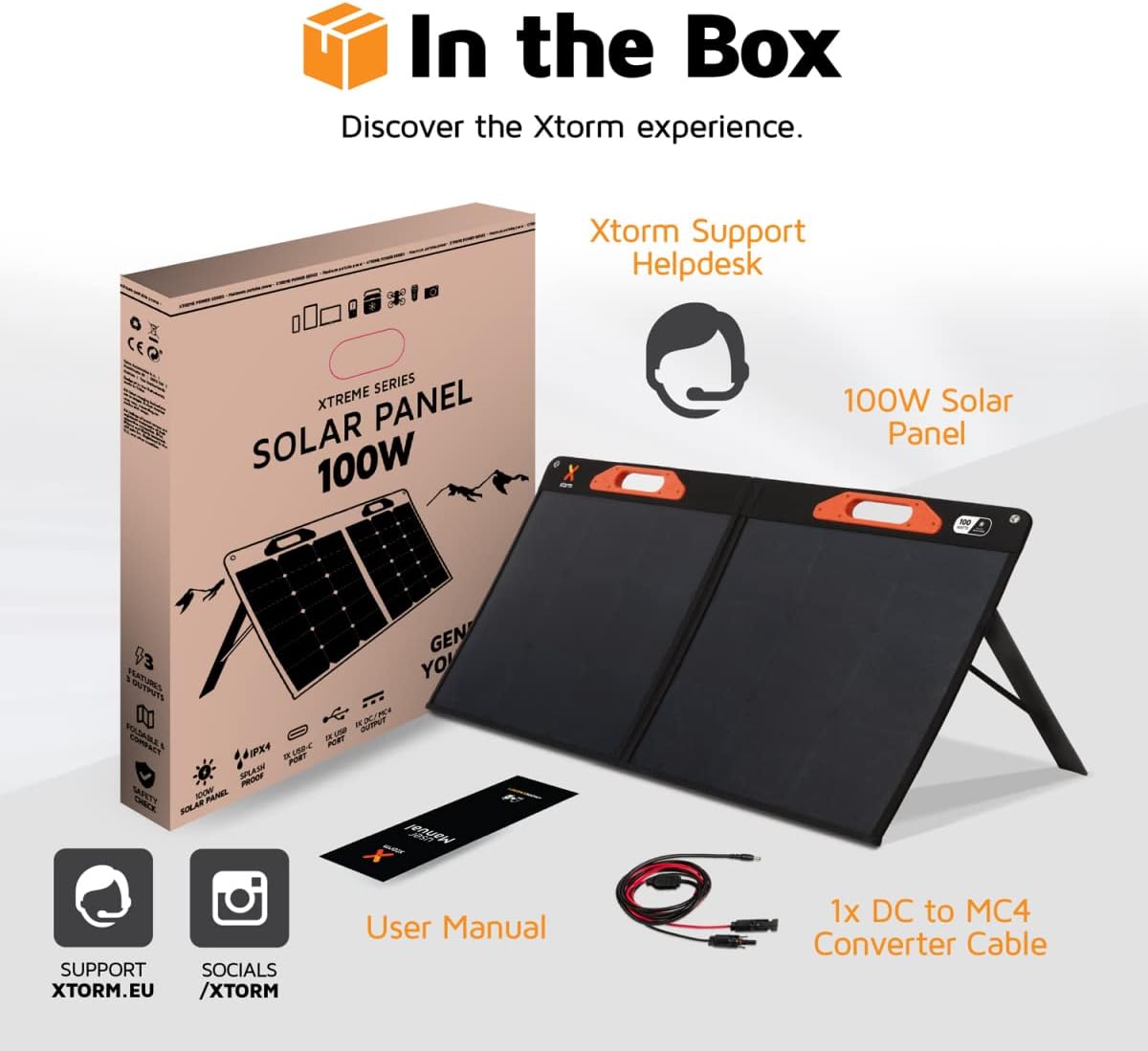
Image: A visual representation of the Xtorm 100W Solar Panel package contents, showing the panel, manual, and cable.
3. Konec produktuview
The Xtorm 100W Solar Panel is designed for portability, durability, and efficient power generation.
3.1. Foldable and Lightweight Design
The panel features a compact, foldable design for easy storage and transport. When folded, its dimensions are 598 x 529 x 45 mm, and when open, it measures 1060 x 598 x 25 mm. The total weight is 3.8 kg.

Image: The Xtorm 100W Solar Panel in both folded and open states, illustrating its compact and lightweight characteristics.
3.2. Durable and Water-Resistant Construction
Constructed with splash-proof materials, the solar panel is built to withstand outdoor elements, offering resistance to water and impacts. This ensures reliable performance in various weather conditions.

Image: The Xtorm 100W Solar Panel demonstrating its water-resistant properties, suitable for outdoor use.
3.3. Více výstupních portů
The panel is equipped with versatile output options to charge a wide range of devices:
- 1x DC 5.5mm Output (100W)
- 1x USB-C PD Output (45W)
- 1x USB Quick Charge 3.0 Output (18W)
4. Nastavení
Follow these steps to set up your Xtorm 100W Portable Solar Panel:
- Rozložte panel: Carefully unfold the solar panel completely. The panel is designed with integrated handles for easy handling.
- Poloha pro sluneční světlo: Place the solar panel in a location with direct sunlight. For optimal performance, ensure the panel is angled directly towards the sun. Avoid shaded areas.
- Deploy Kickstands: Extend the integrated kickstands on the back of the panel to support it at an optimal angle for sun exposure.
- Připojit zařízení: Use the appropriate cables to connect your devices or power station to the output ports on the solar panel.

Image: The Xtorm 100W Solar Panel positioned to capture solar energy, illustrating its high efficiency and power delivery capabilities.
5. Návod k obsluze
The Xtorm 100W Solar Panel allows you to charge various devices directly or store energy in a portable power station.
5.1. Charging Devices Directly
Connect your smartphone, tablet, laptop, or other compatible devices to the USB-C PD or USB Quick Charge 3.0 ports using their respective charging cables. The panel can charge up to three devices simultaneously.

Image: The Xtorm 100W Solar Panel demonstrating its ability to charge three devices concurrently.
5.2. Charging a Portable Power Station
For storing generated energy, connect the solar panel to a compatible portable power station using the DC 5.5mm output and the provided DC to MC4 converter cable if necessary. This allows you to store energy for later use or to power larger devices.

Image: The Xtorm 100W Solar Panel connected to different Xtorm power stations, illustrating its energy storage capability.
5.3. Integrovaná ochrana
The solar panel features built-in protection mechanisms to safeguard your connected devices against overcharge, overheating, and short circuits, ensuring safe and efficient operation.
6. Údržba
Proper maintenance ensures the longevity and optimal performance of your solar panel.
- Čištění: Pravidelně otírejte povrch solárního panelu měkkým hadříkemamp hadříkem odstraňte prach, nečistoty nebo úlomky, které by mohly snížit účinnost. Nepoužívejte abrazivní čisticí prostředky ani agresivní chemikálie.
- Skladování: Pokud panel nepoužíváte, složte jej a skladujte na suchém a chladném místě mimo dosah přímého slunečního záření a extrémních teplot.
- Inspekce: Periodically check cables and connectors for any signs of wear or damage. Replace any damaged components immediately.
- Ochrana životního prostředí: While water-resistant, avoid prolonged exposure to heavy rain or submersion in water.
7. Řešení problémů
If you encounter issues with your Xtorm 100W Portable Solar Panel, refer to the following common problems and solutions:
| Problém | Možná příčina | Řešení |
|---|---|---|
| Žádný výstupní výkon | Insufficient sunlight, panel not angled correctly, dirty panel surface, faulty cable/connection. | Ensure direct sunlight, adjust panel angle, clean surface, check cable connections. |
| Pomalé nabíjení | Partial shading, low sun intensity, high power demand from device, dirty panel. | Relocate panel to full sun, wait for stronger sunlight, ensure panel is clean, try charging one device at a time. |
| Zařízení nebylo rozpoznáno | Incompatible device, faulty USB cable, port issue. | Verify device compatibility, try a different USB cable, try a different output port. |
If the problem persists after attempting these solutions, please contact Xtorm customer support.
8. Specifikace
| Funkce | Detail |
|---|---|
| Číslo modelu | XPS100 |
| Maximální výkon | 100 Wattů |
| Maximální objemtage | 20 voltů |
| DC výstup | 1x 5.5mm, 100W |
| USB-C PD výstup | 1x 45W |
| USB Quick Charge 3.0 Output | 1x 18W |
| Účinnost | High Efficiency (SunPower® Solar Cells) |
| Rozměry (otevřené) | 106L x 59.8W x 2.5H cm |
| Rozměry (složené) | 59.8L x 52.9W x 4.5H cm |
| Hmotnost | 3800 gramů (3.8 kg) |
| Materiál | Glass (referring to solar cell material) |
| Speciální funkce | Fast Charging, Water Resistant (IPX4), Impact Resistant, Foldable Design |
9. Informace o záruce
The Xtorm 100W Portable Solar Panel comes with a 2letá omezená záruka výrobceTato záruka se vztahuje na vady materiálu a zpracování při běžném používání. Uschovejte si prosím doklad o koupi pro případ uplatnění záruky.
For specific terms and conditions, or to make a warranty claim, please refer to the official Xtorm webnebo kontaktujte jejich zákaznickou podporu.
10. Podpora
For further assistance, technical support, or inquiries regarding your Xtorm 100W Portable Solar Panel, please visit the official Xtorm support channels:
- Xtorm Support Helpdesk: Refer to the contact information provided in your product packaging or on the official Xtorm webmísto.
- Oficiální Webmísto: www.xtorm.eu