
BWBQNZ-01
Emoji Alarm Clock for Kids User Manual
Model: BWBQNZ-01 | Brand: Generic
1. Konec produktuview
The Generic Emoji Alarm Clock for Kids is a versatile and fun alarm clock designed specifically for children. It features dual alarms, five selectable ringtones, adjustable volume, a snooze function, and displays date and temperature. Its unique smart luminous function allows the display to activate with sound or touch, and it comes with a cute emoji display that changes with interaction.

Image 1.1: The pink Emoji Alarm Clock, showing the time 06:30 on its display.
2. Obsah balení
- 1 x Emoji Alarm Clock (Pink)
- 1 x USB Charging Cable (DC5V)
- 1 x Uživatelská příručka
Note: A charger plug is not included and must be provided separately.
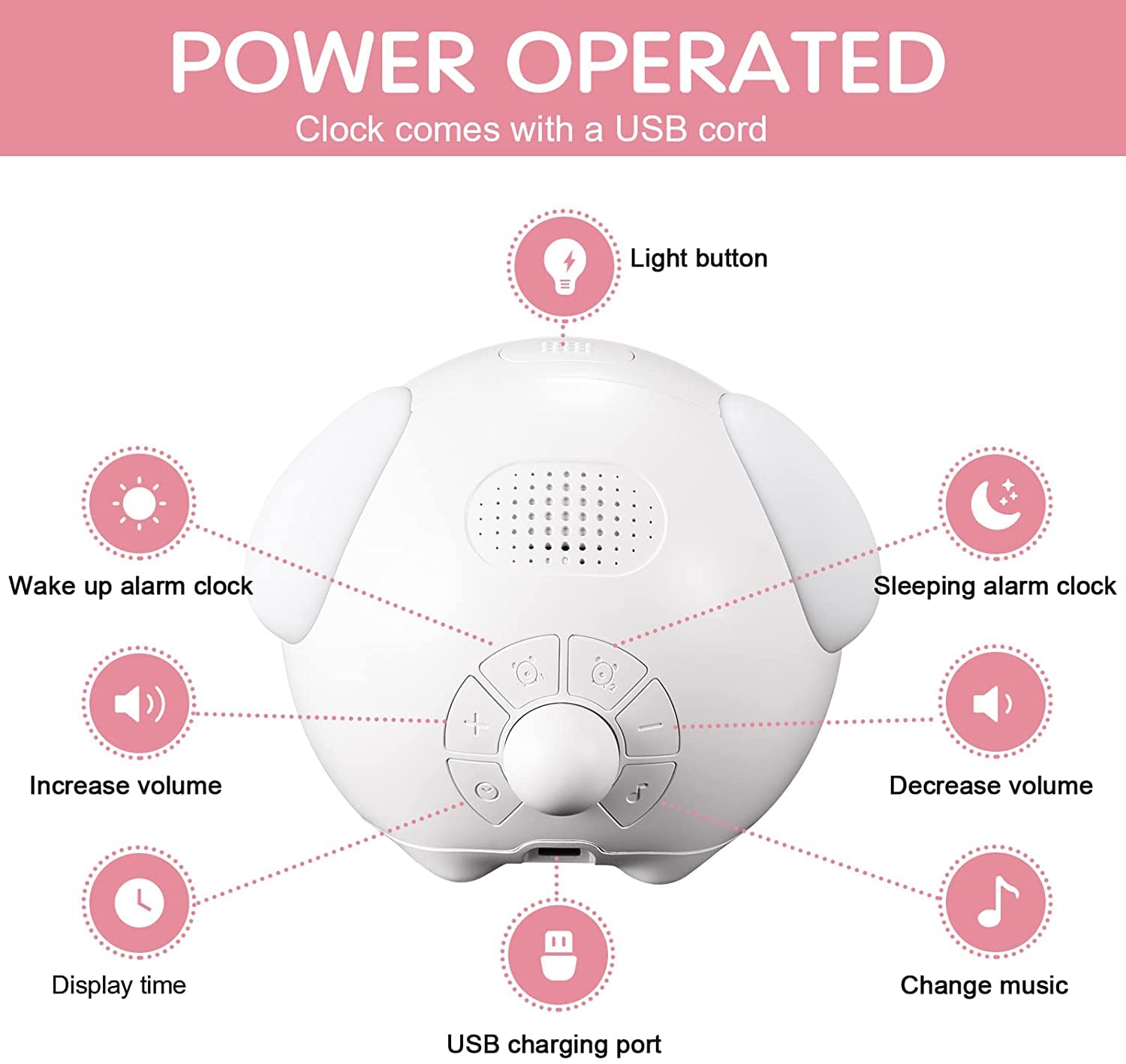
Image 2.1: The alarm clock, USB charging cable, and user manual as included in the package.
3. Nastavení
3.1 Počáteční nabíjení
Before first use, ensure the alarm clock is fully charged. Connect the provided USB cable to the charging port on the back of the clock and plug the other end into a DC5V USB power adapter (not included) or a computer USB port.

Image 3.1: The alarm clock being charged via its USB port.
3.2 Zapnutí/vypnutí
The clock typically powers on automatically when connected to power or when the battery has sufficient charge. To conserve battery, the screen defaults to an energy-saving mode and will not display continuously.
4. Návod k obsluze
4.1 Activating the Display (Smart Luminous Function)
The display screen will light up for 15 seconds when activated by a sound louder than 56 dB (e.g., a clap) or by touching the clock. After 15 seconds, the display will automatically turn off to save power.

Image 4.1: A child clapping their hands to activate the clock's display, showing the time.
4.2 Nastavení času a data
Refer to the control panel diagram below for button identification. Press the "Display Time" button (usually indicated by a clock icon) to enter time setting mode. Use the "+" a "-" buttons to adjust hours, minutes, and date. Press the "Light button" (power button) to confirm each setting and move to the next.

Obrázek 4.2: Režie view of the alarm clock's control panel, showing buttons for light, wake-up alarm, sleeping alarm, volume control, display time, and music change.
4.3 Nastavení duálních alarmů
The clock supports two separate alarms. Press the "Wake up alarm clock" or "Sleeping alarm clock" button (indicated by alarm icons) to select an alarm. Use "+" a "-" to set the desired alarm time. Confirm with the "Light button". You can choose from 5 optional chord ringtones.
4.4 Funkce odložení
When an alarm sounds, shake the clock to activate the 5-minute snooze function. To completely shut down the alarm and snooze, press any button on the clock.
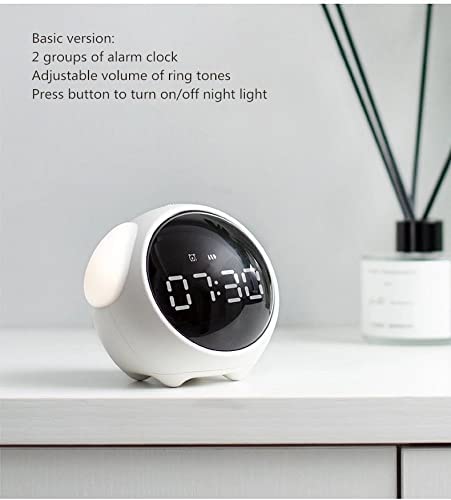
Image 4.3: A child's hand reaching towards the alarm clock to activate the snooze function.
4.5 Adjusting Volume and Ringtones
Použijte "Increase volume" a "Decrease volume" buttons to adjust the alarm volume to one of the 4 available levels. Press the "Change music" button to cycle through the 5 chord ringtones.
4.6 Funkce nočního světla
The clock features a night light. Press the "Light button" to turn the night light on or off. This function provides a soft glow for nighttime visibility.
Image 4.4: Two Emoji Alarm Clocks, one pink and one white, with their side night lights illuminated, creating a soft glow in a dimly lit setting.
5. Údržba
5.1 Čištění
Hodiny otřete měkkým, suchým hadříkem. Nepoužívejte abrazivní čisticí prostředky ani neponořujte zařízení do vody.
5.2 Péče o baterii
The clock uses a 2000mAh lithium battery. For optimal battery life, avoid fully discharging the battery frequently. Recharge when the low battery indicator appears or when the display becomes dim.
6. Řešení problémů
| Problém | Možná příčina | Řešení |
|---|---|---|
| Displej nesvítí. | Energy-saving mode active; low battery. | Clap or touch the clock to activate. Charge the clock if battery is low. |
| Alarm nezní. | Budík není nastavený nebo je hlasitost příliš nízká. | Ensure alarm is set correctly and volume is adjusted. |
| Clock not charging. | Vadný USB kabel nebo napájecí adaptér. | Try a different USB cable or power adapter. Ensure connection is secure. |
7. Specifikace
| Značka | Obecný |
| Číslo modelu | BWBQNZ-01 |
| Barva | Růžový |
| Typ zobrazení | Digital (Emoji Display) |
| Rozměry produktu | 10 Š x 10 V centimetrů |
| Zdroj napájení | Napájení z baterie (lithiová baterie 2000 mAh) |
| Speciální funkce | Dual Alarm, 5 Ringtones, Snooze, Date, Temperature, Smart Luminous Function (Sound/Touch Activated), Adjustable Volume, 12/24 Hour Format |
| Materiál | Plast, akrylonitrilbutadienstyren |
| Hmotnost položky | 270 g |
8. Záruka a podpora
For any questions or comments regarding your Emoji Alarm Clock, please contact the seller or manufacturer directly. Please refer to your purchase documentation for specific warranty details and customer service contact information.
Ask a question about this manual
Ask about setup, troubleshooting, compatibility, parts, safety, or missing instructions. Manuals+ will review the question and use this page’s manual context to help answer it.