
1. Úvod
Thank you for choosing the CCA BTX Wireless Earhook Adapter. This device is designed to convert your compatible in-ear monitors (IEMs) into a true wireless experience, offering high-fidelity audio and seamless connectivity. Please read this manual carefully to ensure proper use and optimal performance of your earhook adapter.
2. Klíčové vlastnosti
- Pokročilá technologie Bluetooth: Equipped with Qualcomm QCC3040 chip and Bluetooth 5.2 for stable, high-speed transmission and AptX lossless audio support.
- Duální režimy: Seamlessly switch between HiFi music mode for superior audio quality and a low-latency gaming mode (as low as 40ms) for synchronized audio and video.
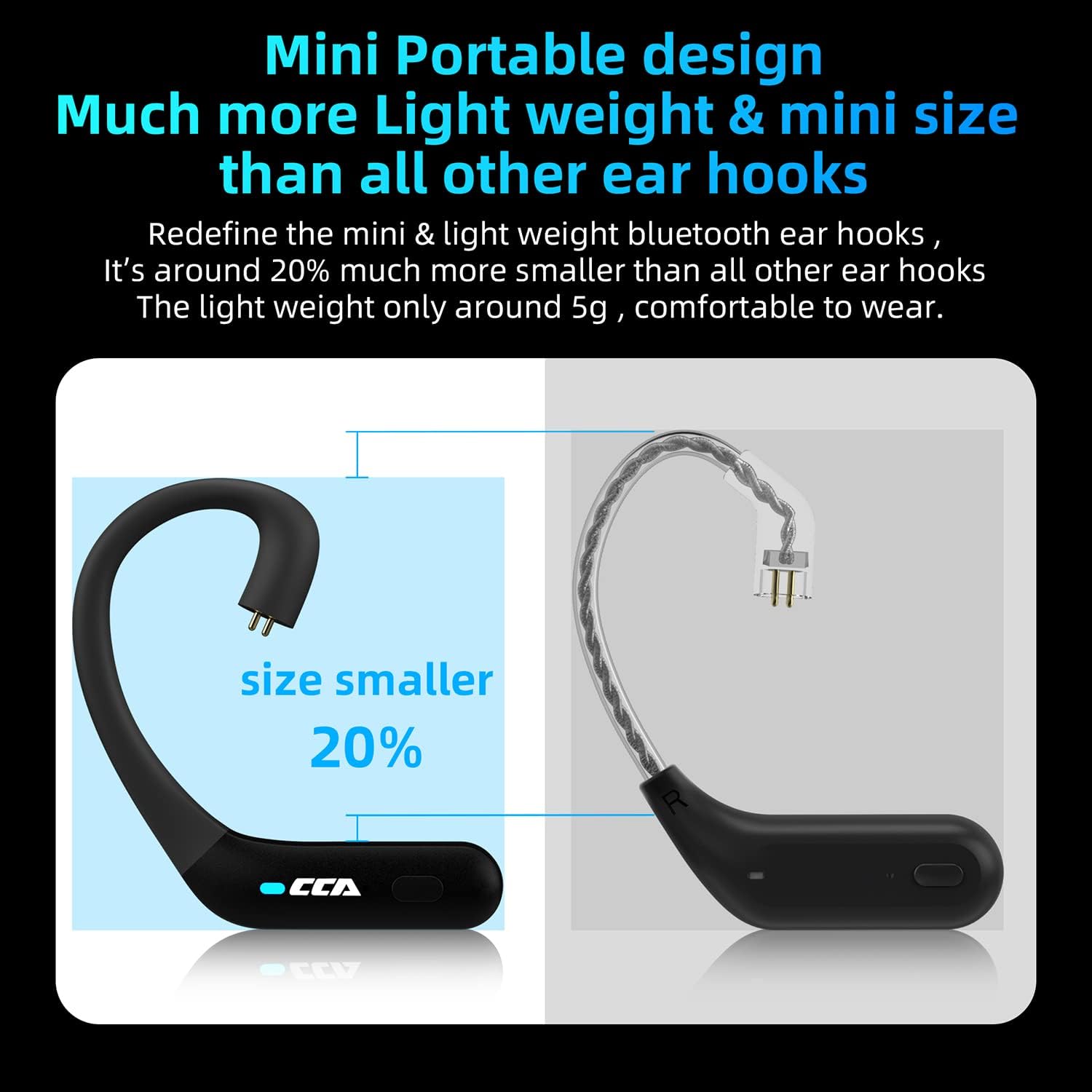
- Kompaktní a lehký design: Approximately 20% smaller than standard earhooks, weighing only about 5g for comfortable, pressure-free wear.
- Ergonomický střih: Designed with smooth body curves to fit securely and comfortably around the auricle.
- Intuitivní ovládání: All functions can be controlled directly via buttons on the earhooks, eliminating the need to access your mobile device.
- Prodloužená životnost baterie: Each earhook provides approximately 5 hours of playback. The 800mAh charging case offers up to 9 additional full recharges, extending total listening time significantly.
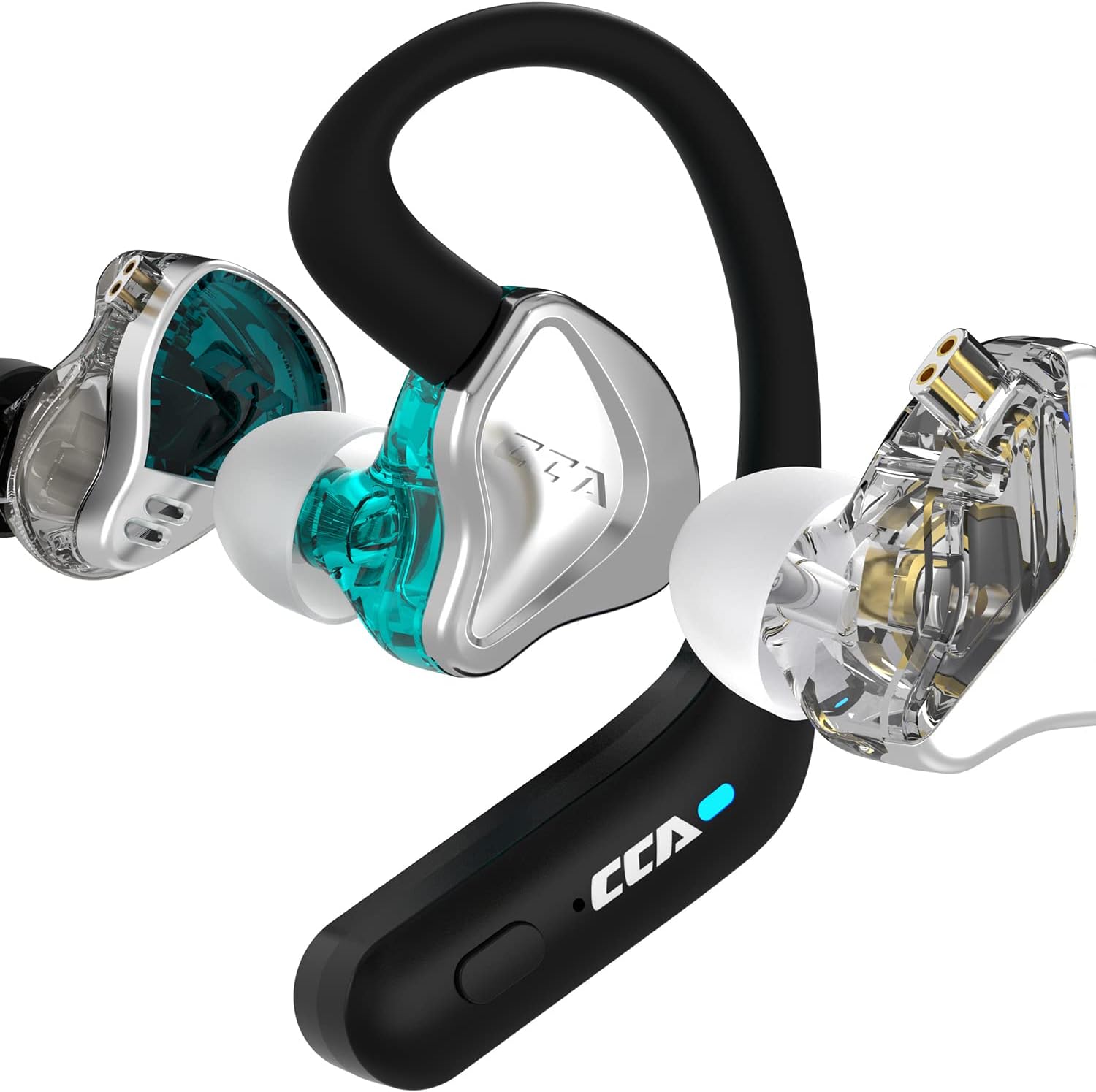
- Široká kompatibilita: Suitable for IEMs with C-pin connectors, including models from KZ (ZSN, ZSN PRO, ZS10 PRO, etc.), CCA (CA4, CA16, C12, A10, etc.), and GK (GS10, GSE, G5).
- Vestavěný mikrofon: Umožňuje handsfree volání.


3. Průvodce nastavením
3.1 Obsah balení
Po vybalení se prosím ujistěte, že jsou přítomny všechny komponenty:
- CCA BTX Wireless Earhook Adapters (Left & Right)
- Nabíjecí pouzdro
- USB Type-C Charging Cable (not explicitly listed but implied for Type-C port)
- Uživatelská příručka (tento dokument)
3.2 Nabíjení zařízení
Before first use, fully charge the earhook adapters and the charging case.
- Place the earhook adapters into their respective slots in the charging case. Ensure the charging contacts align.
- Připojte nabíjecí kabel typu C k nabíjecímu portu na pouzdře a druhý konec zapojte do zdroje USB (např. síťového adaptéru, USB portu počítače).
- The indicator light on the charging case will show charging status (refer to LED indicator section for details).
- A full charge for the earhooks takes approximately 1-2 hours, and the case takes about 2-3 hours.


3.3 Attaching your IEMs
The CCA BTX adapters are designed for IEMs with a C-pin connector.
- Identify the left (L) and right (R) earhook adapters and your IEMs.
- Carefully align the C-pin connector on your IEM with the corresponding socket on the earhook adapter.
- Gently push the IEM onto the earhook adapter until it clicks securely into place. Do not force it.
- Opakujte pro druhou stranu.

4. Návod k obsluze
4.1 Zapnutí/vypnutí
- Zapnutí: The earhooks will automatically power on when removed from the charging case. Alternatively, press and hold the multi-function button on each earhook for 3 seconds.
- Vypnout: Place the earhooks back into the charging case. They will automatically power off and begin charging. Alternatively, press and hold the multi-function button on each earhook for 5 seconds.
4.2 Párování Bluetooth
- Ensure the earhooks are fully charged.
- Remove both earhooks from the charging case. They will automatically enter pairing mode, indicated by a flashing LED light (e.g., blue/red alternating).
- Na svém zařízení (chytrý telefon, tablet, počítač) povolte Bluetooth a vyhledejte nová zařízení.
- Select "CCA BTX" from the list of available devices.
- Once connected, the LED indicator on the earhooks will stop flashing and remain solid blue (or turn off), indicating a successful connection.
- If pairing fails, turn off Bluetooth on your device, place the earhooks back in the case, and repeat the steps.
4.3 Ovládací tlačítka
The CCA BTX features intuitive button controls on each earhook:
- Přehrát/pozastavit: Jednou stiskněte multifunkční tlačítko.
- Další skladba: Double press the multi-function button on the Right earhook.
- Předchozí skladba: Double press the multi-function button on the Left earhook.
- Zvýšit hlasitost: Triple press the multi-function button on the Right earhook.
- Snížit hlasitost: Triple press the multi-function button on the Left earhook.
- Přijmout/ukončit hovor: Během příchozího hovoru stiskněte jednou multifunkční tlačítko.
- Odmítnout hovor: Během příchozího hovoru stiskněte a podržte multifunkční tlačítko po dobu 2 sekund.
- Aktivovat Voice Assistant: Press and hold the multi-function button for 2 seconds (when not on a call).
4.4 Switching Modes (HiFi / Gaming)
The CCA BTX allows you to switch between HiFi music mode and low-latency gaming mode.
- To switch modes, quickly press the multi-function button four times.
- A voice prompt will confirm the mode change (e.g., "Gaming Mode" or "Music Mode").

5. Údržba a péče
- Čištění: Use a soft, dry, lint-free cloth to clean the earhooks and charging case. Do not use harsh chemicals or abrasive materials.
- Skladování: Pokud sluchátka nepoužíváte, uložte je do nabíjecího pouzdra, aby byla chráněna a nabitá. Skladujte na chladném a suchém místě mimo dosah přímého slunečního záření a extrémních teplot.
- Péče o baterie: Chcete-li prodloužit životnost baterie, vyvarujte se častého úplného vybíjení zařízení. Pravidelně jej nabíjejte, i když jej delší dobu nepoužíváte.
- Voděodolnost: The product is listed as "Waterproof". While it offers protection against water, avoid submerging it in water or exposing it to high-pressure water jets. Dry thoroughly if it gets wet.
6. Řešení problémů
6.1 Žádné napájení / Nenabíjí se
- Ujistěte se, že je nabíjecí kabel bezpečně připojen k pouzdru i ke zdroji napájení.
- Ověřte, zda je zdroj napájení aktivní.
- Check if the charging contacts on the earhooks and in the case are clean and free of debris.
- Zkuste jiný nabíjecí kabel nebo napájecí adaptér.
6.2 Problémy s párováním
- Ujistěte se, že je na vašem zařízení povoleno Bluetooth.
- Ensure the earhooks are in pairing mode (flashing LED).
- Move the earhooks closer to your device (within 15 meters).
- Forget "CCA BTX" from your device's Bluetooth list and try pairing again.
- Restart both the earhooks and your device.
6.3 Žádný zvuk / Tichý zvuk
- Check the volume level on both the earhooks and your connected device.
- Ujistěte se, že jsou ušní háčky správně připojeny k vašim IEM.
- Verify that the correct audio output device is selected on your connected device.
- Zkuste přehrát jiný zvuk files or from different applications.
6.4 Connection Drops Frequently
- Ensure there are no significant obstacles (walls, large metal objects) between the earhooks and your device.
- Move away from other strong wireless interference sources (Wi-Fi routers, other Bluetooth devices).
- Keep the earhooks within the 15-meter transmission range.
7. Specifikace
| Funkce | Specifikace |
|---|---|
| Název modelu | BTX |
| Značka | CCA |
| Technologie připojení | Bezdrátové (Bluetooth) |
| Verze Bluetooth | 5.2 |
| Čipová sada Bluetooth | Qualcomm QCC3040 |
| Podpora audio kodeků | aptX |
| Přenosová vzdálenost | Cca. 15 metrů |
| Kapacita baterie sluchátek | 35 mAh (každý) |
| Doba přehrávání ve sluchátkách | Kolem 5 hodin |
| Kapacita baterie nabíjecího pouzdra | 800 XNUMX mAh |
| Extra Recharging Times (from case) | Asi 9krát |
| Nabíjecí port | Typ-C |
| Typ ovládání | Ovládání médií (tlačítko) |
| Audio Latency (Gaming Mode) | 40 milisekund |
| Úroveň odolnosti proti vodě | Vodotěsný |
| Hmotnost položky | 6.4 unce (celkové balení) |
| Earhook Weight | Přibližně 5 g (každý) |
8. Oficiální video produktu
Toto video poskytuje vizuální ukázkuview of the CCA BTX Wireless Earhook Bluetooth Adapter, demonstrating its features and design. It highlights key aspects such as its Bluetooth 5.2 connectivity, AptX support, and compatibility with various in-ear monitors. The video also showcases the compact and ergonomic design, as well as the extended battery life provided by the charging case. Viewers can see the product in use and understand its primary functionalities.
9. Záruka a podpora
CCA products are manufactured to the highest quality standards. For information regarding warranty coverage, technical support, or service inquiries, please refer to the warranty card included with your purchase or visit the official CCA webstránky. Uschovejte si prosím doklad o koupi pro případné reklamace.


