
EKSA EM100
Uživatelská příručka k herní myši EKSA EM100
Model: EM100
1. Úvod
The EKSA EM100 Gaming Mouse is a high-performance wired ergonomic gaming mouse designed for PC gamers. It features 7 programmable buttons, customizable Chroma RGB lighting, and an adjustable optical sensor with up to 8000 DPI. This manual provides detailed instructions for setting up, operating, and maintaining your EM100 Gaming Mouse to ensure optimal performance and longevity.
2. Obsah balení
Prosím, ověřte, zda jsou v balení přítomny všechny položky:
- 1 x EKSA EM100 Gaming Mouse
- 1 x Uživatelská příručka
- 1 x Dárková krabička (obal)
- 1 x 1.5m/59in Cable (integrated)

Figure 2.1: Contents of the EKSA EM100 Gaming Mouse package, including the mouse, user manual, and gift box.
3. Vlastnosti produktu
- 7 programovatelných tlačítek: Customize functions for Left, Right, Scroll, DPI, Forward, Backward, and RGB Light buttons.
- Nastavitelné DPI: 6-level DPI settings (800/1600/2400/3200/4800/8000) for precise control.
- Chroma RGB Backlighting: 6 backlight modes with 16 million customizable colors, including "Breathing and Streamer" effects.
- Ergonomický design: Shaped for comfort during extended use, with non-slip sides to reduce hand sweat and improve grip.
- Odolný kabel: 5-inch flexible braided cable designed to minimize drag and interference.
- Široká kompatibilita: Supports Windows 2000/XP/Vista/7/8/10/11 for programmable features and macOS for normal use. Compatible with Laptops, PCs, and MacBooks.

Obrázek 3.1: Přesview of key features including 7 functional buttons, RGB lighting, ergonomic design, 8000 DPI, and parachute cord.
4. Nastavení
- Rozbalte myš: Carefully remove the EKSA EM100 Gaming Mouse and its accessories from the packaging.
- Připojení k počítači: Insert the USB plug of the mouse cable into an available USB port on your computer (PC, Laptop, or MacBook).

Figure 4.1: The USB plug and braided cable of the EKSA EM100 Gaming Mouse.
- Instalace ovladače (Windows): For programmable features and advanced customization on Windows operating systems, it is recommended to download and install the official EKSA EM100 driver. Refer to the official EKSA website for the latest driver software. For macOS, the mouse functions normally without additional drivers, but programmable features are not available.

Obrázek 4.2: Přample of the programmable software interface for the EKSA EM100 Gaming Mouse.
- Umístění: Pro optimální sledování myši umístěte myš na rovný, čistý povrch, nejlépe na podložku pod myš.
5. Návod k obsluze
5.1 Funkce tlačítek
The EKSA EM100 Gaming Mouse features 7 buttons, each with a default function. These can be customized via the driver software on Windows.
- Levé tlačítko: Primární funkce kliknutí.
- Pravé tlačítko: Funkce sekundárního kliknutí (kontextová nabídka).
- Scroll Button (Middle Click): Activates middle click, often used for opening links in new tabs or auto-scrolling.
- Tlačítko DPI: Cykluje mezi nastaveními DPI.
- Tlačítko vpřed: Naviguje vpřed web prohlížeče popř file průzkumníci.
- Tlačítko zpět: Naviguje zpět web prohlížeče popř file průzkumníci.
- Tlačítko světel: Cycles through RGB lighting modes or turns lights off.

Figure 5.1: Diagram illustrating the location and default function of each button on the EKSA EM100 Gaming Mouse.
5.2 Adjusting DPI Settings
The mouse offers 6 adjustable DPI levels, allowing you to change cursor sensitivity on the fly. Press the Tlačítko DPI located behind the scroll wheel to cycle through the following settings:
- 800 DPI (zelená)
- 18 000 DPI (fialová)
- 2400 DPI (modrá)
- 3200 DPI (červená)
- 4800 DPI (azurová)
- 8000 DPI (žlutá)
Each DPI level is indicated by a specific color on the mouse's lighting, providing visual feedback for your current setting.
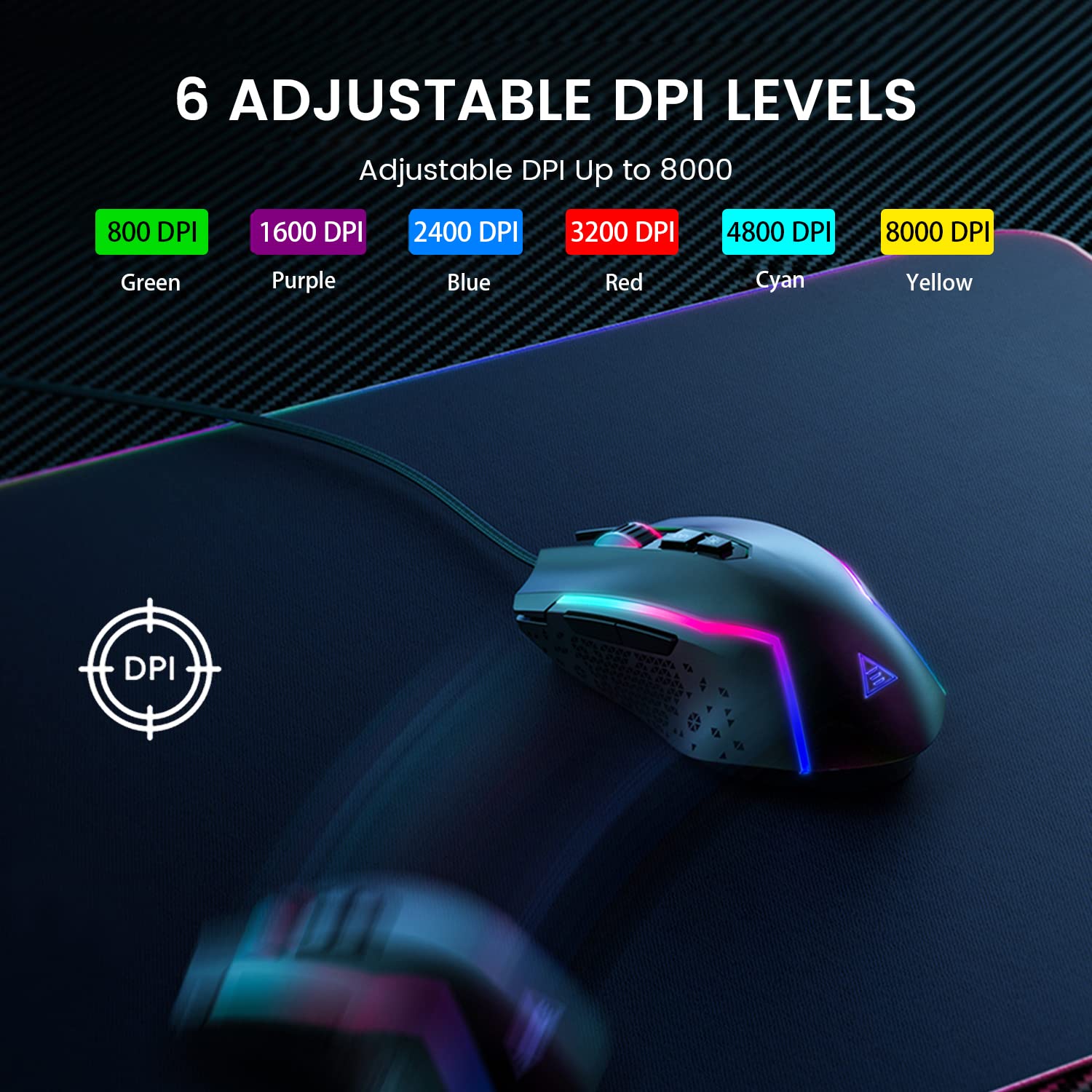
Figure 5.2: Visual representation of the 6 adjustable DPI levels and their corresponding indicator colors.
5.3 Přizpůsobení RGB podsvícení
The EKSA EM100 features dynamic Chroma RGB backlighting with 6 distinct modes and 16 million color options. Press the Tlačítko světla (located near the DPI button) to cycle through the available lighting effects, including "Breathing" and "Streamer" modes, or to turn the lights off.

Figure 5.3: The EKSA EM100 Gaming Mouse showcasing jeho zářivými efekty RGB podsvícení.
6. Údržba
Proper maintenance ensures the longevity and optimal performance of your EKSA EM100 Gaming Mouse.
- Čištění: K otření povrchu myši použijte měkký, suchý hadřík. V případě odolné nečistoty lehceampOtřete hadřík vodou nebo jemným čisticím roztokem. Nepoužívejte agresivní chemikálie ani abrazivní materiály.
- Péče o senzor: Udržujte optický senzor na spodní straně myši čistý a bez prachu a nečistot. V případě potřeby použijte vatový tampon nebo stlačený vzduch.
- Správa kabelů: Vyhněte se ostrým ohybům nebo nadměrnému tahání za opletený kabel, abyste předešli vnitřnímu poškození.
- Skladování: Pokud myš delší dobu nepoužíváte, skladujte ji v čistém a suchém prostředí mimo dosah přímého slunečního záření a extrémních teplot.
7. Řešení problémů
| Problém | Možná příčina | Řešení |
|---|---|---|
| Myš nereaguje. | Volné USB připojení, vadný USB port, problém s ovladačem. |
|
| Pohyb kurzoru je nepravidelný nebo trhaný. | Dirty optical sensor, unsuitable surface, software interference. |
|
| RGB lights are not working or stuck. | Software glitch, light mode setting. |
|
| Programmable buttons not working (Windows). | Driver not installed or corrupted, incorrect software settings. |
|
8. Specifikace
| Funkce | Detail |
|---|---|
| Značka | EKSA |
| Model | EM100 |
| Konektivita | Kabelové (USB) |
| Typ snímače | Optický |
| Úrovně DPI | 800/1600/2400/3200/4800/8000 |
| Programovatelná tlačítka | 7 |
| Podsvícení | Chroma RGB (6 modes, 16 million colors) |
| Délka kabelu | 1.5 metru (59 palce) |
| Typ kabelu | Opletené |
| Orientace rukou | Obouruký |
| Rozměry produktu (D x Š x V) | 11.5 x 5.5 x 17.5 cm |
| Hmotnost položky | 150 g |
| Kompatibilní operační systémy | Windows 2000/XP/Vista/7/8/10/11, macOS (normal use) |
| Hardwarová platforma | PC/Mac/Linux/Unix |
| Země původu | Čína |
9. Záruka a podpora
EKSA products are designed for reliability and performance. For warranty information, technical support, or to download the latest drivers and software for your EM100 Gaming Mouse, please visit the official EKSA webmísto:
Please retain your proof of purchase for any warranty claims. For specific regional support or inquiries, refer to the contact information provided on the EKSA webmísto.
Ask a question about this manual
Ask about setup, troubleshooting, compatibility, parts, safety, or missing instructions. Manuals+ will review the question and use this page’s manual context to help answer it.