
Perixx PERIBOARD-332
Uživatelská příručka k drátové podsvícené USB klávesnici Perixx PERIBOARD-332
Zavedení
This manual provides detailed instructions for the setup, operation, maintenance, and troubleshooting of your Perixx PERIBOARD-332 Wired Backlit USB Keyboard. Please read this manual thoroughly before using the product to ensure optimal performance and longevity.

Image: The Perixx PERIBOARD-332 Wired Backlit USB Keyboard, showcasinjeho kompaktní design.
Obsah balení
Ověřte, zda jsou v balení přítomny všechny položky:
- Perixx PERIBOARD-332 Wired Backlit USB Keyboard
- Integrovaný USB kabel
- Uživatelská příručka (tento dokument)

Image: The Perixx PERIBOARD-332 keyboard, its integrated USB cable, the user manual, and the product packaging.
Pokyny pro nastavení
Připojení klávesnice: Locate an available USB port on your computer (PC, laptop, tablet, or smartphone with appropriate adapter). Insert the USB cable from the PERIBOARD-332 into the USB port.
Instalace ovladače: The keyboard is plug-and-play and typically does not require additional drivers for basic functionality on Windows, macOS, Linux, or Chrome OS. Your operating system should automatically detect and configure the device.
Umístění: Place the keyboard on a stable, flat surface. The compact design is ideal for small workspaces.

Image: A user typing on the Perixx PERIBOARD-332 keyboard, demonstrating its compact size and wired connection on a desk.
Návod k obsluze
Obecné použití
The Perixx PERIBOARD-332 features a standard US English QWERTY layout with 84 keys. Its low-profile scissor keys provide a quiet and comfortable typing experience, similar to laptop keyboards. The compact design helps optimize desk space.

Image: A user typing on the Perixx PERIBOARD-332 keyboard, highlighting its compact size and ergonomic placement in a workspace.

Obrázek: Detail view of the sculpted, low-profile scissor keys of the Perixx PERIBOARD-332, highlighting their design.
Function Keys (Fn Hotkeys)
The keyboard includes integrated Fn hotkeys for quick access to multimedia and system functions. These functions are primarily designed for Windows operating systems. For other operating systems (macOS, Linux, Chrome OS), their functionality may vary or require specific system settings/configurations.
- Fn+F1: Fn zámek
- Fn+F2: Backlight Brightness Adjustment (Cycle through levels)
- Fn+F3: Ztlumit
- Fn+F4: Snížit hlasitost
- Fn+F5: Zvýšení hlasitosti
- Fn+F6: Předchozí stopa
- Fn+F7: Přehrát/Pozastavit
- Fn+F8: Další stopa
- Fn+F9: Pauza
- Fn+F10: Scroll Lock
- Fn+F11: Vložit
- Fn+F12: Tisk obrazovky

Image: Diagram illustrating the integrated Fn hotkeys on the Perixx PERIBOARD-332, showing the function of each F-key when pressed with the Fn key.
Ovládání podsvícení
The PERIBOARD-332 features white LED backlighting with adjustable brightness. To adjust the backlight brightness, press the Fn + F2 keys simultaneously. Repeatedly pressing this combination will cycle through different brightness levels (including off).
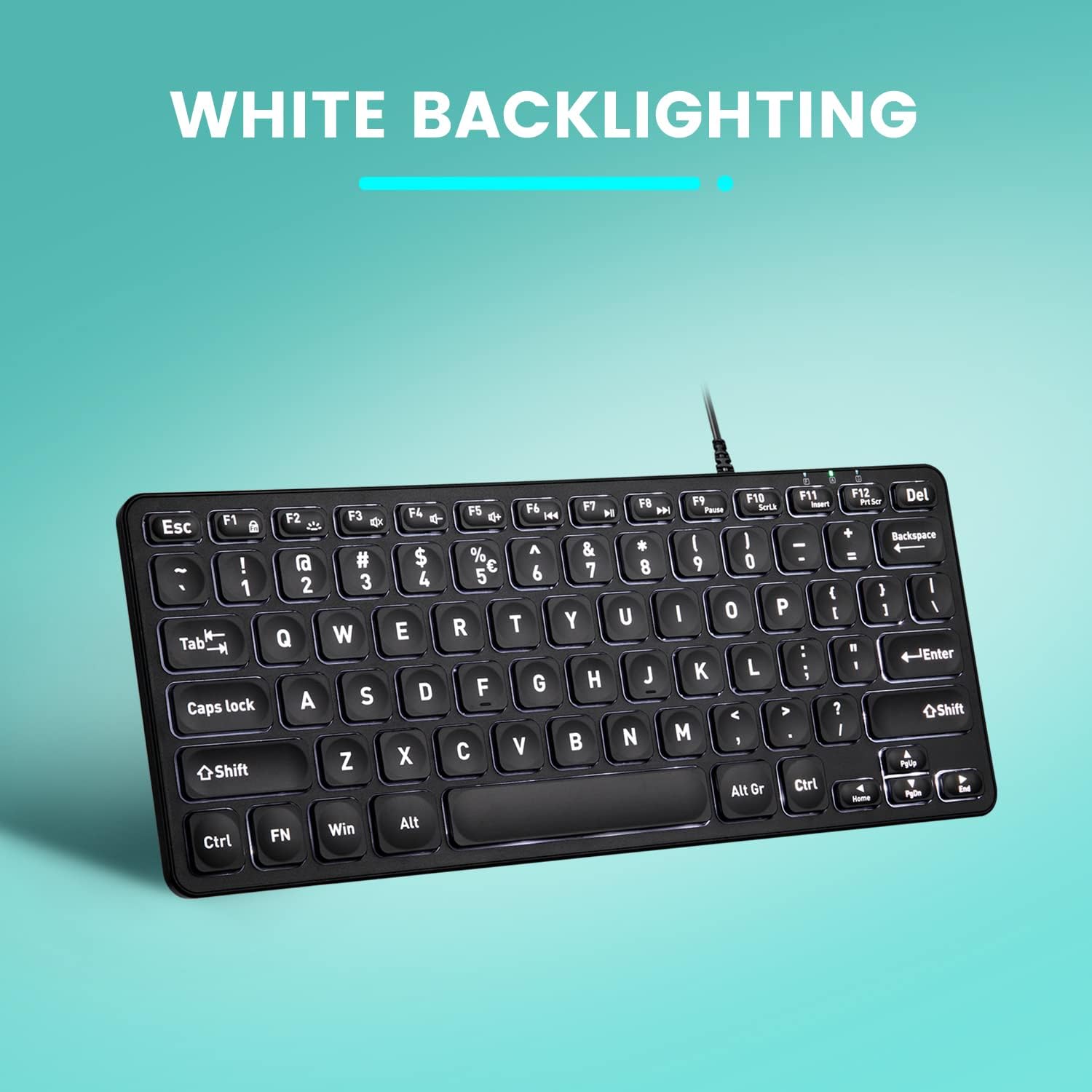
Obrázek: Shora dolů view of the Perixx PERIBOARD-332 keyboard with its white LED backlighting illuminated, showcasing the clear, large font on the keys.
Údržba
Abyste zajistili dlouhou životnost a správnou funkci klávesnice, dodržujte tyto pokyny pro údržbu:
- Čištění: Použijte měkký hadřík, který nepouští vlákna dampened with water or a mild cleaning solution to wipe the surface of the keyboard. Avoid excessive moisture. Do not spray cleaners directly onto the keyboard.
- Odstranění prachu: K odstranění prachu a nečistot z prostoru mezi klávesami použijte stlačený vzduch.
- Vyvarujte se rozlití: Keep liquids away from the keyboard to prevent damage. The keyboard is not water-resistant.
- Skladování: Pokud klávesnici nepoužíváte, skladujte ji v čistém a suchém prostředí mimo dosah extrémních teplot.
Odstraňování problémů
If you encounter issues with your Perixx PERIBOARD-332, refer to the following common solutions:
Klávesnice nereaguje
- Zkontrolujte připojení USB: Ensure the USB cable is securely plugged into both the keyboard and the computer's USB port. Try a different USB port.
- Restartujte počítač: Někdy může problémy s připojením vyřešit jednoduchý restart počítače.
- Test na jiném zařízení: Connect the keyboard to another computer or device to determine if the issue is with the keyboard or the original computer.
Backlight Not Working or Adjusting
- Check Brightness Setting: Stiskněte Fn + F2 repeatedly to cycle through all brightness levels, including off. Ensure it's not set to the lowest or off setting.
- Zdroj napájení: Ensure the keyboard is properly connected to a powered USB port.
Klávesy nefungují správně
- Čisté klíče: Zkontrolujte, zda se pod postiženými klávesami nenacházejí nějaké nečistoty nebo překážky. K jejich vyčištění použijte stlačený vzduch.
- Softwarové konflikty: If specific keys are not working, check for any software or driver conflicts on your computer.
Multimedia Keys Not Working on macOS/Linux/Chrome OS
- Kompatibilita operačního systému: The multimedia shortcut keys are primarily designed for Windows. On other operating systems, their functionality may vary or require specific system settings/configurations.
Specifikace
| Funkce | Detail |
|---|---|
| Značka | Perixx |
| Číslo modelu | PERIBOARD-332 |
| Technologie připojení | USB (kabelové) |
| Popis klávesnice | US English QWERTY |
| Speciální funkce | Podsvícení (bílá LED) |
| Typ přepínače | Scissor Switches |
| Počet klíčů | 84 |
| Rozměry produktu (D x Š x V) | 11.22" x 4.57" x 0.83" (28.5 cm x 11.6 cm x 2.1 cm) |
| Hmotnost položky | 0.79 lbs (12.3 Ounces / 350 grams approx.) |
| Kompatibilní zařízení | PC, Laptop, Tablet, Smartphone (with compatible USB port/adapter) |
| Kompatibilita operačního systému | Windows 7, 8, 10, 11; macOS; Linux; Chrome OS |
| Materiál | Plast |
Záruka a podpora
Informace o záruce
Your Perixx PERIBOARD-332 keyboard comes with a 12měsíční omezená záruka from the date of purchase. This warranty covers manufacturing defects and workmanship under normal use. It does not cover damage caused by misuse, accidents, unauthorized modifications, or external factors.
Uschovejte si prosím doklad o koupi pro uplatnění záruky.
Zákaznická podpora
For technical assistance, warranty claims, or any questions regarding your Perixx product, please visit the official Perixx website or contact their customer support team. Contact information can typically be found on the Perixx webmístě nebo na obalu produktu.
Můžete také navštívit Obchod Perixx na Amazonu další informace a zdroje podpory.
Ask a question about this manual
Ask about setup, troubleshooting, compatibility, parts, safety, or missing instructions. Manuals+ will review the question and use this page’s manual context to help answer it.