
1. Úvod
Thank you for choosing the InFocus P120 INL412 Multimedia Projector. This manual provides essential information for the safe and efficient operation of your projector. Please read it thoroughly before using the device and retain it for future reference. The InFocus P120 INL412 is designed for versatile multimedia presentations, offering clear and vibrant images for various applications.
2. Bezpečnostní informace
Pro zajištění bezpečného provozu a zabránění poškození projektoru dodržujte prosím následující bezpečnostní opatření:
- Neblokujte větrací otvory. Zajistěte dostatečný prostor kolem projektoru pro správné proudění vzduchu, abyste zabránili přehřátí.
- Nedívejte se přímo do objektivu projektoru, když je lamp je zapnutý, protože jasné světlo může způsobit poškození očí.
- Do not place the projector on an unstable cart, stand, or table. The projector may fall, causing serious injury to a child or adult, and serious damage to the unit.
- Pokud projektor nebudete delší dobu používat, odpojte napájecí kabel ze zásuvky.
- Veškerý servis svěřte kvalifikovanému servisnímu personálu. Nepokoušejte se projektor sami otevírat ani opravovat.
- Keep the projector away from water or moisture. Do not expose it to rain or immerse it in liquid.
- Use only the power cord supplied with the projector or an authorized replacement.
3. Obsah balení
Verify that all items listed below are included in your projector package:
- InFocus P120 INL412 Multimedia Projector
- Napájecí kabel
- Dálkové ovládání s bateriemi
- VGA kabel
- Uživatelská příručka (tento dokument)
- Rychlý průvodce
4. Konec produktuview
Familiarize yourself with the main components of your InFocus P120 INL412 projector.
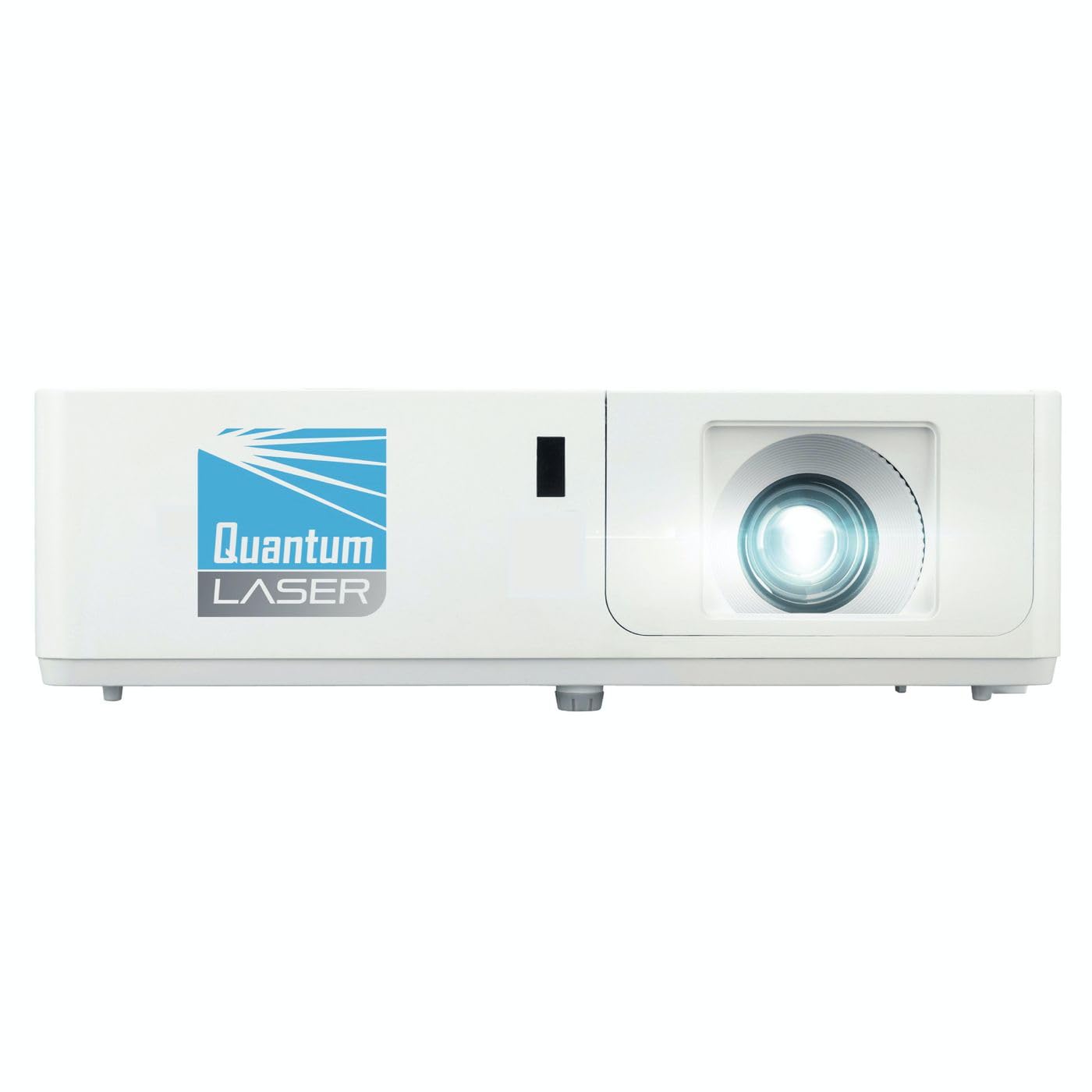
Obrázek 1: Přední strana view of the InFocus P120 INL412 Multimedia Projector, showing the lens and ventilation grilles.
4.1 Přední panel
- Projekční čočka: Vysílá obraz na obrazovku.
- Zaostřovací kroužek: Upravuje jasnost promítaného obrazu.
- Zoom Ring: Upravuje velikost promítaného obrazu.
- IR přijímač: Přijímá signály z dálkového ovladače.
4.2 Horní panel
- Ovládací panel: Buttons for power, menu navigation, source selection, and keystone correction.
- Kontrolky: Display the projector's status (e.g., power, lamp, temperature).
4.3 Zadní panel (Připojení)
- HDMI vstup: Connects to HDMI-enabled devices (laptops, Blu-ray players).
- VGA vstup: Připojuje se k počítačům s VGA výstupem.
- USB port: For service or connecting USB devices (if supported by model).
- Zvukový vstup/výstup: Pro připojení externích zdrojů zvuku nebo reproduktorů.
- Napájecí vstup: Připojuje napájecí kabel.
5. Nastavení
Při počátečním nastavení projektoru postupujte podle těchto kroků:
- Umístění: Place the projector on a stable, flat surface or mount it securely. Ensure the projector is positioned at an appropriate distance from the screen to achieve the desired image size.
- Připojení napájení: Připojte napájecí kabel k napájecí zásuvce projektoru a poté k uzemněné elektrické zásuvce.
- Připojit zdrojové zařízení: Connect your source device (e.g., laptop, DVD player) to the projector using an appropriate cable (HDMI, VGA, etc.). Ensure the cable is securely connected to both the source and the projector.
- Zapnutí: Press the power button on the projector's control panel or the remote control to turn on the projector. The power indicator light will illuminate.
- Úprava zaostření a zoomu: Once an image is projected, rotate the focus ring on the lens until the image is sharp and clear. Use the zoom ring to adjust the image size to fit your screen.
- Korekce lichoběžníkového zkreslení: If the image appears trapezoidal, use the keystone correction function (either via buttons on the projector/remote or through the on-screen menu) to square the image.
6. Návod k obsluze
6.1 Zapnutí/vypnutí
- Zapnutí: Press the power button once. The projector will go through a warm-up sequence.
- Vypnutí: Press the power button twice. The first press will prompt a shutdown confirmation; the second press will initiate shutdown. Allow the projector to cool down completely before unplugging.
6.2 Výběr zdroje
Press the 'Source' button on the projector or remote control to cycle through available input sources (HDMI, VGA, etc.) until your desired source is displayed.
6.3 Navigace v nabídce
Press the 'Menu' button to access the on-screen display (OSD) menu. Use the arrow buttons to navigate through options and 'Enter' or 'OK' to select. Use the 'Exit' or 'Menu' button to close the OSD.
- Nastavení obrázku: Adjust brightness, contrast, color, aspect ratio, and picture mode.
- Nastavení obrazovky: Configure keystone, projection mode (front/rear, desktop/ceiling), and resolution.
- Nastavení zvuku: Control volume and audio output options.
- Nastavení systému: Manage language, timer, power-saving modes, and factory reset.
7. Údržba
Pravidelná údržba zajišťuje optimální výkon a prodlužuje životnost vašeho projektoru.
- Čištění objektivu: Jemně otřete čočku projektoru měkkým hadříkem bez žmolků, který je speciálně určen pro optické povrchy. Nepoužívejte abrazivní čisticí prostředky ani nadměrnou sílu.
- Čištění skříně: K čištění vnější strany projektoru použijte měkký, suchý hadřík. V případě odolných skvrn použijteampen the cloth slightly with water. Avoid using harsh chemicals.
- Čištění/výměna vzduchového filtru: Check the air filter periodically. If your model has a removable filter, clean it with a soft brush or vacuum cleaner. Replace the filter as recommended in the on-screen menu or when visibly dirty to maintain proper ventilation.
- Lamp Nahrazení: Projektor lamp má omezenou životnost. Když lamp life indicator appears, or the image brightness significantly decreases, replace the lamp according to the instructions provided in the full service manual or by a qualified technician. Always allow the projector to cool down completely before attempting lamp nahrazení.
8. Řešení problémů
Běžné problémy a jejich řešení naleznete v tabulce níže:
| Problém | Možná příčina | Řešení |
|---|---|---|
| Není zobrazen žádný obrázek | Power cord disconnected, incorrect input source, source device off. | Check power connections. Select correct input source. Ensure source device is powered on. |
| Obraz je rozmazaný | Lens out of focus, incorrect projection distance. | Adjust the focus ring on the lens. Reposition the projector closer or further from the screen. |
| Obrázek je lichoběžníkový | Projektor není kolmý k promítací ploše. | Use keystone correction (manual or automatic) to square the image. |
| Projektor se přehřívá a vypíná | Zablokované větrání, znečištěný vzduchový filtr. | Zajistěte volný prostor kolem větracích otvorů. Vyčistěte nebo vyměňte vzduchový filtr. |
| Dálkové ovládání nefunguje | Dead batteries, obstruction between remote and projector, incorrect angle. | Replace batteries. Ensure clear line of sight to IR receiver. Point remote directly at the projector. |
9. Specifikace
Key technical specifications for the InFocus P120 INL412 Multimedia Projector:
| Funkce | Specifikace |
|---|---|
| Číslo modelu | P120 INL412 (Item model number: 7296144) |
| Typ zobrazení | DLP |
| Nativní rozlišení | 1280 x 800 |
| Maximální rozlišení displeje | 1280 x 800 |
| Technologie připojení | USB (and other standard inputs like HDMI, VGA) |
| Rozměry produktu | 5.25 x 0.31 x 1.66 palce |
| Hmotnost položky | 6.6 libry |
| Výrobce | Zaostřeno |
10. Záruka a podpora
The InFocus P120 INL412 Multimedia Projector comes with a standard manufacturer's warranty. Please refer to the warranty card included in your package for specific terms and conditions, including warranty duration and coverage details. For technical support, service, or further inquiries, please visit the official InFocus support webnebo kontaktujte jejich oddělení zákaznických služeb.
Nejnovější informace o podpoře naleznete na adrese: www.infocus.com/support