
9 DIGITAL Lite
9 Uživatelská příručka k DIGITAL sluchátkům s kostním vedením Lite
Model: Lite
Zavedení
Thank you for choosing the 9 DIGITAL Bone Conduction Headphones Lite. These open-ear headphones utilize patented bone conduction technology to deliver audio through your cheekbones, allowing you to remain aware of your surroundings while enjoying sound. Designed for comfort and durability, they are ideal for various activities including running, cycling, hiking, and gym workouts.

Image: The 9 DIGITAL Bone Conduction Headphones Lite in black, showcasinjejich ergonomický design.
Bone conduction technology transmits sound vibrations directly to the inner ear via the cheekbones, bypassing the eardrum. This method allows for an open-ear listening experience, enhancing safety during outdoor activities by keeping your ears open to ambient sounds.
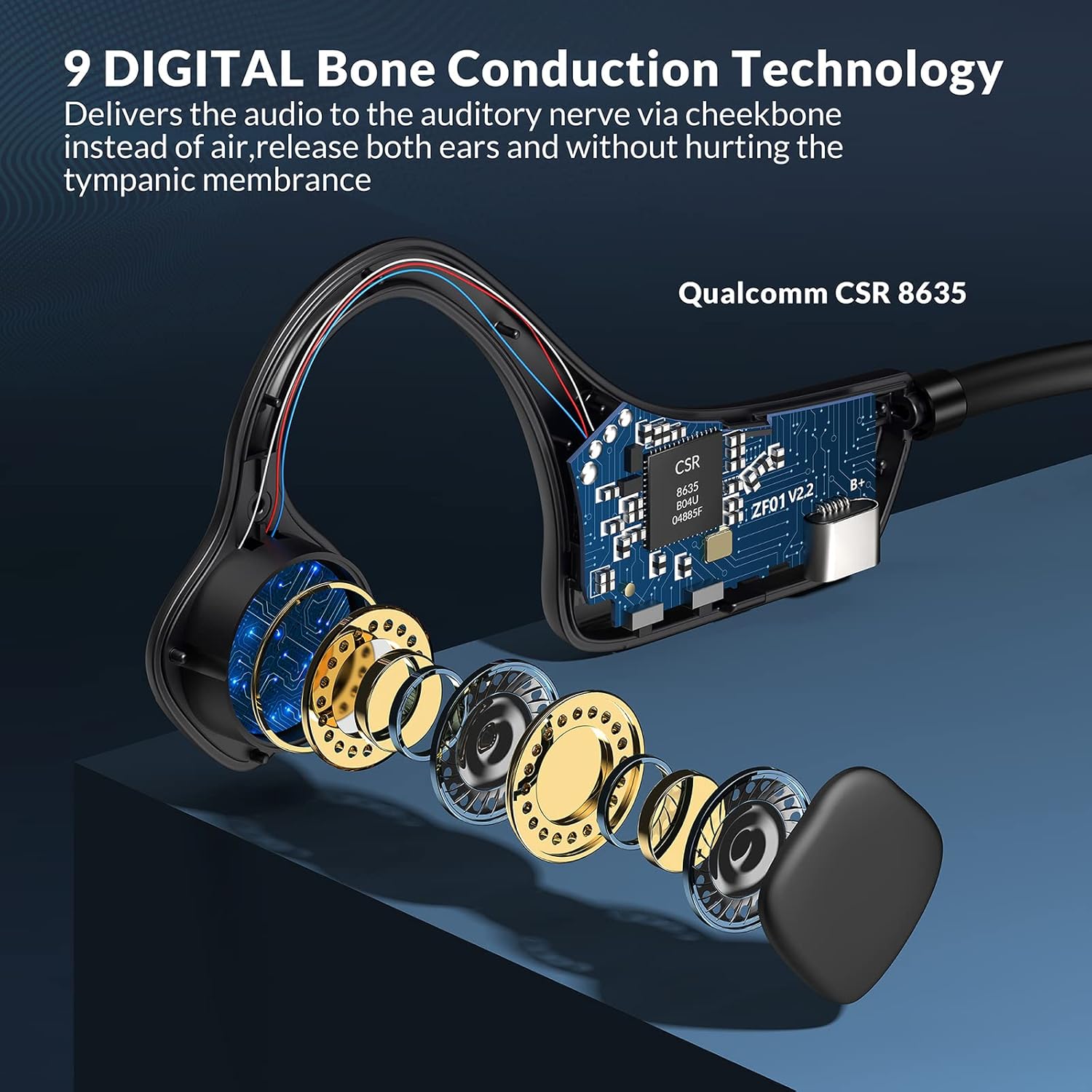
Obrázek: Explodoval view illustrating the internal bone conduction components and Qualcomm CSR 8635 chip.
Nastavení
1. Nabíjení sluchátek
Před prvním použitím sluchátka plně nabijte. Úplné nabití trvá přibližně 2 hodiny.
- Connect the charging cable to the USB port on the headphones.
- Připojte druhý konec kabelu ke zdroji napájení USB (např. počítači, nástěnnému adaptéru).
- LED indikátor bude zobrazovat stav nabíjení (podrobnosti naleznete v pokynech k chování LED indikátorů specifických pro daný produkt).
2. Párování Bluetooth
The headphones use Bluetooth 5.0 for wireless connectivity.
- Ujistěte se, že jsou sluchátka vypnutá.
- Press and hold the power button (often the multifunction button) for approximately 3-5 seconds until the LED indicator flashes red and blue, indicating pairing mode.
- Na svém zařízení (chytrý telefon, tablet, počítač) povolte Bluetooth a vyhledejte dostupná zařízení.
- Select "9 DIGITAL Lite" (or similar name) from the list of devices.
- Po připojení bude LED indikátor obvykle svítit nepřerušovaně modře nebo pomalu modře blikat.
3. Nošení sluchátek
Position the transducers on your cheekbones, just in front of your ears, with the band resting comfortably behind your head. The open-ear design ensures comfort and situational awareness.
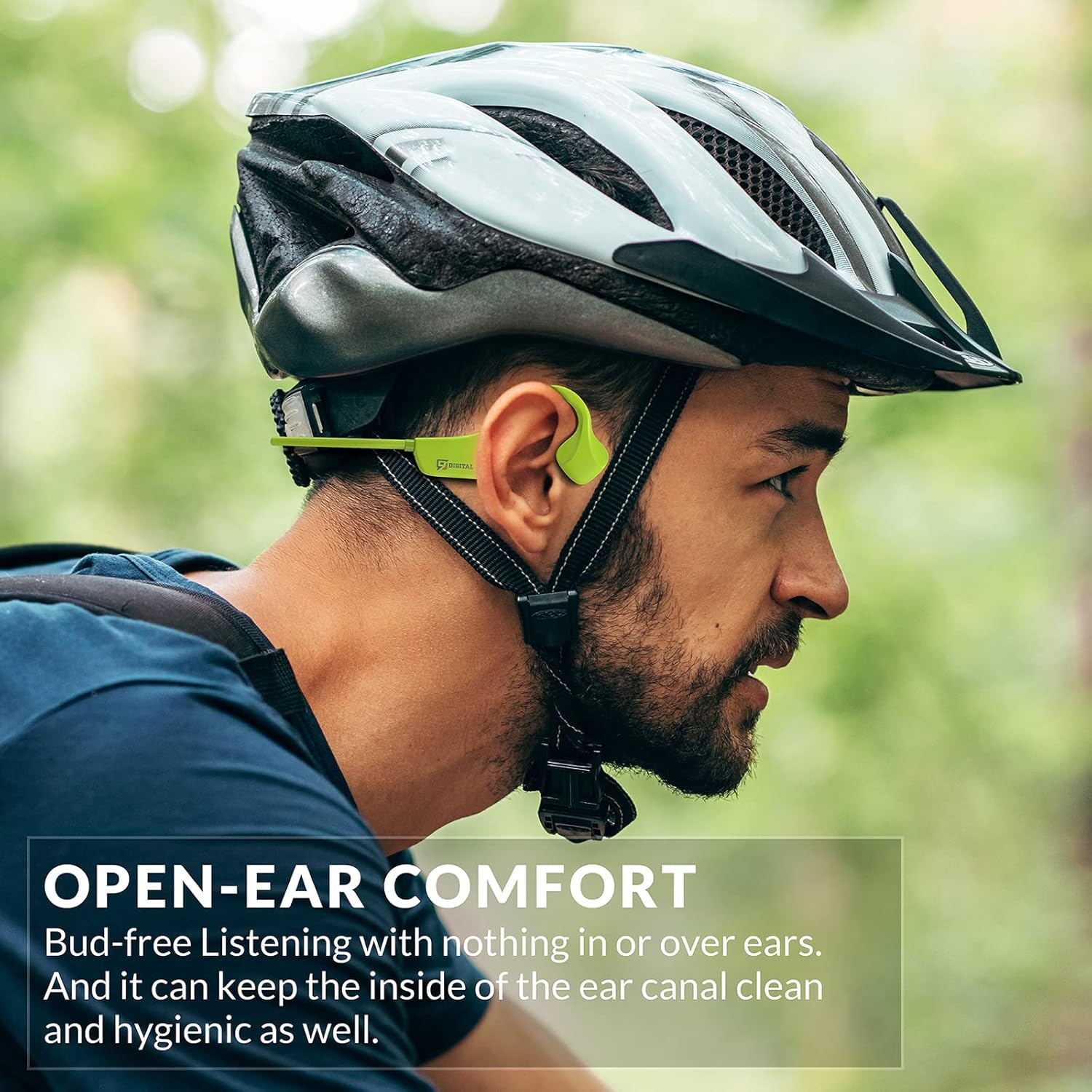
Image: A man wearing the headphones while cycling, demonstrating the secure and open-ear fit.
Návod k obsluze
The 9 DIGITAL Bone Conduction Headphones Lite feature intuitive controls for media playback and call management.

Image: A visual guide to the headphone's control buttons and their functions.
Funkce tlačítek:
- Zapnutí/vypnutí: Press and hold the Multifunction Button (MFB) for 3 seconds.
- Přehrát/pozastavit: Klikněte jednou na MFB.
- Další skladba: Dvakrát klikněte na MFB.
- Přijmout/ukončit hovor: Click the MFB once during an incoming call or active call.
- Odmítnout hovor: Press and hold the MFB for 2 seconds during an incoming call.
- Zvýšit hlasitost: Klikněte jednou na tlačítko „+“.
- Snížit hlasitost: Klikněte jednou na tlačítko „-“.
Note: The playing time is dependent on the volume level. It is recommended to adjust the volume to 80% for optimal battery life during playback or calls.
Údržba
Čištění a péče
- Otřete sluchátka měkkým, damp tkanina. Vyhněte se používání agresivních chemikálií nebo abrazivních materiálů.
- Před připojením nabíjecího kabelu se ujistěte, že je nabíjecí port suchý.
Voděodolnost
These headphones are certified waterproof and sweatproof, making them suitable for indoor and outdoor sports. However, they are není vhodné pro plavání.

Image: A woman exercising, highlighting the sweatproof design of the headphones.
Skladování
- Sluchátka skladujte na chladném a suchém místě mimo dosah přímého slunečního záření a extrémních teplot.
- Nepokládejte na sluchátka těžké předměty.
Odstraňování problémů
| Problém | Možné řešení |
|---|---|
| Nelze zapnout | Ujistěte se, že jsou sluchátka plně nabitá. Připojte je ke zdroji napájení a zkuste to znovu. |
| Nelze spárovat se zařízením |
|
| Žádný zvuk nebo nízká hlasitost |
|
| Sound quality issues (e.g., buzzing) |
|
| Headphones feel uncomfortable or don't fit well | Adjust the position of the transducers on your cheekbones. While designed for comfort, individual fit may vary. |
Specifikace
| Funkce | Detail |
|---|---|
| Název modelu | Bone Conduction Headphone Lite |
| Technologie připojení | Bezdrátové, Bluetooth |
| Verze Bluetooth | 5.0 |
| Dosah Bluetooth | 10 metrů |
| Typ zvukového ovladače | Ovladač kostního vedení |
| Životnost baterie | Up to 6.5 Hours (music/calls) |
| Pohotovostní doba | 480 hodiny |
| Doba nabíjení | 2 hodiny |
| Frekvenční rozsah | 20 Hz - 20,000 XNUMX Hz |
| Úroveň odolnosti proti vodě | Waterproof (IP54 Sweatproof) |
| Hmotnost položky | 25 gramů (0.882 unce) |
| Materiál | PC&ABS&Titanium |
| Mikrofon | Vestavěný |
| Kontrolní metoda | Dotyková / Ovládací tlačítka médií |
| Umístění uší | Otevřete ucho |
Záruka a podpora
9 DIGITAL is committed to providing quality products and customer satisfaction.
- Záruka: The product includes a 12-month satisfying service.
- Technická podpora: K dispozici je doživotní technická podpora.
- Kontakt: For any questions or issues, please contact Nine Digital Direct. We aim to reply and resolve all inquiries within 12 hours.
Ask a question about this manual
Ask about setup, troubleshooting, compatibility, parts, safety, or missing instructions. Manuals+ will review the question and use this page’s manual context to help answer it.