
1. Úvod
The LogiLink ID0205 is a versatile dual-mode wireless mouse designed for seamless connectivity. It offers two connection options: a 2.4 GHz wireless USB receiver and Bluetooth 4.0. This allows you to switch between two different devices, such as a laptop, desktop computer, or tablet, with ease. The mouse features adjustable DPI settings (800/1200/1600 dpi) for precise control and an automatic sleep mode to conserve battery life. It is compatible with Windows, Mac OS, Android, and iOS operating systems.
2. Obsah balení
- 1 x LogiLink ID0205 Dual Wireless and Bluetooth Mouse
- 1 x 2.4 GHz USB Receiver
- Nabíjecí kabel 1 x USB-C
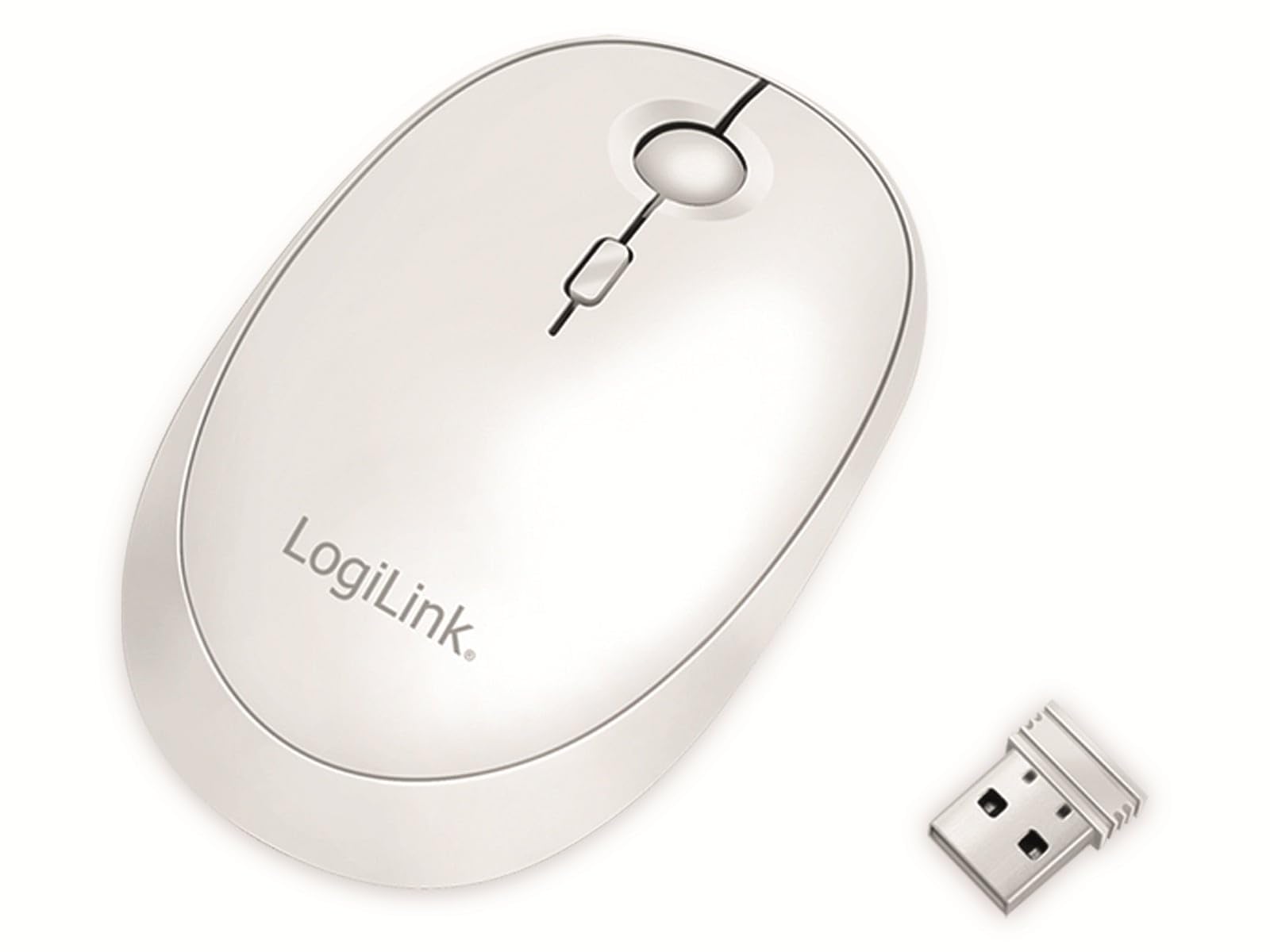
Image: The LogiLink ID0205 mouse shown alongside its 2.4 GHz USB receiver.
3. Nastavení
3.1 Zapnutí/vypnutí
Locate the ON/OFF switch on the bottom of the mouse. Slide the switch to the "ON" position to power on the mouse. Slide it to "OFF" when not in use to conserve battery.

Obrázek: Spodní část view of the mouse, highlighting the ON/OFF switch and mode selection button.
3.2 Bezdrátové připojení 2.4 GHz
- Insert the 2.4 GHz USB receiver into an available USB port on your computer or device.
- Power on the mouse using the ON/OFF switch.
- Press the "Mode" button on the bottom of the mouse until the indicator light for 2.4 GHz (usually the first LED) is active.
- The mouse should automatically connect to your device. If not, try moving the mouse or re-inserting the USB receiver.
3.3 Připojení Bluetooth
- Power on the mouse using the ON/OFF switch.
- Press the "Mode" button on the bottom of the mouse until the indicator light for Bluetooth (usually the second or third LED) is active.
- Na počítači nebo zařízení přejděte do nastavení Bluetooth.
- Hledat new Bluetooth devices. The mouse should appear as "LogiLink Mouse" or similar.
- Vyberte myš pro párování. Postupujte podle pokynů na obrazovce a dokončete proces párování.
4. Návod k obsluze
4.1 Základní funkce
The LogiLink ID0205 mouse features standard left-click, right-click, and a scroll wheel for navigation. The scroll wheel also functions as a middle-click button.
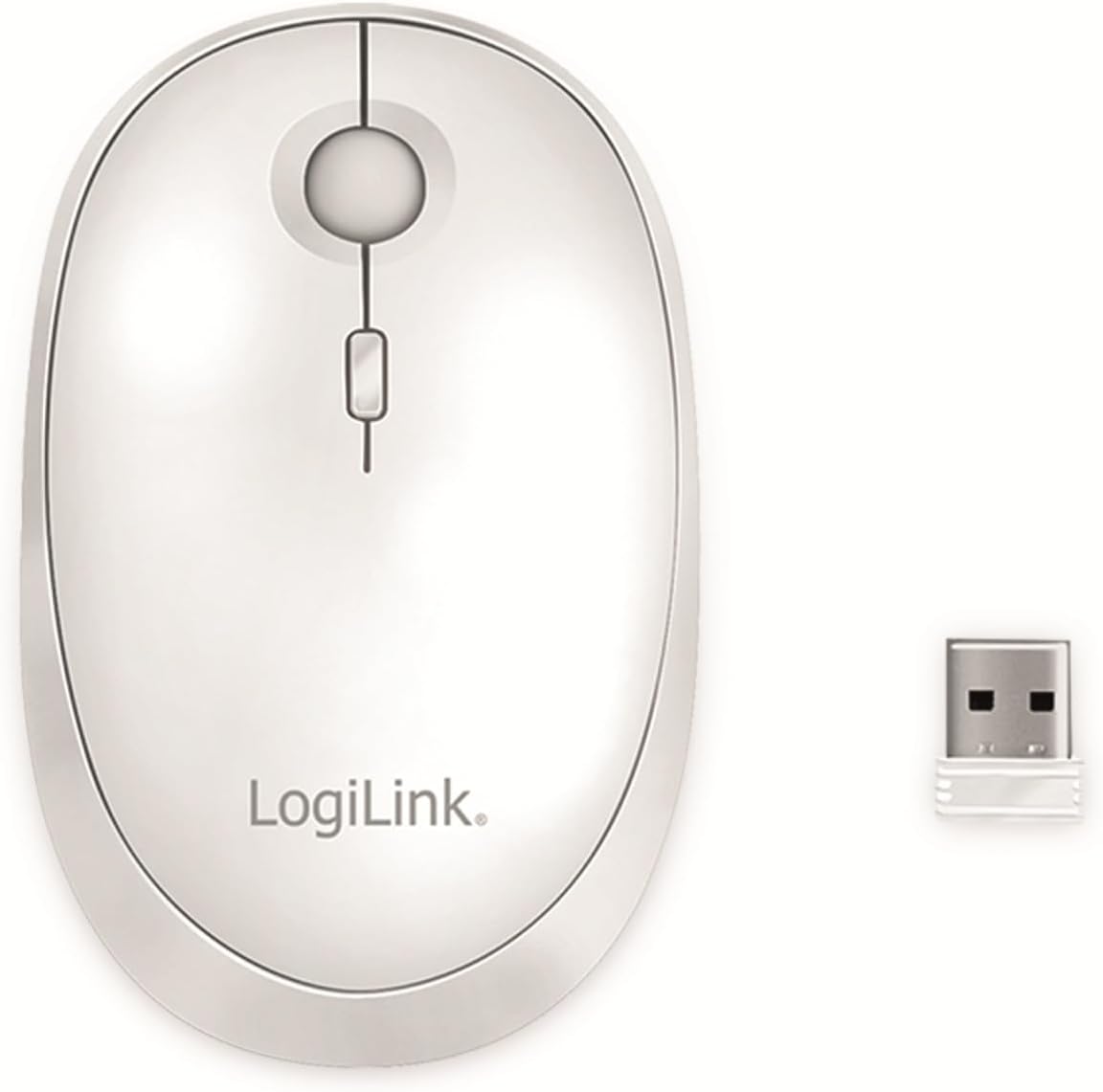
Obrázek: Nahoře view of the mouse, showing the left, right, and scroll wheel buttons.
4.2 Nastavení DPI
The mouse features a DPI On-The-Fly button, typically located behind the scroll wheel. Press this button to cycle through the available DPI settings: 800, 1200, and 1600 dpi. A higher DPI setting results in faster cursor movement, while a lower DPI provides more precise control.
4.3 Přepínání duálního režimu
To switch between the 2.4 GHz wireless mode and Bluetooth mode, press the "Mode" button located on the bottom of the mouse. The indicator lights will show which mode is currently active. This allows you to quickly switch control between two paired devices.
4.4 Automatický režim spánku
To conserve battery life, the mouse will automatically enter sleep mode after 10 minutes of inactivity. To wake the mouse, simply move it or click any button.
5. Nabíjení
The LogiLink ID0205 mouse is equipped with a built-in rechargeable battery. When the battery is low, the indicator light may flash. To charge the mouse:
- Connect the included USB-C charging cable to the USB-C port on the front of the mouse.
- Druhý konec kabelu USB-C připojte k USB zdroji napájení (např. k USB portu počítače, USB adaptéru do zásuvky).
- The indicator light will show the charging status. Once fully charged, the light will change or turn off.

Image: The mouse being charged via its USB-C port with the included cable.
6. Údržba
- Čištění: Use a soft, dry cloth to clean the surface of the mouse. For stubborn dirt, slightly damphadřík vodou. Nepoužívejte agresivní chemikálie ani abrazivní čisticí prostředky.
- Skladování: When not in use for extended periods, store the mouse in a cool, dry place. Ensure the mouse is powered off to preserve battery life.
- Péče o baterie: Vyhněte se častému úplnému vybíjení baterie. Myš nabijte, když se zobrazí indikátor slabé baterie.
7. Řešení problémů
- Myš nereaguje:
- Ujistěte se, že je myš zapnutá.
- Zkontrolujte stav baterie a v případě potřeby ji nabijte.
- For 2.4 GHz mode, ensure the USB receiver is securely plugged into a working USB port. Try a different USB port.
- For Bluetooth mode, ensure Bluetooth is enabled on your device and the mouse is paired. Try re-pairing the mouse.
- Ensure the correct mode (2.4 GHz or Bluetooth) is selected on the mouse using the mode button.
- Nepravidelný pohyb kurzoru:
- Vyčistěte optický senzor na spodní straně myši.
- Ujistěte se, že myš používáte na vhodném povrchu. Vyhněte se vysoce reflexním nebo průhledným povrchům.
- Zkuste upravit nastavení DPI.
- Časté výpadky spojení:
- Ensure the mouse is within the operating range (up to 10 meters).
- Snižte rušení od jiných bezdrátových zařízení.
- For 2.4 GHz, ensure the USB receiver is not obstructed.
8. Specifikace
| Značka | LogiLink |
| Číslo modelu | ID0205 |
| Barva | Bílý |
| Technologie připojení | Bezdrátové připojení 2.4 GHz, Bluetooth 4.0 |
| Technologie detekce pohybu | Optický |
| Rozlišení DPI | 800 / 1200 / 1600 dpi (nastavitelné) |
| Počet tlačítek | 4 (Left, Right, Scroll Wheel/Middle, DPI) |
| Orientace rukou | Obouruký |
| Provozní rozsah | Až 10 metrů |
| Nabíjecí port | USB-C |
| Kompatibilní operační systémy | Windows, Mac OS, Android, iOS |
| Kompatibilní zařízení | Osobní počítač, tablet |
| Hmotnost položky | 74 gramů |
9. Záruka a podpora
Informace o záruce a technickou podporu naleznete v dokumentaci dodané s vaším nákupem nebo navštivte oficiální webové stránky LogiLink. webUschovejte si doklad o koupi pro případ reklamace.