
Logitech 910-006346
Logitech Signature M650 L for Business Wireless Mouse User Manual
Model: 910-006346
1. Úvod
The Logitech Signature M650 L for Business Wireless Mouse is designed to enhance productivity and comfort for users with large-sized hands. It offers versatile connectivity options, including Logi Bolt USB receiver for secure connections and Bluetooth Low Energy for cross-platform flexibility. Featuring SmartWheel technology for adaptable scrolling and SilentTouch technology for quiet clicks, this mouse aims to reduce fatigue and improve user experience.
This manual provides comprehensive instructions for setting up, operating, maintaining, and troubleshooting your Signature M650 L mouse.

Image: The Logitech Signature M650 L mouse in graphite color, displayed alongside its retail packaging, highlighting its design and key features.
2. Co je v krabici
Upon unboxing your Logitech Signature M650 L mouse, verify that all the following components are included:
- Signature M650L Mouse
- USB Receiver (Logi Bolt)
- 1 x AA baterie (předinstalovaná nebo samostatně dodávaná)
- Pokyny (tato příručka)

Image: A visual representation of the items included in the product package: the Signature M650 L mouse and the Logi Bolt USB receiver, alongside the product box.
3. Klíčové vlastnosti
- Rolování pomocí SmartWheel: Automatically switches between line-by-line precision and super-fast free-spin mode for efficient navigation.
- Tiché klikání: Equipped with SilentTouch technology, reducing click noise by 90% for a quieter work environment.
- Duální konektivita: Connects via Logi Bolt USB receiver for robust, secure connections or via Bluetooth Low Energy for broad compatibility.
- Ergonomický design: Contoured shape and soft thumb area provide comfort, reducing forearm muscle activity by 25% compared to a laptop touchpad.
- Přizpůsobitelná boční tlačítka: Two programmable side buttons allow for personalized shortcuts and increased productivity.
- Dlouhá výdrž baterie: Enjoy up to 24 months of battery life on a single AA battery.
- Kompatibilita s více platformami: Works seamlessly with Windows, macOS, Linux, Chrome OS, iPadOS, and Android.
- Udržitelný design: Made with certified post-consumer recycled plastic to minimize environmental impact.

Image: An annotated diagram highlighting the key features of the Logitech Signature M650 L mouse, including silent clicking, SmartWheel, Bluetooth connectivity, customizable side buttons, comfort shape & texture, and 24-month battery life.

Image: A comparison showing the relative sizes of the standard M650 mouse and the larger M650 L mouse, indicating that the product is available in two sizes to fit different hand dimensions.
4. Průvodce nastavením
4.1. Instalace baterie
- Najděte přihrádku na baterie na spodní straně myši.
- Otevřete kryt bateriového prostoru.
- Vložte přiloženou baterii AA a dbejte na správnou polaritu (+/-).
- Bezpečně zavřete kryt bateriového prostoru.
4.2. Připojení myši
The Signature M650 L offers two primary connection methods:
4.2.1. Logi Bolt USB Receiver (Recommended for Business Environments)
- Remove the Logi Bolt USB receiver from the mouse's battery compartment (if stored there).
- Plug the Logi Bolt USB receiver into an available USB-A port on your computer.
- Zapněte myš pomocí vypínače na její spodní straně.
- The mouse should automatically connect to the receiver. If not, press and hold the connect button on the mouse (usually near the power switch) until the LED indicator blinks, then release.

Obrázek: Detailní záběr view of the Logi Bolt USB receiver plugged into the side of a laptop, illustrating its compact size and secure connection.
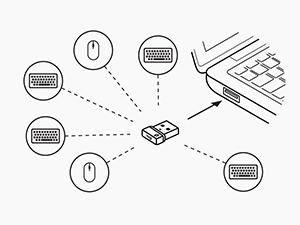
Image: A diagram illustrating how a single Logi Bolt USB receiver can connect to multiple compatible Logitech devices, including mice and keyboards, providing a unified wireless solution.
4.2.2. Bluetooth Low Energy
- Zapněte myš pomocí vypínače na její spodní straně.
- Press and hold the connect button on the mouse (usually near the power switch) for 3 seconds until the LED indicator blinks rapidly, indicating it's in pairing mode.
- V počítači nebo zařízení otevřete nastavení Bluetooth.
- Select "Logitech M650 L" from the list of available devices and follow any on-screen prompts to complete pairing.
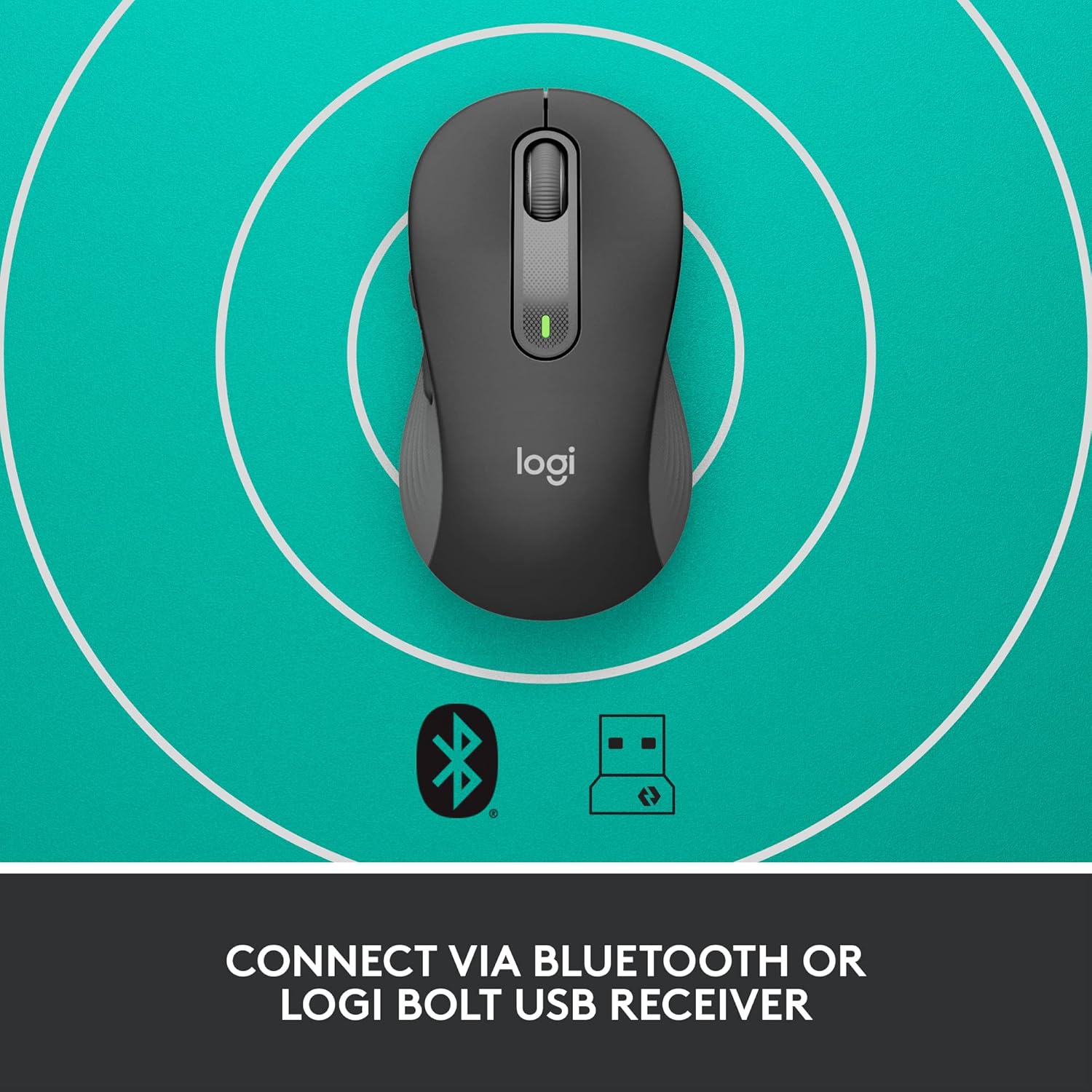
Image: The Logitech Signature M650 L mouse positioned on a surface with concentric circles, accompanied by Bluetooth and Logi Bolt icons, signifying its dual connectivity options.
5. Ovládání myši
5.1. Základní funkce
- Levé kliknutí: Primární akce, výběr.
- Klikněte pravým tlačítkem myši: Kontextová nabídka.
- Chytré kolo: Scroll up/down. The wheel automatically switches between precise line-by-line scrolling and hyper-fast free-spin scrolling based on your scrolling speed.
- Boční tlačítka: By default, these buttons may perform forward/back actions in web prohlížeče.
5.2. Customizing Buttons (Logitech Options Software)
To unlock the full potential of your Signature M650 L mouse, download and install the Logitech Options software from the official Logitech webweb (www.logitech.com/software/logi-options-plus.html). This software allows you to:
- Reassign the side buttons to perform various functions (e.g., copy, paste, open applications, media controls).
- Adjust pointer speed (DPI).
- Customize SmartWheel behavior.
- View stav baterie.
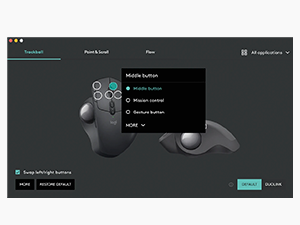
Image: A screenshot of the Logitech Options software interface, demonstrating how users can customize mouse buttons and settings for enhanced productivity.
6. Údržba
6.1. Čištění myši
Pro udržení optimálního výkonu a hygieny myš pravidelně čistěte:
- Použijte měkký hadřík, který nepouští vlákna dampened with water or an electronics-safe cleaning solution.
- Wipe down the surface of the mouse.
- For optical sensor, use a dry cotton swab to gently clean any dust or debris.
- Avoid using harsh chemicals, abrasive cleaners, or submerging the mouse in liquid.
6.2. Výměna baterie
When the battery indicator light on your mouse turns red or the mouse becomes unresponsive, it's time to replace the AA battery. Follow the battery installation steps in Section 4.1.
7. Řešení problémů
| Problém | Možná příčina | Řešení |
|---|---|---|
| Myš neodpovídá | Low battery; Receiver disconnected; Bluetooth not paired; Mouse powered off. | Replace battery; Re-insert Logi Bolt receiver; Re-pair Bluetooth; Turn mouse on. |
| Cursor lag or erratic movement | Interference; Dirty optical sensor; Surface issues; Low battery. | Move mouse closer to receiver/device; Clean optical sensor; Use a mouse pad; Replace battery. |
| Boční tlačítka nefungují | Logitech Options not installed or configured; Software conflict. | Install/reinstall Logitech Options; Check button assignments in software; Restart computer. |
| Nelze se připojit přes Bluetooth | Mouse not in pairing mode; Device's Bluetooth off; Interference. | Ensure mouse is in pairing mode (blinking LED); Enable Bluetooth on device; Move away from other wireless devices. |
8. Specifikace
| Funkce | Detail |
|---|---|
| Značka | Logitech |
| Název modelu | Signature M650 L |
| Číslo modelu položky | 910-006346 |
| Technologie připojení | Nízkoenergetický Bluetooth, USB přijímač Logi Bolt |
| Technologie detekce pohybu | Optický |
| Barva | Grafit |
| Hmotnost položky | 3.93 unce (cca 111.4 gramů) |
| Rozměry produktu (DxŠxV) | 4.65 x 2.58 x 1.64 palců (přibližně 11.8 x 6.55 x 4.17 cm) |
| Typ baterie | 1 x AA baterie (součástí balení) |
| Průměrná životnost baterie | Až 24 měsíců |
| Hardwarová platforma | Počítač, Linux, Mac |
| Kompatibilita operačního systému | Windows 11, Windows 10, macOS 10.15+, Linux, Chrome OS, iPadOS 13.4+, Android 5.0+ |
| Země původu | Čína |
9. Záruka a podpora
9.1. Informace o záruce
Logitech products typically come with a limited hardware warranty. Please refer to the warranty card included with your product or visit the official Logitech website for the most current and detailed warranty information applicable to your region and product model.
9.2. Zákaznická podpora
For technical assistance, product inquiries, or to report issues, please visit the Logitech support webmísto:
You may also find helpful FAQs, troubleshooting guides, and driver downloads on their support portal.