
1. Konec produktuview
The LENRUE TouchGo F4 is a compact, portable Bluetooth speaker designed for clear audio and ease of use. It features touch controls, Bluetooth 5.0 connectivity, and supports TWS (True Wireless Stereo) pairing for an enhanced audio experience. The speaker comes with a hard EVA travel case for protection and portability.

Figure 1: LENRUE TouchGo F4 Bluetooth Speaker.
2. Obsah balení
Zkontrolujte prosím balení, zda neobsahuje následující položky:
- LENRUE TouchGo F4 Bluetooth Speaker
- Hard EVA Travel Case
- Nabíjecí kabel TYPE-C
- Uživatelská příručka
3. Nastavení
3.1 Počáteční nabíjení
Before first use, fully charge the speaker. Connect the provided TYPE-C charging cable to the speaker's charging port and a compatible USB power adapter (not included). The charging indicator light will show the charging status. A full charge typically takes approximately 4 hours.
3.2 Zapnutí/vypnutí
- Zapnutí: Press and hold the power button (usually the central play/pause button) for a few seconds until you hear an audible prompt and the indicator light illuminates.
- Vypnutí: Press and hold the power button again for a few seconds until you hear an audible prompt and the indicator light turns off.
3.3 Párování Bluetooth
To connect the speaker to your device:
- Ujistěte se, že je reproduktor zapnutý a v režimu párování (kontrolka obvykle bliká modře).
- Na svém zařízení (chytrém telefonu, tabletu atd.) povolte Bluetooth a vyhledejte dostupná zařízení.
- Select "ToughGo" or "LENRUE TouchGo" from the list of devices.
- Po připojení uslyšíte potvrzovací zvuk a kontrolka se rozsvítí modře.
Reproduktor se po zapnutí automaticky znovu připojí k poslednímu spárovanému zařízení, pokud je zařízení v dosahu a je povoleno připojení Bluetooth.

Figure 2: Speaker with touch controls for sensitive and elegant operation.
3.4 TWS Wireless Pairing (Connect Two Speakers)
To achieve dual-channel stereo sound, you can pair two TouchGo F4 speakers together:
- Power on both TouchGo F4 speakers.
- Ujistěte se, že jsou oba reproduktory odpojeny od všech ostatních zařízení Bluetooth.
- On jeden of the speakers, press and hold the "+" button until you hear a prompt indicating TWS pairing mode.
- The two speakers will automatically pair with each other. You will hear a "beep" sound upon successful TWS pairing.
- Now, connect your device's Bluetooth to the device name "ToughGo". Both speakers will play audio in stereo.
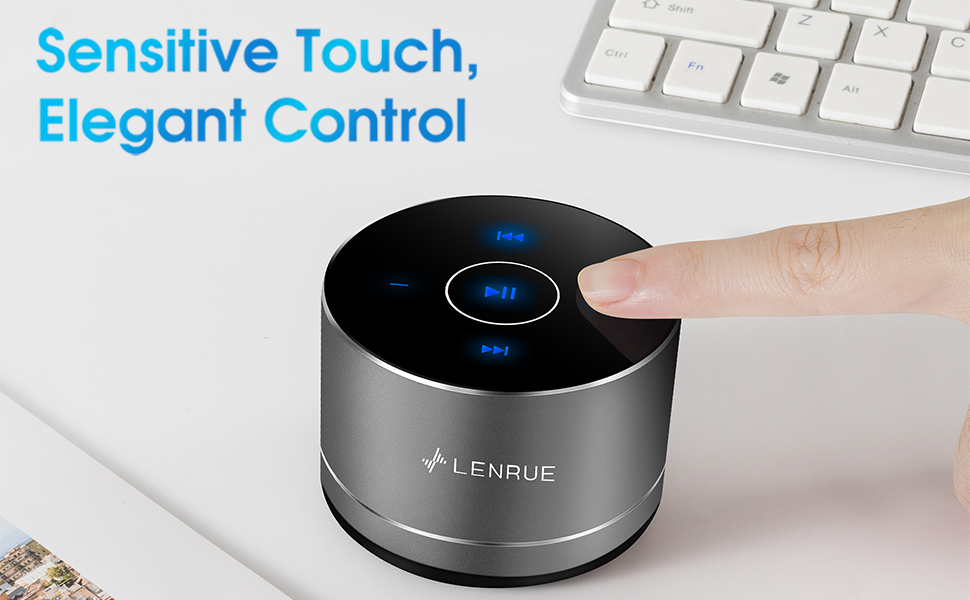
Figure 3: Two speakers connected for TWS wireless stereo pairing.
4. Návod k obsluze
4.1 Dotykové ovládání
The speaker features intuitive touch controls located on the top surface:
- Přehrát/pozastavit: Tap the central button once to play or pause music.
- Zvýšit hlasitost: Tap the "+" button to increase volume.
- Snížit hlasitost: Tap the "-" button to decrease volume.
- Další skladba: Tap the ">>" button to skip to the next song.
- Předchozí skladba: Tap the "<<" button to go to the previous song.
4.2 Volání bez použití rukou
The speaker includes a built-in microphone for hands-free calls:
- Přijmout hovor: When a call comes in, tap the central button once to answer.
- Ukončit hovor: During a call, tap the central button once to end the call.
- Odmítnout hovor: Press and hold the central button for approximately 2 seconds to reject an incoming call.
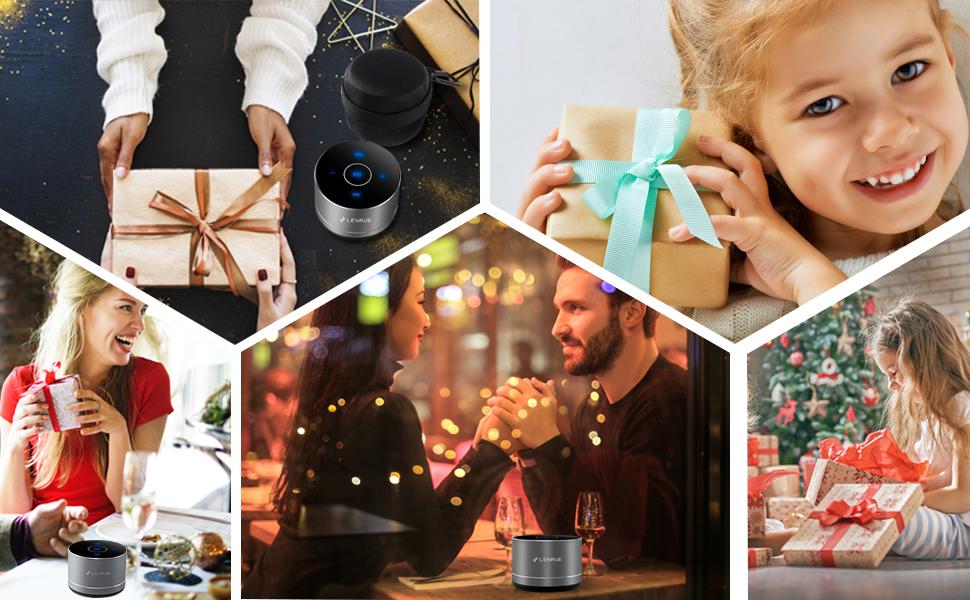
Figure 4: Speaker with hands-free calling capability.
4.3 Výdrž baterie a úspora energie
The speaker is equipped with a 1200mAh lithium-ion battery, providing 6-15 hours of music playback at 2/3 volume. To conserve power, the speaker will automatically shut down if Bluetooth is disconnected for 30 minutes.
5. Údržba
5.1 Čištění
To clean the speaker, use a soft, dry cloth. Do not use abrasive cleaners, solvents, or immerse the speaker in water.
5.2 Skladování
When not in use for extended periods, store the speaker in its hard EVA travel case in a cool, dry place. Avoid extreme temperatures and direct sunlight.
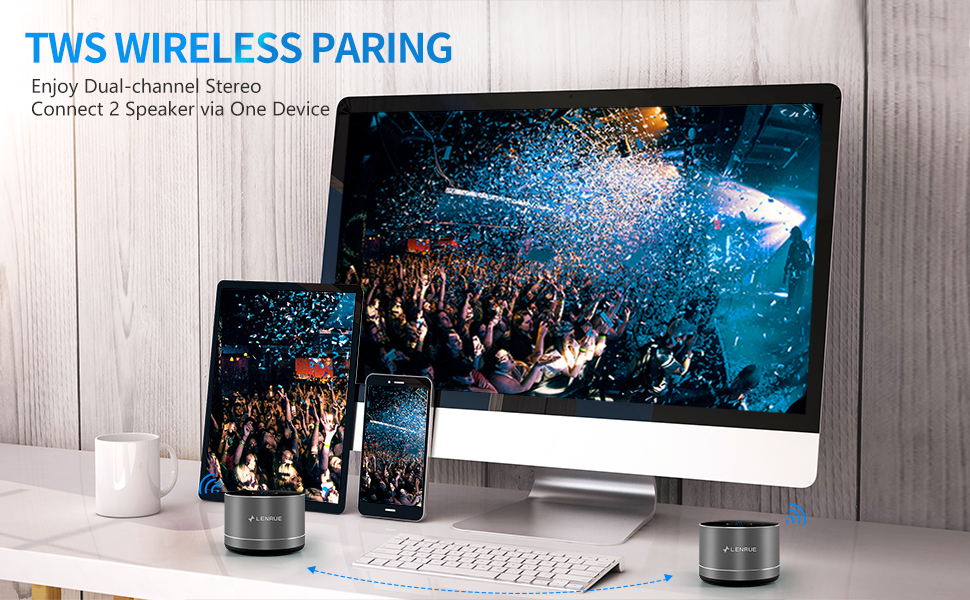
Figure 5: Speaker with its protective hard EVA travel case.
6. Řešení problémů
| Problém | Možná příčina | Řešení |
|---|---|---|
| Reproduktor se nezapne. | Slabá baterie; Tlačítko napájení nebylo správně stisknuto. | Plně nabijte reproduktor; Stiskněte a několik sekund podržte tlačítko napájení. |
| Nelze spárovat se zařízením Bluetooth. | Reproduktor není v režimu párování; Bluetooth zařízení je vypnuté; Reproduktor je již připojen k jinému zařízení. | Ensure speaker is in pairing mode (flashing blue light); Turn on Bluetooth on your device; Disconnect from other devices and try again. |
| Poor sound quality / Muffled sound. | Speaker placement; Obstructions; Low volume. | Ensure the speaker is placed on a flat, open surface, ideally not directly on its bottom where the speaker grille is located. Try placing it on its side for clearer sound. Remove any obstructions; Adjust volume on both speaker and device. |
| Párování TWS selhalo. | Speakers already paired to a device; Incorrect pairing procedure. | Ensure both speakers are disconnected from any Bluetooth devices before initiating TWS pairing. Follow the TWS pairing steps precisely. |
| Žádný zvuk. | Volume too low; Paused playback; Device not connected. | Increase volume on both speaker and device; Press play; Verify Bluetooth connection. |
7. Specifikace
| Funkce | Detail |
|---|---|
| Číslo modelu | F4 |
| Technologie připojení | Bluetooth 5.0 |
| Maximální výstupní výkon reproduktoru | 5 wattů |
| Zdroj napájení | Napájení baterií (1 lithium-iontová baterie je součástí balení) |
| Kapacita baterie | 1200 XNUMX mAh |
| Prázdno | 6-15 hours (at 2/3 volume) |
| Doba nabíjení | Přibližně 4 hodiny |
| Kontrolní metoda | Dotek |
| Rozměry produktu | 3.15 x 3.15 x 1.18 palce |
| Hmotnost položky | 9 unce |
| Speciální funkce | Portable, Hands-Free Calling, TWS Pairing |
8. Záruka a podpora
For warranty information and customer support, please refer to the documentation included with your purchase or contact LENRUE customer service directly. Contact details can typically be found on the official LENRUE webwebu nebo prostřednictvím svého prodejce.