
Zavedení
Děkuji za nákupasing the Bell+Howell BH65TWS Bluetooth True Wireless Stereo Link Cinema Speaker. This portable speaker offers high-quality audio with the convenience of wireless connectivity. Featuring Bluetooth and auxiliary input options, a built-in microphone for hands-free calls, and True Wireless Stereo (TWS) technology for pairing two speakers, it provides a versatile listening experience. This manual will guide you through the setup, operation, and maintenance of your new speaker.
Obsah balení
Ujistěte se prosím, že balení obsahuje všechny položky:
- BH65TWS Speaker
- USB nabíjecí kabel
- Přídavný audio kabel
- Návod k použití (tento dokument)
- Záruční list
Konec produktuview
Familiarize yourself with the various parts and controls of your BH65TWS speaker.

Obraz: Nahoru view of the Bell+Howell BH65TWS speaker, highlighting the control panel with power, volume, and playback buttons.
The top panel features intuitive controls for power, volume adjustment, and media playback. The rear panel includes ports for charging and auxiliary input.
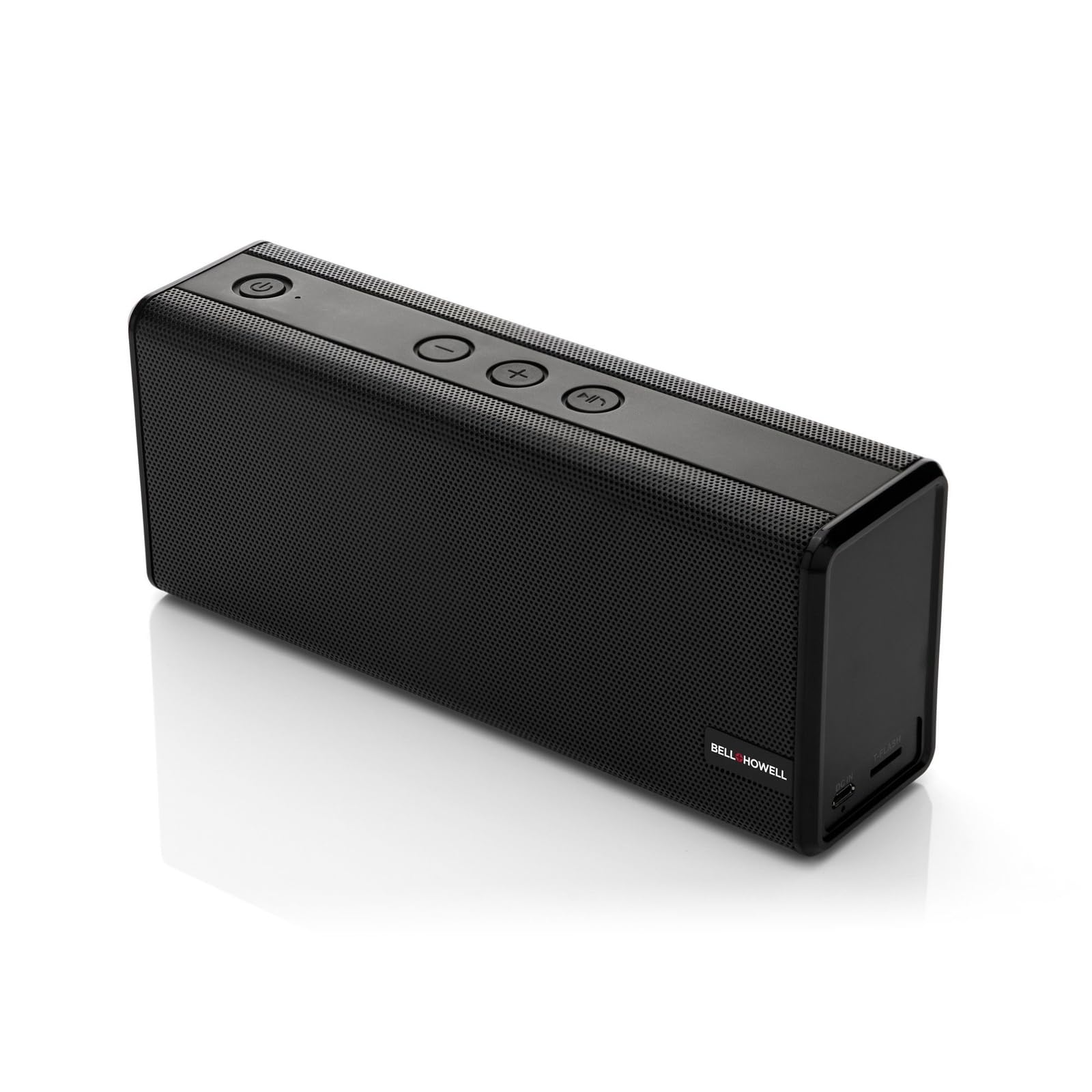
Obraz: Přední view of the Bell+Howell BH65TWS speaker, showcasing its sleek, rectangular design and speaker grille.
Nastavení
Nabíjení reproduktoru
Před prvním použitím reproduktor plně nabijte. Úplné nabití trvá přibližně 3–4 hodiny.
- Připojte menší konec dodaného nabíjecího kabelu USB k nabíjecímu portu na reproduktoru.
- Připojte větší konec kabelu USB k napájecímu adaptéru USB (není součástí balení) nebo k portu USB počítače.
- Kontrolka nabíjení se během nabíjení rozsvítí a po úplném nabití zhasne.

Obraz: The Bell+Howell BH65TWS speaker with a visual representation of a charging battery, indicating the charging process.
Zapnutí/vypnutí
- Pro zapnutí stiskněte a podržte Tlačítko napájení () for approximately 3 seconds until you hear an audible tone and the LED indicator lights up.
- Chcete-li přístroj vypnout, stiskněte a podržte tlačítko Tlačítko napájení for approximately 3 seconds until you hear an audible tone and the LED indicator turns off.
Návod k obsluze
Párování pomocí Bluetooth
Connect your speaker to a Bluetooth-enabled device for wireless audio streaming.
- Ujistěte se, že je reproduktor zapnutý a nachází se do 10 metrů od vašeho zařízení Bluetooth.
- Reproduktor se automaticky přepne do režimu párování Bluetooth, což bude signalizováno blikající LED kontrolkou.
- Na svém zařízení Bluetooth povolte Bluetooth a vyhledejte dostupná zařízení.
- Vybrat "BH65TWS" ze seznamu zařízení.
- Po spárování přestane LED indikátor blikat a zůstane svítit nepřerušovaně a uslyšíte potvrzovací tón.

Obraz: The Bell+Howell BH65TWS speaker positioned beside a smartphone, illustrating a successful Bluetooth connection for audio playback.
Pravé bezdrátové stereofonní párování (TWS)
Pair two BH65TWS speakers together for an immersive stereo sound experience.
- Ensure both BH65TWS speakers are powered on and not connected to any Bluetooth device.
- Na jednom reproduktoru (to bude primární reproduktor) stiskněte a podržte tlačítko Tlačítko Přehrát/Pozastavit for approximately 3 seconds until you hear a tone, indicating it's searching for another TWS speaker.
- Oba reproduktory se automaticky propojí. Po úspěšném spárování TWS uslyšíte potvrzovací tón.
- Now, connect your Bluetooth device to the primary speaker as described in the Bluetooth Pairing section. Audio will play through both speakers in stereo.

Obraz: Two Bell+Howell BH65TWS speakers displayed side-by-side with a wireless signal icon between them, illustrating the True Wireless Stereo (TWS) pairing feature.
Režim pomocného vstupu
Use the auxiliary input for devices without Bluetooth capability.
- Connect one end of the provided 3.5mm auxiliary audio cable to the AUX port on the speaker.
- Připojte druhý konec kabelu ke konektoru sluchátek nebo zvukovému výstupu vašeho zařízení.
- Reproduktor se automaticky přepne do pomocného režimu.
- Ovládejte přehrávání a hlasitost z připojeného zařízení.
Hands-free volání
Vestavěný mikrofon umožňuje handsfree telefonování při připojení přes Bluetooth.
- When a call comes in, the music will pause. Press the Tlačítko Přehrát/Pozastavit přijmout hovor.
- Chcete-li hovor ukončit, stiskněte tlačítko Tlačítko Přehrát/Pozastavit znovu.
- Příchozí hovor odmítnete stisknutím a podržením tlačítka Tlačítko Přehrát/Pozastavit po dobu 2 sekund.
Údržba
Správná péče zajistí dlouhou životnost vašeho reproduktoru.
- Čištění: K otření povrchu reproduktoru použijte měkký, suchý hadřík. Nepoužívejte abrazivní čisticí prostředky ani rozpouštědla.
- Skladování: Reproduktor skladujte na chladném a suchém místě mimo dosah přímého slunečního záření a extrémních teplot.
- Vystavení vodě: Tento reproduktor je NE vodotěsnéZabraňte vystavení vodě nebo nadměrné vlhkosti.
- Péče o baterie: To maintain battery life, charge the speaker at least once every three months if not in regular use.
Odstraňování problémů
Pokud narazíte na problémy, podívejte se na následující běžná řešení:
| Problém | Možné řešení |
|---|---|
| Reproduktor se nezapne. | Ujistěte se, že je reproduktor plně nabitý. Připojte ho ke zdroji napájení a zkuste to znovu. |
| Nelze spárovat přes Bluetooth. | Make sure the speaker is in pairing mode (flashing LED). Turn off and on Bluetooth on your device. Ensure no other devices are connected to the speaker. Move closer to the speaker. |
| Žádný zvuk v režimu Bluetooth. | Zkontrolujte úroveň hlasitosti na reproduktoru i na připojeném zařízení. Ujistěte se, že je reproduktor úspěšně spárován. |
| Párování TWS selhalo. | Ensure both speakers are not connected to any other Bluetooth device. Place speakers close to each other during pairing. Repeat the TWS pairing steps carefully. |
| Zkreslení zvuku. | Reduce the volume on your device or the speaker. Ensure the speaker is not too far from the Bluetooth source. |
Specifikace
Detailed technical specifications for the Bell+Howell BH65TWS speaker:
| Funkce | Detail |
|---|---|
| Název modelu | BH65TWS-BK |
| Typ reproduktoru | Tweeter |
| Speciální funkce | Built-in Microphone, Stereo Pairing (TWS) |
| Doporučené použití | Hudba |
| Barva | Černý |
| Hmotnost položky | 1.6 liber (0.73 kg) |
| Vodotěsný | Žádný |
| Bezdrátová technologie | Bluetooth |
| Velikost reproduktoru | 3.5 milimetrů |
| Zdroj napájení | Napájení baterií (1 lithium-iontová baterie je součástí balení) |
| Rozměry produktu | 8.7 x 4.7 x 2.8 palce (22.1 x 11.9 x 7.1 cm) |
| Maximální výstupní výkon reproduktoru | 6 Watts (Dual 3-watt drivers) |
| Technologie připojení | Pomocný, Bluetooth |
| Režim zvukového výstupu | Stereo, prostorový zvuk (s TWS) |
| Životnost baterie | Až 10 hodin (baterie 2,200 mAh) |
Bezpečnostní informace
Please read and follow these safety guidelines for safe operation:
- Nevystavujte reproduktor extrémním teplotám, přímému slunečnímu záření ani vysoké vlhkosti.
- Vyvarujte se pádu reproduktoru nebo jej nevystavujte silným nárazům.
- Reproduktor sami nerozebírejte, neopravujte ani neupravujte. Ztratíte tak záruku.
- Keep the speaker away from sources of heat, such as radiators, heat registers, stoves, or other apparatus (including amplifikátory), které produkují teplo.
- Do not use the speaker near water or in wet conditions.
- Používejte pouze dodaný nabíjecí kabel nebo jeho certifikovaný ekvivalent.
- Baterii a reproduktor zlikvidujte zodpovědně v souladu s místními předpisy.
Záruka a podpora
Your Bell+Howell BH65TWS speaker comes with a limited warranty. Please refer to the included Warranty Card for detailed terms and conditions, including coverage period and how to make a claim.
For technical support, troubleshooting assistance, or warranty inquiries, please contact Bell+Howell customer service. Contact information can typically be found on the warranty card or the official Bell+Howell webmísto.