
Zavedení
This manual provides detailed instructions for the safe and effective use of your pxton PX-8S-01 two-way radio. Please read this manual thoroughly before operating the device to ensure optimal performance and longevity.
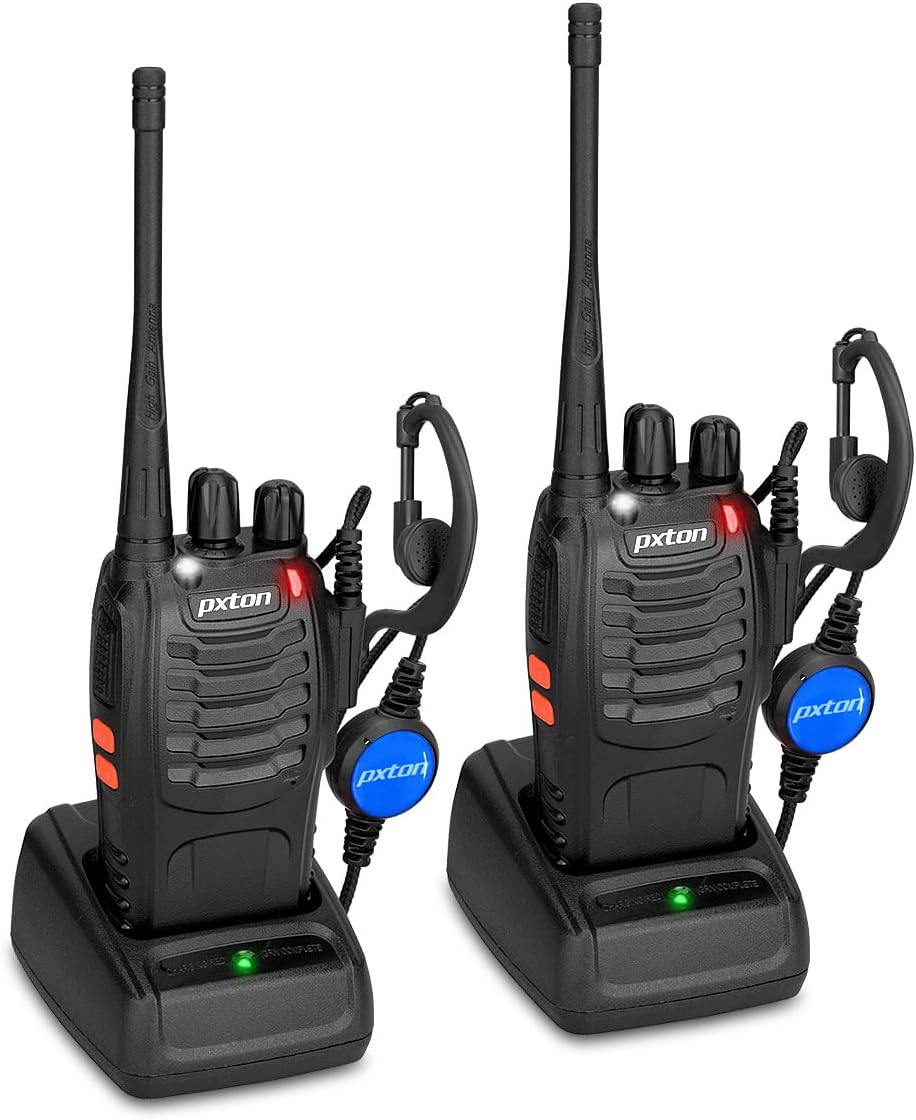
Image: Two pxton PX-8S-01 two-way radios with charging bases and earpieces.
Obsah balení
Ověřte, zda jsou v balení přítomny všechny položky:
- pxton PX-8S-01 Two-Way Radio (2 units)
- Lithium-Ion Battery (2 units)
- USB Charger (2 units)
- Upgraded Earpiece (2 units)
- Spona na opasek (2 jednotky)
- Poutko na zápěstí (2 kusů)
- Anténa (2 jednotky)
- Uživatelský manuál (1 jednotka)

Image: Contents of the pxton PX-8S-01 package.
Konec produktuview
Familiarize yourself with the components of your pxton PX-8S-01 two-way radio:

Image: Labeled diagram of the pxton PX-8S-01 two-way radio components.
- Integrated Sensitive Antenna: Pro vysílání a příjem signálů.
- Přepínání kanálů: Otočný knoflík pro výběr jednoho z 16 dostupných kanálů.
- Vypínač / ovládání hlasitosti: Otočný knoflík pro zapnutí/vypnutí rádia a nastavení hlasitosti.
- Svítilna: Vestavěné LED světlo pro osvětlení.
- LED indikátor: Zobrazuje stav rádia (např. vysílání, příjem, nabíjení).
- Tlačítko PTT (Push-to-Talk): Stiskněte a podržte pro vysílání, uvolněte pro příjem.
- MONI Button (Monitor): Stisknutím dočasně deaktivujete umlčování a posloucháte slabé signály.
- Tlačítko svítilny: Aktivuje vestavěnou svítilnu.
- Konektory SP/MIC: Ports for connecting external audio accessories like earpieces or speaker microphones.
- Clear Speaker: Výstupy přijatého zvuku.
- Vestavěný mikrofon: Zachytí váš hlas pro přenos.
Nastavení
1. Instalace baterie
- Ujistěte se, že je rádio vypnuté.
- Zarovnejte bateriový blok s drážkami na zadní straně rádia.
- Zasuňte bateriový blok nahoru, dokud nezacvakne na místo.
- Chcete-li baterii vyjmout, stiskněte uvolňovací západku (pokud je k dispozici) a posuňte ji dolů.
2. Nabíjení baterie
- Připojte USB nabíječku ke zdroji napájení.
- Vložte rádio s vloženou baterií do nabíjecí kolébky.
- The LED indicator on the charger will show the charging status (e.g., red for charging, green for fully charged).
- A full charge from 0 capacity typically takes 3-4 hours.
3. Připevnění příslušenství
- Anténa: Zašroubujte anténu ve směru hodinových ručiček na konektor na horní straně rádia, dokud nebude pevně utažena prsty. Nepřetahujte ji.
- Spona na opasek: Připevněte klip na opasek do určeného slotu na zadní straně rádia pomocí dodaných šroubů.
- Sluchátko: Insert the earpiece plug into the SP/MIC jacks on the side of the radio. Ensure it is fully inserted for proper connection.
Návod k obsluze
1. Zapnutí/vypnutí a nastavení hlasitosti
- To power on the radio, rotate the Power Switch/Volume Control knob clockwise. You will hear a "click" and a voice prompt indicating the current channel.
- Pokračujte v otáčení knoflíku ve směru hodinových ručiček pro zvýšení hlasitosti a proti směru hodinových ručiček pro její snížení.
- To power off, rotate the knob counter-clockwise until you hear a "click."
2. Výběr kanálu
- Otáčením přepínače kanálů vyberte jeden ze 16 dostupných kanálů.
- Rádio oznámí číslo vybraného kanálu.
- Ujistěte se, že všechny rádiové stanice ve vaší skupině jsou nastaveny na stejný komunikační kanál.
3. Vysílání a příjem
- Pro přenos stiskněte a podržte PTT (Push-to-Talk) button. Speak clearly into the microphone. The LED indicator will illuminate red.
- Release the PTT button to stop transmitting and return to receive mode. The LED indicator will turn green when receiving a signal.
4. Funkce VOX (hlasově ovládaná ústředna)
Funkce VOX umožňuje ovládání bez použití rukou. Po aktivaci bude rádio automaticky vysílat, jakmile detekuje váš hlas, aniž by bylo nutné stisknout tlačítko PTT.
- VOX settings are typically programmed via software. Refer to advanced programming instructions if available.
- When using VOX, ensure the microphone is positioned correctly to pick up your voice effectively.
Image: VOX/Handfree function icon.
5. Funkce svítilny
- Stiskněte příslušné tlačítko Tlačítko svítilny to turn the built-in LED flashlight on or off.
Image: Flashlight function icon.
6. Funkce skenování
Funkce skenování umožňuje rádiu automaticky prohledávat kanály a vyhledávat aktivní vysílání.
- To activate the scan function, typically this is done via a programmed side key or by selecting a specific channel. Refer to your radio's programming guide for details.
- When scanning, the radio will stop on an active channel until the transmission ends, then resume scanning.
7. Nouzový alarm
The radio features an emergency alarm function for critical situations.
- To activate the emergency alarm, press the designated Emergency Alarm button (if programmed) or a specific key combination. This will typically emit a loud siren sound and/or transmit an alert signal.

Image: Emergency Alarm function icon.
8. Nastavení šumu
Squelch suppresses background noise when no signal is being received. The PX-8S-01 has an adjustable squelch feature.
- Squelch levels are typically set via programming software. A higher squelch level requires a stronger signal to open the receiver, reducing static but potentially missing weak signals.
- The MONI button can be used to temporarily override the squelch and listen to all signals, including weak ones or background noise.
Image: Squelch adjustment icon.
9. Kódy ochrany osobních údajů (CTCSS/DCS)
The radio supports 165 privacy codes (50 CTCSS / 210 DCS) per programmable channel to help filter out unwanted conversations.
- When a CTCSS/DCS code is set, you will only hear transmissions from other radios using the same channel and the same CTCSS/DCS code.
- Similarly, other radios will only hear your transmissions if they are on the same channel and using the same code.
- These codes are typically programmed using specialized software.
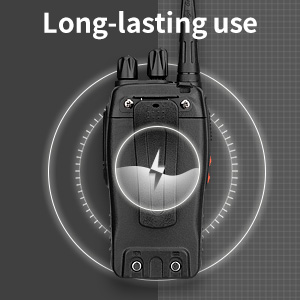
Image: CTCSS/DCS privacy codes icon.
Údržba
- Čištění: Použijte měkký, damp hadříkem k čištění vnější strany rádia. Nepoužívejte agresivní chemikálie ani rozpouštědla.
- Péče o baterie:
- Vyhněte se přebíjení nebo úplnému vybití baterie.
- Pokud baterie nepoužíváte, skladujte je na chladném a suchém místě.
- Pokud rádio nebudete delší dobu používat, vyjměte baterii.
- Skladování: Rádio skladujte v suchém a bezprašném prostředí mimo dosah extrémních teplot.
- Anténa: Anténu neohýbejte ani neupravujte, mohlo by to ovlivnit její výkon.
Odstraňování problémů
| Problém | Možná příčina | Řešení |
|---|---|---|
| Rádio se nezapne. | Baterie je vybitá nebo není správně nainstalována. | Nabijte baterii. Ujistěte se, že je baterie bezpečně nainstalována. |
| Nelze vysílat ani přijímat. | Incorrect channel selected. Battery low. Radio out of range. | Ověřte, zda jsou obě rádia na stejném kanálu. Nabijte baterii. Přesuňte se blíže k druhému rádiu. |
| Špatná kvalita zvuku nebo statický šum. | Weak signal. Squelch level too low/high. Interference. | Move to an area with fewer obstructions. Adjust squelch level (if programmable). Check for sources of interference. |
| Krátký komunikační dosah. | Překážky (budovy, terén). Slabá baterie. | Přejděte na otevřené prostranství. Ujistěte se, že je baterie plně nabitá. |
| Earpiece not working. | Earpiece not fully inserted. Faulty earpiece. | Ensure earpiece plug is fully inserted into the SP/MIC jack. Try a different earpiece if available. |
Specifikace
- Model: PX-8S-01
- ID FCC: 2AX68PX-888S
- Počet kanálů: 16
- Frekvenční rozsah: UHF
- Maximální dosah hovoru: Up to 5 miles (unobstructed)
- Kódy ochrany osobních údajů: 165 (50 CTCSS / 210 DCS)
- Typ baterie: Lithium Ion (součástí balení)
- Baterie Voltage: 3.7 V (DC)
- Životnost baterie: 8-96 hours standby, 8-12 hours continuous use (actual time varies with usage)
- Doba nabíjení: 3–4 hodiny (od 0 kapacity)
- Úroveň odolnosti proti vodě: Vodě odolný
- Rozměry produktu: 1.1"H x 1.89"Š x 8.34"V
- Hmotnost položky: 1.34 libry (za pár)
- Speciální vlastnosti: Rechargeable, VOX, TOT, Emergency Alarm, Battery Low Alert, Flashlight, Scan Function

Image: Size comparison of the pxton PX-8S-01 radio.
Bezpečnostní informace
Your pxton PX-8S-01 walkie-talkie has been granted FCC transmission and reception certification and authorization (FCC ID: 2AX68PX-888S). This device is intended for use only within the frequency points authorized by the FCC certification range.
Dodržujte prosím následující bezpečnostní pokyny:
- Neprovozujte rádio ve výbušném prostředí (např. hořlavé plyny, prachové částice, kovové prášky).
- Do not modify the radio or its accessories. Unauthorized modifications can void your warranty and violate FCC regulations.
- Uchovávejte rádio a jeho příslušenství mimo dosah dětí.
- Use only pxton-approved batteries and chargers. Using unapproved accessories can cause damage or injury.
- Avoid exposing the radio to extreme temperatures, direct sunlight, or moisture for prolonged periods.
- If the radio emits smoke or an unusual odor, immediately turn off the power and remove the battery. Contact customer support.
Záruka a podpora
pxton provides lifetime customer service for its walkie-talkies. If you encounter any questions or issues with your PX-8S-01 radio, please contact pxton customer support through the platform where you purchased the product. Our professional team is available to assist you with troubleshooting and support.
For further assistance, please refer to the official pxton webwebu nebo se přímo obraťte na jejich zákaznický servis.