
Zavedení
This user manual provides essential information and instructions for the safe and efficient operation of your Qubo SP510 smartphone. Please read this manual thoroughly before using your device to ensure proper setup, usage, and maintenance. Keep this manual for future reference.
Obsah balení
Ověřte, zda jsou v balení produktu přítomny všechny položky:
- Qubo SP510 Smartphone
- USB kabel
- Uživatelská příručka (tento dokument)
Pokud některé položky chybí nebo jsou poškozené, kontaktujte prosím svého prodejce.
Zařízení skončiloview
Familiarize yourself with the physical components of your Qubo SP510 smartphone.
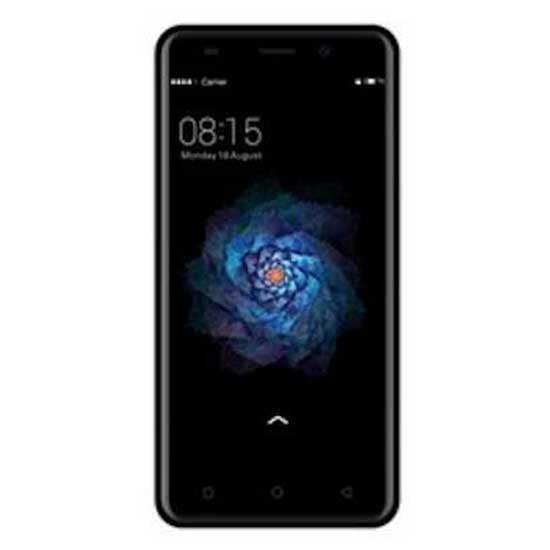
Obrázek 1: Zadní view of the Qubo SP510 smartphone. This image displays the back panel of the device, featuring the main camera lens and flash in the upper left corner, the "Qubo" brand logo centrally located, and regulatory compliance markings towards the bottom. The overall finish is a matte black.
Klíčové komponenty:
- Přední kamera: Pro selfie a videohovory.
- Rear Camera (8 MP): Pro pořizování fotografií a videí.
- Blikat: Poskytuje osvětlení pro fotografie za slabého osvětlení.
- Vypínač: Turns the device on/off, locks/unlocks the screen.
- Tlačítka hlasitosti: Upravuje hlasitost médií a hovorů.
- USB port: Pro nabíjení a přenos dat.
- 3.5mm audio jack: Pro připojení sluchátek.
- Reproduktor: Pro audio výstup.
- Mikrofon: Pro hlasové zadávání během hovorů a nahrávání.
- Zásuvka na SIM/SD kartu: Holds SIM cards and a microSD card for expandable storage.
Nastavení
1. Vložení SIM a SD karet
- Vyhledejte slot pro SIM/SD kartu na boku telefonu.
- Use the provided SIM ejector tool (if included) or a small paperclip to gently press into the small hole on the tray. The tray will pop out.
- Place your Nano-SIM card(s) and/or microSD card into the designated slots on the tray, ensuring the gold contacts face downwards. The Qubo SP510 supports Dual SIM functionality.
- Opatrně vložte zásobník zpět do telefonu, dokud nebude v jedné rovině s bokem zařízení.
2. Nabíjení zařízení
- Připojte kabel USB k nabíjecímu portu na telefonu.
- Druhý konec kabelu USB připojte ke kompatibilnímu napájecímu adaptéru USB (není součástí balení) nebo k portu USB počítače.
- Allow the phone to charge until the battery indicator shows a full charge. For optimal battery life, it is recommended to fully charge the device before first use.
3. Zapnutí/vypnutí
- Zapnutí: Press and hold the Power button until the Qubo logo appears on the screen.
- Vypnutí: Stiskněte a podržte tlačítko Napájení, dokud se nezobrazí nabídka možností napájení. Vyberte „Vypnout“ a potvrďte.
- Restartovat: V nabídce možností napájení vyberte „Restartovat“ a potvrďte.
4. Počáteční nastavení
Upon first power-on, the device will guide you through the initial setup process. This includes selecting your language (Spanish, English), connecting to Wi-Fi, setting up your Google account, and configuring security options.
Návod k obsluze
1. Základní navigace
- Gesta na dotykové obrazovce: Klepnutím vyberete, přejetím prstem posouváte, přiblížením rozevřením prstů.
- Domovská obrazovka: Centrální centrum pro vaše aplikace a widgety.
- Panel oznámení: Přejetím prstem dolů od horního okraje obrazovky získáte přístup k oznámením a rychlému nastavení.
- Navigační lišta: Typically includes Back, Home, and Recent Apps buttons at the bottom of the screen.
2. Volání a odesílání zpráv
- Volání: Otevřete aplikaci „Telefon“, zadejte číslo a klepněte na ikonu volání.
- Zprávy: Open the "Messages" app, tap to compose a new message, enter the recipient and text, then send.
3. Internet a připojení
- Wi-Fi: Go to Settings > Network & internet > Wi-Fi. Turn Wi-Fi on, select a network, and enter the password if required.
- Bluetooth: Go to Settings > Connected devices > Bluetooth. Turn Bluetooth on, scan for devices, and pair with your desired accessory.
- Mobile Data (GSM): Ujistěte se, že máte aktivní SIM kartu a povolená mobilní data v Nastavení > Síť a internet > Mobilní síť.
4. Použití fotoaparátu
- Otevřete aplikaci „Fotoaparát“.
- Klepnutím na tlačítko spouště pořídíte fotografii.
- Přepínejte mezi předním a zadním fotoaparátem pomocí ikony přepínače fotoaparátu.
- Select video mode to record videos (up to 720p resolution).
5. Správa aplikací
- Instalace aplikací: Stáhněte si aplikace z Obchodu Google Play.
- Odinstalace aplikací: Long-press an app icon on the home screen or app drawer, then drag it to "Uninstall" or go to Settings > Apps & notifications.
Údržba
1. Čištění zařízení
Use a soft, lint-free cloth to gently wipe the screen and body of the phone. Avoid using harsh chemicals, abrasive cleaners, or aerosol sprays, as these can damage the device's finish or internal components. The device is not water-resistant.
2. Aktualizace softwaru
Periodically check for software updates to ensure your device has the latest features, security patches, and performance improvements. Go to Settings > System > System update to check for and install available updates.
3. Péče o baterie
- Nevystavujte telefon extrémním teplotám.
- Používejte pouze schválené nabíječky a kabely.
- Nedovolte, aby se baterie často úplně vybila.
- Pokud zařízení nebudete delší dobu používat, nabijte jej před uskladněním přibližně na 50 %.
Odstraňování problémů
This section addresses common issues you might encounter with your Qubo SP510 smartphone.
- Zařízení se nezapne: Ujistěte se, že je baterie nabitá. Připojte nabíječku a před opětovným zapnutím počkejte několik minut. Pokud problém přetrvává, proveďte vynucený restart stisknutím tlačítka napájení po dobu 10–15 sekund.
- Obrazovka nereaguje: Restart the device. If the problem continues, try a factory reset (note: this will erase all data).
- Nelze se připojit k Wi-Fi: Ensure Wi-Fi is enabled. Restart your phone and the Wi-Fi router. Forget the network in your phone's settings and reconnect.
- Poor call quality or no network signal: Check if your SIM card is properly inserted. Ensure you are in an area with network coverage. Try restarting the device.
- Aplikace padá nebo zamrzá: Close and reopen the app. Clear the app's cache and data in Settings > Apps & notifications. Ensure your device's software is up to date.
- Baterie se rychle vybíjí: Reduce screen brightness, close unused apps, disable unnecessary connectivity features (Wi-Fi, Bluetooth, GPS) when not in use. Check battery usage in Settings to identify power-hungry apps.
V případě složitějších problémů se prosím obraťte na sekci podpory nebo na zákaznický servis.
Specifikace
Below are the technical specifications for the Qubo SP510 smartphone:
| Název modelu | SP510 |
| Operační systém | Android |
| Velikost obrazovky | 5 palce |
| Rozlišení obrazovky | 672 x 384 |
| Interní úložiště | 8 GB |
| Rozlišení zadní kamery | 8 MP |
| Rozlišení předního fotoaparátu | 13 MP (rozlišení optického senzoru) |
| Rozlišení záznamu videa | 720p |
| Kapacita baterie | 2000 XNUMX mAh |
| Sloty pro SIM karty | Duální SIM |
| Konektivita | Bluetooth, Wi-Fi, GSM |
| Audio Jack | 3.5 mm |
| Rozměry (D x Š x V) | 14 x 7 x 1 cm |
| Hmotnost | 300 g |
| Barva | Černý |
| Voděodolnost | No (Not water-resistant) |
| Podporované jazyky | španělsky, anglicky |
Informace o záruce
The Qubo SP510 smartphone comes with a tříletá záruka from the date of purchase. This warranty covers manufacturing defects and malfunctions under normal use. It does not cover damage caused by misuse, accidents, unauthorized modifications, or normal wear and tear. Please retain your proof of purchase for warranty claims.
For warranty service, please contact your retailer or the manufacturer's authorized service center with your device's model number and proof of purchase.
Podpora a kontaktní informace
If you require further assistance or have questions not covered in this manual, please refer to the official Qubo website or contact their customer support. Always provide your product model (SP510) when seeking support.
Note: Specific contact details are not provided in this manual. Please refer to the product packaging or official brand webweb s nejaktuálnějšími informacemi o podpoře.