
1. Úvod
Děkuji za nákupasing the Comix S360A Cross Cut Paper Shredder. This manual provides essential information for the safe and efficient operation, maintenance, and troubleshooting of your shredder. Please read these instructions carefully before use and retain them for future reference.
The Comix S360A is designed for secure disposal of sensitive documents, credit cards, and CDs. It features a cross-cut mechanism for enhanced security and includes a jam-proof system with reverse and forward functions to clear paper jams. An energy-saving mode ensures optimal efficiency during operation.
2. Důležité bezpečnostní pokyny
VAROVÁNÍ: Nedodržení těchto bezpečnostních pokynů může vést k požáru, úrazu elektrickým proudem nebo zranění.
- Udržujte děti a domácí zvířata mimo dosah drtiče.
- Keep loose clothing, jewelry, hair, and ties away from the paper entry slot.
- Nevkládejte prsty ani jiné části těla do vstupního otvoru pro papír.
- Do drtiče nestříkejte žádné hořlavé látky ani maziva.
- Neskartujte kovové předměty, mokrý papír ani samolepicí štítky.
- Always unplug the shredder when not in use or before cleaning.
- Do not operate the shredder if the power cord is damaged. Contact customer support for assistance.
- Ujistěte se, že je drtič umístěn na stabilním a rovném povrchu.
- Do not overload the shredder beyond its specified sheet capacity.
3. Obsah balení
Zkontrolujte prosím balení, zda neobsahuje následující položky:
- Comix S360A Shredder Head
- Waste Bin (13 Liter capacity)
- Návod k použití (tento dokument)
4. Nastavení
- Vybalte skartovačku: Opatrně vyjměte všechny součásti z obalu.
- Place the Waste Bin: Position the waste bin on a flat, stable surface.
- Mount the Shredder Head: Carefully place the shredder head onto the top of the waste bin, ensuring it is securely seated. The shredder will not operate if the head is not correctly positioned.
- Připojte napájení: Zapojte napájecí kabel do standardní elektrické zásuvky.
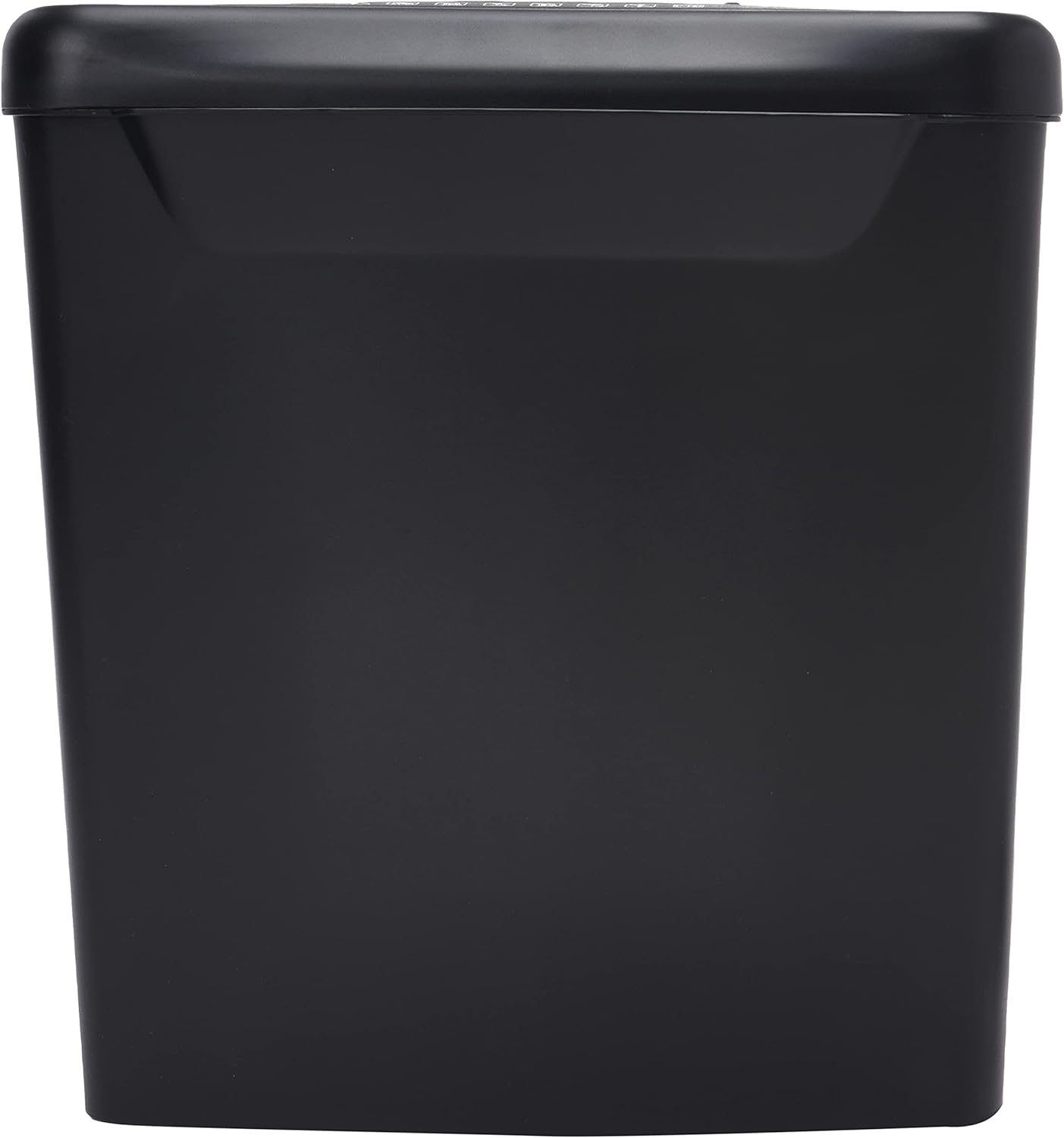
Obrázek: Boční view of the Comix S360A shredder bin, showing its black exterior and compact design. The shredder head is not visible in this image.
5. Návod k obsluze
Ovládací spínač 5.1
The shredder features a slide switch with three positions:
- AUTO: The shredder will automatically start when paper is inserted and stop when shredding is complete. This is the normal operating mode.
- OFF: The shredder is powered off. Always set the switch to OFF when emptying the bin or when the shredder is not in use.
- REV (zpátečka): This position reverses the shredder blades to help clear paper jams.

Obrázek: Nahoře view of the shredder head, highlighting the paper entry slot, the three-position control switch (Rev, OFF, Auto), and various safety warning icons.
5.2 Skartace dokumentů
- Ensure the shredder head is securely placed on the waste bin.
- Zapojte napájecí kabel do elektrické zásuvky.
- Set the control switch to AUTO.
- Insert up to 8 sheets of 70gsm A4 paper into the paper entry slot. The shredder will start automatically.
- For credit cards or CDs, use the dedicated slot if available (refer to product specifications for capability).
- The shredder will stop automatically once the shredding process is complete.
5.3 pracovní cyklus
The Comix S360A has a continuous run time of 2 minut, followed by a rest time of 40 minut. Exceeding the run time may cause the shredder to overheat and automatically shut off. Allow the shredder to cool down for the specified rest time before resuming operation.
6. Údržba
6.1 Vyprázdnění odpadkového koše
- Set the control switch to VYPNUTO.
- Odpojte skartovač ze zásuvky.
- Lift the shredder head off the waste bin.
- Dispose of the shredded paper.
- Bezpečně nasaďte hlavu drtiče zpět na odpadkový koš.
- Plug the shredder back into the power outlet.
6.2 Oiling the Shredder Blades
Regular oiling of the shredder blades is recommended to maintain optimal performance and extend the life of your shredder. Use shredder oil specifically designed for paper shredders.
- Naneste tenkou vrstvu oleje do skartovačky přes vstupní otvor pro papír.
- Set the control switch to AUTO.
- Insert a sheet of paper to distribute the oil evenly across the blades.
- Repeat this process periodically, especially after emptying a full waste bin or if the shredder's performance decreases.
6.3 Čištění
Otřete vnější povrch skartovačky měkkým, suchým hadříkem. Nepoužívejte abrazivní čisticí prostředky ani rozpouštědla. Před čištěním se ujistěte, že je skartovačka odpojena od sítě.
7. Řešení problémů
| Problém | Možná příčina | Řešení |
|---|---|---|
| Skartovač se nespustí. |
|
|
| Zaseknutý papír. |
|
|
| Drtič se během provozu zastaví. |
|
|
8. Specifikace
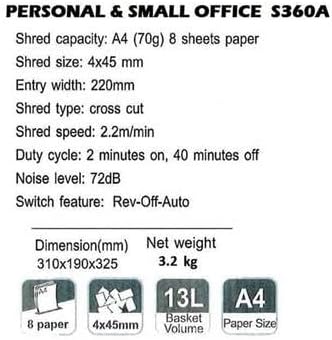
Image: Technical specifications sheet for the Comix S360A, detailing performance metrics and physical attributes.
- Model: S360A
- Typ skartace: Příčný řez
- Velikost kousku: 4 x 45 mm
- Shred Capacity (A4, 70g): 8 listů
- Vstupní šířka: 220 mm
- Rychlost skartování: 2.2 m/min
- Kapacita odpadkového koše: 13 litrů
- Pracovní cyklus: 2 minut zapnuto / 40 minut vypnuto
- Hladina hluku: 72 dB
- Switch Feature: Rev-Off-Auto
- Rozměry produktu: 310 x 190 x 325 mm (d x š x v)
- Čistá hmotnost: 3.2 kg
- Speciální vlastnosti: Energy Saving Mode, Jam Pro, Quiet Operation
9. Záruka a podpora
For warranty information or technical support, please refer to the warranty card included with your product or contact Comix customer service through their official website or the retailer where the product was purchased. Please have your model number (S360A) and purchase date available when contacting support.