
LENRUE A52
Uživatelská příručka přenosného Bluetooth reproduktoru LENRUE A52
Model: A52
1. Úvod
Thank you for choosing the LENRUE A52 Portable Bluetooth Speaker. This manual provides essential information for setting up, operating, and maintaining your speaker to ensure optimal performance and longevity. Please read it carefully before use.

Image 1.1: The LENRUE A52 Portable Bluetooth Speaker in Powder Blue.
2. Co je v krabici
Po vybalení se prosím ujistěte, že jsou přítomny všechny níže uvedené položky:
- 1 x LENRUE A52 Bluetooth Speaker
- 1 x USB nabíjecí kabel
- 1 x Uživatelská příručka

Image 2.1: The LENRUE A52 speaker, charging cable, and user manual as included in the package.
3. Ovládací prvky a indikátory
Familiarize yourself with the speaker's buttons and ports for easy operation.
3.1 Top Panel Buttons
Image 3.1: Top panel buttons including Power, Volume Down, Volume Up, and Play/Pause/Answer Call.
- Tlačítko napájení (⏻): Long press to power on/off. Short press for other functions (e.g., mode switch).
- Snížit hlasitost (-)Krátkým stisknutím snížíte hlasitost. Dlouhým stisknutím přejdete na předchozí skladbu.
- Zvýšení hlasitosti (+)Krátkým stisknutím zvýšíte hlasitost. Dlouhým stisknutím přejdete na další skladbu.
- Play/Pause/Answer Call (▶/❚❚): Short press to play/pause music. Short press to answer/end a call. Long press to reject a call.
3.2 Zadní porty
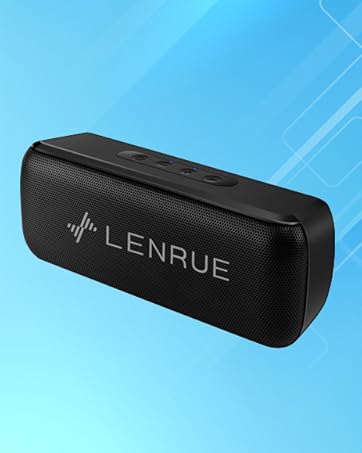
Image 3.2: Rear ports for USB, TF card, and DC 5V charging.
- USB port: For USB flash drive playback.
- TF Card Slot: For Micro SD card playback (supports up to 32GB).
- Nabíjecí port DC 5V: For charging the speaker using the provided USB cable.
4. Nastavení
4.1 Nabíjení reproduktoru
- Připojte menší konec nabíjecího kabelu USB k portu DC 5V na reproduktoru.
- Připojte větší konec kabelu USB k napájecímu adaptéru USB (není součástí balení) nebo k portu USB počítače.
- Rozsvítí se kontrolka nabíjení. Po úplném nabití může kontrolka změnit barvu nebo zhasnout v závislosti na modelu.
- Plné nabití poskytuje přibližně 16–24 hodiny přehrávání.
4.2 Zapnutí/vypnutí
- Zapnout: Long press the Power button (⏻) until you hear an audible prompt or see an indicator light.
- Chcete-li vypnout: Long press the Power button (⏻) again until you hear an audible prompt or the indicator light turns off.
5. Návod k obsluze
5.1 Párování Bluetooth
Připojení reproduktoru k zařízení s podporou Bluetooth:
- Ensure the speaker is powered on and in Bluetooth mode (it usually defaults to Bluetooth mode upon power-on). The indicator light will flash, indicating it's ready for pairing.
- Na svém zařízení (chytrém telefonu, tabletu atd.) povolte Bluetooth a vyhledejte dostupná zařízení.
- Select "Soundmate" from the list of found devices.
- Once connected, the speaker will provide an audible confirmation, and the indicator light will stop flashing and remain solid.
5.2 Připojení TWS (True Wireless Stereo)
You can pair two LENRUE A52 speakers together for a stereo sound experience.
Image 5.1: Visual representation of two speakers establishing a TWS connection.
- Turn on both LENRUE A52 speakers. Ensure they are not currently connected to any other Bluetooth devices.
- Double-click the Power button (⏻) on jeden of the speakers. This speaker will initiate TWS pairing.
- The speakers will automatically connect to each other, indicated by an audible "beep" sound.
- Now, on your device, search for Bluetooth devices and select "Soundmate". Only one "Soundmate" will appear.
- Po připojení bude zvuk přehráván stereofonně z obou reproduktorů.
5.3 Více režimů přehrávání
Reproduktor podporuje různé zdroje zvuku:
- Režim Bluetooth: Connect wirelessly to your device as described above.
- Přehrávání z USB flash disku: Insert a USB flash drive containing MP3 audio filedo portu USB. Reproduktor se automaticky přepne do režimu USB a spustí přehrávání.
- Přehrávání karet Micro SD: Insert a Micro SD card (up to 32GB) containing MP3 audio filedo slotu pro TF kartu. Reproduktor se automaticky přepne do režimu TF karty a spustí přehrávání.
5.4 Volání handsfree
Po připojení k chytrému telefonu přes Bluetooth lze reproduktor použít pro handsfree hovory.
- Přijmout hovor: When an incoming call rings, short press the Play/Pause/Answer Call button (▶/❚❚) to answer.
- Ukončit hovor: During a call, short press the Play/Pause/Answer Call button (▶/❚❚) to end the call.
- Odmítnout hovor: When an incoming call rings, long press the Play/Pause/Answer Call button (▶/❚❚) to reject the call.

Image 5.2: The LENRUE A52 speaker in an outdoor setting, demonstrating its portability.
6. Údržba
6.1 Čištění
- Otřete reproduktor měkkým, suchým hadříkem.
- Nepoužívejte abrazivní čisticí prostředky, alkohol ani chemická rozpouštědla, protože by mohly poškodit povrch.
6.2 Péče o baterii
- Pro prodloužení životnosti baterie reproduktor před prvním použitím plně nabijte.
- Nevystavujte reproduktor extrémním teplotám (horkým nebo nízkým).
- If the speaker will not be used for an extended period, charge it at least once every three months.
6.3 Skladování
- Reproduktor skladujte na chladném a suchém místě mimo dosah přímého slunečního záření a vlhkosti.
7. Řešení problémů
If you encounter issues with your LENRUE A52 speaker, refer to the following common problems and solutions:
Q1: How to use two speakers in Bluetooth mode at the same time (TWS)?
Odpověď:
- Turn on both speakers and ensure they are disconnected from all other devices.
- Double-click the power button on either of the two speakers to initiate TWS pairing.
- TWS pairing will automatically complete after a "beep" sound.
- Select the device name "Soundmate" on your phone's Bluetooth settings to pair with your speakers.
- You can now play music with double surround stereo sound.
Q2: How does the microphone work?
Odpověď: The microphone functions only in Bluetooth mode. When a call comes in, press the Play/Pause/Answer Call button (▶/❚❚) to answer the call through the speaker.
8. Specifikace
Detailed technical specifications for the LENRUE A52 Portable Bluetooth Speaker:
Image 8.1: Dimensions of the LENRUE A52 Portable Bluetooth Speaker.
| Funkce | Detail |
|---|---|
| Název modelu | A52 |
| Značka | DÉLKA |
| Technologie připojení | Bluetooth 5.0 |
| Typ reproduktoru | Přenosný Bluetooth reproduktor |
| Speciální funkce | Stereo Pairing (TWS) |
| Zdroj napájení | Napájení z baterie |
| Kapacita baterie | 1500 mAh (1.6E+3 miliamp Hodiny) |
| Prázdno | 16-24 hodin |
| Doba nabíjení | Approximately 16 Hours (initial charge) |
| Maximální výstupní výkon reproduktoru | 8 wattů |
| Frekvenční odezva | 20 Hz |
| Rozměry produktu | 1.7"H x 6"Š x 2.25"V |
| Hmotnost položky | 9.2 unce |
| Kompatibilní zařízení | Zařízení iOS a Android |
| Režimy přehrávání | Bluetooth, USB Flash Disk, Micro SD Card |
| Vodotěsný | Žádný |
9. Záruka
The LENRUE A52 Portable Bluetooth Speaker comes with a Limited Warranty. Please refer to the warranty card included in your package or contact customer support for details regarding warranty terms and conditions.
10. Podpora
For further assistance, technical support, or inquiries not covered in this manual, please contact LENRUE customer service through the retailer where you purchased the product or visit the official LENRUE webmísto.
Ask a question about this manual
Ask about setup, troubleshooting, compatibility, parts, safety, or missing instructions. Manuals+ will review the question and use this page’s manual context to help answer it.