
Zavedení
This manual provides detailed instructions for the installation and operation of your Mounting Dream TV Mounts, models MD2263-XLK and MD2268-MK. The MD2263-XLK is designed for most 42-86 inch TVs, supporting VESA patterns up to 800x400mm and weights up to 120 lbs. The MD2268-MK is suitable for most 26-55 inch TVs, supporting VESA patterns up to 400x400mm and weights up to 88 lbs. Please read these instructions carefully before installation to ensure safe and correct usage.
Bezpečnostní informace
VAROVÁNÍ: Failure to read and follow these instructions may result in personal injury, property damage, or voiding your warranty. If you do not understand these instructions or have doubts about the safety of the installation, please contact customer service or a qualified installer.
- Do not exceed the maximum weight capacity of the mount. MD2263-XLK: 120 lbs (54.4 kg). MD2268-MK: 88 lbs (39.9 kg).
- This product is designed for installation on wood stud walls or solid concrete/brick walls. Do not install on drywall alone.
- Ujistěte se, že konstrukce stěny bezpečně unese celkovou hmotnost držáku a televizoru.
- Pro přesné nalezení dřevěných trámů vždy používejte detektor trámů.
- Během instalace používejte vhodné bezpečnostní pomůcky, včetně ochrany očí.
- Během instalace držte děti a domácí zvířata mimo dosah.
- Pravidelně kontrolujte všechny spoje a spojovací prvky, abyste zajistili jejich bezpečné utažení.
Obsah balení
Verify that all components are present and undamaged before beginning installation. If any parts are missing or defective, contact Mounting Dream customer service.
- Sestava nástěnné desky
- Držáky televizoru (levý a pravý)
- Hardware Kit (various screws, washers, spacers, concrete anchors if requested)
- Úroveň bublin
- Návod k použití

Obrázek: Overview of the Mounting Dream TV Mounts MD2263-XLK and MD2268-MK, showing the main components and the included bubble level.
Nastavení a instalace
Follow these general steps for installing your TV mount. Specific details for your wall type and TV model may vary. Always refer to the detailed diagrams in the included printed manual for precise measurements and hardware usage.
Krok 1: Připevnění držáků k zadní straně televizoru
- Opatrně položte televizor displejem dolů na měkký, čistý povrch.
- Identifikujte montážní otvory VESA na zadní straně televizoru.
- Select the correct diameter and length of screws from the hardware kit that fit your TV's mounting holes. Use washers and spacers as needed to ensure a secure fit without overtightening.
- Attach the left and right TV brackets to the back of your TV, ensuring they are level and securely fastened.
Krok 2: Nainstalujte nástěnnou desku
- Determine the desired height and location for your TV on the wall.
- Use a stud finder to locate the center of two adjacent wood studs. Mark these locations. For concrete/brick walls, mark drill points directly.
- Position the wall plate against the wall, ensuring it is level using the included bubble level. Mark the drill holes through the wall plate.
- Drill pilot holes at the marked locations. For wood studs, drill appropriate size pilot holes. For concrete/brick, use a masonry drill bit and insert concrete anchors.
- Secure the wall plate to the wall using the lag bolts and washers provided. Tighten firmly but do not overtighten.
Krok 3: Zavěste televizi na nástěnnou desku
- S pomocí opatrně zvedněte televizor pomocí připojených konzolí.
- Zavěste držáky televizoru na horní okraj nástěnné desky.
- Gently lower the TV until the brackets engage fully with the wall plate.
- Secure the TV to the wall plate using the safety screws or locking mechanisms on the bottom of the TV brackets. This prevents accidental dislodgement.

Image: Visual representation of the three-step installation process: attaching brackets to the TV, installing the wall plate, and hanging the TV.
Návod k obsluze
MD2263-XLK Tilt and Level Adjustment
The MD2263-XLK mount offers tilt and post-installation level adjustment for optimal viewIng.
- Nastavení sklonu: This mount allows tilting the TV up 5° and down 15°. To adjust the tilt, loosen the tilt knobs on the side of the TV brackets, set the desired angle, and then re-tighten the knobs securely. This feature helps reduce glare and improve viewpohodlí.
- Úprava úrovně po instalaci: After the TV is mounted, you can make fine adjustments to ensure it is perfectly level. The mount allows for a +/-1° post-installation level adjustment. Use a screwdriver to turn the leveling screws on the TV brackets until the TV is perfectly horizontal.
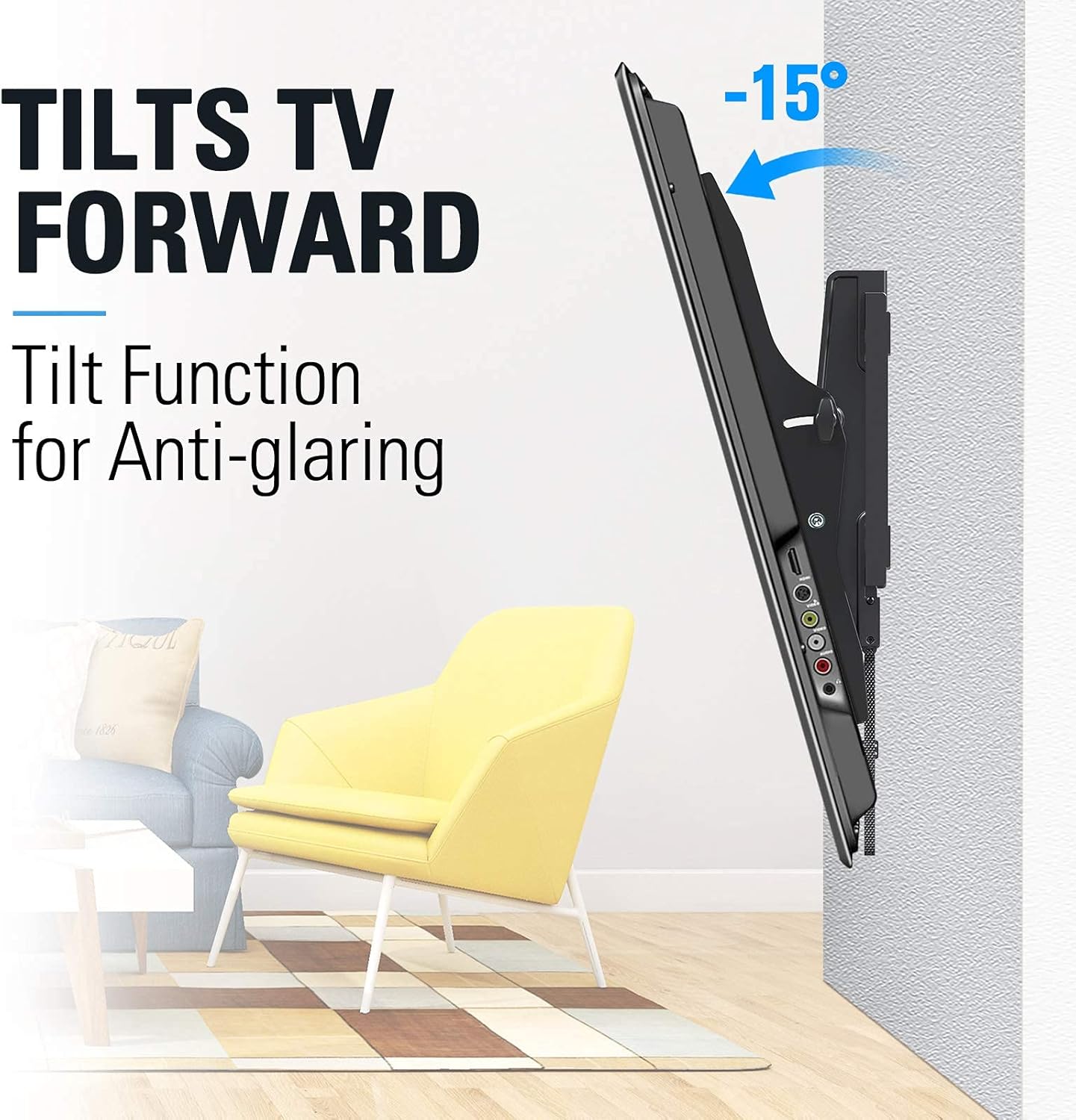
Image: TV tilting forward by 15 degrees to reduce glare.

Image: TV tilting backward by 5 degrees for convenient cable access.
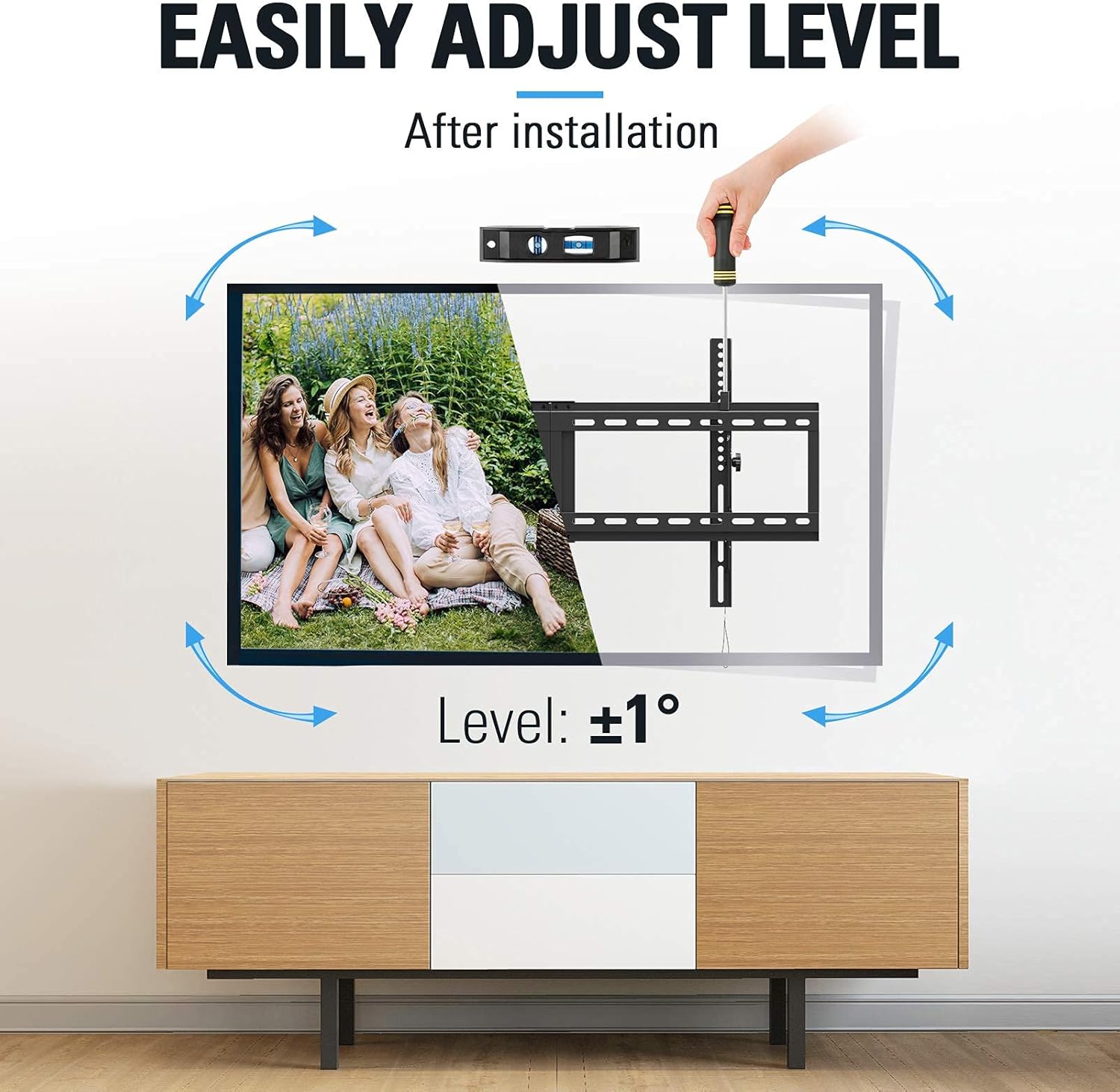
Image: Demonstration of the +/-1 degree post-installation level adjustment using a screwdriver.
MD2268-MK Tilting Function
The MD2268-MK is a tilting mount with a slim 1.5-inch profile. It provides a fixed tilt angle for comfortable viewing and space-saving design.

Obrázek: Boční view of a TV mounted with the MD2268-MK, illustrating its tilt for comfortable viewIng.
Údržba
Pravidelná údržba zajistí dlouhou životnost a bezpečnost vašeho televizního držáku.
- Čištění: Otřete držák měkkým, suchým hadříkem. Nepoužívejte abrazivní čisticí prostředky ani rozpouštědla, která by mohla poškodit povrchovou úpravu.
- Kontrola upevňovacích prvků: Periodically (e.g., every 6 months) check all screws and bolts to ensure they are still tight and secure. Loose fasteners can compromise the mount's stability.
- Kontrola pohybu: For the MD2263-XLK, test the tilt mechanism to ensure it moves smoothly and locks securely.
Odstraňování problémů
- TV is not level after installation (MD2263-XLK): Use the post-installation level adjustment feature as described in the Operating Instructions section. If the issue persists, re-check the wall plate installation for levelness.
- Difficulty tilting the TV (MD2263-XLK): Ensure the tilt knobs are sufficiently loosened before attempting to adjust the angle. If movement is stiff, check for any obstructions.
- Držák se zdá být nestabilní: Immediately remove the TV from the mount. Re-check all wall fasteners and TV bracket screws for tightness. Ensure the mount is installed into solid wood studs or concrete as required. Do not re-mount the TV until stability is confirmed.
- Chybějící díly nebo poškozené komponenty: Do not proceed with installation. Contact Mounting Dream customer service for replacement parts.
Specifikace
| Funkce | MD2263-XLK | MD2268-MK |
|---|---|---|
| Kompatibilita velikosti TV | 42-86 palců | 26-55 palců |
| Hmotnostní kapacita | 120 lb (54.4 kg) | 88 lb (39.9 kg) |
| Kompatibilita s VESA (max.) | 800x400mm | 400x400mm |
| Úhel náklonu | Nahoru 5°, dolů 15° | Fixed Tilt (Comfortable Viewing) |
| Nastavení úrovně | +/-1° Post-installation | N/A |
| Profile ze zdi | Not specified (standard tilt) | 1.5 palců |
| Materiál | Kov | |
| Barva | Černý | |
Záruka a podpora
Mounting Dream products are backed by a 10-year warranty, reflecting our commitment to quality and durability. We offer US-based customer service dedicated to providing quick responses and support tailored to your needs.
For technical assistance, missing parts, or warranty claims, please contact our customer support team:
- Webmísto: www.mountingdream.com
- E-mail: [Insert Customer Service Email Here]
- Telefon: [Insert Customer Service Phone Number Here]
Please have your model number (MD2263-XLK or MD2268-MK) and purchase information ready when contacting support.