
Walfront -1310
Digital Thermocouple Temperature Thermometer User Manual
Model: -1310 | Brand: Walfront
1. Konec produktuview
This Walfront -1310 Digital Thermocouple Temperature Thermometer is a portable device designed for industrial temperature measurement. It features a large LCD display for clear readings and supports both Celsius and Fahrenheit units. Its compact design makes it easy to carry and use in various environments.
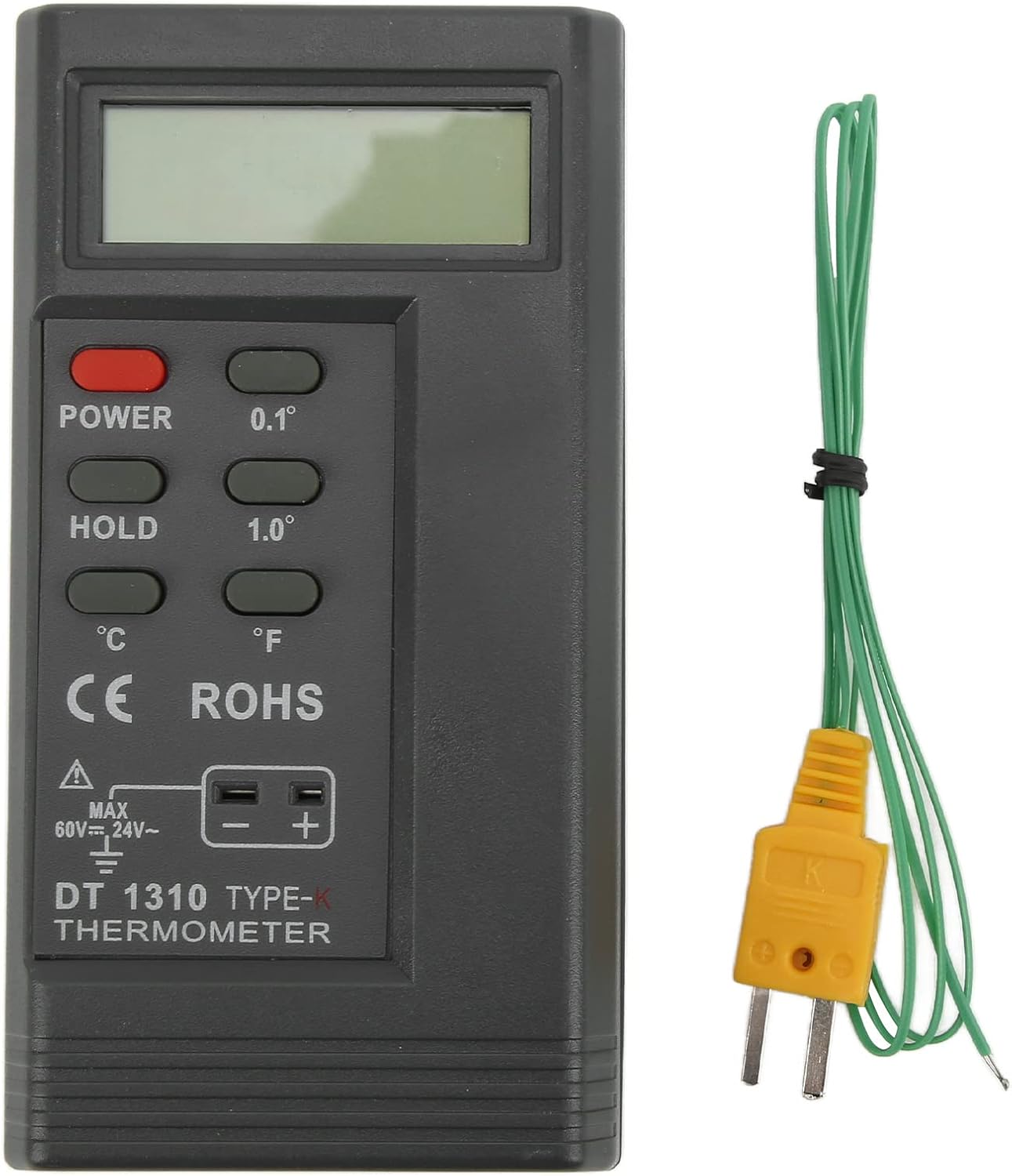
Image 1.1: The Walfront -1310 Digital Thermometer with its included K-type temperature probe.
Key features include a 0.5-inch high and large liquid crystal display (LCD) with a maximum reading value of 9999, automatic polarity indication, and low battery detection. The device offers a wide measuring range from -200℃ to 1370℃ (-328°F to 2498°F), making it suitable for diverse industrial applications.
2. Specifikace
| Položka | Detail |
|---|---|
| Model | -1310 |
| Materiál | ABS |
| Baterie | 1 x 9V 6F22 (not included) |
| Metoda zobrazení | 0.5 inches, high and large LCD, max reading 9999 |
| Indikace polarity | Automatic "-" |
| Indikace slabé baterie | "battery" display when voltage je nízké |
| Sampsazba ling | 2.5 krát/sec |
| Skladovací teplota | -10℃~60℃ (10℉~140℉) |
| Max. Vstupní objemtage (Thermocouple) | DC 60V, AC24V |
| Relativní vlhkost | 0%~90% (0℃~35℃) |
| Provozní teplota | 0℃~50℃ (32℉~122℉) |
| Hmotnost položky | 5.8 unce |
| Rozměry balení | 6.61 x 4.33 x 1.89 palce |

Image 2.1: Detailed measurement range, resolution, and accuracy specifications for the thermometer.
| Rozsah měření | Rezoluce | Přesnost |
|---|---|---|
| -200℃~1370℃ | 0.1℃ | -200℃~999.9℃: ±(0.3%+1℃) |
| 1℃ | -200℃~1370℃: ±(0.3%+1℃) | |
| -328 ℉ ~ 2480 ℉ | 0.1℉ | -328℉~999.9℉: ±(0.3%+2℉) |
| 1℉ | -328℉~2480℉: ±(0.3%+2℉) |
3. Nastavení a instalace baterií
Before using the thermometer, ensure a 9V 6F22 battery is installed. The battery compartment is located on the back of the device.
- Locate the battery compartment cover on the rear of the thermometer.
- Posuňte nebo odepněte kryt pro otevření přihrádky.
- Insert one 9V 6F22 battery, ensuring correct polarity (+/-).
- Bezpečně zavřete kryt bateriového prostoru.
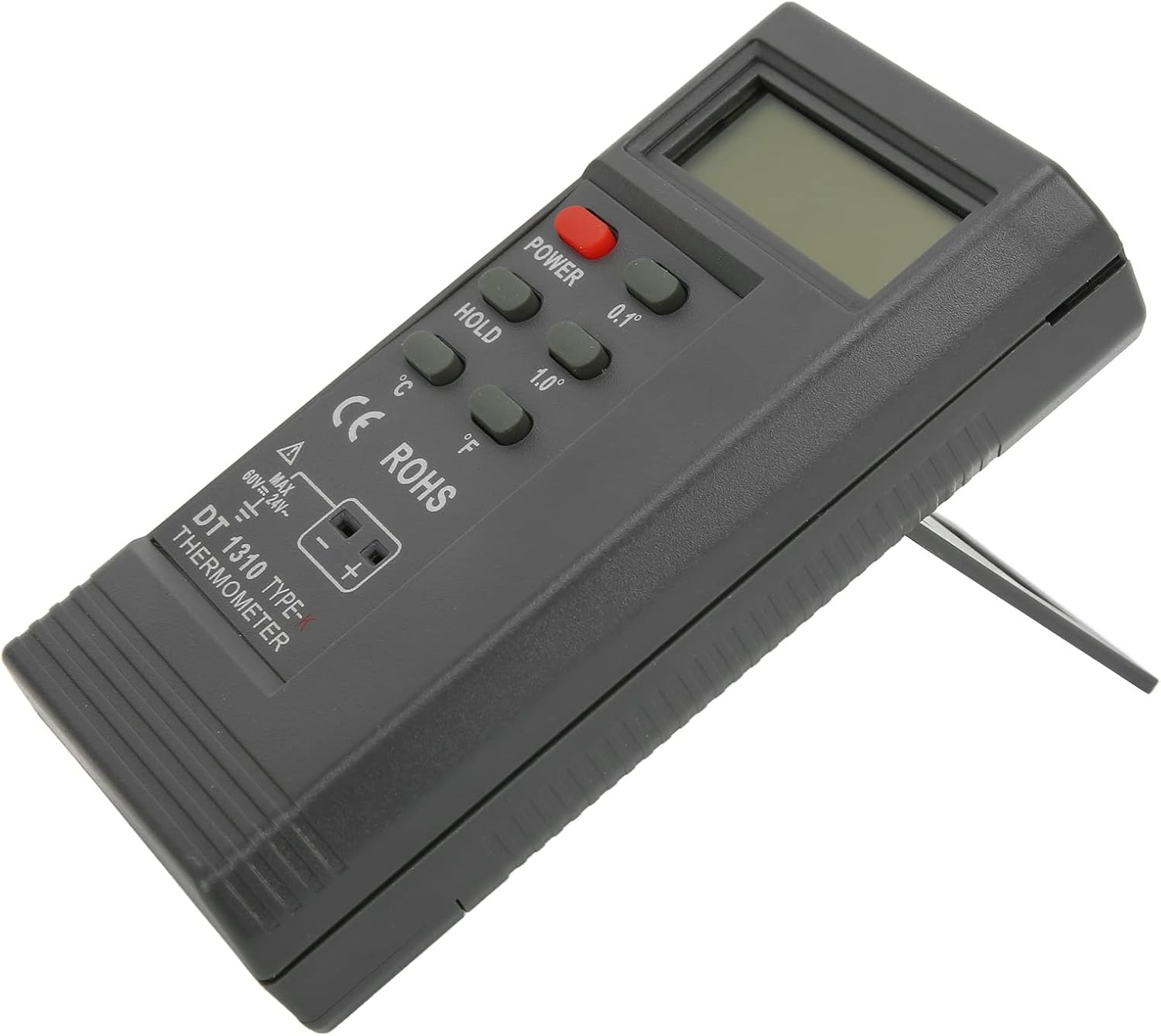
Obrázek 3.1: Přední a zadní strana views of the thermometer, highlighting the battery compartment on the rear.
The thermometer also features a built-in kickstand for convenient desktop use. Simply pull out the kickstand from the back of the device to prop it up.

Image 3.2: The thermometer with its integrated kickstand extended for stable placement.
4. Návod k obsluze
Follow these steps to accurately measure temperature using your Walfront -1310 Digital Thermometer:
- Zapnutí: Stiskněte tlačítko MOC tlačítko pro zapnutí zařízení.
- Vyberte jednotku: Použijte ℃ or ℉ buttons to select your desired temperature unit (Celsius or Fahrenheit).
- Připojení sondy: Insert the connecting end of the K-type temperature probe into the temperature measuring socket on the bottom of the thermometer. Ensure a secure connection.
- Změřte teplotu: Apply the measuring end of the temperature probe to the object or environment whose temperature you wish to measure. The temperature reading will be displayed on the LCD screen.
- Funkce Hold: Stiskněte tlačítko DRŽET tlačítko pro zmrazení aktuální hodnoty na displeji. Opětovným stisknutím funkci pozastavení zrušíte.
- Úprava rozlišení: Použijte 0.1° or 1.0° buttons to switch between 0.1-degree and 1.0-degree resolution for your measurements.
- Vypnout: Stiskněte tlačítko MOC button again to turn off the device when not in use.
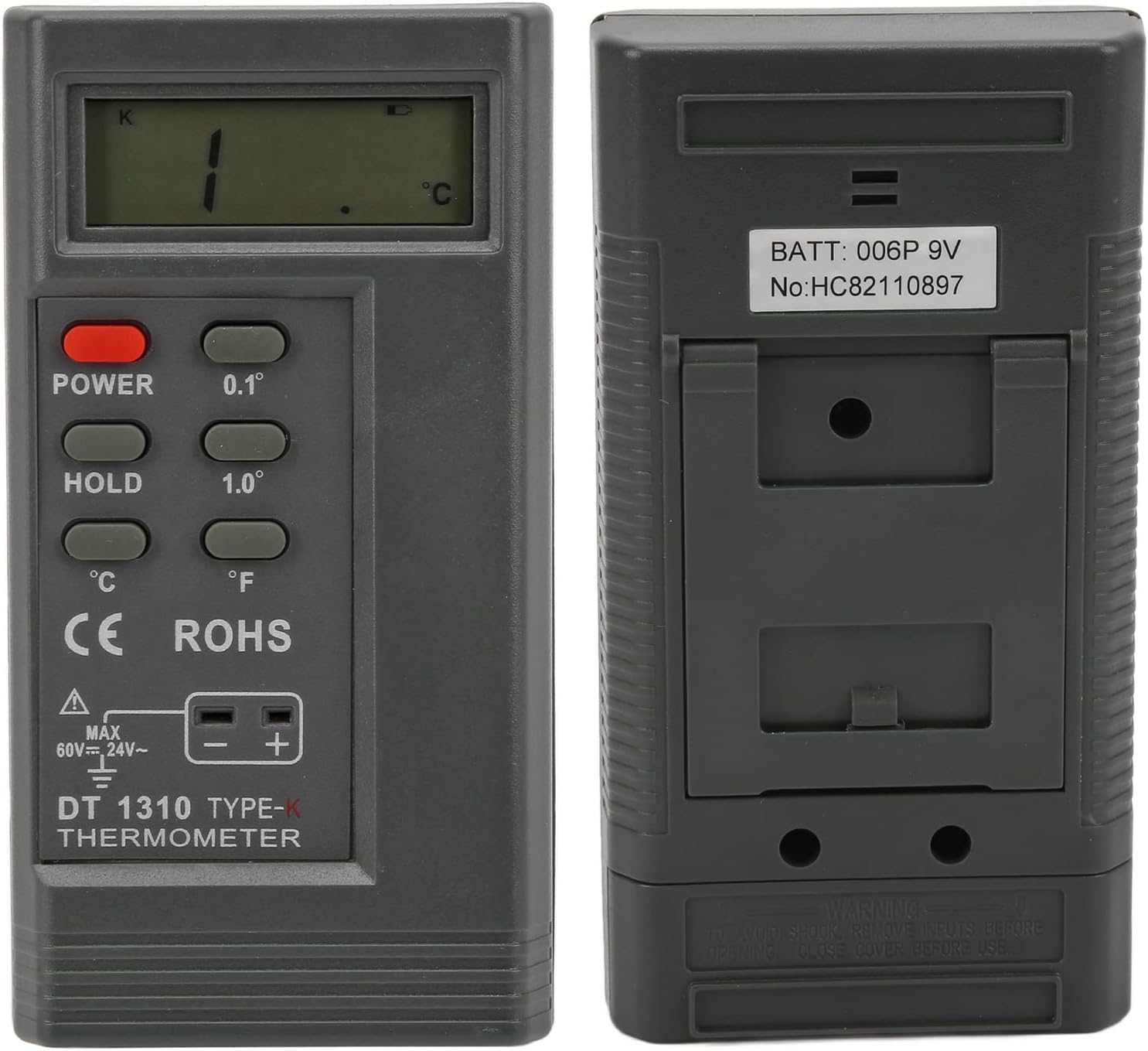
Image 4.1: The thermometer being used in an industrial environment, demonstrating its application.
5. Údržba a péče
- Čištění: To clean the thermometer, wipe it with a clean, damp tkanina. Nepoužívejte abrazivní čisticí prostředky ani neponořujte zařízení do vody.
- Skladování: Teploměr skladujte na chladném a suchém místě mimo dosah přímého slunečního záření a extrémních teplot. Pokud teploměr skladujete delší dobu, vyjměte baterii, abyste zabránili vytečení.
- Výměna baterie: When the "battery" indicator appears on the display, replace the 9V battery promptly to ensure accurate readings and proper operation.
- Péče o sondu: Handle the temperature probe with care. Avoid bending or damaging the probe tip. Clean the probe after each use, especially if it comes into contact with corrosive substances.
- Prevence šoku: To avoid electric shock, do not input voltages exceeding DC60V or AC24V to the thermocouple input.
6. Řešení problémů
| Problém | Možná příčina a řešení |
|---|---|
| Zařízení se nezapne. |
|
| "battery" indicator displayed. |
|
| Nepřesné nebo kolísavé hodnoty. |
|
| Display shows "OL" or "---". |
|
7. Záruka a podpora
This Walfront product is designed for reliability and performance. For any technical assistance, troubleshooting, or warranty inquiries, please contact Walfront customer support through the retailer where the product was purchased or visit the official Walfront brand store online.
Pro více informací a aktualizace produktů navštivte prosím Walfront Store on Amazon.
Ask a question about this manual
Ask about setup, troubleshooting, compatibility, parts, safety, or missing instructions. Manuals+ will review the question and use this page’s manual context to help answer it.