
Logitech 910-006265
Uživatelská příručka bezdrátové myši Logitech Signature M650 L
Model: M650 L (910-006265)
Zavedení
The Logitech Signature M650 L is a wireless computer mouse designed for enhanced comfort and productivity, particularly suited for users with larger hands. It features an adaptive SmartWheel for precise and fast scrolling, customizable side buttons, and SilentTouch technology for quiet clicks. This manual provides detailed instructions for setting up, operating, maintaining, and troubleshooting your M650 L mouse.
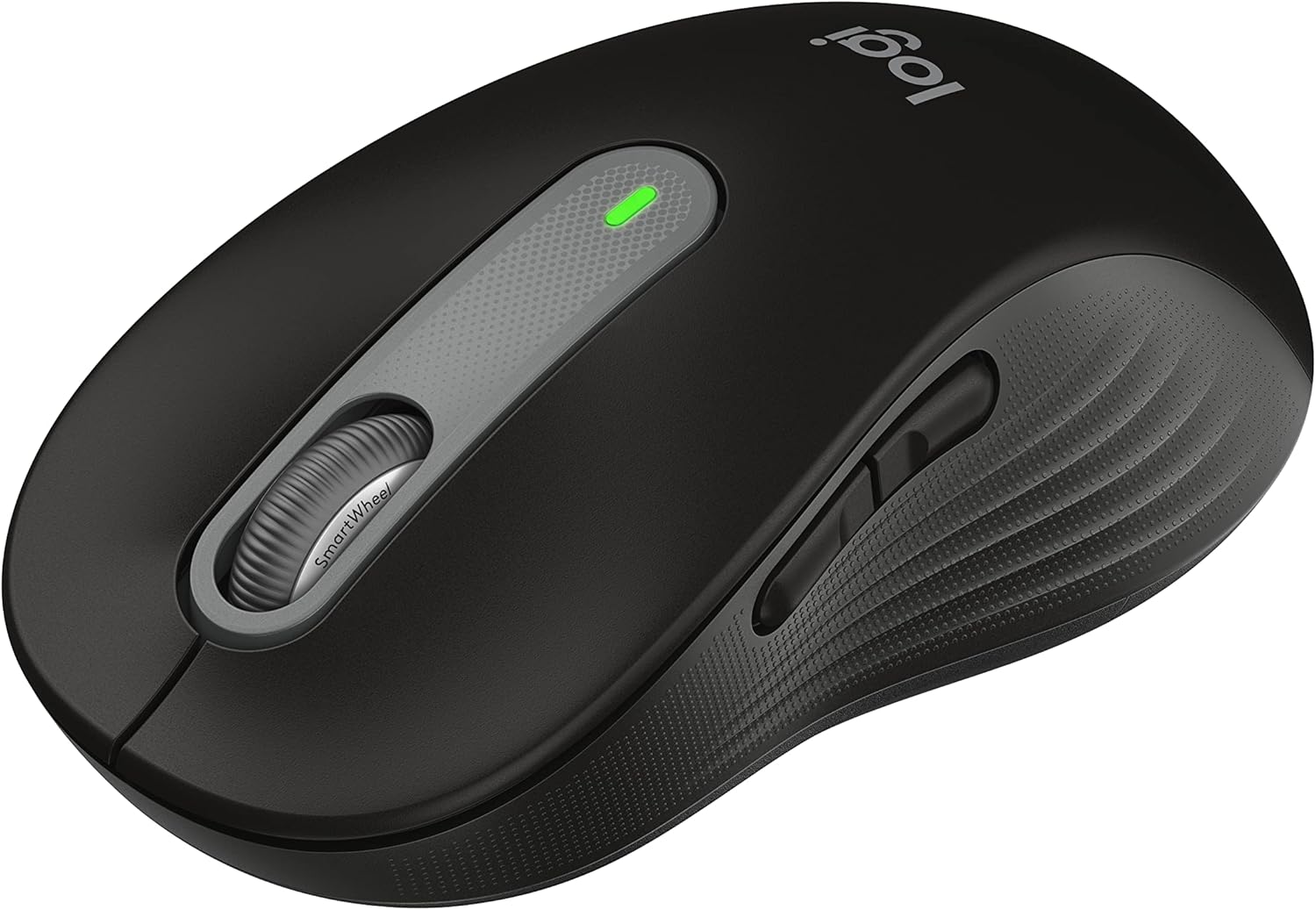
Figure 1: Logitech Signature M650 L Wireless Mouse
Nastavení
1. Instalace baterie
The Signature M650 L mouse operates on a single AA battery, providing up to 24 months of battery life. The battery compartment is located on the underside of the mouse.
- Gently slide open the battery compartment cover on the bottom of the mouse.
- Vložte jednu baterii typu AA a dbejte na správnou polaritu (+/-).
- Zavřete kryt přihrádky na baterie, dokud bezpečně nezacvakne na místo.
2. Připojení myši
The M650 L offers two connectivity options: Bluetooth Low Energy or the Logi Bolt USB receiver.

Figure 2: Connectivity Options (Bluetooth and Logi Bolt USB Receiver)
Možnost A: USB přijímač Logi Bolt
- Locate the Logi Bolt USB receiver inside the battery compartment of your mouse.
- Vyjměte přijímač a zapojte jej do volného portu USB v počítači.
- Zapněte myš pomocí vypínače na spodní straně. Myš by se měla automaticky připojit.
Možnost B: Bluetooth s nízkou spotřebou energie
- Zapněte myš pomocí vypínače na spodní straně.
- Press and hold the connection button on the bottom of the mouse until the LED light starts blinking rapidly. This indicates pairing mode.
- Na počítači otevřete nastavení Bluetooth:
- Windows: Go to Settings > Devices > Bluetooth & other devices > Add Bluetooth or other device.
- MacOS: Go to System Preferences > Bluetooth.
- Chrome OS/Linux: Access Bluetooth settings through your system tray or settings menu.
- Select "Signature M650 L" from the list of available devices to complete the pairing process.
Ovládání myši
SmartWheel Scrolling
The Signature M650 L features an adaptive SmartWheel that provides two modes of scrolling:
- Přesnost řádek po řádku: For detailed navigation in documents and spreadsheets.
- Super rychlé roztočení zdarma: Pro rychlé procházení dlouhých web pages or documents. The wheel automatically switches to this mode with a flick of your finger.

Figure 3: SmartWheel for Precision and Speed Scrolling
Customizable Side Buttons
The two side buttons on the M650 L mouse can be customized to perform your favorite shortcuts, such as back/forward navigation, copy/paste, or other functions. Customization is done through the Logitech Options+ software.

Figure 4: Customizing Buttons with Logitech Options+ Software
Silent Clicks (SilentTouch Technology)
The M650 L incorporates Logitech's SilentTouch technology, which reduces click noise by 90% compared to traditional mice. This feature allows for a quieter working environment, minimizing distractions for you and those around you.

Figure 5: Silent Clicks for a Quieter Workspace
Pohodlí a ergonomie
The mouse is designed with a comfortable shape, a soft thumb area, and rubber side grips to ensure a secure and pleasant feel during long hours of use. The M650 L is specifically sized for larger hands, providing optimal ergonomic support.

Figure 6: Comfort Shape and Rubber Side Grips

Figure 7: M650 and M650 L Size Comparison
Kompatibilita
The Logitech Signature M650 L mouse is compatible with a wide range of operating systems, ensuring versatile use across different devices.
- PC (Windows 10, 11 or later)
- Mac (macOS 10.15 or later)
- Linux
- Chromebook

Figure 8: Windows 11 Compatibility
Údržba
Výměna baterie
When the mouse's performance degrades or the indicator light signals low battery, it's time to replace the AA battery. Follow the battery installation steps outlined in the Setup section.
Čištění
Pro udržení optimálního výkonu a hygieny myš pravidelně čistěte:
- Použijte měkký hadřík, který nepouští vlákna dampened with water or an electronics-safe cleaning solution.
- Wipe the surface of the mouse, paying attention to the scroll wheel and side grips.
- Nepoužívejte agresivní chemikálie nebo abrazivní materiály, které by mohly poškodit povrch myši.
Odstraňování problémů
Problémy s připojením
- Myš nereaguje: Ensure the mouse is powered on and the battery is not depleted. Replace the battery if necessary.
- Nestabilní připojení Bluetooth: Move the mouse closer to your computer. Ensure no other devices are causing interference. Try re-pairing the mouse with your computer.
- Logi Bolt receiver not detected: Try plugging the receiver into a different USB port. Ensure the receiver is fully inserted.
- Switching between connections: If you switch between Bluetooth and the Logi Bolt receiver, you may need to re-pair or re-establish the connection each time.
Problémy s výkonem
- Nepravidelný pohyb kurzoru: Clean the optical sensor on the bottom of the mouse. Ensure you are using the mouse on a suitable surface (non-reflective, non-glass).
- Scroll wheel not working correctly: Ensure the scroll wheel is free of debris. If using Logitech Options+ software, check scroll settings.
- Tlačítka nereagují: Check if the buttons are physically obstructed. If using Logitech Options+ software, ensure button assignments are correct.
Specifikace
| Funkce | Detail |
|---|---|
| Model | Signature M650 L |
| Číslo modelu | 910-006265 |
| Konektivita | Nízkoenergetický Bluetooth, USB přijímač Logi Bolt |
| technologie Sensor | Optický |
| Typ baterie | 1 x AA baterie |
| Životnost baterie | Až 24 měsíců (může se lišit v závislosti na používání) |
| Speciální funkce | SmartWheel, SilentTouch Technology, Customizable Side Buttons |
| Rozměry (DxŠxV) | 4.65 x 2.58 x 0.1 palce (11.8 x 6.55 x 0.25 cm) |
| Hmotnost | 3.92 unce (111 gramů) |
| Kompatibilní platformy | PC, Linux, Mac (Windows 10/11+, macOS 10.15+, Chrome OS) |
Podpora a další zdroje
Pro další pomoc nebo podrobnou dokumentaci se prosím podívejte na následující zdroje:
- Oficiální uživatelská příručka (PDF): Stáhněte si uživatelskou příručku
- Návod k použití (PDF): Stáhnout návod k použití
- Podpora Logitech Webmísto: Visit the official Logitech support page for FAQs, drivers, and software downloads.
- Logitech Options+ Software: Download the software to customize your mouse buttons and settings.