
1. Úvod
This manual provides instructions for the Akko ACR61 61-Key 60% RGB Hot-swappable Wired Mechanical Gaming Keyboard. It covers setup, operation, maintenance, and troubleshooting to ensure optimal performance and longevity of your device.
The Akko ACR61 keyboard features a 60% layout, RGB backlighting, and hot-swappable switches, allowing for customization and enhanced typing experiences. It utilizes PBT double-shot keycaps for durability and N-key rollover for precise input.
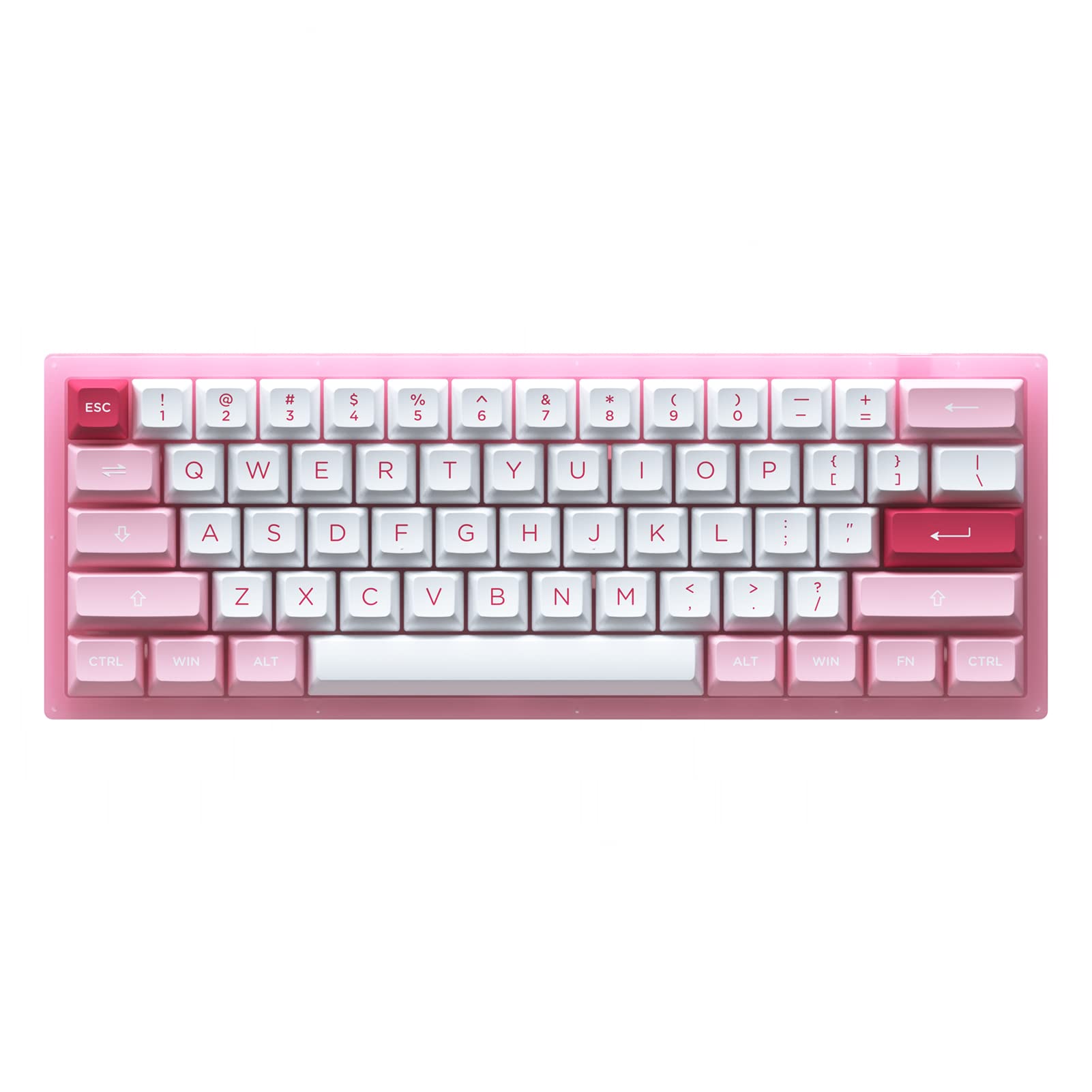
Image 1.1: Akko ACR61 keyboard showcasing the Prunus Lannesiana design and Jelly Pink switches.
2. Nastavení
2.1 Obsah balení
- Akko ACR61 Mechanical Keyboard
- Kabel USB-C na USB-A
- Stahovač klíčů
- Stahovák spínačů
- Additional Keycaps (if included)
2.2 Připojení klávesnice
- Locate the USB-C port on the back or side of the Akko ACR61 keyboard.
- Připojte konec USB-C dodaného kabelu ke klávesnici.
- Připojte konec kabelu USB-A k volnému portu USB na počítači nebo zařízení.
- The keyboard will be automatically recognized by most operating systems. No additional drivers are typically required for basic functionality.
3. Návod k obsluze
3.1 Základní funkce kláves
The Akko ACR61 is a 60% keyboard, meaning some functions are accessed via the 'Fn' key combined with other keys. Refer to the keycap legends for specific Fn combinations.
- Fn + [klávesa]: Accesses secondary functions printed on the front or side of keycaps (e.g., arrow keys, F-row keys, multimedia controls).
- N-Key Rollover (NKRO): The keyboard supports simultaneous key presses without conflicts, which is beneficial for fast typing and gaming.
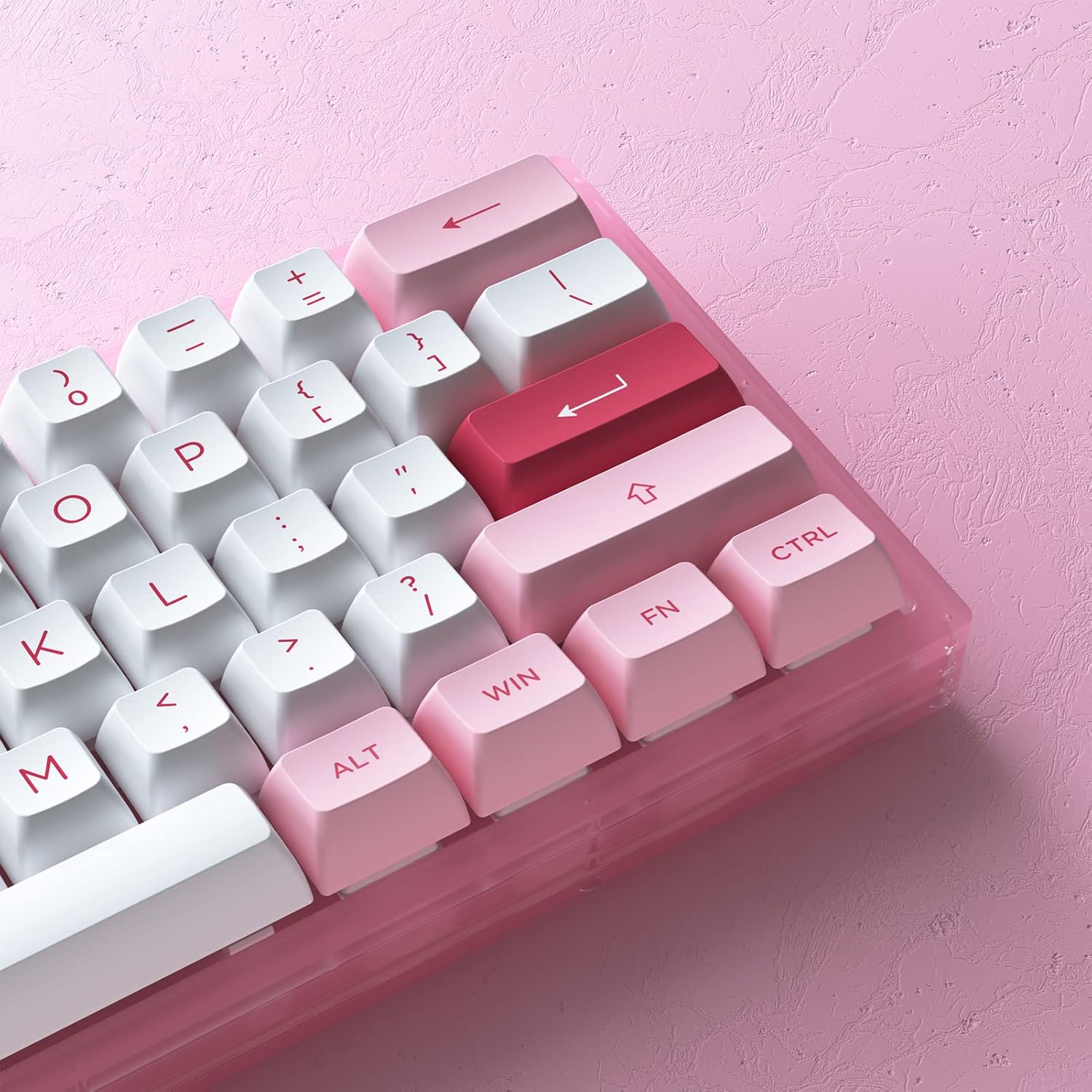
Obrázek 3.1: Detail view of the Akko ACR61 keycaps, illustrating primary and secondary functions.
3.2 Ovládání RGB podsvícení
The keyboard features built-in RGB backlighting with customizable light animation effects. Specific key combinations, often involving the 'Fn' key, are used to cycle through lighting modes, adjust brightness, and change colors.
- Fn + [klávesa]: Typically used to change RGB effects, speed, or direction. Consult the keyboard's specific keycap legends or software for exact combinations.
- Podsvícení LED: The keyboard also features underglow LED lighting, which can be controlled independently or in conjunction with the main RGB backlighting.
3.3 Programovatelnost
The Akko ACR61 keyboard is programmable, allowing users to remap keys and create macro sequences. This functionality is typically managed through dedicated software provided by Akko. Keys used for controlling Macro mode (Esc/Win/Fn) cannot be remapped.
- Přemapování klíčů: Assign different functions to individual keys.
- Makro záznam: Record a sequence of keystrokes and assign it to a single key for quick execution.
4. Údržba
4.1 Čištění klávesnice
Pravidelné čištění pomáhá udržovat vzhled a funkčnost klávesnice.
- Odpojte klávesnici od počítače.
- Pomocí měkkého kartáče nebo stlačeného vzduchu odstraňte prach a nečistoty z prostoru mezi klávesami.
- For keycap cleaning, gently remove keycaps using a keycap puller. Wash them with mild soap and water, then ensure they are completely dry before reattaching.
- Otřete povrch klávesnice jemným hadříkemamp, hadřík, který nepouští vlákna. Zabraňte nadměrné vlhkosti.
4.2 Přepínače vyměnitelné za provozu
The Akko ACR61 features premium TTC gaming 5-pin hot-swappable sockets, allowing you to change switches without soldering.

Image 4.1: A Jelly Pink mechanical switch, illustrating the hot-swappable design.
- Odstranění přepínače: Use the provided switch puller to carefully grip the top and bottom clips of the switch. Gently pull the switch straight up and out of the socket. Avoid bending the pins.
- Installing a Switch: Align the pins of the new switch with the holes in the PCB socket. Ensure the pins are straight. Gently push the switch straight down until it clicks into place. Do not force the switch; if resistance is met, check pin alignment.
5. Řešení problémů
5.1 Klávesnice nereaguje
- Ujistěte se, že je kabel USB bezpečně připojen k klávesnici i k počítači.
- Zkuste připojit klávesnici k jinému USB portu na počítači.
- Otestujte klávesnici na jiném počítači, abyste vyloučili problémy specifické pro systém.
- Pokud používáte USB rozbočovač, zkuste jej připojit přímo k počítači.
5.2 RGB osvětlení nefunguje nebo je nesprávné
- Ujistěte se, že je klávesnice správně připojena a napájena.
- Use the designated Fn key combinations to cycle through lighting modes or adjust brightness.
- If using Akko software, ensure it is running and configured correctly.
5.3 Nefunkční konkrétní klávesy
- For hot-swappable switches, carefully remove the keycap and then the switch for the affected key. Reinstall the switch, ensuring the pins are straight and fully seated.
- Test with a known working switch in the problematic socket to determine if the issue is with the switch or the socket.
- Ensure no debris is obstructing the switch mechanism.
6. Specifikace
| Funkce | Detail |
|---|---|
| Model | ACR61 |
| Rozložení | 61-Key (60%) |
| Konektivita | Kabelové (USB-C) |
| Spínače | Hot-swappable TTC Gaming 5-pin sockets (Jelly Pink Switches included) |
| Klíčenky | PBT Double Shot ASA Profile |
| Podsvícení | RGB with Underglow LED |
| Anti-Ghosting | N-Key Rollover (NKRO) |
| Programovatelnost | Yes (via software, excluding Esc/Win/Fn) |
| Materiál | Polybutylentereftalát (klávesy) |
| Hmotnost položky | 15.5 unce |
| Rozměry balení | 13.7 x 8.78 x 1.93 palce |
7. Záruka a podpora
Informace o záruce a technickou podporu získáte od oficiálního prodejce Akko. webnebo se obraťte přímo na jejich zákaznický servis. Uschovejte si doklad o koupi pro případné reklamace.
Oficiální obchod Akko: Akko Store on Amazon