
sofirn SP40A
Dobíjecí hlavice Sofirn SP40Aamp
Uživatelská příručka
Zavedení
This manual provides detailed instructions for the safe and efficient operation of your Sofirn SP40A Rechargeable HeadlampPřed použitím si prosím pečlivě přečtěte tento návod a uschovejte si jej pro budoucí použití.

Image: The Sofirn SP40A headlamp shown with its headband, pocket clip, 18350 battery tube, and USB charging cable.
Bezpečnostní pokyny
- Nesměrujte světlo přímo do očí.
- Uchovávejte mimo dosah dětí.
- Používejte pouze doporučený typ baterie.
- Hlavu nerozebírejteamp; this may void the warranty and cause damage.
- Vyvarujte se odkrytí hlavyamp extrémním teplotám nebo přímému slunečnímu záření po delší dobu.
Obsah balení
Ověřte, zda jsou v balení přítomny všechny položky:
- Sofirn SP40A Headlamp (1)
- Headband (1)
- Micro USB kabel (1)
- Náhradní O-kroužky (2)
- 18650 Battery (1)
- Pocket Clip (1)
- 18350 Battery Tube (1)
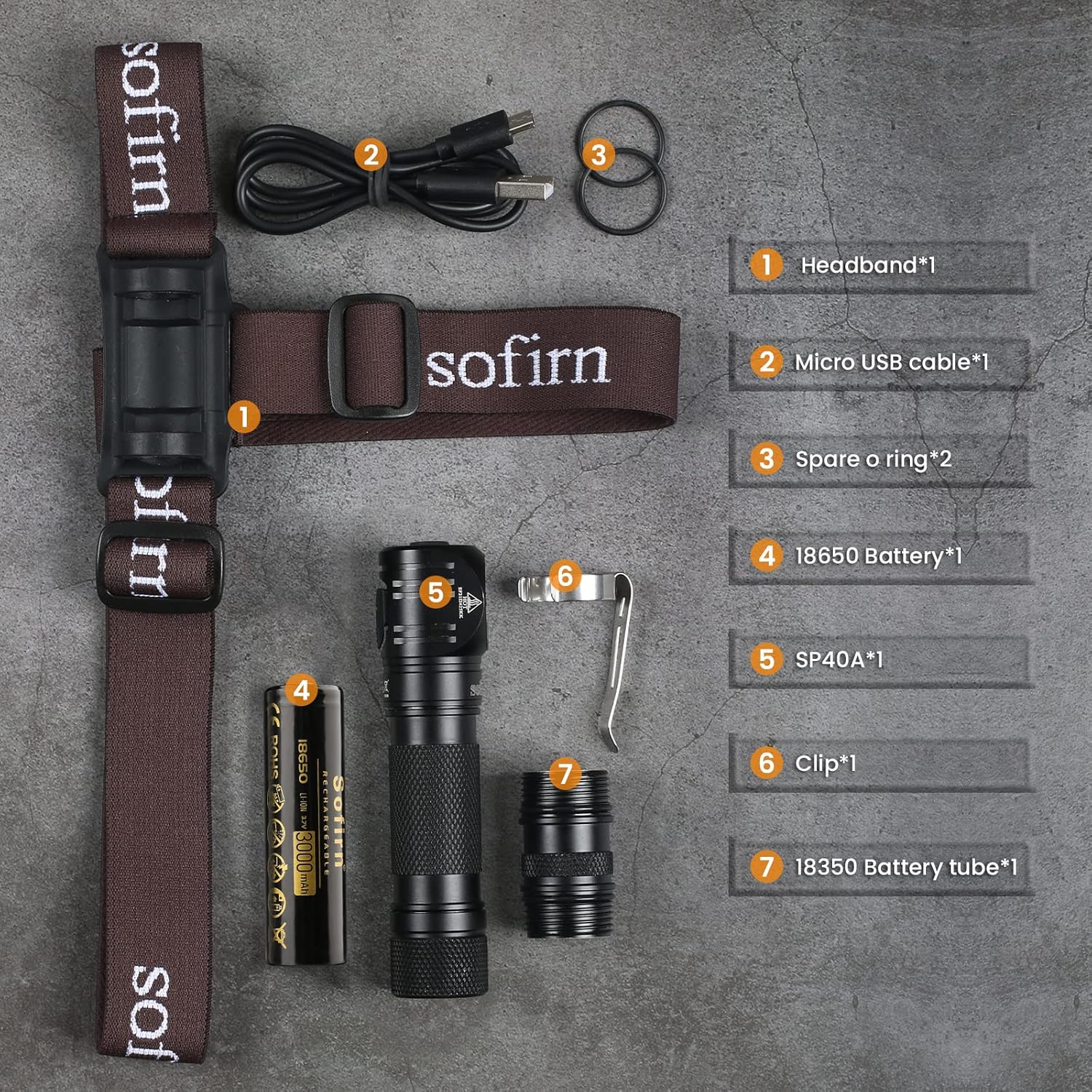
Image: All components of the Sofirn SP40A kit, including the headlamp, headband, battery, charging cable, and accessories, are displayed.
Nastavení
1. Instalace baterie
- Unscrew the tail cap of the headlamp.
- Insert the 18650 battery with the positive (+) end facing towards the head of the lamp.
- Pevně našroubujte zadní kryt.
- To use an 18350 battery, replace the standard battery tube with the shorter 18350 battery tube provided.

Image: The Sofirn SP40A headlamp is shown with the shorter 18350 battery tube installed, demonstrating its compact configuration.
2. Upevnění čelenky
- Posuňte hlavuamp into the rubber mount on the headband.
- Adjust the straps for a comfortable and secure fit on your head.

Image: The brown Sofirn headband is displayed, ready for headlamp příloha.
3. Nabíjení
- Locate the Micro USB charging port on the side of the headlamp.
- Otevřete gumový kryt.
- Connect the Micro USB cable to the port and the other end to a USB power source (e.g., computer, wall adapter).
- The indicator light will show charging status: Red for charging, Green for fully charged.
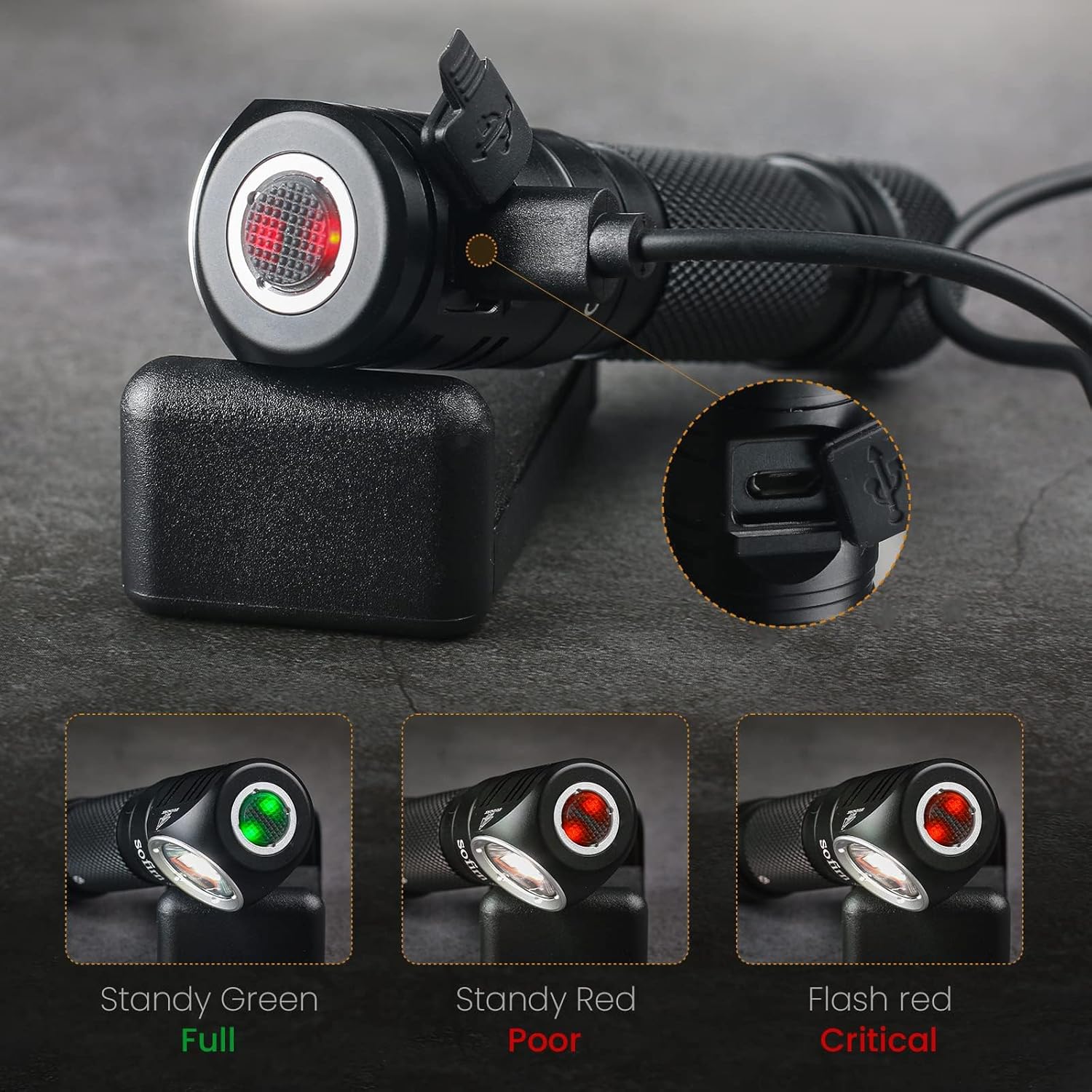
Image: The Sofirn SP40A headlamp is shown connected to a charging cable, with the indicator light displaying red for charging, green for full, and flashing red for critical battery.
Návod k obsluze
1. Zapnutí/vypnutí
- Press and hold the side switch for 0.5 seconds to turn the headlamp ZAPNUTO nebo VYPNUTO.
2. Přepínání režimů
- Když hlavaamp is ON, single-click the side switch to cycle through Low → Medium → High.
- Double-click the side switch from any mode (or OFF) to activate Turbo mode.
- Triple-click the side switch to activate Strobe mode.
3. Paměťová funkce
- Vedoucíamp will automatically remember the last used brightness level (Low, Medium, or High) when turned off and will return to that level when turned back on. Turbo and Strobe modes are not memorized.
4. Indikátor baterie
- The indicator light on the switch displays battery status for 5 seconds after turning on:
- Green: Battery is full.
- Red: Battery is low.
- Flashing Red: Battery is critical, recharge immediately.

Image: The Sofirn SP40A headlamp on a cap, illustrating the different brightness levels: Turbo (1200LM), High (450LM), Medium (90LM), and Low (5LM).
5. Všestranné použití
- Vedoucíamp can be removed from the headband for use as a right-angle flashlight.
- The magnetic tailcap allows attachment to metal surfaces for hands-free lighting.
- Use the included pocket clip for carrying on clothing or gear.
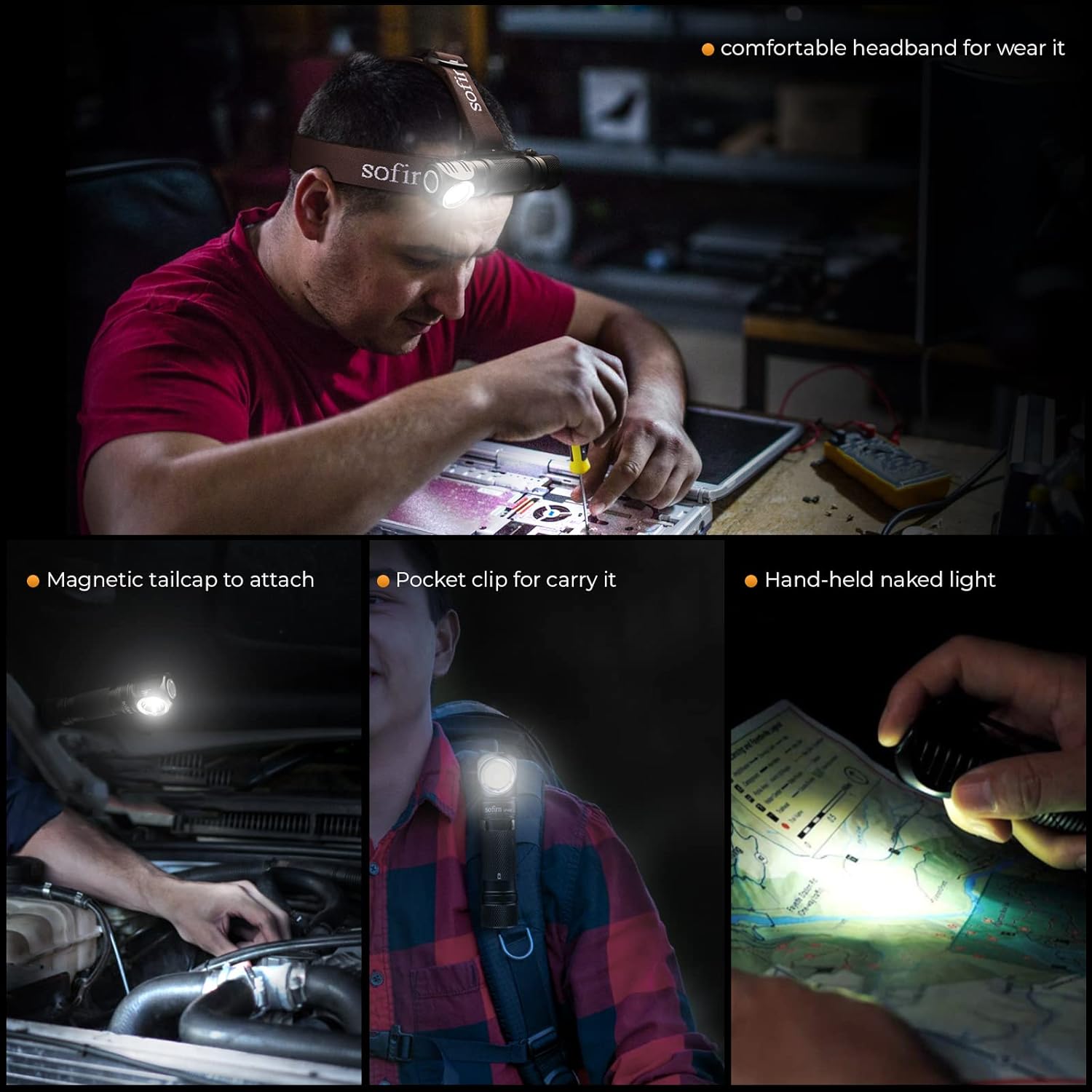
Image: Demonstrates the versatile uses of the Sofirn SP40A: worn as a headlamp for intricate work, attached via its magnetic tailcap under a car hood, clipped to a backpack strap, and used handheld for reading a map.
Údržba
1. Čištění
- Vyčistěte hlavuamp s měkkým, damp tkanina. Vyhněte se abrazivním čisticím prostředkům.
2. Péče o baterie
- Recharge the battery regularly, especially if not used for extended periods.
- Uložte hlavuamp with a partially charged battery if storing for a long time.
3. O-ring Replacement
- Periodically check the O-rings for wear and tear. Replace them with the spare O-rings provided to maintain water resistance.
- Apply silicone grease to O-rings to ensure a good seal.
Odstraňování problémů
- Světlo se nerozsvítí: Check if the battery is inserted correctly with the positive end facing forward. Ensure the tail cap is fully tightened. The battery may be depleted; try charging it.
- Light flickers or turns off unexpectedly: The battery may be low; recharge it. Ensure the battery and tail cap are securely tightened.
- Indikátor nabíjení nefunguje: Ensure the USB cable is properly connected to both the headlamp a zdroj napájení. Zkuste jiný kabel USB nebo zdroj napájení.
Specifikace
| Funkce | Detail |
|---|---|
| Model | SP40A |
| Světelný zdroj | LH351D 5000K 90 High CRI LED with TIR Lens |
| Maximální jas | 1200 lumenů (turbo) |
| Vzdálenost paprsku | Až 136 metrů |
| Zdroj napájení | 1x 18650 Lithium Ion battery (included), compatible with 18350 battery (with included tube) |
| Nabíjení | Micro USB dobíjecí |
| Materiál | Hliník |
| Voděodolnost | IPX7 (hloubka 1 metr / 3.28 stopy) |
| Odolnost proti nárazu | 1 metr / 3.28 stop |
| Rozměry | 108mm (Length) x 25mm (Head Diameter) |
| Hmotnost | 63 ± 1 gram (without battery) |

Image: A table detailing the Sofirn SP40A's performance parameters, including luminous flux, runtime, beam distance, peak intensity, impact resistance, and water resistance across different modes (Low, Medium, High, Turbo).
Záruka a podpora
Sofirn products are manufactured to high-quality standards. For warranty information or technical support, please refer to the official Sofirn webnebo se obraťte na prodejce. Uschovejte si účtenku jako doklad o koupi.
Ask a question about this manual
Ask about setup, troubleshooting, compatibility, parts, safety, or missing instructions. Manuals+ will review the question and use this page’s manual context to help answer it.