
1. Úvod a konecview
Welcome to the EKSA EM200 Gaming Mouse user manual. This guide provides comprehensive instructions for setting up, operating, and maintaining your new gaming mouse. The EM200 is designed for gamers seeking an ergonomic, customizable, and high-performance wired mouse experience.

Figure 1: The EKSA EM200 Gaming Mouse, showcasing its interchangeable back cover and tunable weight system.
2. Nastavení
The EKSA EM200 Gaming Mouse is a plug-and-play device, requiring no additional drivers for basic functionality on most operating systems. Simply connect the USB cable to an available USB port on your computer.
2.1 Připojení myši
- Unpack the EKSA EM200 Gaming Mouse from its packaging.
- Locate an available USB port on your Windows PC, Mac, or Laptop.
- Insert the USB connector of the mouse cable firmly into the USB port.
- The mouse's RGB lighting will illuminate, indicating a successful connection. Your computer should automatically detect the device.
Video 1: An official EKSA video demonstrating the unboxing and initial setup of the EM200 Gaming Mouse, including connecting it to a laptop and showcasinjeho RGB osvětlení.
3. Funkce a přizpůsobení
3.1 Adjustable DPI (Dots Per Inch)
The EM200 features a 12,000 DPI optical sensor with 6 adjustable DPI settings: 1000/2000/3200/4800/6400/12000. This allows for on-the-fly sensitivity adjustments to match different gaming scenarios or work tasks.
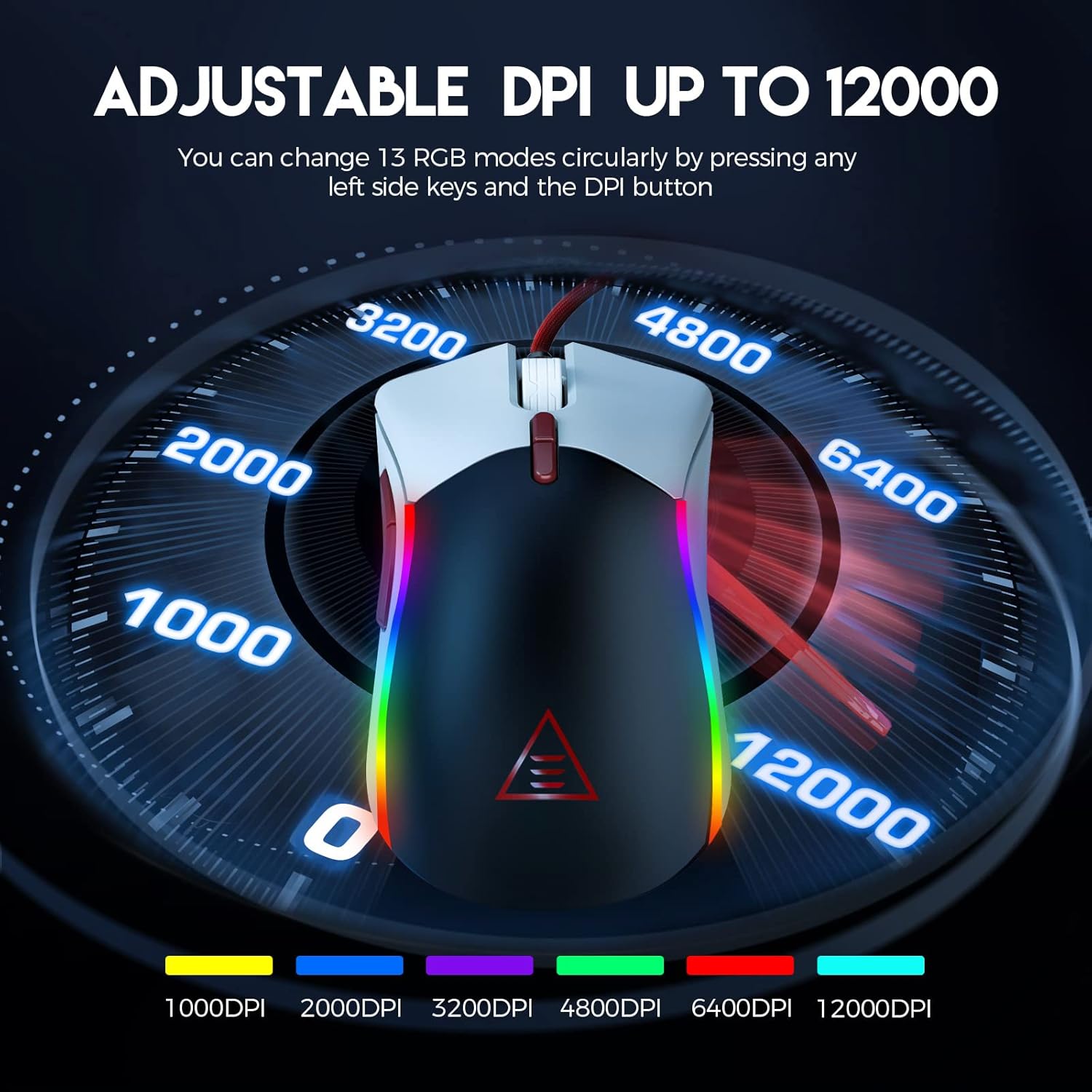
Figure 2: Visual representation of the adjustable DPI settings on the EKSA EM200 Gaming Mouse, highlighting the range from 1000 to 12000 DPI.
3.2 Customizable RGB Lighting
Personalize your gaming atmosphere with 13 customizable RGB lighting modes, offering 16.8 million color combinations. These modes can be cycled through using the dedicated buttons.
3.3 Tunable Weight System
Adjust the mouse's weight from 91.8g to 108g using the 6 included 2.7g weights. This allows for personalized weight and balance tuning, enabling lightning-fast reactions or precise control depending on your gameplay style.

Figure 3: The tunable weight system of the EKSA EM200, illustrating the compartment for six 2.7g weights.
3.4 7 Programmable Buttons
The EM200 features 7 programmable buttons, allowing you to assign macros and secondary functions for superior productivity and efficiency in various gaming and application scenarios.

Figure 4: A detailed diagram labeling the 7 programmable buttons on the EKSA EM200 Gaming Mouse, including left, right, scroll, forward, backward, DPI+, and DPI- buttons.
3.5 Interchangeable Back Covers
Customize the aesthetic of your mouse with two removable magnetic back covers (black & white), allowing you to switch styles effortlessly.
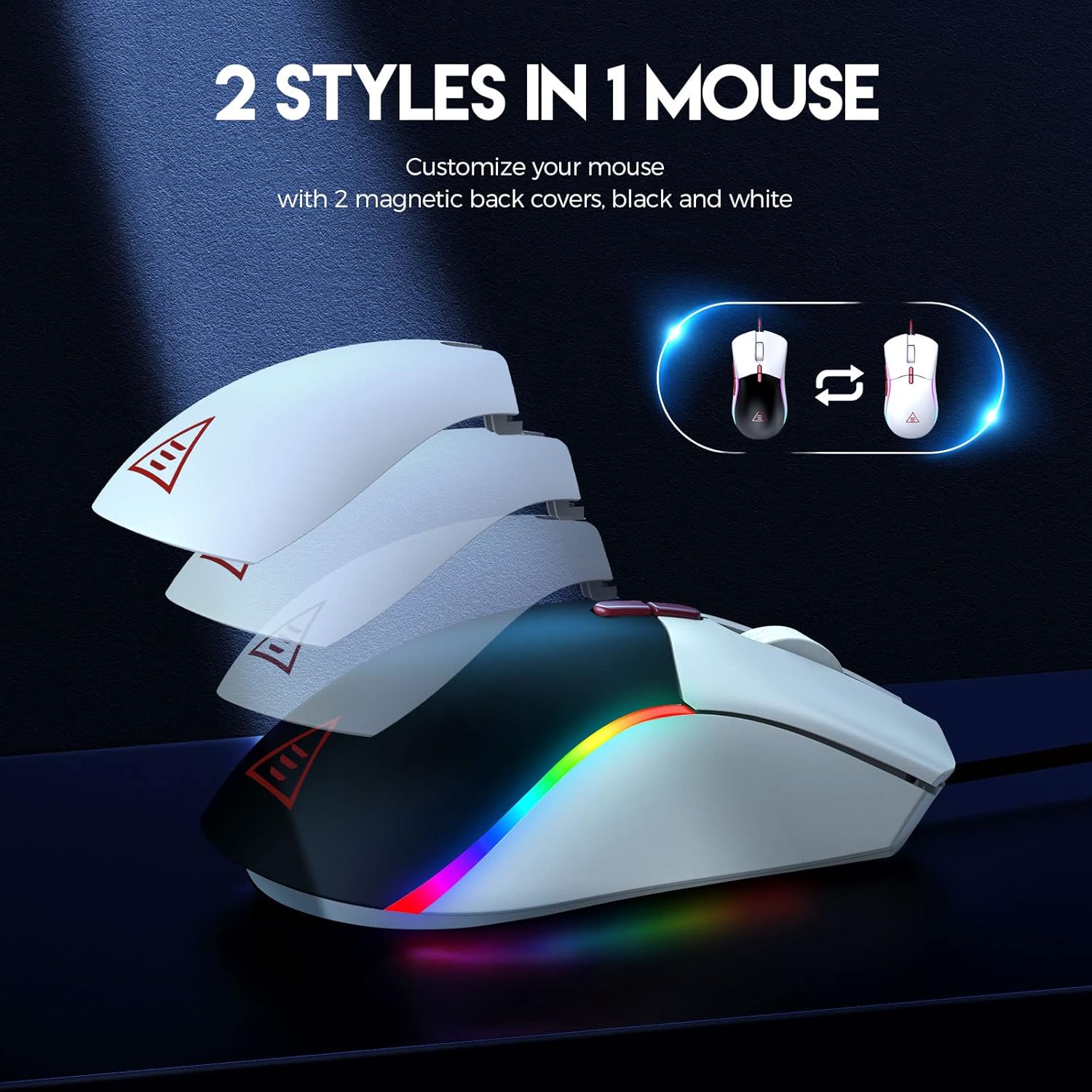
Figure 5: The EKSA EM200 Gaming Mouse demonstrating its two interchangeable magnetic back covers, offering different aesthetic options.
3.6 Ergonomický design
The mouse features a comfortable contoured shape with high-performance rubber grips, designed to naturally fit your hand and reduce fatigue during extended use. Its universal symmetrical design is suitable for both left and right-handed users.

Figure 6: An illustration highlighting the ergonomic design of the EKSA EM200 Gaming Mouse, emphasizing its comfortable fit for prolonged use.
4. Návod k obsluze
4.1 Adjusting DPI
Use the DPI+ and DPI- buttons (located below the scroll wheel) to cycle through the available DPI settings (1000/2000/3200/4800/6400/12000). Each setting may correspond to a different LED color for easy identification.
4.2 Changing RGB Modes
The EM200 offers 13 RGB modes. You can customize these modes by pressing any left side keys and the DPI button simultaneously, or through dedicated software if available (refer to manufacturer's webweb s informacemi o dostupnosti softwaru).
4.3 Customizing Weight
- Opatrně sejměte magnetický zadní kryt myši.
- Locate the weight compartment.
- Add or remove the 2.7g weights as desired to achieve your preferred mouse feel.
- Securely reattach the magnetic back cover.
4.4 Používání programovatelných tlačítek
The 7 programmable buttons can be assigned specific functions or macros. For advanced customization and macro programming, please download the official EKSA software from the manufacturer's website. The software interface allows you to reassign button functions to suit your gaming or productivity needs.

Figure 7: The EKSA software interface, demonstrating how to program the 7 buttons for different gaming needs.
5. Údržba
To ensure the longevity and optimal performance of your EKSA EM200 Gaming Mouse, follow these maintenance guidelines:
- Čištění: Myš pravidelně otírejte měkkým, suchým hadříkem. V případě odolné nečistoty použijte lehceamp Lze použít hadřík, ale dbejte na to, aby se do vnitřních součástí nedostala vlhkost. Nepoužívejte agresivní chemikálie ani abrazivní čisticí prostředky.
- Péče o senzor: Udržujte optický senzor na spodní straně myši čistý a bez prachu nebo nečistot, abyste zajistili přesné sledování.
- Správa kabelů: Avoid sharp bends or excessive pulling on the braided USB cable to prevent damage. Use the included cable tie to keep it neatly organized when not in use.
- Skladování: Pokud myš nepoužíváte, skladujte ji v čistém a suchém prostředí mimo dosah extrémních teplot.
6. Řešení problémů
If you encounter any issues with your EKSA EM200 Gaming Mouse, please try the following steps:
- Myš nereaguje:
- Ujistěte se, že je kabel USB bezpečně zapojený do portu USB počítače.
- Zkuste zapojit myš do jiného USB portu.
- Restartujte počítač.
- Nepřesné sledování:
- Vyčistěte optický senzor na spodní straně myši.
- Ujistěte se, že myš používáte na čistém, nereflexním povrchu nebo podložce pod myš.
- Upravte nastavení DPI na jinou úroveň.
- RGB světla nefungují/jsou nesprávná:
- Ujistěte se, že je myš správně připojena.
- Cycle through the RGB modes using the designated buttons.
- If using software, ensure it is up-to-date and configured correctly.
Pokud tyto kroky problém nevyřeší, podívejte se prosím do části Záruka a podpora, kde vám pomohou.
7. Specifikace
| Funkce | Detail |
|---|---|
| Rozměry produktu | 5 x 2.6 x 1.6 palce |
| Hmotnost položky | 7.4 unce |
| Číslo modelu položky | EM200 |
| Značka | EKSA |
| Barva | EM200 White |
| Technologie připojení | USB |
| Speciální funkce | Ergonomický design |
| Technologie detekce pohybu | Optický |
8. Záruka a podpora
The EKSA EM200 Gaming Mouse comes with a standard manufacturer's warranty. For detailed warranty information, product registration, and technical support, please visit the official EKSA webnebo se obraťte přímo na jejich zákaznický servis. Uschovejte si účtenku jako doklad o koupi pro případ reklamace.
For the latest drivers, software, and FAQs, please visit the EKSA Official Store on Amazon.